Upgrading An Old Macbook With An Old Processor

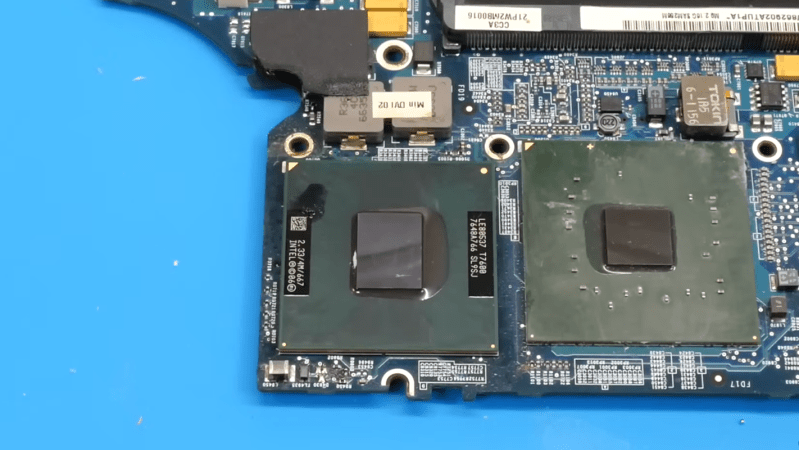
The Core Duo processor from Intel may not have been the first multi-core processor available to consumers, but it was arguably the one that brought it to the masses. Unfortunately, the first Core Duo chips were limited to 32-bit at a time when the industry was shifting toward 64-bit. The Core 2 Duo eventually filled this gap, and [dosdude1] recently completed an upgrade to a Macbook Pro that he had always wanted to do by replacing the Core Duo processor it had originally with a Core 2 Duo from a dead motherboard.

The upgrade does require a bit more tooling than many of us may have access too, but the process isn’t completely out of reach, and centers around desoldering the donor processor and making sure the new motherboard gets heated appropriately when removing the old chip and installing the new one. These motherboards had an issue of moisture ingress which adds a pre-heating step that had been the cause of [dosdude1]’s failures in previous attempts. But with the new chip cleaned up, prepared with solder balls, and placed on the new motherboard it was ready to solder into its new home.

Upon booting the upgraded machine, the only hiccup seemed to be that the system isn’t correctly identifying the clock speed. A firmware update solved this problem, though, and the machine is ready for use. For those who may be wondering why one would do something like this given the obsolete hardware, we’d note that beyond the satisfaction of doing it for its own sake these older Macbooks are among the few machines that can run free and open firmware, and also that Macbooks that are a decade or older can easily make excellent Linux machines even given their hardware limitations.

Continue reading “Upgrading An Old Macbook With An Old Processor”

Game Boy PCB Assembled With Low-Cost Tools

As computers have gotten smaller and less expensive over the years, so have their components. While many of us got our start in the age of through-hole PCBs, this size reduction has led to more and more projects that need the use of surface-mount components and their unique set of tools. These tools tend to be more elaborate than what would be needed for through-hole construction but [Tobi] has a new project that goes into some details about how to build surface-mount projects without breaking the bank.

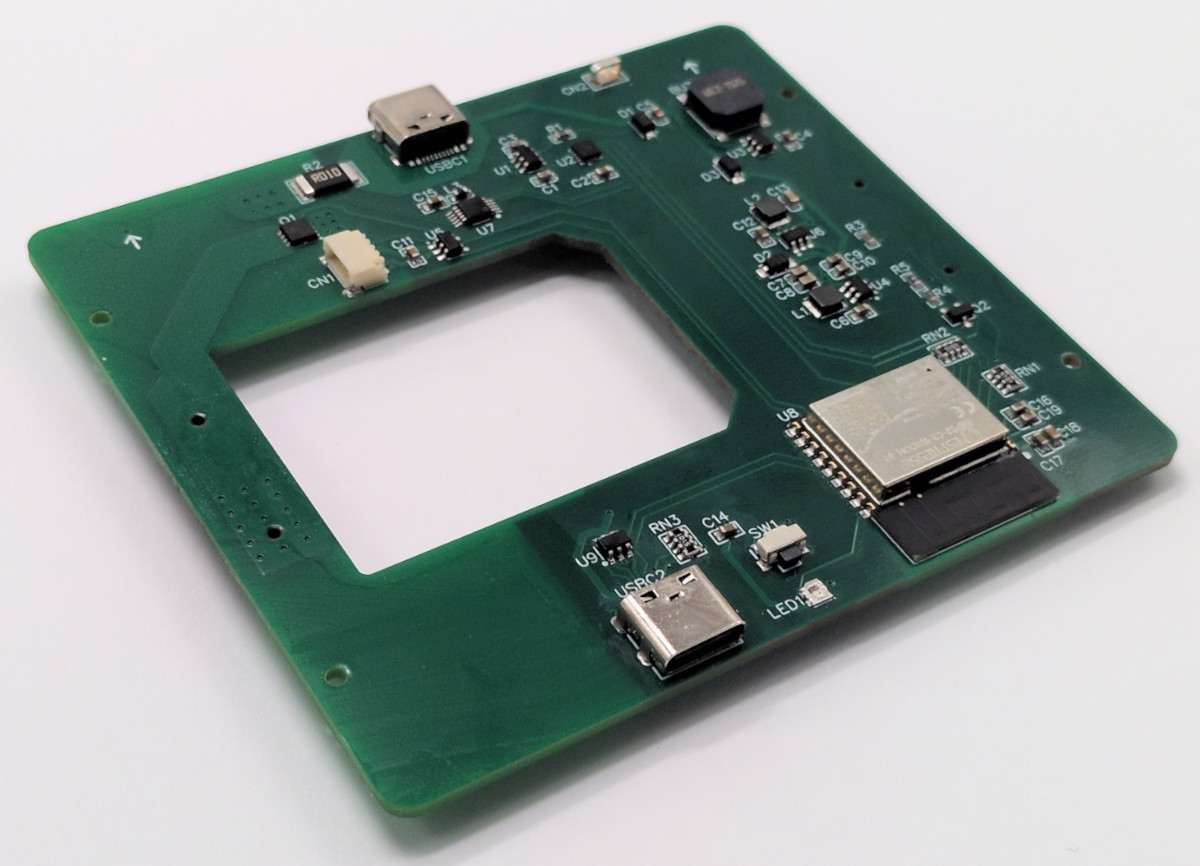
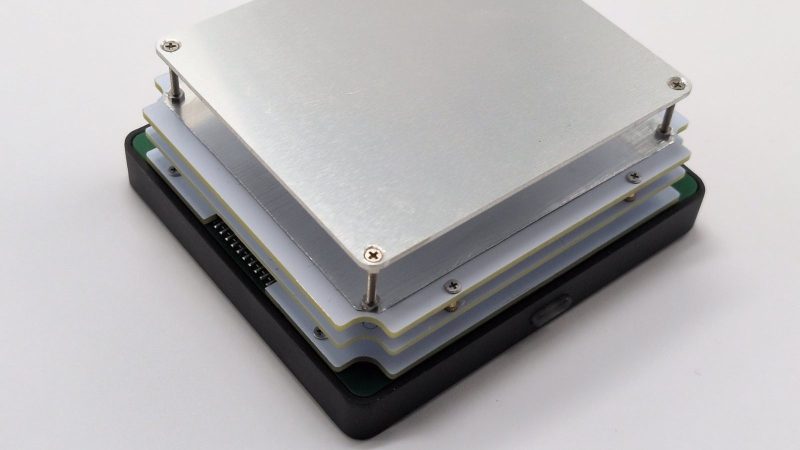
The project here is interesting in its own right, too: a display module upgrade for the classic Game Boy based on an RP2350B microprocessor. To get all of the components onto a PCB that actually fits into the original case, though, surface-mount is required. For that [Tobi] is using a small USB-powered hotplate to reflow the solder, a Pinecil, and a healthy amount of flux. The hotplate is good enough for a small PCB like this, and any solder bridges can be quickly cleaned up with some extra flux and a quick pass with a soldering iron.

The build goes into a lot of detail about how a process like this works, so if you’ve been hesitant to start working with surface mount components this might be a good introduction. Not only that, but we also appreciate the restoration of the retro video game handheld complete with some new features that doesn’t disturb the original look of the console. One of the other benefits of using the RP2350 for this build is that it’s a lot simpler than using an FPGA, but there are perks to taking the more complicated route as well.

Continue reading “Game Boy PCB Assembled With Low-Cost Tools”

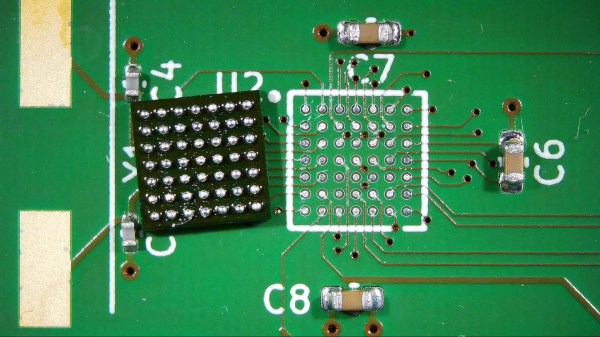
A freshly reballed BGA chip next to a clean PCB footprint

Working With BGAs: Soldering, Reballing, And Rework

In our previous article on Ball Grid Arrays (BGAs), we explored how to design circuit boards and how to route the signals coming out of a BGA package. But designing a board is one thing – soldering those chips onto the board is quite another. If you’ve got some experience with SMD soldering, you’ll find that any SOIC, TQFP or even QFN package can be soldered with a fine-tipped iron and a bit of practice. Not so for BGAs: we’ll need to bring out some specialized tools to solder them correctly. Today, we’ll explore how to get those chips on our board, and how to take them off again, without spending a fortune on equipment.

Tools of the Trade

For large-scale production, whether for BGA-based designs or any other kind of SMD work, reflow ovens are the tool of choice. While you can buy reflow ovens small enough to place in your workshop (or even build them yourself), they will always take up quite a bit of space. Reflow ovens are great for small-scale series production, but not so much for repairs or rework. Continue reading “Working With BGAs: Soldering, Reballing, And Rework”

Throwback: USB Hotplate Used 30 Whole Ports

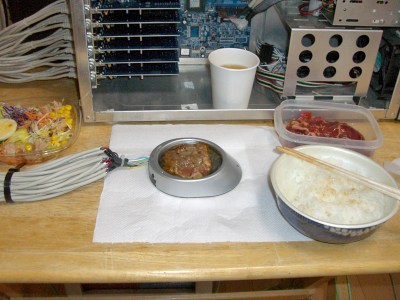
Once upon a time, USB was still hip, cool, and easy to understand. You could get up to 500 mA out of a port, which wasn’t much, but some companies produced USB cup warmers anyway which were a bit of a joke. However, one enterprising hacker took things further back in 2004, whipping up a potent USB hot plate powered by a cavalcade of ports.

Delicious.

The project was spawned after a USB cup warmer sadly failed to cook a decent fried egg. To rectify this, a souped-up version was built. The cup warmer was stripped of its original hardware, and fitted with six 2-ohm resistors instead. At 5 volts, each would draw 2.5 amps and the total power draw would be on the order of 75 watts. Each resistor would thus need five USB ports to power it to stay under the 500 mA limit, for a total of 30 USB ports in total. Six PCI-to-USB cards were installed in a motherboard for this purpose, providing the requisite ports.  A 500 watt power supply meant the computer had plenty of juice to run the hot plate.

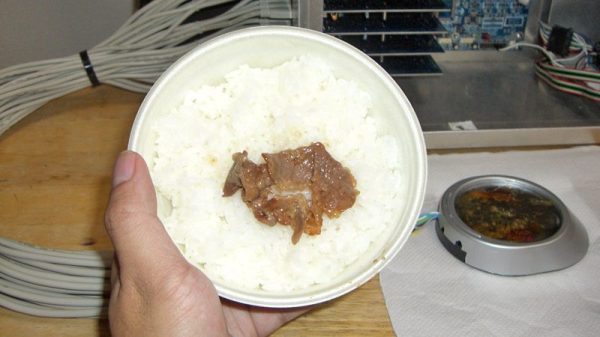
Cooking proved successful, generating a decent amount of heat to brown up some beef. Served with some white rice, it proved an adequate meal, though apparently with a noted taste of electronic components.

This wouldn’t be such a challenge today. USB-C is capable of delivering 100 watts through a single port at 20 volts and 5 amps. However, there’s something joyous and charming about cooking on a ridiculous hotplate running off 30 USB 1.1 ports. The ingenuity is to be applauded, and it is truly a project of its time.

Reflow Hotplate Teardown Uncovers The Bare Minimum

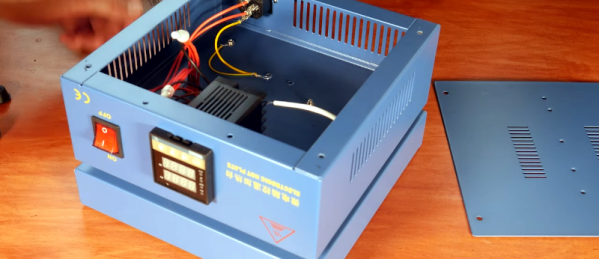
[EEforEveryone] is trying to find a good hot plate for reflow soldering. After trying one cheap unit, he got another one. He was a bit underwhelmed. The grounding was suspect and the bed wasn’t totally flat. He tore it apart and was surprised that there was very little inside. While the construction wasn’t perfect, it was better than the previous unit. You can see a video of the teardown and review below.

Before powering it up, the first order of business was to rewire the ground system. After that, it was time to try it. However, by confusing Fahrenheit and Centigrade, he set the temperature much higher than necessary which creating a little smoke. Fixing the temperature helped, but there was still a bit of a smoky smell that eventually subsided.

The verdict? The hot plate worked well enough, but you probably do want to check the ground wiring before using it. That’s often a good idea where cheap equipment is concerned, anyway. But the real takeaway is that it looks like you could homebrew something equivalent without much trouble. The controller is an off-the-shelf module. A switch and a plug aren’t hard to figure out. The heating element could be a silicone heater or PCB heater meant for a 3D printer.

Of course, there are other options. You could use a wok. Or why not a waffle iron? You can also make a custom PCB.

Continue reading “Reflow Hotplate Teardown Uncovers The Bare Minimum”

Iron Becomes SMD Hot Plate

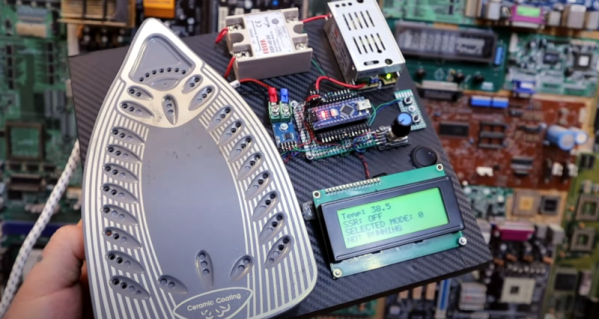
Few things have changed our workshops more than surface mount components. In 1980 it would have been strange to see a hobby bench with a microscope, hot air equipment, tweezers, and all the other accouterments that are a necessity today. [Electronoobs] wanted a reflow hot plate and decided that he could repurpose a consumer laundry iron for the job. You can see the results in the video below.

Opening the iron revealed surprisingly simple circuitry, so the build has some additional parts along with a controller and an LCD, of course. The power requirement for the heating element is significant — 13 amps — so the plate uses a solid state relay to turn things on and off.

Continue reading “Iron Becomes SMD Hot Plate”

Reflow Rig Makes SMD Soldering A Wok In The Park

For a DIY reflow setup, most people seem to rely on the trusty thrift store toaster oven as a platform to hack. But there’s something to be said for heating the PCB directly rather than heating the surrounding air, and for that one can cruise the yard sales looking for a hot plate to convert. But an electric wok as a reflow hotplate? Sure, why not?

At the end of the day [ThomasVDD]’s reflow wok is the same as any other reflow build. It has a heat source that can be controlled easily, temperature sensors, and a microcontroller that can run the proportional-integral-derivative (PID) control algorithm needed for precise temperature control. That the heating element he used came from an electric wok was just a happy accident. A laser-cut MDF case complete with kerf-bent joints holds the heating element, the solid-state relay, and the Arduino Nano that runs the show. A MAX6675 thermocouple amp senses the temperature and allows the Nano to cycle the temperature through different profiles for different solders. It’s compact, simple, and [ThomasVDD] now has a spare wok to use on the stove top. What’s not to like?

Reflow doesn’t just mean oven or hotplate, of course. Why not give reflow headlights, a reflow blowtorch, or even a reflow work light a try?