IR Translator Makes Truly Universal Remote

Universal remotes are a handy tool to have around if you have many devices that would all otherwise have their own remote controls. Merging them all into a single device leads to less clutter and less frustration, but they are often not truly “universal” as some of them may not support every infrared device that has ever been built. If you’re in a situation like that it’s possible to build a truly universal remote instead, provided you have a microcontroller and a few infrared LEDs on hand.

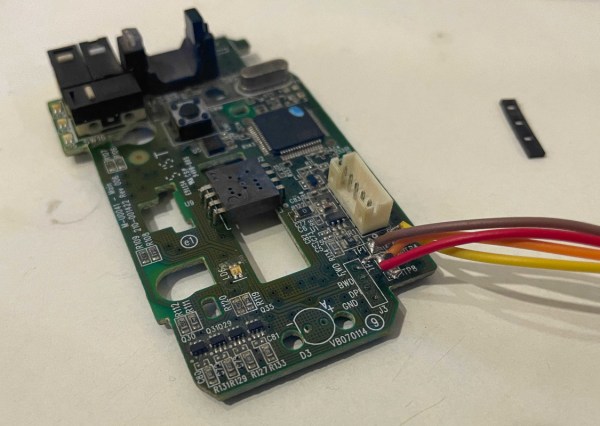
This was the situation that [Matt] found himself in when his Amazon Fire TV equipment control feature didn’t support his model of speakers. To get around this he programmed an Arduino to essentially translate the IR codes from the remote and output a compatible set of codes to the speakers.This requires both an IR photodiode and an IR LED but little else other than the codes for the remote and the equipment in question. With that all set up and programmed into the Aruino, [Matt]’s remote is one step closer to being truly “universal”.

While [Matt] was able to make use of existing codes in the Arduino library, it is also possible to capture the codes required manually by pointing a remote at a photodiode and programming a microcontroller to capture the codes that you need. [Matt] used a Raspberry Pi to do this when debugging this project, but we’ve also seen this method used with a similar build which uses an ESP8266 to control an air conditioner via its infrared remote control capabilities.

Continue reading “IR Translator Makes Truly Universal Remote”

Turning The PS4 Into A Useful Linux Machine

When the PlayStation 3 first launched, one of its most lauded features was its ability to officially run full Linux distributions. This was of course famously and permanently borked by Sony with a software update after a few years, presumably since the console was priced too low to make a profit and Sony didn’t want to indirectly fund server farms made out of relatively inexpensive hardware. Of course a decision like this to keep Linux off a computer system is only going to embolden Linux users to put it on those same systems, and in that same vein this project turns a more modern Playstation 4 into a Kubernetes cluster with the help of the infamous OS.

The Playstation 4’s hardware is a little dated by modern desktop standards but it is still quite capable as a general-purpose computer provided you know the unofficial, unsupported methods of installing Psxitarch Linux on one. This is a distribution based on Arch and built specifically for the PS4, but to get it to run the docker images that [Zhekun Hu] wanted to use some tinkering with the kernel needed to be done. With some help from the Gentoo community a custom kernel was eventually compiled, and after spending some time in what [Zhekun Hu] describes as “Linux Kernel Options Hell” eventually a working configuration was found.

The current cluster is composed of two PS4s running this custom software and runs a number of services including Nginx, Calico, Prometheus, and Grafana. For those with unused PlayStation 4s laying around this might be an option to put them back to work, but it should also be a cautionary tale about the hassles of configuring a Linux kernel from scratch. It can still be done on almost any machine, though, as we saw recently using a 386 and a floppy disk.

IBM PalmTop Running Modern (Modified) Linux

The handheld computing market might seem dominated by smartphones today, but before their mass adoption there were other offerings for those who needed some computing power on-the-go. If a 90s laptop was too bulky, there was always the IBM PalmTop which packed punch for its size-to-weight ratio, and for the era it was created in. [Mingcong Bai] still has one of these antiques and decided to see if it was still usable by loading a customized Linux distribution on it.

The PalmTop sported modest hardware even for its time with an Intel 486SL running at 33 MHz with 20 MiB of RAM. This one also makes use of a 1 GB CompactFlash card for storage and while [Mingcong Bai] notes that it is possible to run Windows 95 on it, it’s not a particularly great user experience. A Linux distribution customized for antique hardware, AOSC/Retro, helps solve some of these usability issues. With this it’s possible to boot into a command line and even do some limited text-based web browsing as long as the Ethernet adapter is included.

While the computer is running at its maximum capacity just to boot and perform basic system functions, it’s admirable that an antique computer such as this still works, especially given its small size and limited hardware functionality. If you’re curious about more PalmTop-style computers, take a look at the first one ever produced: the HP-200LX.

Continue reading “IBM PalmTop Running Modern (Modified) Linux”

Custom Macintosh With A Real 486

Older Apple computers can often be something of a collector’s item, with the oldest fetching an enormously high price in auctions. The ones from the late ’80s and early ’90s don’t sell for quite as much yet, but it’s possible that museums and collectors of the future will one day be clamoring for those as well. For that reason, it’s generally frowned upon to hack or modify original hardware. Luckily, this replica of an Apple Macintosh didn’t harm any original hardware yet still manages to run software on bare metal.

The computer is built around a single-board computer, but this SBC isn’t like the modern ARM machines that have become so ubiquitous. It’s a 133MHz AMD 486 which means that it can run FreeDOS and all of the classic DOS PC games of that era without emulation. In order to run Apple’s legacy operating system, however, it does require the use of the vMac emulator, but the 486 is quite capable of handling the extra layer of abstraction. The computer also sports a real SoundBlaster ISA sound card, uses a microSD card for its hard drive, and uses an 800×600 LCD screen.

As a replica, this computer is remarkably faithful to the original and even though it doesn’t ship with a Motorola 68000 it’s still fun to find retro PC gamers that are able to run their games on original hardware rather than emulation. It reminds us of another retro 486 that is capable of running old games on new hardware without an emulator as well.

Retro Gaming With Retro Joysticks

One of the biggest reasons for playing older video games on original hardware is that emulators and modern controllers can’t replicate the exact feel of how those games would have been originally experienced. This is true of old PC games as well, so if you want to use your original Sidewinder steering wheel or antique Logitech joystick, you’ll need something like [Necroware]’s GamePort adapter to get them to communicate with modern hardware.

In a time before USB was the standard, the way to connect controllers to PCs was through the GamePort, typically found on the sound card. This has long since disappeared from modern controllers, so the USB interface [Necroware] built relies on an Arduino to do the translating. Specifically, the adapter is designed as a generic adapter for several different analog joysticks, and a series of DIP switches on the adapter select the appropriate mode. Check it out in the video after the break. The adapter is also capable of automatically calibrating the joysticks, which is necessary as the passive components in the controllers often don’t behave the same way now as they did when they were new.

Plenty of us have joysticks and steering wheels from this era stored away somewhere, so if you want to experience Flight Simulator 5.0 like it would have been experienced in 1993, all it takes is an Arduino. And, if you want to run these programs on bare metal rather than in an emulator, it is actually possible to build a new Intel 486 gaming PC, which operates almost exactly like a PC from the 90s would have.

Continue reading “Retro Gaming With Retro Joysticks”

Custom Piano Tickles The Ivories

The core ethos of “hacking” is usually interpreted as modifying something for a use that it wasn’t originally built for. Plenty of builds are modifications or improvements on existing technology, but sometimes that just isn’t enough. Sometimes we have to go all the way down and build something completely from scratch, and [Balthasar]’s recent piano-like musical instrument fits squarely into this category.

This electronic keyboard is completely designed and built from scratch, including the structure of the instrument and the keys themselves. [Balthasar] made each one by hand out of wood and then built an action mechanism for them to register presses. While they don’t detect velocity or pressure, the instrument is capable of defining the waveform and envelope for any note, is able to play multiple notes per key, and is able to change individual octaves. This is thanks to a custom 6×12 matrix connected to a STM32 microcontroller. Part of the reason [Balthasar] chose this microcontroller is that it can do some of the calculations needed to produce music in a single clock cycle, which is an impressive and under-reported feature for the platform.

With everything built and wired together, the keyboard is shockingly versatile. With the custom matrix it is easy to switch individual octaves on the piano to any range programmable, making the 61-key piano capable of sounding like a full 88-key piano. Any sound can be programmed in as well, further increasing its versatility, which is all the more impressive for being built from the ground up. While this build focuses more on the electronics of a keyboard, we have seen other builds which replicate the physical action of a traditional acoustic piano as well.

Continue reading “Custom Piano Tickles The Ivories”

Turn On Sarcasm With The Flip Of A Switch

Sarcasm is notoriously difficult to distinguish in online communities. So much, in fact, that a famous internet rule called Poe’s Law is named after the phenomenon. To adapt, users have adopted several methods for indicating implied sarcasm such as the /s tag, but more recently a more obvious sarcasm indicator has appeared that involves random capitalization througout the sarcastic phrase. While this looks much more satisfying than other methods, it is a little cumbersome to type unless you have this sarcasm converter for your keyboard.

The device, built by [Ben S], is based around two Raspberry Pi Pico development boards and sits between a computer and any standard USB keyboard. The first Pi accepts the USB connection from the keyboard and reads all of the inputs before sending what it reads to the second Pi over UART. If the “SaRcAsM” button is pressed, the input text stream is converted to sarcasm by toggling the caps lock key after every keystroke.

For communicating in today’s online world with rapidly changing memes, a device like this is almost necessary for making sure you aren’t misunderstood on whichever popular forum you like to frequent. We don’t know how long this trend will continue, either, but until something else replaces it to more concisely communicate sarcasm we expect it to remain relevant. The build is also a reminder of the various interesting ways that microcontrollers can be programmed to act as keyboards.

Thanks to [ted yapo] for the tip!