Teardown: 3D Printed Space Shuttle Lamp

Since the very beginning, the prevailing wisdom regarding consumer desktop 3D printers was that they were excellent tools for producing prototypes or one-off creations, but anything more than that was simply asking too much. After all, they were too slow, expensive, and finicky to be useful in a production setting. Once you needed more than a few copies of a plastic part, you were better off biting the bullet and moving over to injection molding.

But of course, things have changed a lot since then. Who could have imagined that one day you’d be able to buy five 3D printers for the cost of the crappiest Harbor Freight mini lathe? Modern 3D printers aren’t just cheaper either, they’re also more reliable and produce higher quality parts. Plus with software like OctoPrint, managing them is a breeze. Today, setting up a small print farm and affordably producing parts in mass quantities is well within the means of the average hobbyist.

Space shuttle lamp
Flickering LEDs provide a sense of motion

So perhaps I shouldn’t have been so surprised when I started seeing listings for these 3D printed rocket lamps popping up on eBay. Available from various sellers at a wide array of price points depending on how long you’re willing to wait for shipping, the lamps come in several shapes and sizes, and usually feature either the Space Shuttle or mighty Saturn V perched atop a “exhaust plume” of white PLA plastic. With a few orange LEDs blinking away on the inside, the lamp promises to produce an impressive flame effect that will delight space enthusiasts both young and old.

As a space enthusiast that fits somewhere in between those extremes, I decided it was worth risking $30 USD to see what one of these things looked like in real life. After waiting a month, a crushed up box arrived at my door which I was positive would contain a tiny mangled version of the majestic lamp I was promised — like the sad excuse for a hamburger that McBurgerLand actually gives you compared to what they advertise on TV.

But in person, it really does look fantastic. Using internally lit 3D printed structures to simulate smoke and flame is something we’ve seen done in the DIY scene, but pulling it off in a comparatively cheap production piece is impressive enough that I thought it deserved a closer look.

Now it’s always been my opinion that the best way to see how something was built is to take it apart, so I’ll admit that the following deviates a bit from the rest of the teardowns in this series. There’s no great mystery around flickering a couple LEDs among Hackaday readers, so we already know the electronics will be simplistic in the extreme. This time around the interesting part isn’t what’s on the inside, but how the object itself was produced in the first place.
Continue reading “Teardown: 3D Printed Space Shuttle Lamp”

DIY Handheld Game Puts Its Brains On A Removable Cart

Over the years we’ve seen plenty of homebrew handheld game systems that combine an AVR microcontroller, a few buttons, and an small OLED display. Some of them have even been turned into commercial products, such as the Arduboy. They’re simple, cheap, and with the right software, a lot of fun. But being based on an MCU, most of them share the same limitation of only being able to hold a single game at any one time.

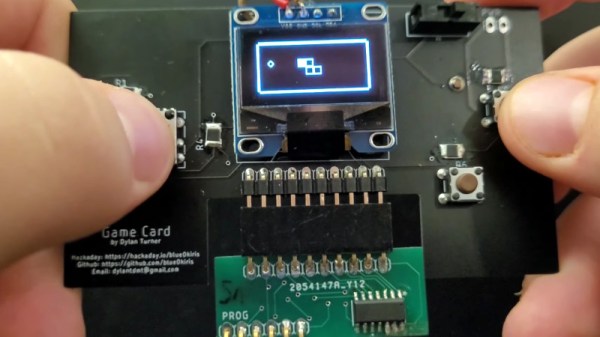
But not the Game Card, by [Dylan Turner]. This handheld was specifically designed so that games could be easily swapped out using physical cartridges. But rather than trying to get the system’s microcontroller to boot code from an external flash chip, the system relocates the MCU to the removable cartridge. That might seem a bit overkill, but given how cheap the ATTINY84A on each cartridge is, it’s not exactly going to break the bank.

With the microcontroller on the cartridge, the only hardware that stays behind on the Game Card is the SSD1306 128×64 OLED display, buttons, and the battery. That means the handheld is effectively non-functional unless a game is slotted in, but that could be said of most early cartridge-based game systems as well. On the other hand, it also opens up the possibility of producing cartridges with more powerful microcontrollers down the line.

Using a different microcontroller for each game is a neat hack, but it’s not the only solution to the problem. We previously saw a community effort to add expandable storage to the Arduboy in the form of a DIY cartridge, which ultimately led to the development of an official flash chip upgrade for the handheld.

Continue reading “DIY Handheld Game Puts Its Brains On A Removable Cart”

3D Printed Smart Glasses Put Linux In Your Face

Unimpressed by DIY wearables powered by dinky microcontrollers, [Teemu Laurila] has been working on a 3D printed head-mounted computer that puts a full-fledged Linux desktop in your field of view. It might not be as slim and ergonomic as Google Glass, but it more than makes up for it in terms of raw potential.

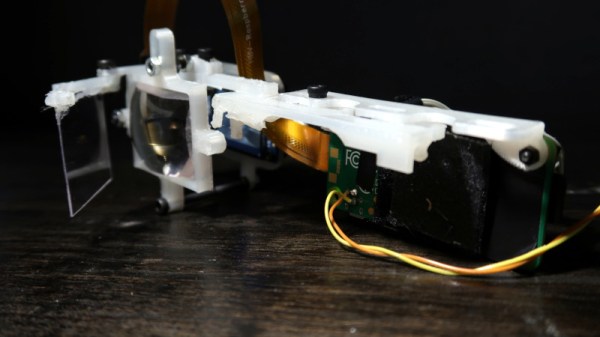
Featuring an overclocked Raspberry Pi Zero W, a ST7789VW 240×240 IPS display running at 60 Hz, and a front-mounted camera, the wearable makes a great low-cost platform for augmented reality experiments. [Teemu] has already put together an impressive hand tracking demonstration that can pick out the position of all ten fingers in near real-time. The processing has to be done on his desktop computer as the Zero isn’t quite up to the task, but as you can see in the video below, the whole thing works pretty well.

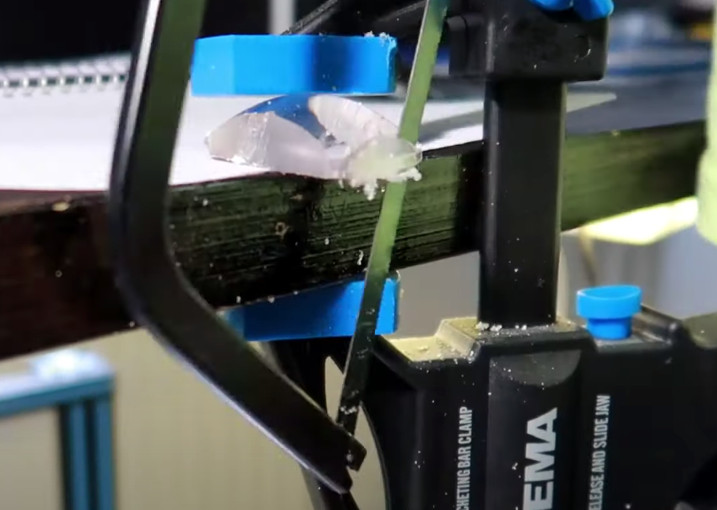
Precision optics, courtesy of a hacksaw

Structurally, the head-mounted unit is made up of nine 3D printed parts that clip onto a standard pair of glasses. [Teemu] says the parts will probably need to be tweaked to fit your specific frames, but the design is modular enough that it shouldn’t take too much effort. He’s using 0.6 mm PETG plastic for the front reflector, and the main lens was pulled from a cheap pair of VR goggles and manually cut down into a rectangle.

The evolution of the build has been documented in several videos, and it’s interesting to see how far the hardware has progressed in a relatively short time. The original version made [Teemu] look like he was cosplaying as a Borg drone from Star Trek, but the latest build appears to be far more practical. We still wouldn’t try to wear it on an airplane, but it would hardly look out of place at a hacker con.

Continue reading “3D Printed Smart Glasses Put Linux In Your Face”

Reverse Engineering A Topfield VFD Front Panel

Hackers love the warm glow of a vacuum fluorescent display (VFD), and there’s no shortage of dead consumer electronics from which they can be pulled to keep our collective parts bins nicely stocked. Unfortunately, figuring out how to actually drive these salvaged modules can be tricky. But thanks to the efforts of [Lauri Pirttiaho], we now have a wealth of information about a VFD-equipped front panel used in several models of Topfield personal video recorders.

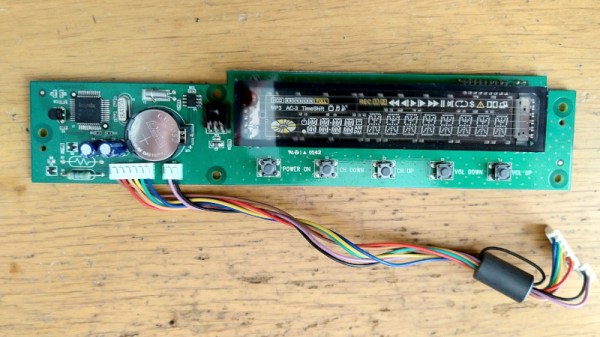
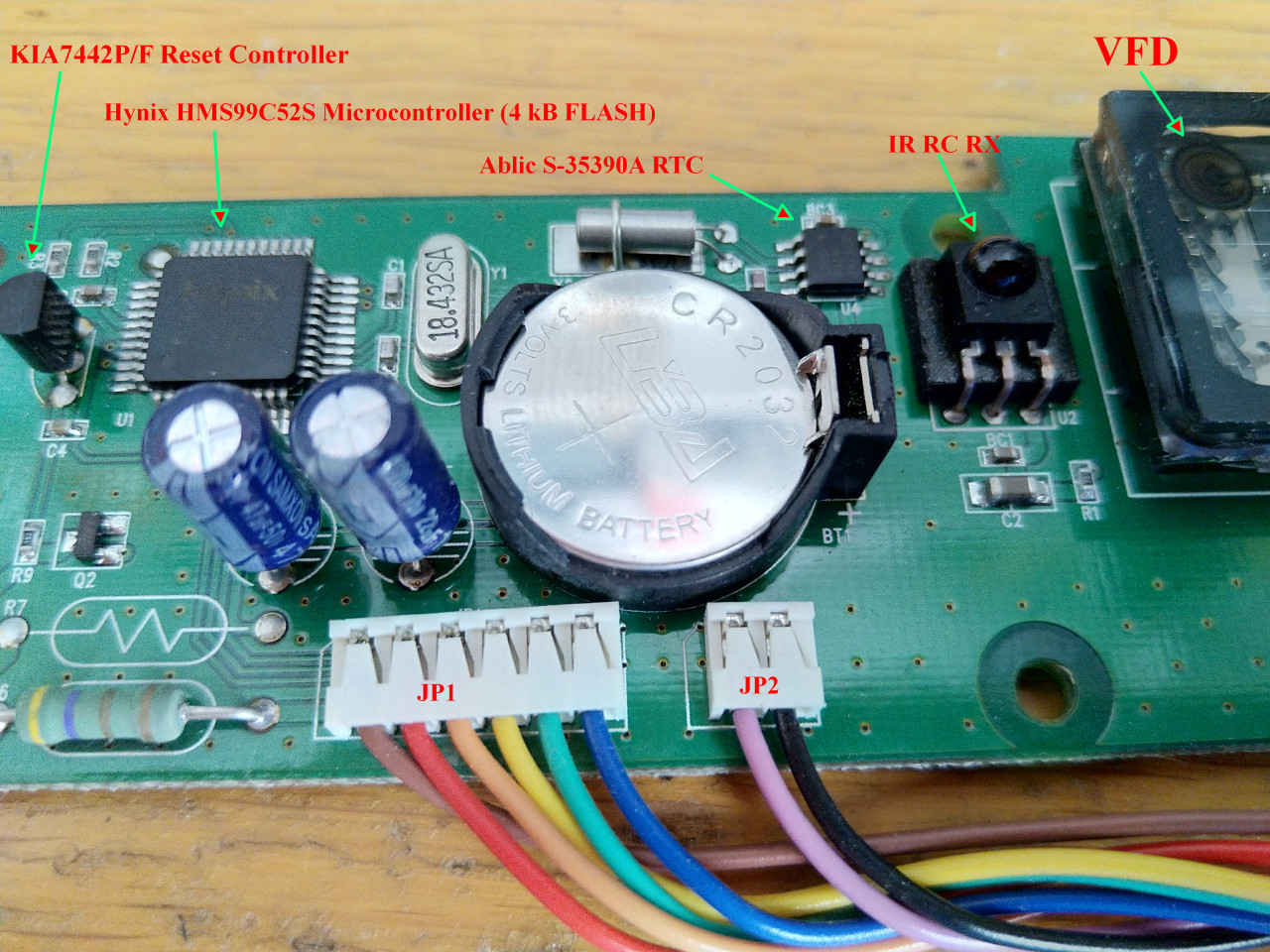
The board in question is powered by a Hynix HMS99C52S microcontroller and includes five buttons, a small four character 14-segment display, a larger eight character field, and an array of media-playback related icons. There’s also a real-time clock module onboard, as well as an IR receiver. [Lauri] tells us this same board is used in at least a half-dozen Topfield models, which should make it relatively easy to track one down.

After determining what goes where in the 6-pin connector that links the module with the recorder, a bit of poking with a logic analyzer revealed that they communicate over UART. With the commands decoded, [Lauri] was able to write a simple Python tool that lets you drive the front panel with nothing more exotic than a USB-to-serial adapter. Though keep in mind, you’ll need to provide 17 VDC on the appropriate pin of the connector to fire up the VFD.

What’s that? You don’t need the whole front panel, and just want to pull the VFD itself off the board? Not a problem. Our man [Lauri] was kind enough to document how data is passed from the Hynix microcontroller to the display itself; critical information should you want to liberate the screen from its PVR trappings.

If you manage to get your hands on one of these modules, it would be an ideal addition to a custom media streamer. Though we suppose simply turning it into a network-controlled clock would be a suitable alternative if you’re looking for something a bit easier.

Continue reading “Reverse Engineering A Topfield VFD Front Panel”

Hacked IKEA Air Quality Sensor Gets Custom PCB

Last month we brought word of the IKEA VINDRIKTNING, a $12 USD air quality sensor that could easily be upgraded to log data over the network with the addition of an ESP8266. It only took a couple of wires soldered to the original PCB, and since there was so much free space inside the enclosure, you didn’t even have to worry about fitting the parasitic microcontroller; just tape it to the inside of the case and button it back up.

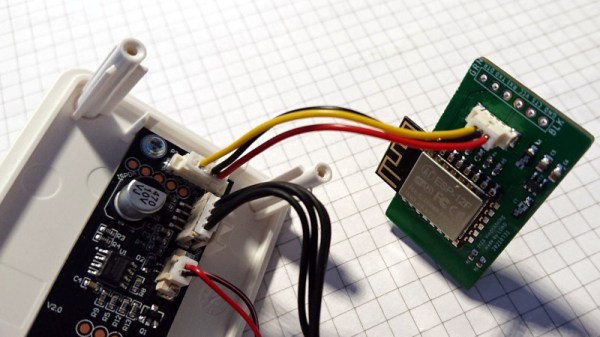
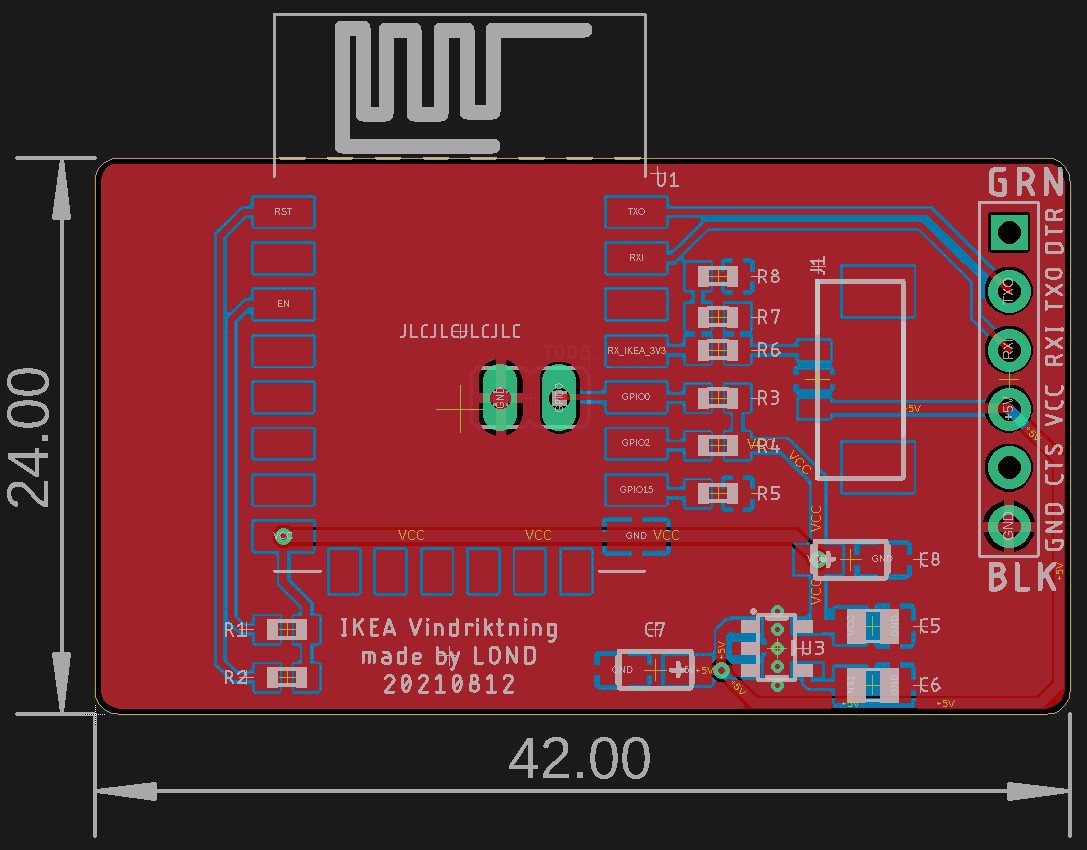
Now we’ve got nothing against the quick and dirty method around these parts, but if you’re looking for a slightly more tidy VINDRIKTNING modification, then check out this custom PCB designed by [lond]. This ESP-12F board features a AP2202 voltage regulator, Molex PicoBlade connectors, and a clever design that lets it slip right into a free area inside the sensor’s case. The project description says the finished product looks like it was installed from the factory, and we’re inclined to agree.

Nothing has changed on the software side, in fact, the ESP-12F gets flashed with the same firmware [Sören Beye] wrote for the Wemos D1 Mini used in his original modification. That said [lond] designed the circuit so the MCU can be easily reprogrammed with an FTDI cable, so just because you’re leaving the development board behind doesn’t mean you can’t continue to experiment with different firmware builds.

It’s always gratifying to see this kind of community development, whether or not it was intentionally organized. [lond] saw an interesting idea, found a way to improve its execution, and released the result out into the wild for others to benefit from. It wouldn’t be much of a stretch to say that this is exactly the kind of thing Hackaday is here to promote and facilitate, so if you ever find yourself inspired to take on a project by something you saw on these pages, be sure to drop us a line.

DOOM On A Desk Phone Is Just The Tip Of The Iceberg

These days we expect even the cheapest of burner smartphones to feature a multi-core processor, at least a gigabyte of RAM, and a Linux-based operating system. But obviously those sort of specs are unnecessary for an old school POTS desktop phone. Well, that’s what we thought. Then [Josh Max] wrote in to tell us about his adventures in hacking the CaptionCall, and now we’re eager to see what the community can do with root access on a surprisingly powerful Linux phone.

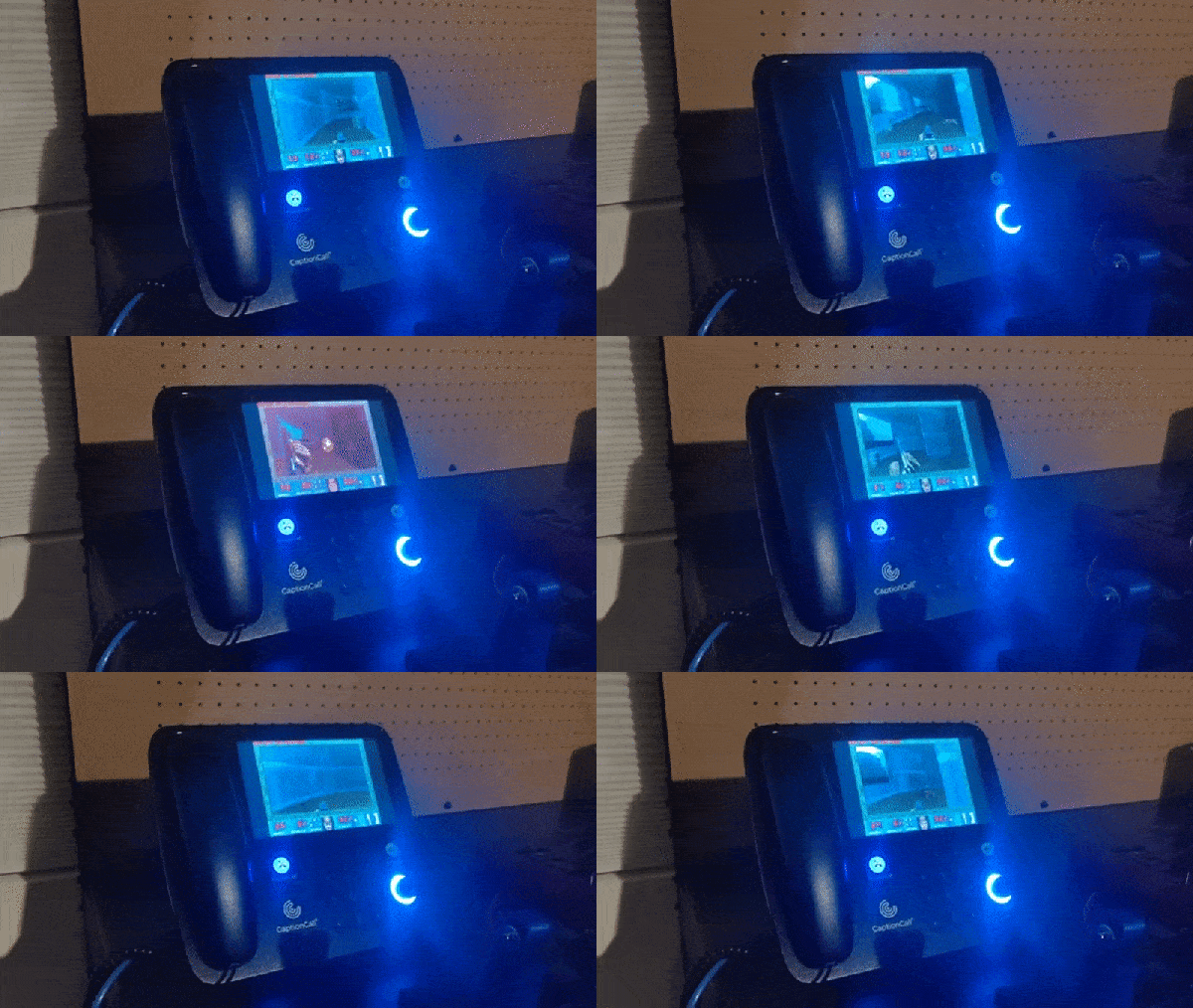
As the names implies, the CaptionCall is a desk phone with an LCD above the keypad that shows real-time captions. Anyone in the United States with hearing loss can get one of these phones for free from the government, so naturally they sell for peanuts on the second hand market. Well, at least they did. Then [Josh] had to go ahead and crack the root password for the ARMv7 i.MX6 powered phone, started poking around inside of its 4 GB of onboard NAND, and got the thing running DOOM.

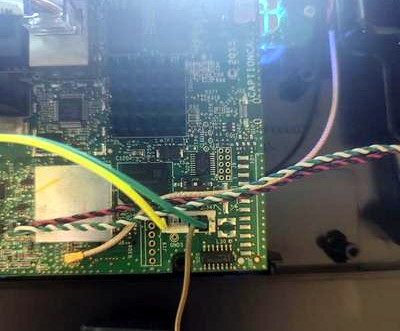
Tapping into the serial port.

If you’re interested in the technical details, [Josh] has done a great job taking us step by step through his process. It’s a story that will be at least somewhat familiar to anyone who’s played around with embedded Linux devices, and unsurprisingly, starts with locating a serial port header on the PCB.

Finding the environment variables to pretty tightly locked down, he took the slow-route and dumped the phone’s firmware 80 characters at a time with U-Boot’s “memory display” command. Passing the recovered firmware image through binwalk and a password cracker got him the root credentials in short order, and from there, that serial port got a whole lot more useful.

[Josh] kicked the phone’s original UI to the curb, set up an ARM Debian Jessie chroot, and started working his way towards a fully functional Linux environment. With audio, video, and even keypad support secured, he was ready to boot up everyone’s favorite 1993 shooter. He’s been kind enough to share his work in a GitHub repository, and while it might not be a turn-key experience, all the pieces are here to fully bend the hardware to your will.

Historically, running DOOM on a new piece of hardware has been the harbinger of bigger and better things to come. With unfettered access to its Linux operating system up for grabs, we predict the CaptionCall is going to become a popular hacking target going forward, and we can’t wait to see it.

Virtual Racers Battle It Out On Portable WS2812 Track

Sure modern video games are impressive, but you certainly don’t need a 4K display or high speed Internet connection to have a good time. For a perfect example, take a look at this unique one-dimensional racing game put together by [mircemk]. This variation of [Gerardo Barbarov Rostan]’s Open LED Race project has been scaled down so it can be transported easily, though at least for now, you’ll still need to plug it into an external power supply.

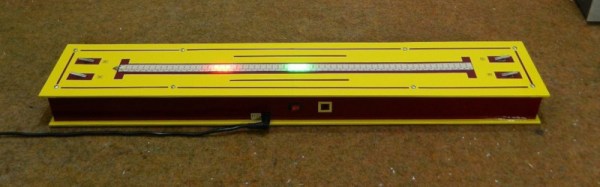
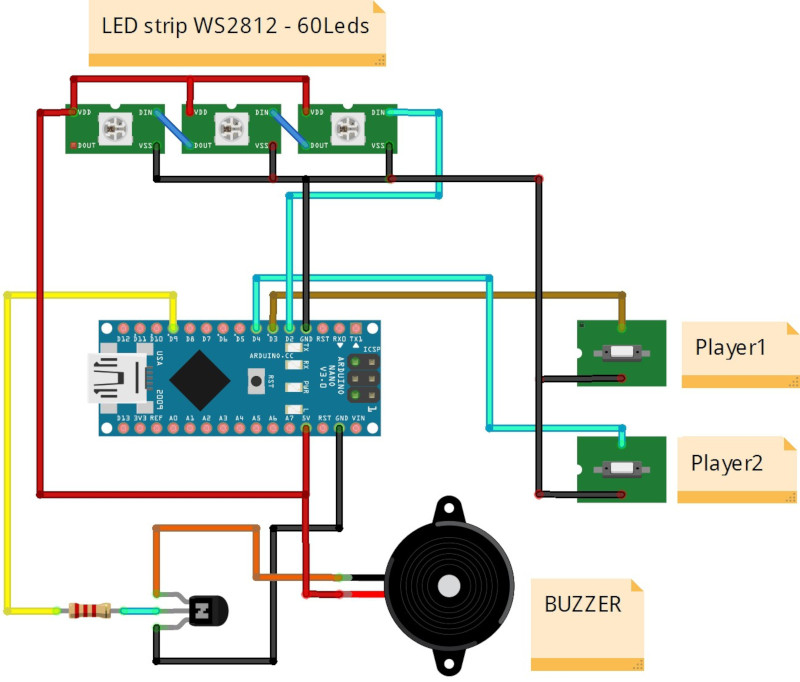
The game is pretty straightforward. By rapidly pressing their respective buttons, players race their virtual vehicles on a linear “track” made of 60 WS2812 RGB LEDs. In the most basic of terms, the faster they press their button, the faster the red or green illuminated LED that represents their car moves.

But in practice, things are made a bit more interesting with the addition of simulated gravity for the “hills” the racers will encounter. The cars also have a bit of inertia, and will coast along even when you aren’t mashing the button. There are even optional engine sounds, though as with the visual representation of the cars, a certain degree of imagination is required for the desired effect.

The hardware requirements for this game are minimal, and can easily be adapted to what you have in the parts bin. Beyond the strip of WS2812 LEDs, all you really need is a microcontroller and two buttons. Here [mircemk] is using an Arduino Nano, but you could press pretty much any MCU into service. To make this version as portable as possible, the buttons are built right into the PVC sheet enclosure, but putting them in some wired remotes would make for a bit more comfortable gameplay.

We’ve covered several projects that have aimed to turn the humble string of RGB LEDs into an interactive electronic game over the years. As long as you’ve got an open mind, you can find a whole world hidden inside some blinking lights.

Continue reading “Virtual Racers Battle It Out On Portable WS2812 Track”