Liquid Damaged MacBook Saved With A Keen Eye

Even among those of us with a penchant for repairing electronics, there are some failures which are generally considered too severe to come back from. A good example is liquid damage in a laptop; with so many components and complex circuits crammed into such a small area, making heads or tails of it once the corrosion sets in can be a real nightmare. Especially in the case of an older laptop, the conventional wisdom is to try and recover your files and then buy a new one.

But as we’ve come to learn, [Jason Gin] is not a man who often finds himself concerned with conventional wisdom. After finding an older MacBook with suspected liquid damage, he decided to see what it would take to restore it to working order. According to a note on the device, the screen was dead, the USB ports were fried, the battery didn’t take a charge, and it wouldn’t boot. No problem then, should be easy.

Upon opening up the circa-2012 laptop, [Jason] found the machine to be riddled with corrosion. We’re not just talking surface gunk either. After giving everything a good cleaning with isopropyl alcohol, the true extent of the damage became clear. Not only had traces on the PCB rotted away, but there were many components that were either damaged or missing altogether. Whatever spilled inside this poor Mac was clearly some nasty stuff.

[Jason] used OpenBoardView to pull up schematics and diagrams of the motherboard, and started the arduous task of visually comparing them to his damaged unit. In some areas, the corrosion was so bad he still had trouble locating the correct traces and pads. But with time and effort, he was able to start probing around and seeing what components had actually given up the ghost.

For the USB ports it ended up being a bad 10-microfarad ceramic capacitor, but for the LCD, he ended up having to replace the entire backlight driver IC. The prospect of working on this tiny BGA-25 device might have been enough for some to throw in the towel, but compared to the hand-soldered magnet wire repairs required elsewhere on the board, [Jason] says the installation of the new LP8550 chip was one of the easier aspects of the whole operation.

The write-up is a great read if you like a good repair success story, and we especially like the way he documented his diagnosis and resulting work on a per-system basis. It makes it much easier to understand just how many individual fires [Jason] had to put out. But if you’re more interested in feats of steady-handed soldering, check out his recent project to add a PCI-E slot to the Atomic Pi.
Soak Up The Sun With This 3D Printed Solar Harvester

At first glance, adding solar power to your project might seem easy. Get a photovoltaic panel, point it towards the big ball of burning gas in the sky, and off you go. But in reality, there’s a bit more to it than that. Especially when you’re trying to do something on a small scale. Without a rooftop full of panels pumping out power, you’ve got to take what you can get.

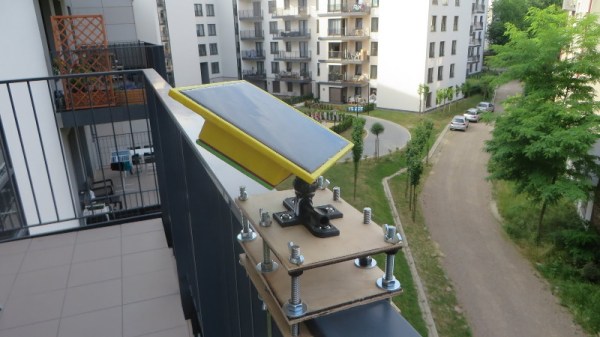
If you’re looking to power small electronic devices such as sensors with a single solar panel, [Vadim Panov] has put together a very concise write-up and video on building a low-cost solar harvester. It combines a relatively small photovoltaic panel, a charging circuit, and a battery for energy storage into a easily mountable package. He’s provided all the details necessary to create your own version, all you have to do now is come up with the application for it.

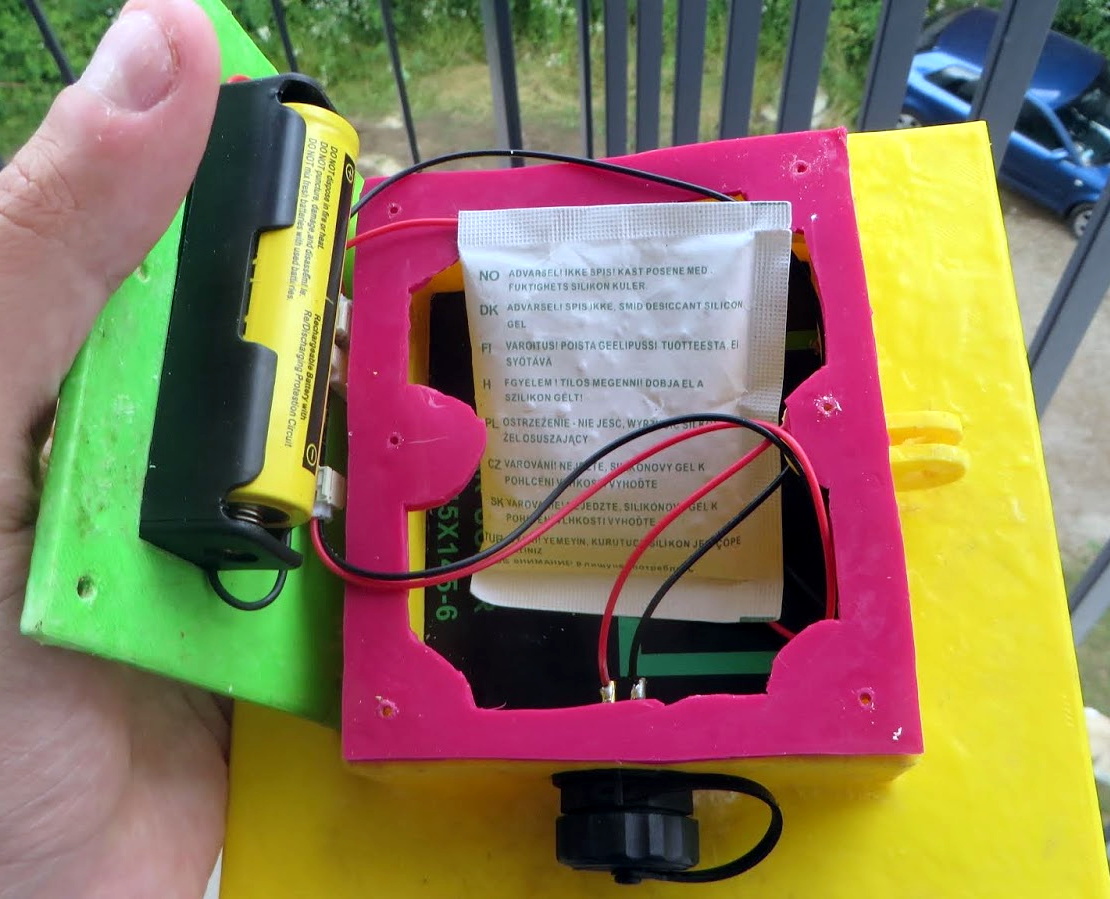
As far as the electronics go, this project is about as straightforward as it gets. The three watt panel is connected up to a simplistic charging circuit, which in turn feeds into a single 18650 cell. You might be wondering why a charge controller is even necessary in such a simple set up. One problem is that the output voltage of the panel is higher than that of the battery. You also need a blocking diode that will prevent the battery from discharging into the cell during the night or in cloudy conditions.

While the electronics might seem elementary to some readers, we think the 3D printed case alone is worth taking a look at. Not only has [Vadim] come up with a design that perfectly encloses the fragile solar panel and associated electronics, but in the video after the break, he also explains how the entire thing can be made waterproof with an epoxy coating. As 3D prints can have a tendency to be porous, this technique is definitely something you should file away mentally if you’ve been thinking of deploying a printed enclosure outdoors.

Whether you’re looking to power environmental sensors for as near a century as is technically possible or a portable OpenWRT router for mobile anonymity, these small solar panels hold a lot of promise if you know how to work around their limitations.

Continue reading “Soak Up The Sun With This 3D Printed Solar Harvester”

The Saga Of 32-Bit Linux: Why Going 64-Bit Raises Concerns Over Multilib

The story of Linux so far, as short as it may be in the grand scheme of things, is one of constant forward momentum. There’s always another feature to implement, an optimization to make, and of course, another device to support. With developer’s eyes always on the horizon ahead of them, it should come as no surprise to find that support for older hardware or protocols occasionally falls to the wayside. When maintaining antiquated code monopolizes developer time, or even directly conflicts with new code, a difficult decision needs to be made.

Of course, some decisions are easier to make than others. Back in 2012 when Linus Torvalds officially ended kernel support for legacy 386 processors, he famously closed the commit message with “Good riddance.” Maintaining support for such old hardware had been complicating things behind the scenes for years while offering very little practical benefit, so removing all that legacy code was like taking a weight off the developer’s shoulders.

The rationale was the same a few years ago when distributions like Arch Linux decided to drop support for 32-bit hardware entirely. Maintainers had noticed the drop-off in downloads for the 32-bit versions of their distributions and decided it didn’t make sense to keep producing them. In an era where even budget smartphones are shipping with 64-bit processors, many Linux distributions have at this point decided 32-bit CPUs weren’t worth their time.

Given this trend, you’d think Ubuntu announcing last month that they’d no longer be providing 32-bit versions of packages in their repository would hardly be newsworthy. But as it turns out, the threat of ending 32-bit packages caused the sort of uproar that we don’t traditionally see in the Linux community. But why?

Continue reading “The Saga Of 32-Bit Linux: Why Going 64-Bit Raises Concerns Over Multilib”

A 3D Printed Micro:Bit Nunchuk

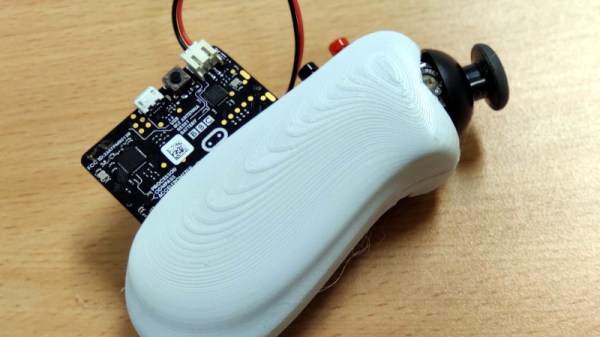
As [Paul Bardini] explains on the Thingiverse page for his “Micro:Bit Hand Controller”, the Bluetooth radio baked into the BBC’s educational microcontroller makes it an ideal choice for remotely controlling things. You just need to give it a nice enclosure, a joystick, a couple of buttons, and away you go. You can even use the integrated accelerometer as another axis of control. This is starting to sound a bit familiar, especially to gamers.

While it might not come with the Official Nintendo Seal of Quality, the 3D printable enclosure [Paul] has come up with for the Micro:Bit certainly takes more than a little inspiration from the iconic Wii “Nunchuck” controller. He’s jostled around the positions of the joystick and momentary buttons a bit, but it still has that iconic one-handed ergonomic styling.

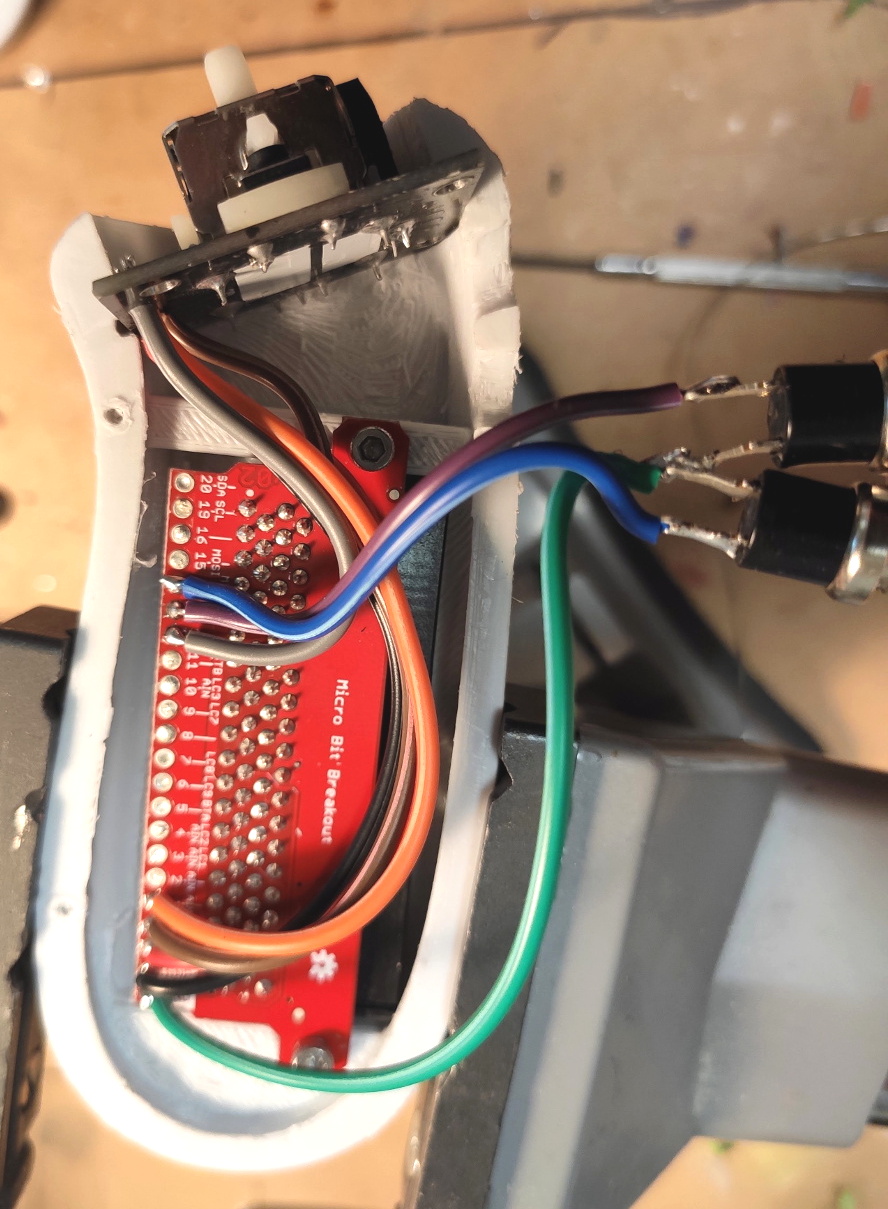
In a particularly nice touch, [Paul] has built his controller around a Micro:Bit breakout board from SparkFun that allows you to plug the microcontroller in via its edge connector. This means you can pull the board out and still use it in other projects. The only other connection to the controller leads to the battery, which uses a two pin JST-PH plug that can easily be removed.

Thanks to this breakout board, the internal wiring is exceptionally simple. The joystick (the type used in a PS2 controller) and the buttons are simply soldered directly to pins on the breakout board. No passives required, just a few short lengths of flexible wiring to snake through the printed enclosure.

The Thingiverse page only has the STLs for the two halves of the controller, and no source code for the Micro:Bit itself. But it shouldn’t be terribly hard to piece together the basic functionality with example code that’s floating around out there. Especially since you can run Python on them now. Of course, you could also add Bluetooth to the original Wii version if you’re not looking to reinvent the wheel nunchuck.

Teardown: VeriFone MX 925CTLS Payment Terminal

Regular Hackaday readers may recall that a little less than a year ago, I had the opportunity to explore a shuttered Toys “R” Us before the new owners gutted the building. Despite playing host to the customary fixture liquidation sale that takes place during the last death throes of such an establishment, this particular location was notable because of how much stuff was left behind. It was now the responsibility of the new owners to deal with all the detritus of a failed retail giant, from the security camera DVRs and point of sale systems to the boxes of employee medical records tucked away in a back office.

Clipping from New York Post. September 24th, 2018.

The resulting article and accompanying YouTube video were quite popular, and the revelation that employee information including copies of social security cards and driver’s licenses were left behind even secured Hackaday and yours truly a mention in the New York Post. As a result of the media attention, it was revealed that the management teams of several other stores were similarly derelict in their duty to properly dispose of Toys “R” Us equipment and documents.

Ironically, I too have been somewhat derelict in my duty to the good readers of Hackaday. I liberated several carloads worth of equipment from Geoffrey’s fallen castle with every intention of doing a series of teardowns on them, but it’s been nine months and I’ve got nothing to show for it. You could have a baby in that amount of time. Which, incidentally, I did. Perhaps that accounts for the reshuffling of priorities, but I don’t want to make excuses. You deserve better than that.

So without further ado, I present the first piece of hardware from my Toys “R” Us expedition: the VeriFone MX 925CTLS. This is a fairly modern payment terminal with all the bells and whistles you’d expect, such as support for NFC and EMV chip cards. There’s a good chance that you’ve seen one of these, or at least something very similar, while checking out at a retail chain. So if you’ve ever wondered what’s inside that machine that was swallowing up your debit card, let’s find out.

Continue reading “Teardown: VeriFone MX 925CTLS Payment Terminal”

A Guide To Shop Equipment Nobody Thinks About: Clean, Organized, And Efficient

When planning out a workspace at home, the job, or at a makerspace, we all tend to focus on the fun parts. Where the equipment will go, how you’ll power it, what kind of lights you’ll get, etc, etc. It’s easy to devote all your attention to these high-level concepts, which often means the little details end up getting addressed on the fly. If they get addressed at all.

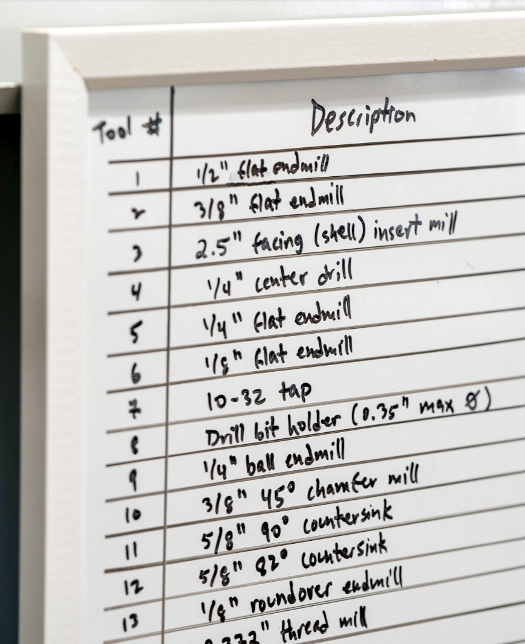
But whether we want to admit it or not, an organized workspace tends to be more efficient. That’s why [Eric Weinhoffer] has put together a blog post that details all those mundane details that we tend to forget about. It’s not exactly exciting stuff, and contains precisely as much discussion about whiteboards as you probably expect. That said, it’s thorough and clearly comes from folks who’ve had more than a little experience with setting up an efficient shop.

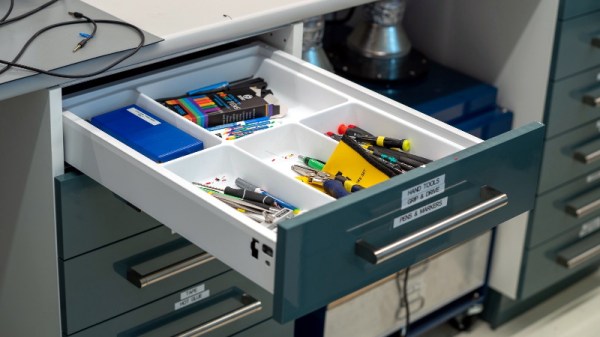
So what’s the first thing most shops don’t have enough of? Labels. [Eric] says you should put labels on everything, parts bins, tools, machines, if it’s something you need to keep track of, then stick a label on it. This does mean you’ll likely have to buy a label maker, but hey, at least that means a new gadget to play with.

Of course, those self-stick labels don’t work on everything. That’s why [Eric] always has a few rolls of masking tape (such as the blue 3M tape you might be using on your 3D printer bed) and some quality markers on hand to make arbitrary labels. Apparently there’s even such a thing as dry erase tape, which lets you throw an impromptu writing surface anywhere you want.

[Eric] also suggests investing in some collapsible cardboard bins which can be broken down and stored flat when not in use. If you’ve got the kind of situation where you’ll always have more or less the same amount of stuff then plastic is probably your best bet, but in a more dynamic environment, being able to collapse the bins when they aren’t in use is a capability we never even realized we needed until now.

As you might imagine, the post also touches on the issues of keeping sufficient safety gear available. We’ve talked about this in the past, but it’s one of those things that really can’t be said too many times. Having a wall of meticulously labeled storage bins is great, but it’s going to be the last thing on your mind if you manage to get an eye full of superglue.

Phase Shift Pump Control? There’s An App For That.

The sort of pumps used in the filtration systems of fountains and swimming pools don’t take kindly to running dry. So putting such a pump on a simple timer to run while you’re away comes with a certain level of risk: if the pump runs out of water while you’re gone, you might come home to a melted mess. One possible solution is a float sensor to detect the water level in whatever you’re trying to pump, but that can get complicated when you’re talking about something as large as a pool.

For his entry into the 2019 Hackaday Prize, [Luc Brun] is working on controller that can detect when the pump is running dry by monitoring the phase shift between voltage and current. With an inductive load like a pump, the current should lag behind the AC voltage a bit under normal operation. But if they become too far out of phase with each other, that’s a sign that the pump is running in a no-load condition because there’s no water to slow it down.

As [Luc] explains in the project write-up, simply monitoring the pump’s peak current could work, but it would be less reliable. The problem is that different motors have different current consumptions, so unless you calibrated the controller to the specific load it’s protecting, you could get false readings. But the relationship between current and voltage should remain fairly consistent between different motors.

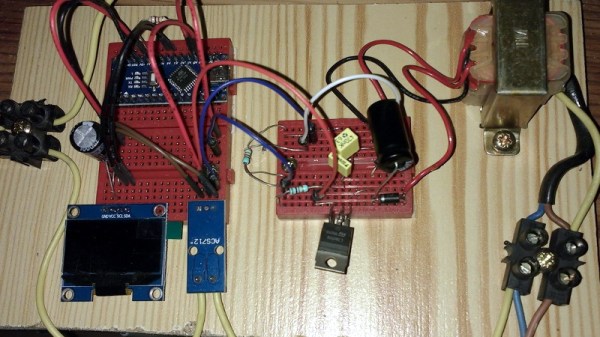
The controller is powered by a Arduino Nano and uses a ACS712 current sensor to take phase measurements. Since he had the ability to toggle the pump on and off with a relay attached to the Arduino, [Luc] decided to add in a few other features. The addition of a DS1307 Real Time Clock means the pump can be run on a schedule, and an HC-05 Bluetooth module lets him monitor the whole system from his smartphone with an Android application he developed.

Since the theme of this year’s Hackaday Prize is designing a product rather than a one-off build, judges will be looking for exactly the sort of forward thinking that [Luc] has demonstrated here. As the controller is currently a mass of individual modules held inside a waterproof enclosure, the next steps for this project will likely be the finalization of the hardware design and the production of a custom PCB.