Using The 555 For Everything

The 555 timer is one of the most versatile integrated circuits available. It can generate PWM signals, tones, and single-shot pulses. You can even put one in a bi-stable mode similar to a flip flop. All of these modes are available by only changing a few components outside of the IC itself. It’s also dirt cheap, so it finds its way into all kinds of applications its original inventors never imagined. There’s a bit of a trope around here as well that you ought not to use a microcontroller when one of these will do, and while it’s a bit of a played-out comment, it’s often more true than it seems. This video shows a few uncommon ways of using these circuits instead of putting a microcontroller to work.

After a brief overview of the internals of the hallowed 555, [Doctor Volt] walks us through some of its uses, starting with applications for digital inputs, including a debounce circuit and a toggle switch. From there, he moves on to demonstrating a circuit that can protect batteries from deep discharge, and a small change to that circuit can turn the 555 into a resetting fuse that can protect against short circuit events. Finally, the PWM capabilities of this small integrated circuit are put to work as an audio amplifier, although perhaps not one that would pass muster for the most devout audiophiles among us.

Even though it’s possible to offload a lot of the capabilities of a 555 onto a microcontroller, there’s certainly an opportunity to offload some things to the 555, even if your project still needs a microcontroller. However, offloading tasks like debounce or input latching to hardware rather than spending microcontroller cycles or pins can make a project more robust, both from reliability and software points of view. For some other useful circuits, some of which have been forgotten in the modern microcontroller age, it’s worth taking a look at some of these antique circuit books as well. While we are sure the 555 designers hoped it would be a big hit, no one imagined this giant one.

Continue reading “Using The 555 For Everything”

Meet The Winners Of The 2024 Tiny Games Contest

Over the years, we’ve figured out some pretty sure-fire ways to get hackers and makers motivated for contests. One of the best ways is to put arbitrary limits on different aspects of the project, such as how large it can be or how much power it can consume. Don’t believe us? Then just take a look at the entries of this year’s Tiny Games Contest.

Nearly 80 projects made it across the finish line this time, and our panel of judges have spent the last week or so going over each one to try and narrow it down to a handful of winners. We’ll start things off with the top three projects, each of which will be awarded a $150 gift certificate from our friends at DigiKey.

First: Sub-Surface Simon

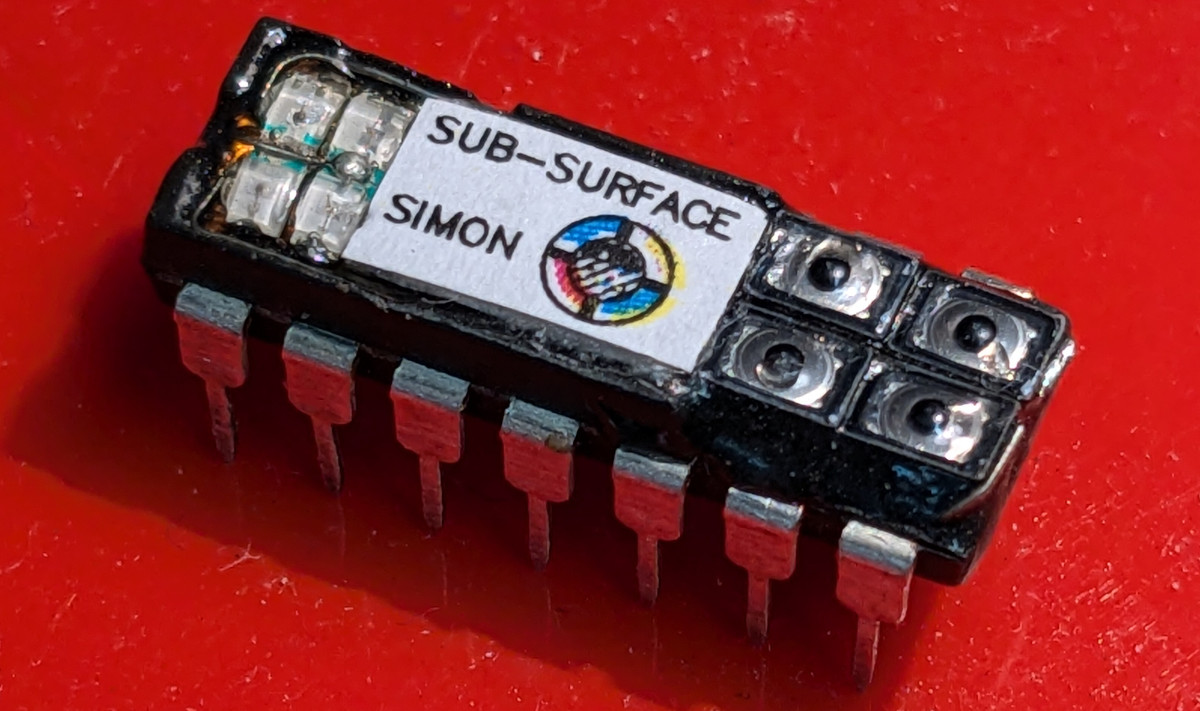
While this contest saw a lot of excellent entries, we don’t think anyone is going to be surprised to see this one take the top spot. Earning an exceptionally rare perfect ten score from each of our judges, Sub-Surface Simon from [alnwlsn] grabbed onto the theme of this contest and ran like hell with it. Continue reading “Meet The Winners Of The 2024 Tiny Games Contest”

Electronic Etch-A-Sketch, No Microcontroller Required

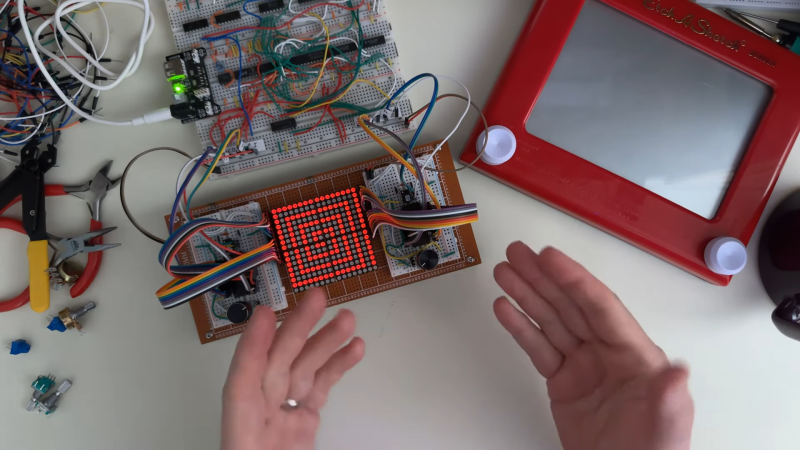
In a lot of ways, Etch-A-Sketch is the perfect toy; simple, easy to use, creative, endlessly engaging, and as a bonus, it’s completely mechanical. We find that last attribute to be a big part of its charm, but that’s not to say an electronic version of the classic toy can’t be pretty cool, especially when it’s done without the aid of a microcontroller.

This is one of those “because I can” projects that we always find so interesting, and more so because it wasn’t entirely clear to [BigZaphod] that he had the skills to pull it off. While his initial design centered around a bunch of 8×8 LED matrix displays and a 256×4-bit RAM chip, the rest of it was a lot of hand-waving. After a few experiments with addressing the LEDs, [Zaphod] started filling in the blanks with a refresh circuit using a 555 — naturally — and a pair of counters. Properly debounced encoders for the horizontal and vertical controls came next, along with more counters to track the cursor and a host of other circuits that ended up looking like a “one of each” selection from the 7400-series catalog.

While we do wish for a schematic on this one, it’s still a pretty enjoyable video, and the end product seems to work really well. The electronic version has a few features the original lacks, such as wrapping the cursor to the other side of the screen. We’d imagine that the buttons on the encoders could be put to work, too; perhaps a click could make it so you can move the cursor without leaving a trail behind. That might be a challenge to execute in logic, but then again, that was the point of the whole thing.

Still jonesing for that mechanical Etch-A-Sketch experience? Not a problem.

Continue reading “Electronic Etch-A-Sketch, No Microcontroller Required”

Illustrated Kristina with an IBM Model M keyboard floating between her hands.

Keebin’ With Kristina: The One With All The LEGO

It seems like mechanical keyboard enthusiasts are more spoiled for choice with each passing day. But as broad as the open source pool has become, there’s still no perfect keyboard for everyone. So, as people innovate toward their own personal endgame peripherals and make them open source, the pool just grows and grows.

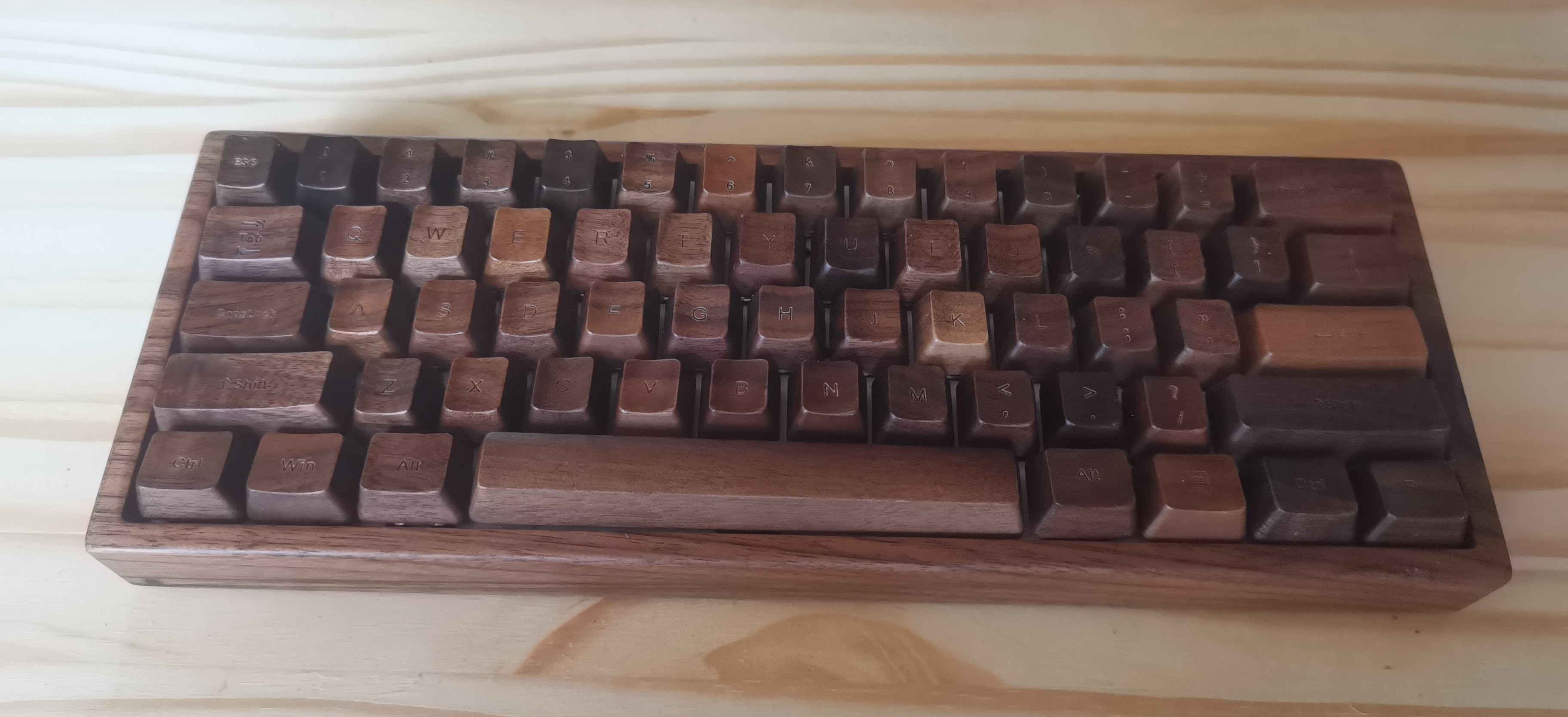
Image by [Bo Yao] via Hackaday.IO
This beautiful addition to the glittering pool — [Bo Yao]’s Carpenter Tau keyboard — is meant to provide an elegant option at a particular intersection where no keyboards currently exist — the holy trinity of open source, programmable, and tri-mode connectivity: wired, Bluetooth, and 2.4 GHz.

Come for the lovely wooden everything, and stay for the in-depth logs as [Bo Yao] introduces the project and its roots, reviews various options for the controller, discusses the manufacture of the wooden parts, and creates the schematic for the 61-key version. Don’t want to build one yourself? It’ll be on Crowd Supply soon enough.

Continue reading “Keebin’ With Kristina: The One With All The LEGO”

Nyan Keys: Because Your Keyboard Is Painfully Slow

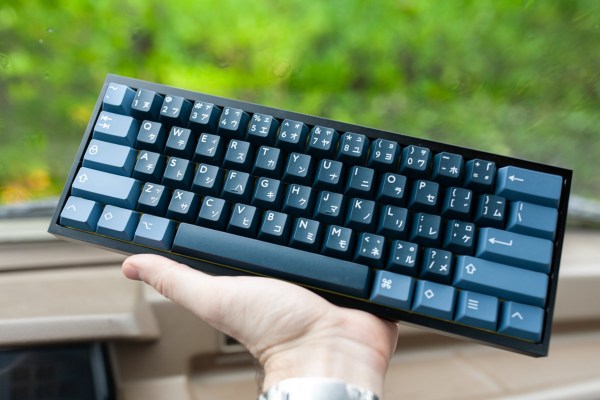
You probably don’t notice keyboard latency when typing or doing mundane tasks, but if you start gaming, that’s also when you might start complaining. Every millisecond counts in that arena. Think your keyboard is fast? Think again. Because unfortunately, no matter what you’ve got in there, that key matrix is slowing you down. What you need is an FPGA-based keyboard with an overkill MCU. You need Nyan Keys.

[Portland.HODL] set out to make the lowest-latency mechanical keyboard possible that would accept any Cherry-compatible switches, and boy howdy, is this thing fast.

Coupled with the STM32F723VET6 MCU is USB 2.0 HS, which has an 8000Hz polling rate. At worst, key latency measures 30μS, which blows the 1mS average out of the water.

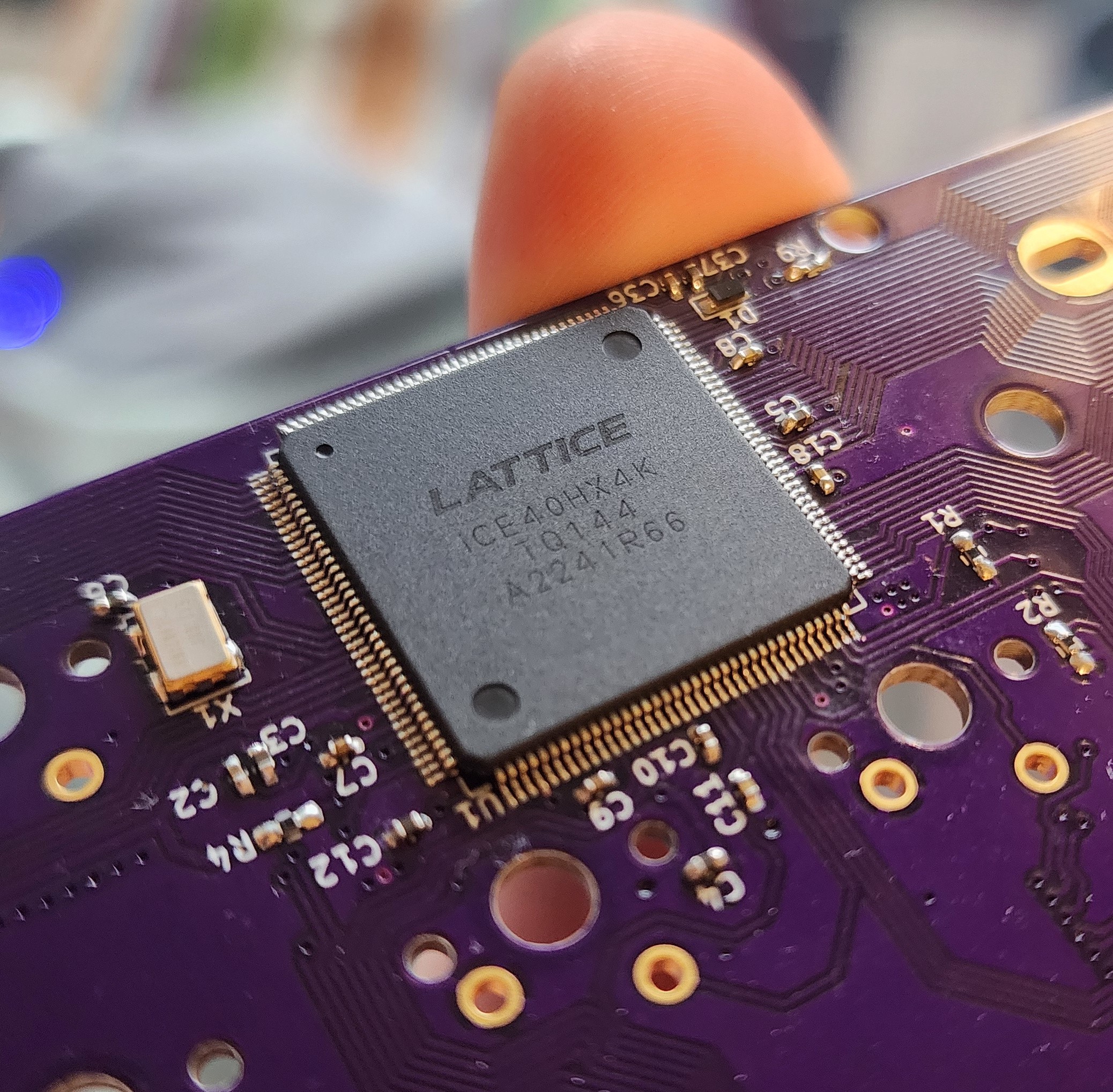
Because it uses a Lattice Semi iCE40HX 4k FPGA, each key switch can connect to its own I/O pin, which also eliminates the need for diodes.

It also means that each key switch can have its own “core” — an 8-bit timer that is always counting up to 255. The key can only change its state when the timer reads 255. This acts as a rather clever debounce mechanism.

If all that’s not enough, [Portland.HODL] built an operating system called NyanOS written in C to avoid any performance-reducing overhead. Oh, and it has an opt-in Bitcoin miner.

We’ve seen a lot of keyboards, the fast ones are fast because of the input side — they are chording keyboards that take combinations to type, rather than using one key (or so) per character. The Characorder is so fast that it was banned from competition.

Debouncing For Fun And… Mostly, Just For Fun

In our minds and our computer screens, we live in an ideal world. Wires don’t have any resistance, capacitors don’t leak, and switches instantly make connections and break them. The truth is, though, in the real world, none of those things are true. If you have a switch connected to a lightbulb, the little glitches when you switch are going to be hard to notice. Hook that same switch up to a processor that is sampling it constantly, and you will have problems. This is the classic bane of designing microcontroller circuits and is called switch bounce. [Dr. Volt] covers seven different ways of dealing with it in a video that you can see below.

While you tend to think of the problem when you are dealing with pushbuttons or other kinds of switches for humans, the truth is the same thing occurs anywhere you have a switch contact, like in a sensor, a mechanical rotary encoder, or even relay contacts. You can deal with the problem in hardware, software, or both.

Continue reading “Debouncing For Fun And… Mostly, Just For Fun”

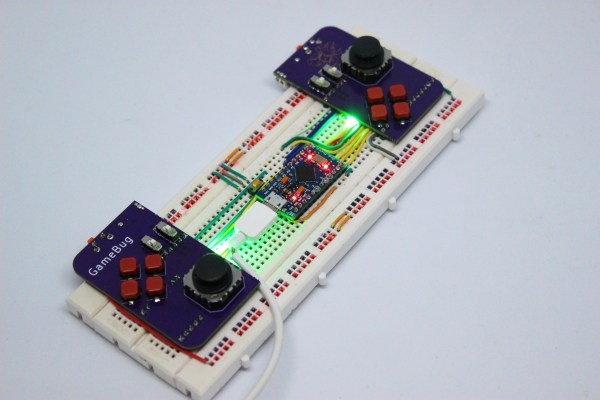
A pair of purple PCB-based game controllers on a solderless breadboard

Odd Inputs And Peculiar Peripherals: The GameBug Turns Your Breadboard Into A Game Console

What’s more fun than playing video games? Designing your own video game hardware, of course! If you’ve followed these pages long enough you’ll have seen dozens of great examples of homebrew hardware, and perhaps been inspired to try such a project yourself. This often starts with assembling the basic bits onto a solderless breadboard, which is fine for programming but not so great for testing: squeezing pushbuttons into your breadboard works for basic debugging, but is not very user-friendly or reliable. A better solution can be found in [Dimitar]’s GameBug: a set of breadboard-compatible joypad-like controllers.

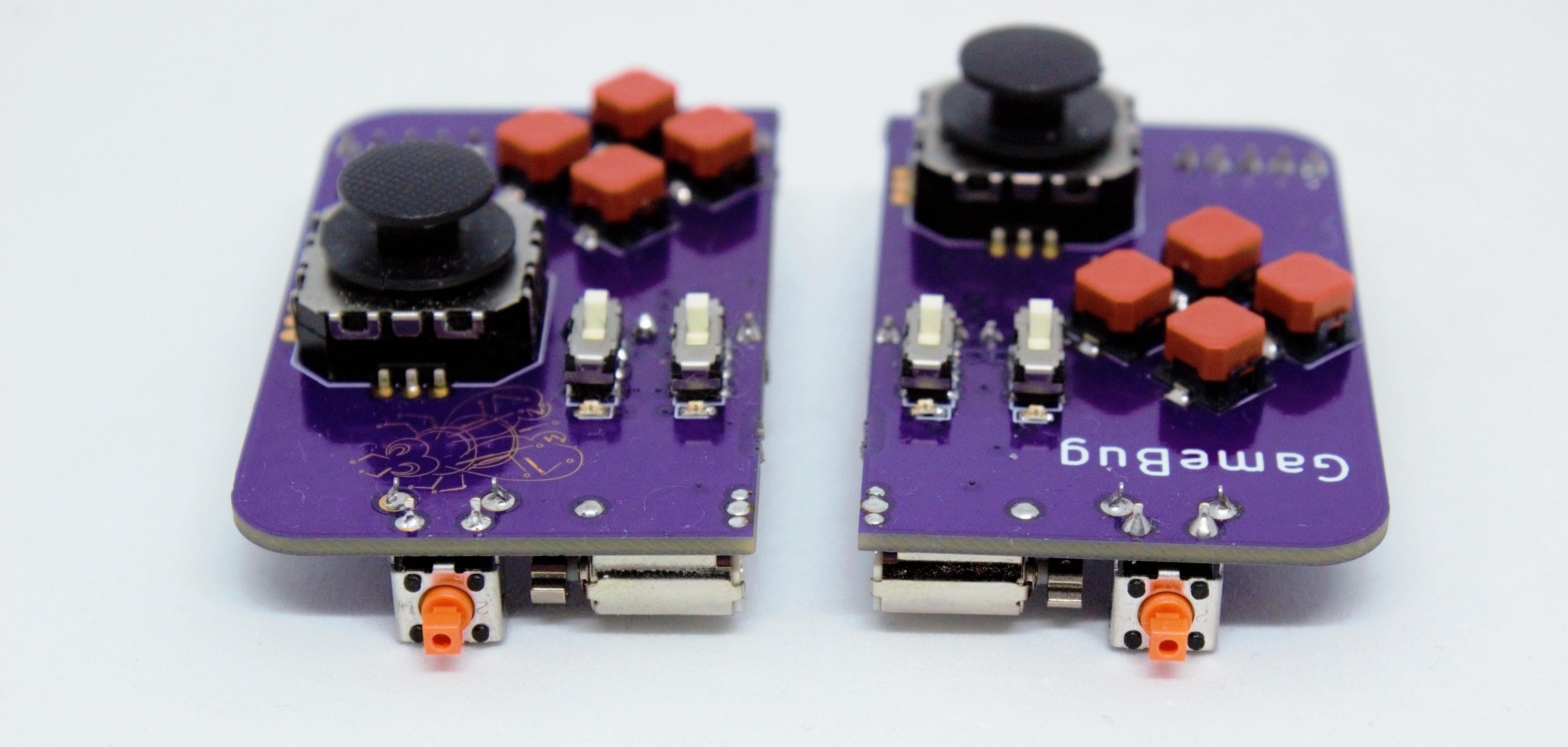
The GameBug’s design excels in its simplicity: a miniature analog joystick, four buttons arranged in a diamond pattern, a shoulder button and two sliding switches are sitting on a neat purple PCB. On the bottom are two rows of pin headers to ensure a snug fit on your solderless breadboard. There’s even a little vibrating motor for haptic feedback.

Interfacing with the GameBug is simplified by the integrated readout electronics. A Schmitt trigger-based debounce circuit ensures clean signals from all the pushbuttons, while a motor driver chip provides stable current to the haptic feedback system. An RGB LED can be used as yet another user feedback device, or simply for decorative lighting.

All design files are available on [Dimitar]’s GitHub page, along with an Arduino sketch to help you try out the GameBug’s functionality. Having a proper gamepad might come in handy with breadboard-based game systems like Tiny Duck Hunt or this impressive mess of wires that makes up a Colecovision.

A pair of purple PCB-based game controllers