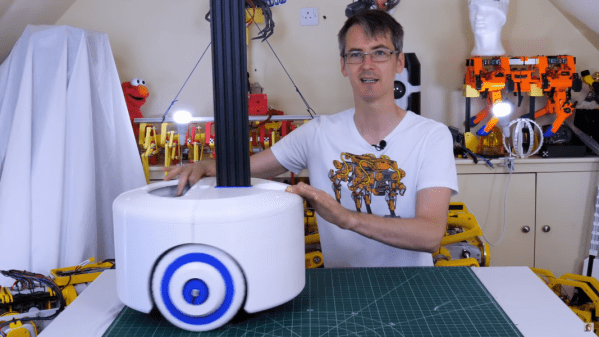
One Wheel Is All We Need To Roll Into Better Multirotor Efficiency

Multirotor aircraft enjoy many intrinsic advantages, but as machines that fight gravity with brute force, energy efficiency is not considered among them. In the interest of stretching range, several air-ground hybrid designs have been explored. Flying cars, basically, to run on the ground when it isn’t strictly necessary to be airborne. But they all share the same challenge: components that make a car work well on the ground are range-sapping dead weight while in the air. [Youming Qin et al.] explored cutting that dead weight as much as possible and came up with Hybrid Aerial-Ground Locomotion with a Single Passive Wheel.

As the paper’s title made clear, they went full minimalist with this design. Gone are the driveshaft, brakes, steering, even other wheels. All that remained is a single unpowered wheel bolted to the bottom of their dual-rotor flying machine. Minimizing the impact on flight characteristics is great, but how would that work on the ground? As a tradeoff, these rotors have to keep spinning even while in “ground mode”. They are responsible for keeping the machine upright, and they also have to handle tasks like steering. These and other control algorithm problems had to be sorted out before evaluating whether such a compromised ground vehicle is worth the trouble.

Happily, the result is a resounding “yes”. Even though the rotors have to continue running to do different jobs while on the ground, that was still far less effort than hovering in the air. Power consumption measurements indicate savings of up to 77%, and there are a lot of potential venues for tuning still awaiting future exploration. Among them is to better understand interaction with ground effect, which is something we’ve seen enable novel designs. This isn’t exactly the flying car we were promised, but its development will still be interesting to watch among all the other neat ideas under development to keep multirotors in the air longer.

[IROS 2020 Presentation video (duration 10:49) requires no-cost registration, available until at least Nov. 25th 2020. Forty-two second summary embedded below]

Continue reading “One Wheel Is All We Need To Roll Into Better Multirotor Efficiency”

How To Improve A Smart Motor? Make It Bigger!

Brushless motors can offer impressive torque-to-size ratios, and when combined with complex drive control and sensor feedback, exciting things become possible that expand the usual ideas of what motors can accomplish. For example, to use a DC motor in a robot leg, one might expect to need a gearbox, a motor driver, plus an encoder for position sensing. If smooth, organic motion is desired, some sort of compliant mechanical design would be involved as well. But motors like the IQ Vertiq 6806 offered by [IQ Motion Control] challenge those assumptions. By combining a high-torque brushless DC motor, advanced controller, and position sensing into an integrated device, things like improved drone performance and direct-drive robotic legs like those of the Mini Cheetah become possible.

IQ Vertiq 6806 brushless DC motor with integrated controller, driver, and position sensing.

First, the bad news: these are not cheap motors. The IQ Vertiq 6806 costs $399 USD each through the Crowd Supply pre-order ($1499 for four), but they aren’t overpriced for what they are. The cost compares favorably with other motors and controllers of the same class. A little further than halfway down the Crowd Supply page, [IQ Motion Control] makes a pretty good case for itself by comparing features with other solutions. Still, these are not likely to be anyone’s weekend impulse purchase.

So how do these smart motors work? They have two basic operating modes: Speed and Position, each of which requires different firmware, and which one to use depends on the intended application.

The “Speed” firmware is designed with driving propeller loads in mind, and works a lot like any other brushless DC motor with an ESC (electronic speed control) on something like a drone or other UAV. But while the unit can be given throttle or speed control signals like any other motor, it can also do things like accept commands in terms of thrust. In other words, an aircraft’s flight controller can communicate to motors directly in thrust units, instead of a speed control signal whose actual effect is subject to variances like motor voltage level.

The “Position” mode has the motor function like a servo with adjustable torque, which is perfect for direct drive applications like robotic legs. The position sensing also allows for a few neat tricks, like the ability to use the motors as inputs. Embedded below are two short videos showcasing both of these features, so check them out.

Continue reading “How To Improve A Smart Motor? Make It Bigger!”

Dad Scores Big With DIY Indoor Hockey Game

We suppose it’s a bit early to call it just yet, but we definitely have a solid contender for Father of the Year. [DIY_Maxwell] made a light-up hockey game for his young son that looks like fun for all ages. Whenever the puck is hit with the accompanying DIY hockey stick (or anything else), it lights up and produces different sounds based on its acceleration.

Inside the printed puck is an Arduino Nano running an MPU6050 accelerometer, a 12-NeoPixel ring, and a piezo buzzer. [DIY_Maxell] reused a power bank charging circuit to charge up the small LiPo battery.

The original circuit used a pair of coin cells, but the Arduino was randomly freezing up, probably because of the LEDs’ current draw. Be sure to check out the video after the break, which begins with a little stop motion and features a solder stand in the shape of a 3D printer.

Got a house full of carpet or breakables? You could always build an air hockey table instead.

Continue reading “Dad Scores Big With DIY Indoor Hockey Game”

Tired Of The Cat-and-Mouse

Facebook just announced their plans for the Oculus Quest 2 VR headset. You probably won’t be surprised, but they want more of your user data, and more control over how you use the hardware. To use the device at all, you’ll need a verified Facebook account. Worse, they’re restricting access to the wide world of community-developed applications by requiring a developer account to be able to “sideload” non-Facebook software onto the device. Guess who decides who gets to be a developer. Hint: it’s not the people developing software.

Our article suggests that this will be the beginning of a race to jailbreak the headset on the community’s part, and to get ahead of the hackers on Facebook’s. Like every new release of iOS gets a jailbreak within a week or two, and then Apple patches it up as fast as they can, are we going to see a continual game of hacker cat-and-mouse with Facebook?

I don’t care. And that’s not because I don’t care about open hardware or indie VR developers. Quite the opposite! But like that romance you used to have with the girl who was absolutely no good for you, the toxic relationship with a company that will not let you run other people’s games on their hardware is one that you’re better off without. Sure, you can try to fix it, or hack it. You can tell yourself that maybe Facebook will come around if you just give them one more chance. It’s going to hurt at first.

But in the end, there is going to be this eternal fight between the user and the company that wants to use them, and that’s just sad. I used to look forward to the odd game of cat and mouse, but nowadays the cats are just too well bankrolled to make it a fair fight. If you’re buying a Quest 2 today with the intent of hacking it, I’d suggest you spend your time with someone else. You’re signing up for a string of heartbreaks. Nip it in the bud. You deserve better. There are too many fish in the sea, right?

What are our options?

Today At Remoticon: Saturday Live Events

Hackaday Remoticon is a worldwide virtual conference happening now!

Public Livestreams (all times are PST, UTC-8):

Hackaday YouTube and Facebook Live:

Hackaday Twitch:

  • 6am SMD Challenge: Badge.team
  • 8:15am Solder Techniques Demonstration
  • 12pm SMD Challenge: Hackaday Writers
  • 2pm SMD Challenge: Remoticon Attendees (Heat 1)
  • 4pm SMD Challenge: Queercon Badge Team

Hackaday Twitch Two:

  • 12:00-2pm Demos
  • 5:30pm World Tour Robot

Training A Neural Network To Play A Driving Game

Often, when we think of getting a computer to complete a task, we contemplate creating complex algorithms that take in the relevant inputs and produce the desired behaviour. For some tasks, like navigating a car down a road, the sheer multitude of input data and its relationship to the desired output is so complex that it becomes near-impossible to code a solution. In these cases, it can make more sense to create a neural network and train the computer to do the job, as one would a human. On a more basic level, [Gigante] did just that, teaching a neural network to play a basic driving game with a genetic algorithm.

The game consists of a basic top-down 2D driving game. The AI is given the distance to the edge of the track along five lines at different angles projected from the front of the vehicle. The AI also knows its speed and direction. Given these 7 numbers, it calculates the outputs for steering, braking and acceleration to drive the car.

To train the AI, [Gigante] started with 650 AIs, and picked the best performer, which just barely managed to navigate the first two corners. Marking this AI as the parent of the next generation, the AIs were iterated with random mutations. Each generation showed some improvement, with [Gigante] picking the best performers each time to parent the next generation. Within just four iterations, some of the cars are able to complete a full lap. With enough training, the cars are able to complete the course at great speed without hitting the walls at all.

It’s a great example of machine learning and the use of genetic algorithms to improve fitness over time. [Gigante] points out that there’s no need for a human in the loop either, if the software is coded to self-measure the fitness of each generation. We’ve seen similar techniques used to play Mario, too. Video after the break.

Continue reading “Training A Neural Network To Play A Driving Game”

Wearable Sensors On Your Skin

An international team at Penn State led by [Larry Cheng] made a breakthrough in printing sensors directly on skin without heat. The breakthrough here is the development of a room-temperature sintering technique. Typical sintering of copper happens at 300 C, and can be further lowered to 100 C by adding nanoparticles. But even 100 C is too hot, since skin starts to burn at around 40 C.

You can obtain their journal article if you want the details, but basically their technique combines the ingredients in peelable face masks and eggshells. With this printed circuit is applied to the skin, the sintering process only requires a hair dryer on the cool setting, and results can bend and fold without breaking the connections. A hot shower will remove the circuit without damaging the circuit or your skin. [Larry] says the circuits can be recycled.

They are using these sensors to monitor temperature, humidity, blood oxygen levels, and heart performance indicators. They’ve even linked these various on-body sensors with a WiFi network for ease of monitoring. After reading this report, we’re left wondering, if the sensor is directly on your skin, can it be really called wearable?

We’ve written about printable inks before, but for printed circuit board applications.  We can’t help but wonder if this technology would help solve some problems inherent in that technology, as well. Thanks to [Qes] for the tip.