Modified Uke Keeps The Beat With A Solenoid

A classic one-man band generally features a stringed instrument or two, a harmonica in a hands-free holder, and some kind of percussion, usually a bass drum worn like a backpack and maybe some cymbals between the knees. The musician might also knock or tap the sound-boards of stringed instruments percussively with their strumming hand, which is something classical and flamenco guitarists can pull off with surprising range.

The musician usually has to manipulate each instrument manually. When it comes to percussion, [JimRD] has another idea: keep the beat by pounding the soundboard with a solenoid. He built a simple Arduino-driven MOSFET circuit to deliver knocks of variable BPM to the sound-board of a ukulele. A 10kΩ pot controls the meter and beat frequency, and the sound is picked up by a mic on the bridge. So far, it does 3/4 and 4/4 time, but [JimRD] has made the code freely available for expansion. Somebody make it do 5/4, because we’d love to hear [JimRD]  play “Take Five“.

He didn’t do this to his good uke, mind you—it’s an old beater that he didn’t mind drilling and gluing. We were a bit skeptical at first, but the resonance sweetens the electromechanical knock of the solenoid slug. That, and [JimRD] has some pretty good chops. Ax your way past the break to give it a listen.

Got a cheap ukulele but don’t know how to play it? If you make flames shoot out from the headstock, that won’t matter as much. No ukes? Just print one.

Continue reading “Modified Uke Keeps The Beat With A Solenoid”

Lisp In 200 Lines

Contrary to popular belief, LISP does not stand for “lots of irritating spurious parenthesis.” However, it is true that people tend to love or hate this venerable programming language. Whichever side of the fence you’re on, many of the ideas it launched decades ago have become staples of other newer languages. How much C code do you think it takes to make a functional LISP system? If you guessed more than 200, you’ll want to go look at this GitHub repository.

Actually, the code isn’t as good as the (sort of) literate programming white paper on the program, but it gives a good overview of how 200 lines of C code can produce a working LISP-like language good enough to create its own eval loop. It does lack memory handling and error detection, so if you really wanted to use it, you’d probably need to spruce it up a bit.

Continue reading “Lisp In 200 Lines”

Exploring The BBC Micro:Bit Software Stack

The BBC micro:bit has been with us for about eighteen months now, and while the little ARM-based board has made a name for itself in its intended market of education, we haven’t seen as much of it in our community as we might have expected.

If you or a youngster in your life have a micro:bit, you may have created code for it using one of the several web-based IDEs, a graphical programming system, TypeScript, or MicroPython. But these high level languages are only part of the board’s software stack, as [Matt Warren] shows us with his detailed examination of its various layers.

The top layer of the micro:bit sandwich is of course your code. This is turned into a hex file by the web-based IDE’s compiler, which you then place on your device. Interestingly only the Microsoft TypeScript IDE compiles the TypeScript into native code, while the others bundle your code up with an interpreter.

Below that is the micro:bit’s hardware abstraction layer, and below that in turn is ARM’s Mbed OS layer, because the micro:bit is at heart simply another Mbed board. [Matt] goes into some detail about how the device’s memory map accommodates all these components, something essential given that there is only a paltry 16 kB of RAM in hand.

You might wish to program a micro:bit somewhat closer to the metal with the Mbed toolchain, but even if that is the case it’s still of interest to read a dissection of its official stack. Meanwhile, have a look at our review of the board, from summer 2016.

Lego Go-Kart Scores Radio Control

LEGO has always been an excellent toy for both play and learning, and the Technic sets are a great starting point for any budding engineer. Not content to rest on their plastic, blocky laurels, LEGO introduced more advanced parts over the years, such as motors and battery packs to allow builders to propel their creations. Combine this mechanical philosophy with [Matt]’s Giant Lego Go-Kart and you have one heck of a project.

It all started months ago, when [Matt] built his original Giant Lego Go-Kart, a 5-times scaled up model of the original kit #1972-1. Achieved through the wonder of 3D printing, he had sized it up based off the largest parts he could fit on his printer. The Youtube video led to commenters asking – could it be driven?

He decided that radio control was definitely a possibility. Not content to simply bolt on a series of motors to control the drive and steering, he took the effort to build scaled up replica LEGO motors, even taking care to emulate the old-school connectors as well. A particularly nice touch was the LEGO antenna, concealing the Orange RX radio receiver.

There were some hiccups – at this scale & with [Matt]’s parts, the LEGO force just isn’t strong enough to hold everything together. With a handful of zipties and a few squirts of glue, however, the giant ‘kart was drifting around the carpark with ease and hitting up to 26km/h.

In the end, the build is impressive not just for its performance but the attention to detail in faithfully recreating the LEGO aesthetic. As for the next step, we’d like to know what you think – how could this be scaled up to take a human driver? Is it possible? You decide.

Spoof A Skimmer For Peace Of Mind

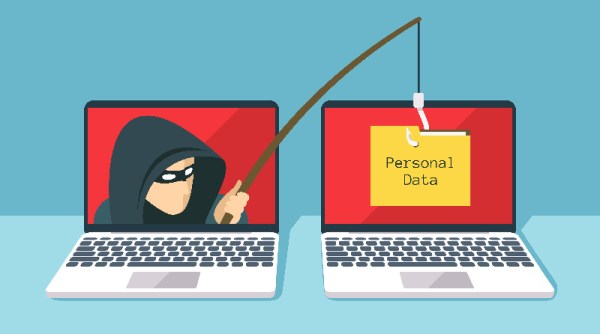
It’s a sad commentary on the state of the world when it becomes a good practice to closely inspect the card reader on every ATM and gas pump for the presence of a skimmer. The trouble is, even physically yanking on the reader may not be enough, as more sophisticated skimmers now reside safely inside the device, sipping on the serial comms output of the reader and caching it for later pickup via Bluetooth. Devilishly clever stuff.

Luckily, there’s an app to detect these devices, and the prudent consumer might take solace when a quick scan of the area reveals no skimmers in operation. But is that enough? After all, how do you know the smartphone app is working? This skimmer scammer scanner — or is that a skimmer scanner scammer? — should help you prove you’re being as safe as possible.

The basic problem that [Ben Kolin] is trying to solve here is: how do you prove a negative? In other words, one could easily write an app with a hard-coded “This Area Certified Zebra-Free” message and market it as a “Zebra Detector,” and 99.999% of the time, it’ll give you the right results. [Ben]’s build provides the zebra, as it were, by posing as an active skimmer to convince the scanner app that a malicious Bluetooth site is nearby. It’s a quick and dirty build with a Nano and a Bluetooth module and a half-dozen lines of code. But it does the trick.

Need a primer on the nefarious world of skimming? Here’s an overview of how easy skimming has become, and a teardown of a skimmer captured in the wild.

Purely Functional Selfies: Thermal Printer Speaks Haskell

[Dan] recently got a cheap POS thermal printer to chooch remotely over ESP32. Having conquered that project, he decided to see what else he could get the printer to do. Why not use it to print pictures? Sure, it’s been done, but not with Haskell. And yeah, the pictures will be grainy and weird-ish and limited to black and white, but hey, we love black and white around here as much as the idea of doing something simply because you can.

In the first project, [Dan] had to figure out how to talk to the printer since the RS422 cable it came with didn’t seem to work. He bought a TTL-to-RS485 adapter, but then realized he could use TTL directly and wired up a ESP32/OLED dev board to it. During the course of turning it into a photo booth, he had to switch to a bigger screen with a better refresh rate.

Unfortunately, [Dan] was unable to use Haskell by itself. He blames this on the cobwebs in the Haskell ecosystem, something that isn’t a problem for languages like Python that celebrate wide usage and support. [Dan] wrote a Python script that handles image capturing, display, and listening for touch activity on the screen, but Haskell ultimately controls the printer. Check out [Dan]’s demo after the break.

This project may have been trying at times, but at least [Dan] didn’t have to give it a brain transplant to get it to do what he wanted.

Continue reading “Purely Functional Selfies: Thermal Printer Speaks Haskell”

Another New Old Computer On An FPGA

How would you sell a computer to a potential buyer? Fast? Reliable? Great graphics and sound? In 1956, you might point out that it was somewhat smaller than a desk. After all, in those days what people thought of as computers were giant behemoths. Thanks to modern FPGAs, you can now have a replica of a 1956 computer — the LGP-30 — that is significantly smaller than a desk. The LittleGP-30 is the brainchild of [Jürgen Müller].

The original also weighed about 740 pounds, or a shade under 336 kg, so the FPGA version wins on mass, as well. The LGP-30 owed its relative svelte footprint to the fact that it only used 113 tubes and of those, only 24 tubes were in the CPU. This was possible, because, like many early computers, the CPU worked on one bit at a time. While a modern computer will add a word all at once, this computer — even the FPGA version — add each operand one bit at a time.

Continue reading “Another New Old Computer On An FPGA”