Cheap RC Truck Mod Is Slightly Risky Fun

The world of RC can be neatly split into two separate groups: models and toys. The RC models are generally big, complex, and as you’d imagine, more expensive. On the other hand, the RC toys are cheap and readily available. While not as powerful or capable as their more expensive siblings, they can often be a lot of fun; especially since the lower costs means a crash doesn’t put too big of a ding into to your wallet.

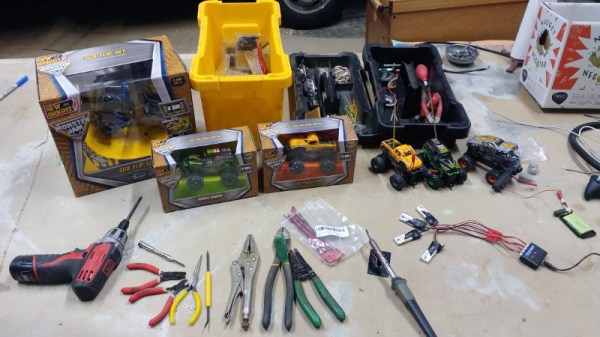
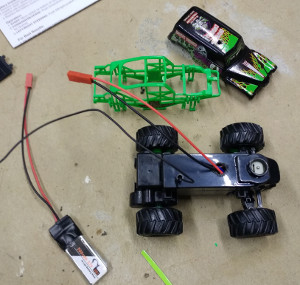
With his latest mod, [PoppaFixIt] has attempted to bridge the gap between toy and model by sticking a considerably overpowered battery into a $10 RC truck from Amazon. He reports greatly improved performance from his hacked together truck, but anyone looking to replicate his work should understand the risks before attempting to hack up their own version.

The principle is pretty simple; the truck is designed to run on two AA batteries, providing 3 volts. But by swapping the AAs out for a 3.7 volt 1S LiPo of the type that’s used in small airplanes and quadcopters, you can get an instant boost in power. As a happy side effect, the LiPo batteries are also rechargeable and fairly cheap, so you won’t have to keep burning through alkaline AAs.


The mod itself is a basic job that only requires a few bucks in parts, and for which [PoppaFixIt] has helpfully provided Amazon links. Essentially you just crack open the truck, solder a JST connector pigtail to the positive and negative traces on the PCB, and then pop a hole in the roof to run the new battery wires out.

Right about now the RC purists are probably screaming obscenities at their displays, and not without reason. As fun as these supercharged little trucks are to drive, there are a number of real issues here which need to be mentioned.

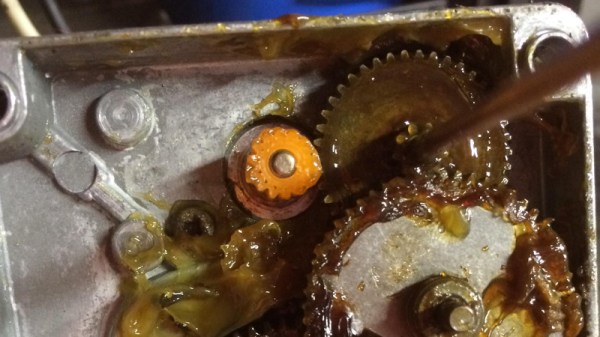
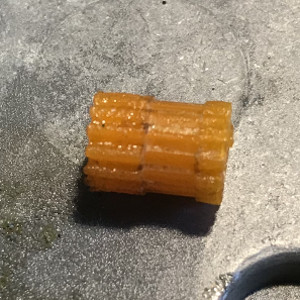
First, while the motor will probably be alright with a bit higher voltage running through them, the gears won’t be liking it one bit. In fact, [PoppaFixIt] even mentions they shredded a few gears when they tried to take one off-road. The second issue is that since these vehicles were not designed with LiPo batteries in mind, there’s no low voltage cutoff to prevent over discharge. If you aren’t careful, a setup like this will cook those cute little batteries in short order. But hey, at least it’s all cheap.

If you are more interested in control than power, you may want to check out the previous hacks we’ve featured. Seems like these little RC trucks are the platform of choice for hackers who want to get stuff moving on the cheap.

Why Not Expose Your PCBs Through An LCD?

Most people who have dabbled in the world of electronic construction will be familiar in some form with the process of producing a printed circuit board by exposing a UV sensitive coating through a transparent mask, before moving on to etching. Older readers will have created their masks by hand with crêpe paper tape on acetate, while perhaps younger ones started by laser-printing from their CAD package.

How about a refinement of the process, one which does away with the acetate mask entirely? [Ionel Ciobanuc] may have the answer, in the form of an exposure through an LCD screen. The video below the break shows how it’s done, starting with a (probably a bit too lengthy) sequence on applying the photo-resist coating to the board, and then sitting LCD on top of UV lamp with the board positioned at the top of the pile.

It’s an interesting demonstration, and one that certainly removes a step in the process of PCB creation as it brings the pattern direct from computer to board without an intermediate. Whether or not it’s worth the expenditure on an LCD is up to you, after all a sheet of acetate is pretty cheap and if you already have a laser printer you’re good to go. We’re curious to know whether or not any plastic components in the LCD itself might be damaged by long-term exposure to intense UV light.

Continue reading “Why Not Expose Your PCBs Through An LCD?”

Xerox Alto CRTs Needed A Tiny Lightbulb To Function

In the real world, components don’t work like we imagine they do. Wires have resistance, resistors have inductance, and capacitors have resistance. However, some designers like to take advantage of those imperfections, something our old friend [Ken Shirriff] noted when he was restoring the CRT of a Xerox Alto.

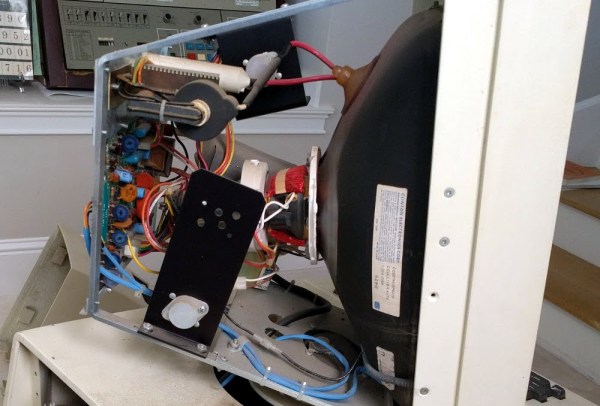
[Ken] tried to connect a Xerox monitor to the Alto and — since it was almost as old as the Alto — he wasn’t surprised that it didn’t work. What did surprise him, though, is that when he turned the monitor off, a perfect picture appeared for just a split second as the unit powered off. What could that mean?

Keep in mind this is a CRT device. So a perfect picture means you have vertical and horizontal sweep all at the right frequency. It also means you have high voltage and drive on the electron guns. If you are too young to remember all that, [Ken] covers the details in his post.

He found that the CRT grid voltage wasn’t present during operation. The voltage derived from the high voltage supply but, mysteriously, the high voltage was fine. There was a small lightbulb in the grid voltage circuit. A 28V device about like a flashlight bulb. It measured open and that turned out to be due to a broken lead. Repairing the broken lead to the bulb put the monitor back in operation.

On paper, a light bulb lights up when you put current through it. In real life, it is a bit more complicated. An incandescent filament starts off as almost a dead short and draws a lot of current for a very brief time. As the current flows, the filament gets hot and the resistance goes up. That reduces the current draw. This effect — known as inrush current — is the scourge of designers trying to turn on light bulbs with transistors or other electronic switches.



However, the unknown Xerox power supply designer used that effect as a current limiter. The short 600V pulses would hardly notice the light bulb but if too much current or time elapsed, the resistance of the bulb would rise preventing too much current from flowing for too long. With the bulb open, the negative brightness grid provided an impassible barrier to the electrons. Apparently, the brightness grid lost power a bit earlier than the rest of the circuit and with it out of the way — or perhaps, partially out of the way — the picture was fine until the rest of the circuit also lost power.

We looked at [Ken’s] efforts on this machine earlier this year. Light bulbs, by the way, aren’t the only thing that changes resistance in response to some stimulus. You might enjoy the 1972 commercial from Xerox touting the Alto’s ability to do advanced tasks like e-mail and printing.

Continue reading “Xerox Alto CRTs Needed A Tiny Lightbulb To Function”

Space Technology And Audio Tape To Store Art

[Blaine Murphy] has set out to store an archive of visual art on cassette tape. To do so he encodes images via Slow-Scan Television (SSTV), an analogue technology from the late 50s which encodes images in for radio transmission. If you are thinking ‘space race’ you are spot on, the first images of the far side of the moon reached us via SSTV and were transmitted by the soviet Luna 3 spacecraft.

Yes, this happened

Encoding images with 5os technology is only one part of this ongoing project. Storage and playback are handled by a 90s tape deck and the display unit is a contemporary Android phone. Combining several generations in one build comes with its own set of challenges, such as getting a working audio connection between the phone and the tape deck or repairing old consumer electronics. His project logs on this topic are solid contenders for ‘Fail Of The Week’ posts. For instance, making his own belts for the cassette deck was fascinating but a dead end.

The technological breadth of the project makes it more interesting with every turn. Set some time aside this weekend for an entertaining read.

Just a couple of years back ham radio operators had the opportunity to decode SSTV beamed down from the ISS when they commemorated [Yuri Gagarin’s] birthday. Now if the mechanical part of this project is what caught your interest, you’ll also want to look back on this MIDI sampler which used multiple cassette players.

BOM Cost Optimization And Tindie Badge Engineering

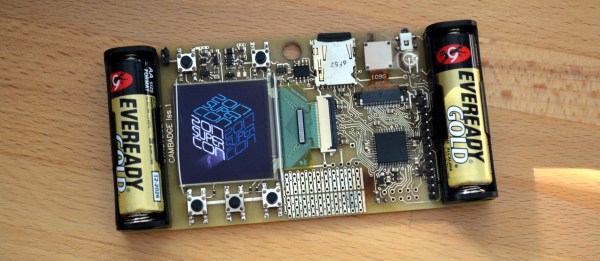
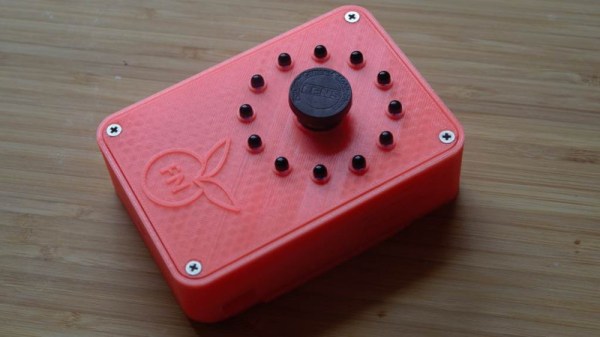
For the last few months, I’ve been up to my neck in electronic conference badges. This year, I created the single most desirable badge at DEF CON. I also built a few Tindie badges, and right now I’m working on the logistics behind the Hackaday SuperConference badge. Sit tight on that last one — we’re doing something really, really special next month.

Most badge projects are one-off production runs. This is to be expected from a piece of hardware that’s only meant to be distributed at a single event. The Tindie badge is different. It’s now a thing, and we’re building multiple badges for all the cons and conferences Hackaday and Tindie are attending for the rest of the year. This means I have the opportunity to do hardware revisions on the Tindie badge. Right now I’ve built three versions of the Tindie and we’ve distributed about two thousand of these kits at DEF CON, Maker Faire New York, and the Open Hardware Summit.

After about two thousand units, I think we finally have this down. This is how I designed three versions of hardware in as many months and cut the BOM cost of each badge in half. This is bordering on a marginally impressive piece of engineering, and a great lesson on BOM cost optimization.

Continue reading “BOM Cost Optimization And Tindie Badge Engineering”

Precision Pantograph Probes PCBs

Electronic components are getting smaller and for most of us, our eyesight is getting worse. When [Kurt] started using a microscope to get a better view of his work, he realized he needed another tool to give his hands the same kind of precision. That tool didn’t exist so he built it.

The PantoProbe is a pantograph mechanism meant to guide a probe for reaching the tiny pads of his SMT components. He reports that he has no longer has any trouble differentiating pins 0.5 mm apart which is the diameter of the graphite sticks in our favorite mechanical pencils.

[Kurt] has already expanded his machine’s capability to include a holder for a high-frequency probe and even pulleys for a pick-and-place variation. There’s no mention of dual-wielding PantoProbes as micro-helping-hands but the versatility we’ve seen suggests that it is only a matter of time.

Four bar linkages are capable of some incredible feats and they’re found all around us. Enjoy one of [Kurt]’s other custom PCBs in his Plexitube Owl Clock, or let him show you to make 3D objects with a laser engraver.

Continue reading “Precision Pantograph Probes PCBs”

Over-Engineered Mailbox Flag Machined Using Under-Engineered Mini-Lathe

[Tim Nummy] used his cheap, Chinese, bench mini-lathe to make a non-terrible mailbox flag holder (YouTube video, embedded below). Tim posts videos on his channel about garage hobby projects, many of which are built using his mini-lathe, often based on suggestions from his followers. One such suggestion was to do something about his terrible mailbox flag – we’re guessing he receives a lot of old-school fan mail.

He starts off by planning the build around 1 ¼ inch aluminum bar stock, a 688 bearing, three neodymium magnets and some screws. The rest of it is a “think and plan as you go along” project, but essentially, the new holder is in three pieces. An inner piece goes inside the mail box and holds the assembly to the mail box. The middle piece holds the two magnets which act as end-stops or limits for the flags raised and lowered positions. The final, outer piece holds the flag itself, and the bearing which allows it to rotate freely.

This part also has the third magnet embedded in it to work with the other two magnets for the limits. The use of magnets is cool, but a ball catch with two detents would have worked just as well. It’s a great simple project to follow for those who want to wet their feet on lathe work. [Tim] has also posted links to all of the tools and equipment seen in the video, so check that out if anything catches your fancy.

But workshop veterans will almost certainly cringe at several places along the video. The main one that caught our eye is obviously the shaky lathe itself. It could do with a heavier workbench, proper leveling, foundation bolts or anti-vibration mounts. And from the looks of it, the tail stock isn’t any rock steady too. Although the lathe is variable speed, the chuck rpm is set too high for aluminum, and the lack of cutting fluid makes it even more troublesome. Using oil, or even some cutting fluid, while tapping would have been wise too.

We’re not sure if it’s the shaky foundation or poor feed control, but the step cut for mounting the bearing is over-sized by a whole lot more and requires a big goop of retaining compound to glue the bearing in place. But the end result works quite well, including the magnetic catches – a complex solution for a simple problem.

We’re sure our keen-eyed readers will likely spot some more issues in [Tim]’s methods, so go at it in the comments below, but please make sure to rein in the snark and keep your feedback positive.

Continue reading “Over-Engineered Mailbox Flag Machined Using Under-Engineered Mini-Lathe”