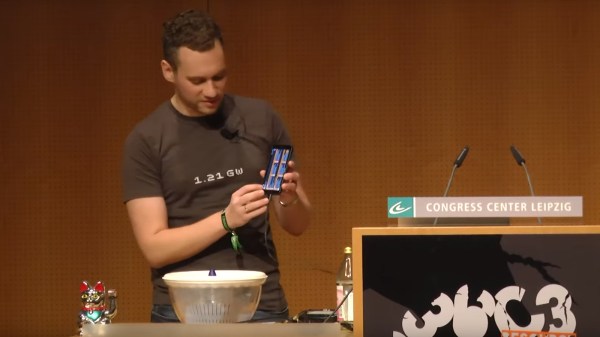
It’s no secret that the average smart phone today packs an abundance of gadgets fitting in your pocket, which could have easily filled a car trunk a few decades ago. We like to think about video cameras, music playing equipment, and maybe even telephones here, but let’s not ignore the amount of measurement equipment we also carry around in form of tiny sensors nowadays. How to use those sensors for educational purposes to teach physics is presented in [Sebastian Staacks]’ talk at 36C3 about the phyphox mobile lab app.
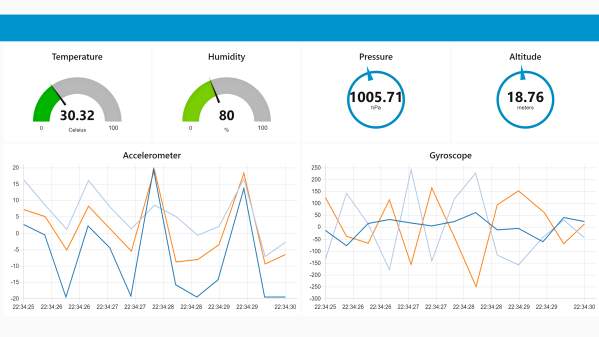
While accessing a mobile device’s sensor data is usually quite straightforwardly done through some API calls, the phyphox app is not only a shortcut to nicely graph all the available sensor data on the screen, it also exports the data for additional visualization and processing later on. An accompanying experiment editor allows to define custom experiments from data capture to analysis that are stored in an XML-based file format and possible to share through QR codes.
Aside from demonstrating the app itself, if you ever wondered how sensors like the accelerometer, magnetometer, or barometric pressure sensor inside your phone actually work, and which one of them you can use to detect toilet flushing on an airplane and measure elevator velocity, and how to verify your HDD spins correctly, you will enjoy the talk. If you just want a good base for playing around with sensor data yourself, it’s all open source and available on GitHub for both Android and iOS.
Continue reading “36C3: Phyphox – Using Smartphone Sensors For Physics Experiments”

 cut in half and hollowed out on a lathe. A beam sits on the centre line of the ball, mounted on a bearing in each half to allow the ball to spin around it. Steering done by shifting the centre of mass, by moving a steel pendulum that hangs below the beam side to side with heavy-duty servo. The servo is controlled with an Arduino, and an IMU to detects the balls orientation. Power is provided by and RC Lipo battery. The wireless controller is a sneaky little device that is taped to [Mark]’s back and covered with clothing, and steers the ball by detecting how far he leans with an IMU module. The brain is an Arduino Mini and an NRF24L01 provides the RF link.