Hackaday Prize Entry: Head-up For High Voltage

[Alain Mauer] wanted to build something like a Google Glass setup using a small OLED screen. A 0.96 inch display was too large, but a 0.66 inch one worked well. Combining an Arduino, a Bluetooth module, and battery, and some optics, he built glasses that will show the readout from a multimeter.

You’d think it was simple to pull this off, but it isn’t for a few reasons as [Alain] discovered. The device cost about 70 Euro and you can see a video of the result, below.

Continue reading “Hackaday Prize Entry: Head-up For High Voltage”

Arduino Vs. Arduino: Arduino Won

For the last two years, Arduino LLC (the arduino.cc, Massimo one) and Arduino SRL (the arduino.org, Musto one) have been locked in battle over the ownership of the Arduino trademark. That fight is finally over. Announced at the New York Maker Faire today, “Arduino” will now go to Arduino Holding, the single point of distribution for new products, and a non-profit Arduino Foundation, responsible for the community and Arduino IDE.

Since early 2015, Arduino — not the Arduino community, but the organization known as Arduino — has been split in half. Arduino LLC sued Arduino SRL for trademark infringement. The case began when Arduino SRL, formerly Smart Projects SRL and manufacturers of the Arduino boards with a tiny map of Italy on the silk screen, began selling under the Arduino name. Arduino LLC, on the other hand, wanted to internationalize the brand and license production to other manufacturers.

While Arduino and Arduino have been tied up in court for the last few years, from the outside this has look like nothing else but petty bickering. Arduino SRL forked the Arduino IDE and bumped up the version number. Later, an update from SRL was pushed out to Amazon buyers telling them Arduino.org was the real Arduino. Resellers were in a tizzy, and for a time Maker Faires had two gigantic Arduino booths. No one knew what was going on.

All of this is now behind us. The open source hardware community’s greatest source of drama is now over.

I spoke with Massimo after the announcement, and although the groundwork is laid out, the specifics aren’t ready to be disclosed yet. There’s still a lot to work out, like what to do with the Arduino.org Github repo, which TLD will be used (we’re rooting for .org), support for the multitude of slightly different products released from both camps over the years, and finer points that aren’t publicly visible. In a few months, probably before the end of the year, we’ll get all the answers to this. Now, though, the Arduino wars are over. Arduino is dead, long live Arduino.


Tiny Pipe Organ Needs Tiny Church

There are a lot of unusual listings on eBay. If you’re wondering why someone would have a need for shredded cash, or a switchblade comb, or some “unicorn meat” (whatever that is), we’re honestly wondering the same thing. Sometimes, though, a listing that most people would consider bizarre finds its way to the workbench of someone with a little imagination. That was the case when [tinkartank] found three pipe organ pipes on eBay, bought them, and then built his own drivers.

The pipes have pitches of C, D, and F# (which make, as far we can tell, a C add9 flat5 no3 chord). [tinkartank] started by firing up the CNC machine and creating an enclosure to mount the pipes to. He added a church-like embellishment to the front window, and then started working on the controls for the pipes. Each pipe has its own fan, each salvaged from a hot air gun. The three are controlled with an Arduino. [tinkartank] notes that the fan noise is audible over the pipes, but there does seem to be an adequate amount of air going to each pipe.

This project is a good start towards a fully functional organ, provided [tinkartank] gets lucky enough to find the rest of the pipes from the organ. He’s already dreaming about building a full-sized organ of sorts, but in the meantime it might be interesting to use his existing pipes to build something from Myst.

Cellular Automata Explorer

Well all know cellular automata from Conway’s Game of Life which simulates cellular evolution using rules based on the state of all eight adjacent cells. [Gavin] has been having fun playing with elementary cellular automata in his spare time. Unlike Conway’s Game, elementary automata uses just the left and right neighbors of a cell to determine the next cell ahead in the row. Despite this comparative simplicity, some really complex patterns emerge, including a Turing-complete one.

[Gavin] started off doing the calculations by hand for fun. He made some nice worksheets for this. As we can easily imagine, doing the calculations by hand got boring fast. It wasn’t long before his thoughts turned to automating his cellular automata. So, he put together an automatic cellular automator. (We admit, we are having a bit of fun with this.)

This could have been a quick software project but half the fun is seeing the simulations on a purpose-built ecosystem. The files to build the device are hosted on Thingiverse. Like other cellular automata projects, it uses LED matrices to display the data. An Arduino acts as the brain and some really cool retro switches from the world’s most ridiculously organized electronics collection finish the look of the project.

To use, enter the starting condition with the switches at the bottom. The code on the Arduino then computes and displays the pattern on the matrix. Pretty cool and way faster than doing it by hand.

3D Printering: Trinamic TMC2130 Stepper Motor Drivers

Adjust the phase current, crank up the microstepping, and forget about it — that’s what most people want out of a stepper motor driver IC. Although they power most of our CNC machines and 3D printers, as monolithic solutions to “make it spin”, we don’t often pay much attention to them.

In this article, I’ll be looking at the Trinamic TMC2130 stepper motor driver, one that comes with more bells and whistles than you might ever need. On the one hand, this driver can be configured through its SPI interface to suit virtually any application that employs a stepper motor. On the other hand, you can also write directly to the coil current registers and expand the scope of applicability far beyond motors.

Continue reading “3D Printering: Trinamic TMC2130 Stepper Motor Drivers”

Hackaday Prize Entry: Explore M3 ARM Cortex M3 Development Board

Even a cursory glance through a site such as this one will show you how many microcontroller boards there are on the market these days. It seems that every possible market segment has been covered, and then some, so why on earth would anyone want to bring another product into this crowded environment?

This is a question you might wish to ask of the team behind Explore M3, a new ARM Cortex M3 development board. It’s based around an LPC1768 ARM Cortex M3 with 64k of RAM and 512k of Flash running at 100MHz, and with the usual huge array of GPIOs and built-in peripherals.

The board’s designers originally aimed for it to be able to be used either as a bare-metal ARM or with the Arduino and Mbed tools. In the event the response to their enquiries with Mbed led them to abandon that support. They point to their comprehensive set of tutorials as what sets their board apart from its competition, and in turn they deny trying to produce merely another Arduino or Mbed. Their chosen physical format is a compact dual-in-line board for easy breadboarding, not unlike the Arduino Micro or the Teensy.

If you read the logs for the project, you’ll find a couple of videos explaining the project and taking you through a tutorial. They are however a little long to embed in a Hackaday piece, so we’ll leave you to head on over if you are interested.

We’ve covered a lot of microcontroller dev boards here in our time. If you want to see how far we’ve come over the years, take a look at our round up, and its second part, from back in 2011.

See A Cheap Smoker Get An Automation Power Up

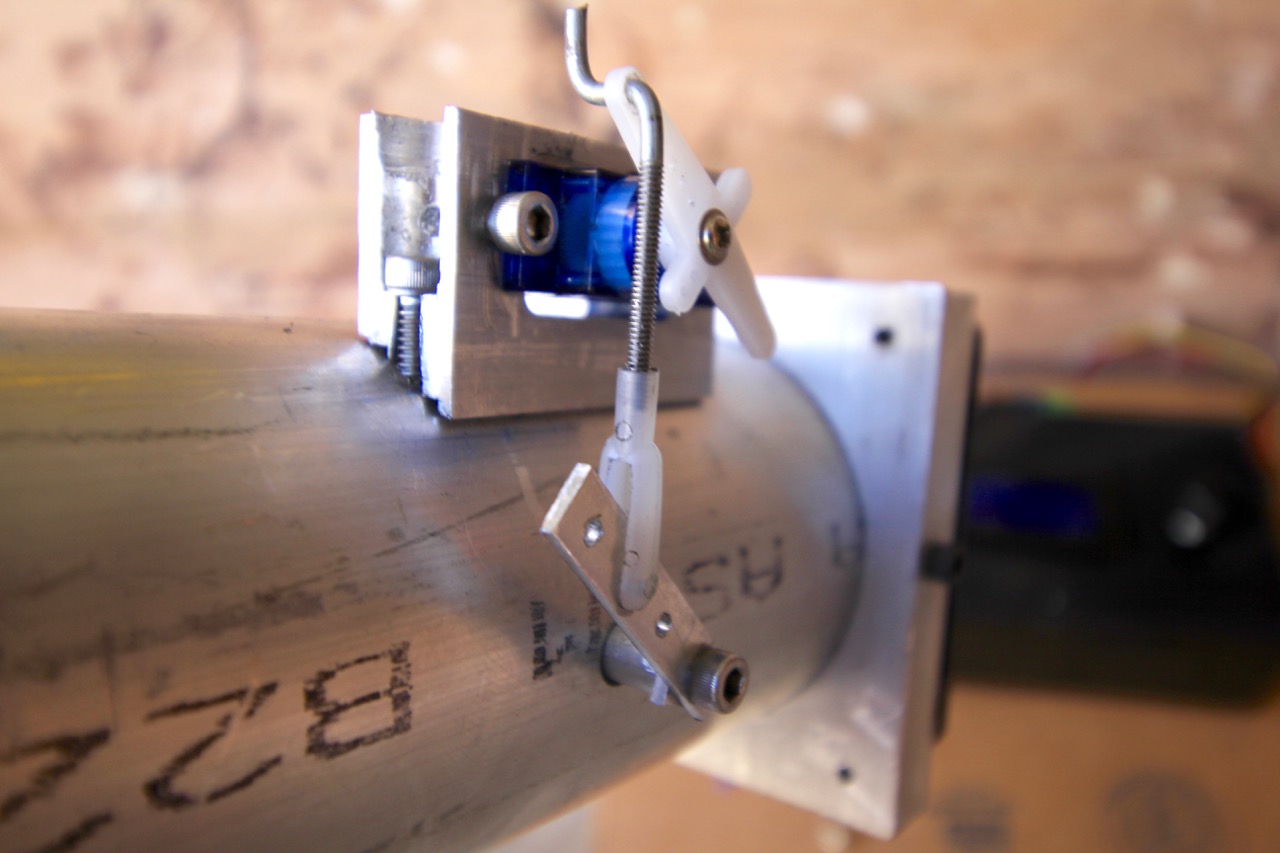
[Jason] learned a lot by successfully automating this meat smoker. This is just the first step in [Jason’s] smoker project. He decided to begin by hacking a cheaper charcoal-fed unit first, before setting his sights on building his own automatic pellet-fed smoker. With a charcoal smoker it’s all about managing the airflow to that hot bed of coals.

automated-meat-smoker-air-valve
Custom mount for servo was actually one of the more challenging things to get just right.

[Jason] started by making sure the bottom was sealed off from stray airflow, then he cut a hole into the charcoal pan and attached a length of steel pipe. The opposite end of the pipe has a fan. Inside the pipe there is a baffle separating the fan from the charcoal pan. The servo motor shown here controls that valve.

The pipe is how air is introduced into the smoker, with the fan and valve to control the flow rate. The more air, the higher the temperature. The hunk of pipe was left uncut and works fine but is much longer than needed; [Jason says] the pipe is perfectly cool to the touch only a foot and a half away from the smoker.

With the actuators in place he needed a feedback loop. A thermocouple installed into the lid of the smoker is monitored by an Arduino running a PID control loop. This predicts the temperature change and adjusts the baffle and fan to avoid overshooting the target temp. The last piece of hardware is a temperature probe inside the meat itself. With the regulation of the smoker’s temperature taken care of and the meat’s internal temperature being monitored, the learning (and cooking) process is well underway.

There are many, many smoker automation projects out there. Some smokers are home-made electric ones using flower pots, and some focus more on modifying off the shelf units. In a way, every PID controlled smoker is the same, yet they end up with different problems to solve during their creation. There is no better way to learn PID than putting it into practice, and this way to you get a tasty treat for your efforts.