Ask Hackaday: How Do You Digitize Your Documents?

Like many of you, I have a hard time getting rid of stuff. I’ve got boxes and boxes of weirdo bits and bobs, and piles of devices that I’ll eventually get around to stripping down into even more bits and bobs. Despite regular purges — I try to bring a car-load of crap treasure to local hackerspaces and meetups at least a couple times a year — the pile only continues to grow.

But the problem isn’t limited to hardware components. There’s all sorts of things that the logical part of me understands I’ll almost certainly never need, and yet I can’t bring myself to dispose of. One of those things just so happens to be documents. Anything printed is fair game. Could be the notes from my last appointment with the doctor, or fliers for events I attended years ago. Doesn’t matter, the stacks keep building up until I end up cramming it all into a box and start the whole process starts over again.

I’ve largely convinced myself that the perennial accumulation of electronic bric-à-brac is an occupational hazard, and have come to terms with it. But I think there’s a good chance of moving the needle on the document situation, and if that involves a bit of high-tech overengineering, even better. As such, I’ve spent the last couple of weeks investigating digitizing the documents that have information worth retaining so that the originals can be sent along to Valhalla in my fire pit.

The following represents some of my observations thus far, in the hopes that others going down a similar path may find them useful. But what I’m really interested in is hearing from the Hackaday community. Surely I’m not the only one trying to save some storage space by turn piles of papers into ones and zeros.

Continue reading “Ask Hackaday: How Do You Digitize Your Documents?”
Kubernetes Cluster Goes Mobile In Pet Carrier

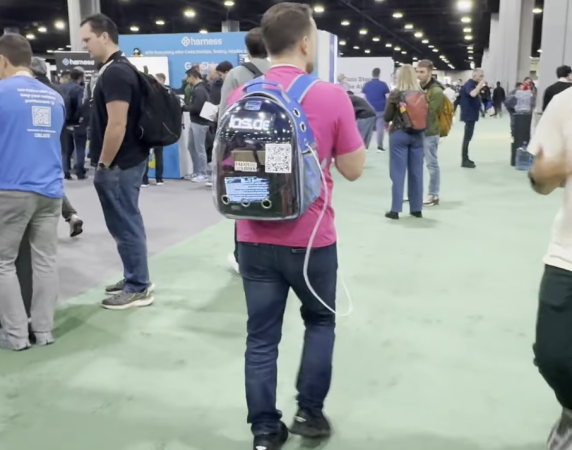
There’s been a bit of a virtualization revolution going on for the last decade or so, where tools like Docker and LXC have made it possible to quickly deploy server applications without worrying much about dependency issues. Of course as these tools got adopted we needed more tools to scale them easily. Enter Kubernetes, a container orchestration platform that normally herds fleets of microservices in sprawling cloud architectures, but it turns out it’s perfectly happy running on a tiny computer stuffed in a cat carrier.

This was a build for the recent Kubecon in Atlanta, and the project’s creator [Justin] wanted it to have an AI angle to it since the core compute in the backpack is an NVIDIA DGX Spark. When someone scans the QR code, the backpack takes a picture and then runs it through a two-node cluster on the Spark running a local AI model that stylizes the picture and sends it back to the user. Only the AI workload runs on the Spark; [Justin] also is using a LattePanda to handle most of everything else rather than host everything on the Spark.

To get power for the mobile cluster [Justin] is using a small power bank, and with that it gets around three hours of use before it needs to be recharged. Originally it was planned to work on the WiFi at the conference as well but this was unreliable and he switched to using a USB tether to his phone. It was a big hit with the conference goers though, with people using it around every ten minutes while he had it on his back. Of course you don’t need a fancy NVIDIA product to run a portable kubernetes cluster. You can always use a few old phones to run one as well.

Continue reading “Kubernetes Cluster Goes Mobile In Pet Carrier”

How Much Resolution Does Film Really Have?

Have you ever scanned old negatives or print photographs? Then you’ve probably wondered about the resolution of your scanner, versus the resolution of what you’re actually scanning. Or maybe, you’ve looked at digital cameras, and wondered how many megapixels make up that 35mm film shot. Well [ShyStudios] has been pondering these very questions, and they’ve shared some answers.

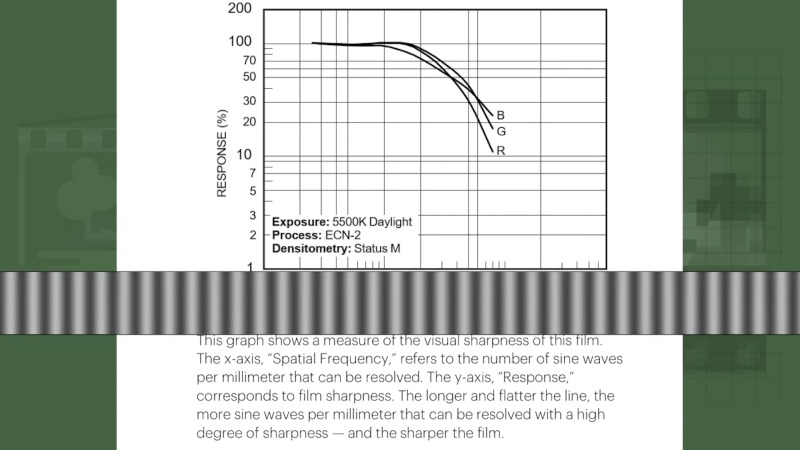
The truth is that film doesn’t really have a specific equivalent resolution to a digital image, as it’s an analog medium that has no pixels. Instead, color is represented by photoreactive chemicals. Still, there are ways to measure its resolution—normally done in lines/mm, in the simplest sense.

[ShyStudios] provides a full explanation of what this means, as well as more complicated ways of interpreting analog film resolution. Translating this into pixel equivalents is messy, but [ShyStudios] does some calculations to put a 35mm FujiColor 200 print around the 54 megapixel level. Fancier films can go much higher.

Of course, there are limitations to film, and you have to use it properly. But still, it gives properly impressive resolution even compared to modern cameras. As it turns out, we’ve been talking about film a lot lately! Video after the break.

Continue reading “How Much Resolution Does Film Really Have?”

Improved 3D Scanning Rig Adds Full-Sized Camera Support

There are plenty of reasons to pick up or build a 3D scanner. Modeling for animation or special effects, reverse engineering or designing various devices or products, and working with fabrics and clothing are all well within the wide range of uses for these tools. [Vojislav] built one a few years ago which used an array of cameras to capture 3D information but the Pi camera modules used in this build limited the capabilities of the scanner in some ways. [Vojislav]’s latest 3D scanner takes a completely different approach by using a single high-quality camera instead.

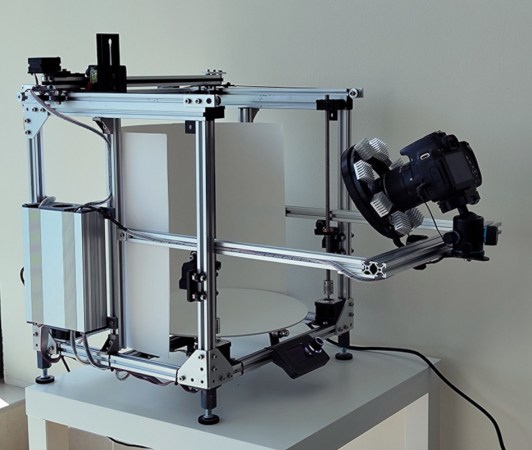
The new 3D scanner is built to carry a full-size DSLR camera, its lens, and a light. Much more similarly to how a 3D printer works, the platform moves the camera around the object in programmable steps for the desired 3D scan. The object being scanned sits on a rotating plate as well, allowing for the entire object to be scanned without needing to move the camera through a full 180° in two axes. The scanner can also be used for scanning more 2D objects while capturing information about texture, such as various textiles.

For anyone looking to reproduce something like this, [Vojislav] has made all of the plans for this build available on the project’s GitHub page including some sample gcode to demonstrate the intended use for the scanner. On the other hand, if you’re short the often large amount of funding required to get a DSLR camera, his older 3D scanner is still worth taking a look at as well.

Continue reading “Improved 3D Scanning Rig Adds Full-Sized Camera Support”

Mapping The Nintendo Switch PCB

As electronics have advanced, they’ve not only gotten more powerful but smaller as well. This size is great for portability and speed but can make things like repair more inaccessible to those of us with only a simple soldering iron. Even simply figuring out what modern PCBs do is beyond most of our abilities due to the shrinking sizes. Thankfully, however, [μSoldering] has spent their career around state-of-the-art soldering equipment working on intricate PCBs with tiny surface-mount components and was just the person to document a complete netlist of the Nintendo Switch through meticulous testing, a special camera, and the use of a lot of very small wires.

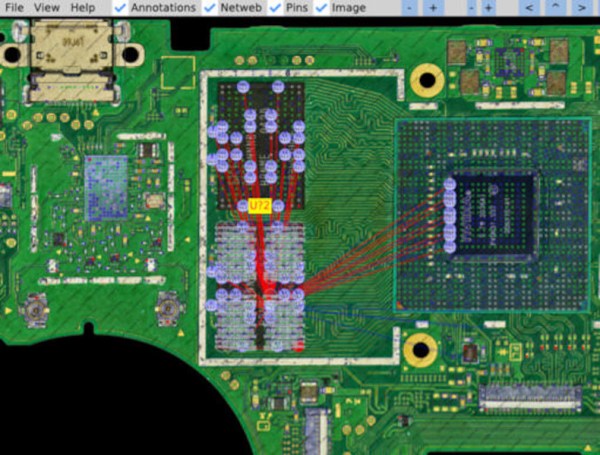
The first part of reverse-engineering the Switch is to generate images of the PCBs. These images are taken at an astonishing 6,000 PPI and as a result are incredibly large files. But with that level of detail the process starts to come together. A special piece of software is used from there that allows point-and-click on the images to start to piece the puzzle together, and with an idea of where everything goes the build moves into the physical world.

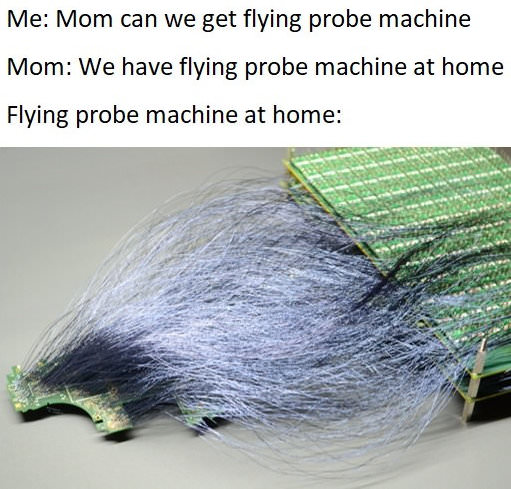
[μSoldering] removes all of the parts on the PCBs with hot air and then meticulously wires them back up using a custom PCB that allows each connection to be wired up and checked one-by-one. With everything working the way it is meant to, a completed netlist documenting every single connection on the Switch hardware can finally be assembled.

The final documentation includes over two thousand photos and almost as many individual wires with over 30,000 solder joints. It’s an impressive body of work that [μSoldering] hopes will help others working with this hardware while at the same time keeping their specialized skills up-to-date. We also have fairly extensive documentation about some of the Switch’s on-board chips as well, further expanding our body of knowledge on how these gaming consoles work and how they’re put together.

Old Film Camera Modified For Different Chemistry

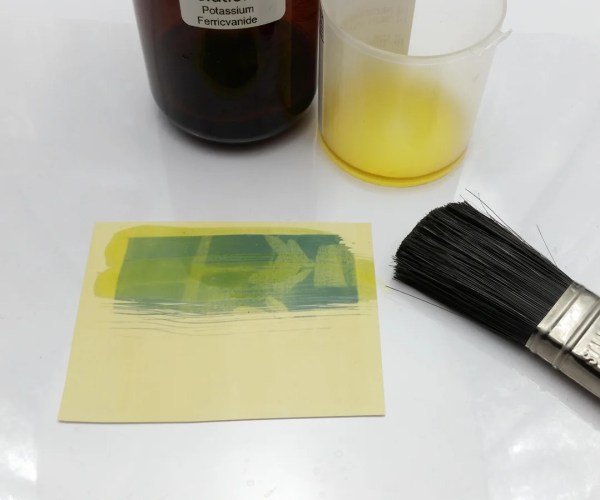
While most photographers have moved on to digital cameras with their numerous benefits, there are a few artists out there still taking pictures with film. While film is among the more well-known analog photographic methods available, there are chemically simpler ways of taking pictures available for those willing to experiment a little bit. Cyanotype photography is one of these methods, and as [JGJMatt] shows, it only takes a few commonly available chemicals, some paper, and a slightly modified box camera to get started.

Cyanotype photography works by adding UV-reactive chemicals to paper and exposing the paper similarly to how film would be exposed. The photographs come out blue wherever the paper wasn’t exposed and white where it was. Before mixing up chemicals and taking photos, though, [JGJMatt] needed to restore an old Kodak Brownie camera, designed to use a now expensive type of film. Once the camera is cleaned up, only a few modifications are needed to adapt it to the cyanotype method, one of which involves placing a magnet on the shutter to keep it open for the longer exposure times needed for this type of photography. There is some development to do on these pictures, but it’s relatively simple to do in comparison to more traditional chemical film development.

For anyone looking for a different way of taking photographs, or even those looking for a method of taking analog pictures without the hassle of developing film or creating a darkroom, cyanotype offers a much easier entry point and plenty of artists creating images with this method don’t use a camera at all. There are plenty of other photographic chemistries to explore as well; one of our favorites uses platinum to create striking black-and-white photos.

A Super-Cheap Turntable Build For Photographic Purposes

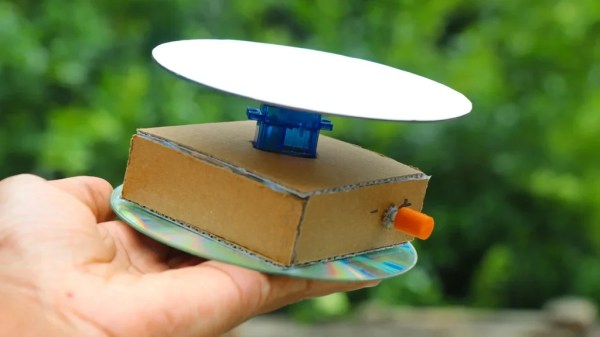
When it comes to photographing products or small items, sometimes it’s useful to get vision from all angles. Shooting a video of an item on a turntable is an ideal way to do this. [ROBO HUB] built a super-cheap turntable for just this purpose.

The build relies upon a regular micro servo to handle rotating the turntable. However, it has been modified from stock to rotate 360 degrees instead of its usual 180 degree range of motion. This is a common hack that allows servos to be used for driving wheels or other rotating mechanisms. In this case, though, any positional feedback is ignored. Instead, the servo is just used as a conveniently-geared motor, with its speed controlled via a potentiometer. A CD covered in paper is used as a turntable, with the electronics and motor assembled in a cardboard base.

It’s a simple hack, and one you can probably put together with the contents of your junk drawer. Combined with a lightbox, it could up your photo and video game significantly. Those skills are super useful when it comes to documenting your projects, after all!