2019: As The Hardware World Turns

Well, this is it. The end of the decade. In a few days the 2010s will be behind us, and a lot of very smug people will start making jokes on social media about how we’re back in the “Roaring 20s” again. Only this time around there’s a lot more plastic, and drastically less bathtub gin. It’s still unclear as to how much jazz will be involved.

Around this time we always say the same thing, but once again it bears repeating: it’s been a fantastic year for Hackaday. Of course, we had our usual honor of featuring literally thousands of incredible creations from the hacking and making community. But beyond that, we also bore witness to some fascinating tech trends, moments that could legitimately be called historic, and a fair number of blunders which won’t soon be forgotten. In fact, this year we’ve covered a wider breadth of topics than ever before, and judging by the record setting numbers we’ve seen in response, it seems you’ve been just as excited to read it as we were to write it.

To close out the year, let’s take a look at a few of the most popular and interesting stories of 2019. It’s been a wild ride, and we can’t wait to do it all over again in 2020.
Continue reading “2019: As The Hardware World Turns”

Handheld MQTT Remote For Home Automation

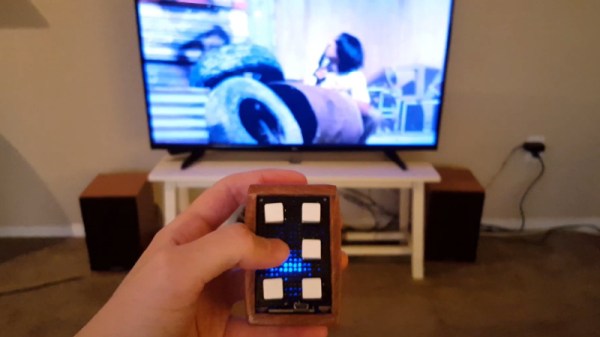
If you’re working on a home automation project, you’re probably knee-deep into MQTT by now. If not, you should be. The lightweight messaging protocol is an ideal choice for getting your “Things” on the Internet, and controlling them all can be done easily through a simple web interface or an application on your mobile device. Or if you’re [serverframework], you make yourself a handsome little all-in-one MQTT remote.

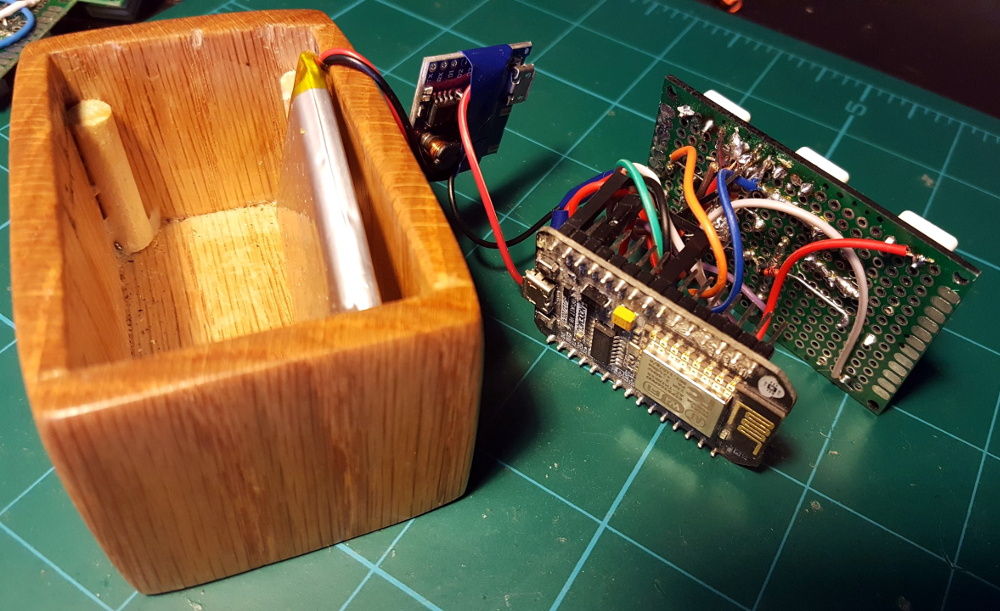
The hardware here is pretty simple; inside there’s just a NodeMCU ESP8266 development board, some buttons, an RGB LED to give feedback, and a 3.7v 1200mAh LiPo battery with associated charging module. Everything is held inside a nice little wooden box that looks like it would fit right in with the living room decor. We’d like to see some kind of a cover over the exposed perfboard the circuit is assembled on, but that’s arguably a personal preference kind of thing.

Most of the magic in this project is actually happening on the software side. Not only does the provided source code handle all the MQTT communications with Home Assistant, but it provides a clever user interface that allows [serverframework] to perform 25 functions with just five buttons. No, you aren’t seeing things. There are actually six buttons on the device, but one of them is a dedicated “power” button that wakes the remote out of deep sleep.

If you’d like to learn more about getting this protocol working for you, our resident MQTT guru [Elliot Williams] has plenty of thoughts on the subject. From his talk at the 2017 Hackaday Supercon to his home automation tutorial series, there’s plenty of information to get you started.

Continue reading “Handheld MQTT Remote For Home Automation”

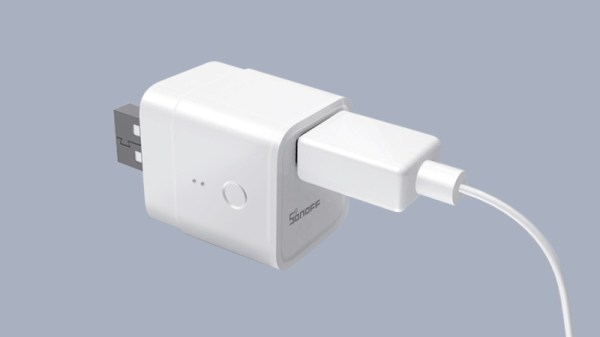
New Part Day: Sonoff USB Smart Adaptor Taps A New WiFi Chip

For decades, we dreamt of a future where all of our electronics used a standardized power connector. Most of us probably didn’t expect that USB would ultimately fill that role, but we’ll take what we can get if it means a future without getting a new wall wart for every piece of tech we buy. From soldering irons to laptops, the number of things you can power with a lowly USB cable these days is pretty incredible.

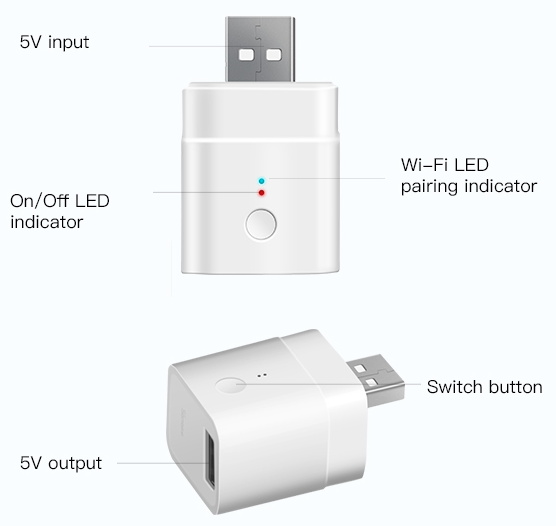
Which makes it all the more surprising it took so long for somebody to come up with a way to toggle USB devices off and on over the network. The Sonoff “USB Smart Adaptor”, which the company says will start shipping before the end of the year, is the logical evolution of their exceptionally popular mains voltage smart switches. The Smart Adapter is designed to go between the device and its existing power supply, allowing the user to drag any USB powered device kicking and screaming into their existing smart home setup. All for the princely sum of $6.50 USD.

In the video after the break, Sonoff gives a few potential uses of the Smart Adapter: from controlling a string of LEDs to limiting how long a smartphone is allowed to charge for. But really, there’s a nearly limitless number of devices which could be easily and cheaply integrated into your home automation routines thanks to this gadget.

On the other end of the spectrum, those who are looking to keep a tighter control on the ears and eyes that are active in their home could use the Smart Adapter to make sure their Google and Amazon listening devices assistants are only powered up during certain hours of the day.

Unfortunately, there’s a catch. Sonoff smart switches are best known, at least among the type of folks who read Hackaday, for the fact that they’re based on the eminently hackable ESP8266 microcontroller. Given the size of this product and its intended use, it would seem logical enough to assume this device also utilizes the insanely popular chip. But according to a Sonoff representative, the USB Smart Adapter won’t be using an ESP at all; leaving its hackability an open question until people can actually get their hands on them and start poking around.

Continue reading “New Part Day: Sonoff USB Smart Adaptor Taps A New WiFi Chip”

Custom Control Panels With Photogrammetry

One of the best applications for desktop 3D printing is the creation of one-off bespoke components. Most of the time a halfway decent pair of calipers and some patience is all it takes to model up whatever part you’re after, but occasionally things get complex enough that you might need a little help. If you ever find yourself in such a situation, salvation might be just a few marker scribbles away.

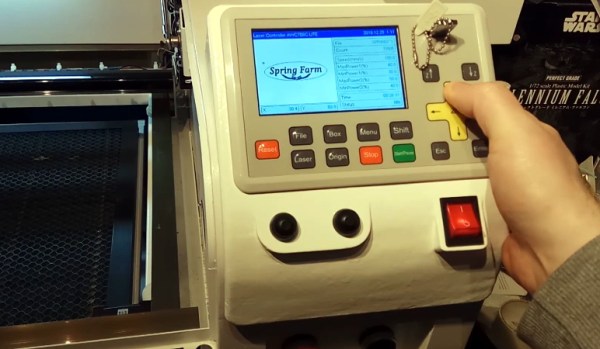
As [Mangy_Dog] explains in a recent video, he wanted to model a control panel for a laser cutter he’s been working on, but thought the shapes involved were a bit more than he wanted to figure out manually. So he decided to give photogrammetry a try. For the uninitiated, this process involves taking as many high-resolution images as possible of a given object from multiple angles, and letting the computer stitch that into a three dimensional model. He reasoned that if he had a 3D model of the laser’s existing front panel, it would be easy enough to 3D print some replacement parts for it.

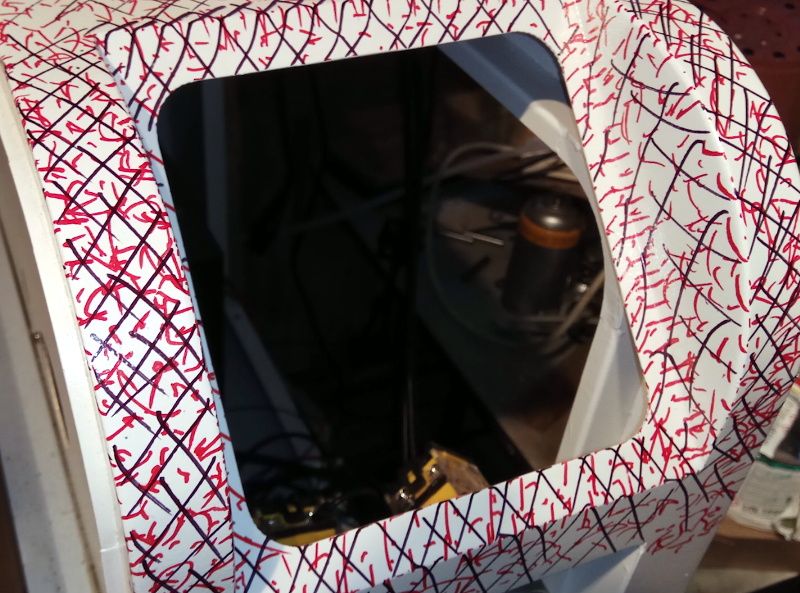
That would be a neat enough trick on its own, but what we especially liked about this video was the tip that [Mangy_Dog] passed along about increasing visual complexity to improve the final results. Basically, the software is looking for identifiable surface details to piece together, so you can make things a bit easier for it by taking a few different colored markers and drawing all over the surface like a toddler. It might look crazy, but all those lines give the software some anchor points that help it sort out the nuances of the shape.

Unfortunately the markers ended up being a little more permanent than [Mangy_Dog] had hoped, and he eventually had to use acetone to get the stains off. Certainly something to keep in mind. But in the end, the 3D model generated was accurate enough that (after a bit of scaling) he was able to design a new panel that pops right on as if it was a factory component.

Hackaday readers may recall that when we last heard from [Mangy_Dog] he was putting the finishing touches on his incredible “Playdog Blackbone” handheld gaming system, which itself is a triumph of mating 3D printed components with existing hardware.

Continue reading “Custom Control Panels With Photogrammetry”

Now Even Your Business Card Can Run Linux

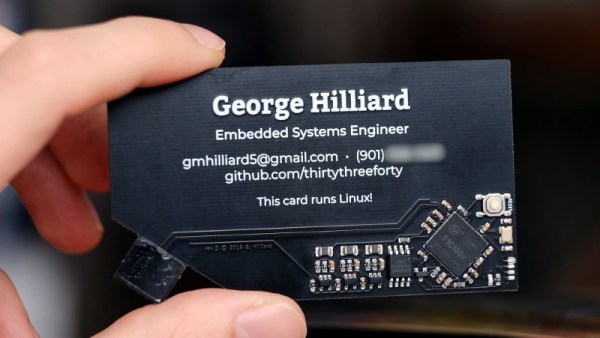
It takes a lot of work to get a functional PCB business card that’s thin, cheap, and robust enough to be practical. If you can even blink a few LEDs on the thing and still hand them out with a straight face, you’ve done pretty well for yourself. So you can imagine our surprise when [George Hilliard] wrote in to tell us about his $3 business card computer that boots into a functioning Linux environment. If this were a bit closer to April, we might have figured it was just a joke…

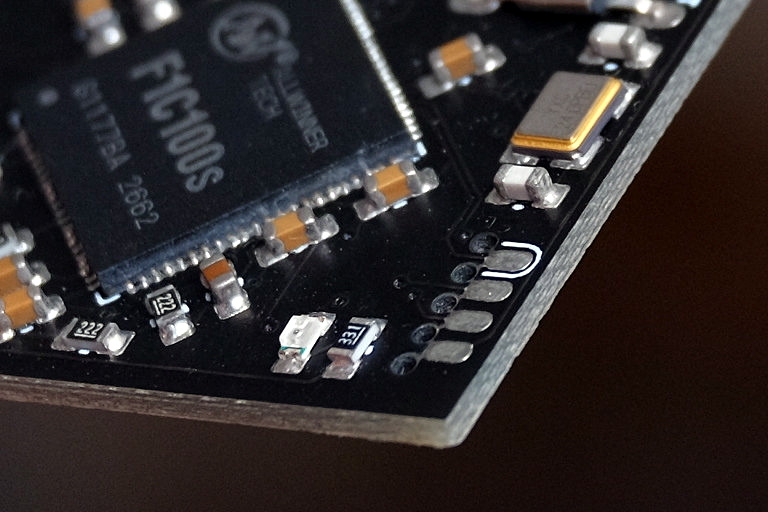
Of course it helps that, as an embedded systems engineer, [George] literally does this kind of thing for a living. Which isn’t to say it was easy, but at least he keeps close enough tabs on the industry to find a suitable ARM solution at a price that makes sense, namely the Allwinner F1C100s. This diminutive chip offers both RAM and CPU in a single package, which greatly simplifies the overall design and construction of the card.

With a root filesystem that weighs in at just 2.4 MB, the environment on the card is minimal to say the least. There’s no networking, limited I/O, and forget about running any heavy software. But it does boot in about six seconds, and [George] managed to pack in a MicroPython interpreter and a copy of the classic Unix dungeon crawler rogue.

Oh yeah, and it also has his resume and some samples of his photography onboard. It is, after all, a business card. All the user has to do is plug it into the USB port of their computer and wait for the virtual serial port to pop up that will let them log into the system running on the card. It also shows up as a USB Mass Storage device for recipients who might not be quite as adept at the command line.

In addition to the high-level documentation for this project, [George] has also prepared a deeper write-up that goes into more technical detail for anyone who might be looking to follow in his footsteps. Thanks to all of the source code that he’s made available, it should be a lot easier for the next person to get their own disposable pocket computer up and running.

We’ve seen all manner of electronic business cards over the years, but never anything quite like this. Which, of course, is quite the point. If you’re ever given a business card that doubles as a computer running a full-fledged operating system on it, you aren’t likely to forget it anytime soon.

AMD Introduces New Ryzen Mini PCs To Challenge Intel

For the majority of hacker and maker projects, the miniature computer of choice these last few years has been the Raspberry Pi. While the availability issues that seem to plague each new iteration of these extremely popular Single Board Computers (SBCs) can be annoying, they’ve otherwise proven to be an easy and economical way to perform relatively lightweight computational tasks. Depending on who you ask, the Pi 4 is even powerful enough for day-to-day desktop computing. Not bad for a device that consistently comes in under a $50 USD price point.

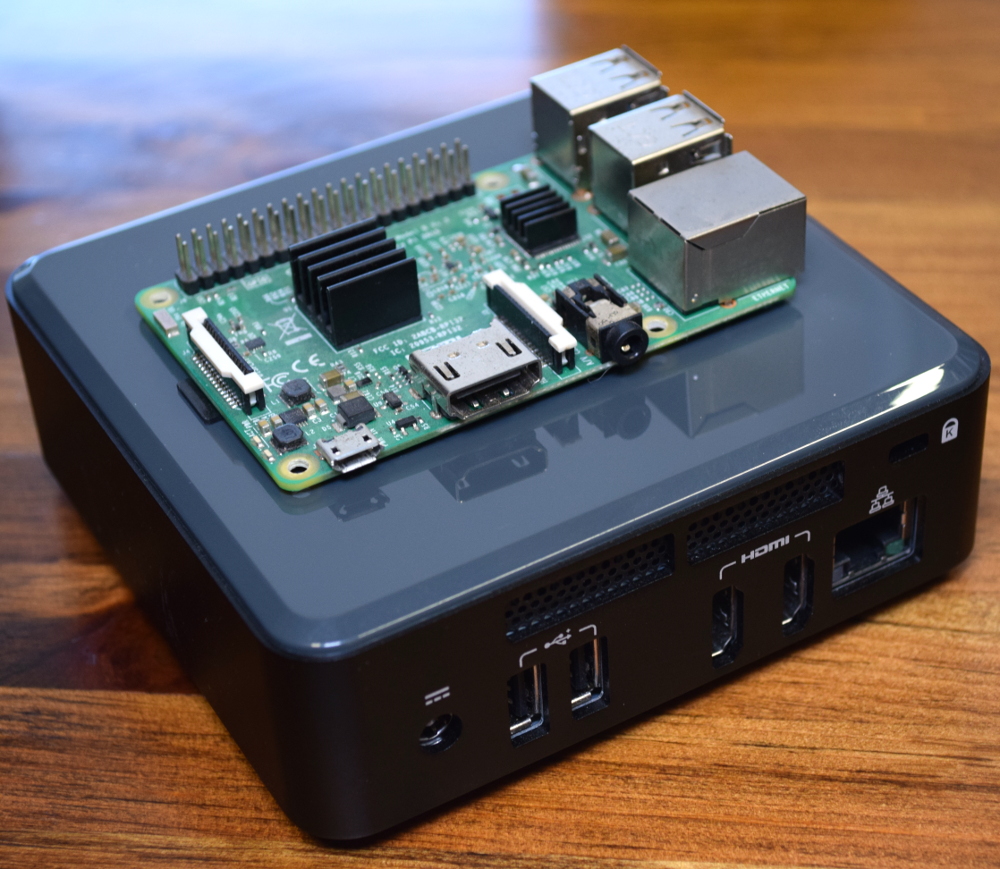
Intel NUC compared to the Raspberry Pi

But we all know there are things that the Pi isn’t particularly well suited to. If your project needs a lot of computing power, or you’ve got some software that needs to run on an x86 processor, then you’re going to want to look elsewhere. One of the best options for such Raspberry Pi graduates has been the Intel Next Unit of Computing (NUC).

NUCs have the advantage of being “real” computers, with upgradable components and desktop-class processors. Naturally this means they’re a bit larger than the Raspberry Pi, but not so much as to be impractical. If you’re working on a large rover for example, the size and weight difference between the two will be negligible. The same could be said for small form-factor cluster projects; ten NUCs won’t take a whole lot more space than the same number of Pis.

Unfortunately, where the Intel NUCs have absolutely nothing on the Raspberry Pi is price: these miniature computers start around $250, and depending on options, can sail past the $1,000 mark. Part of this sharp increase in price is naturally the vastly improved hardware, but we also can’t ignore that the lack of any strong competition in this segment hasn’t given Intel much incentive to cut costs, either. When you’re the only game in town, you can charge what you want.

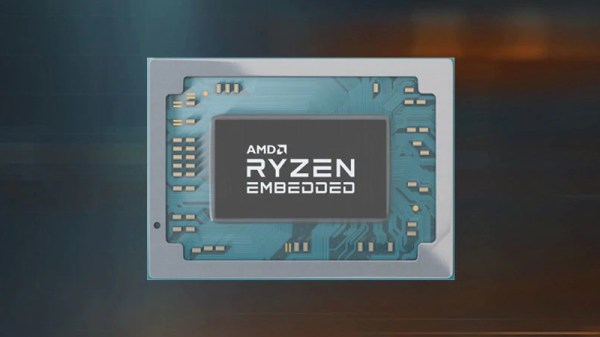
But that’s about to change. In a recent press release, AMD announced an “open ecosystem” that would enable manufacturers to build small form-factor computers using an embedded version of the company’s Ryzen processor. According to Rajneesh Gaur, General Manager of AMD’s Embedded Solutions division, the company felt the time was right to make a bigger push outside of their traditional server and desktop markets:

The demand for high performance computing isn’t limited to servers or desktop PCs. Embedded customers want access to small form factor PCs that can support open software standards, demanding workloads at the edge, and even display 4K content, all with embedded processors that have a planned availability of 10 years.

Continue reading “AMD Introduces New Ryzen Mini PCs To Challenge Intel”

Advancing The State Of Cyberdeck Technology

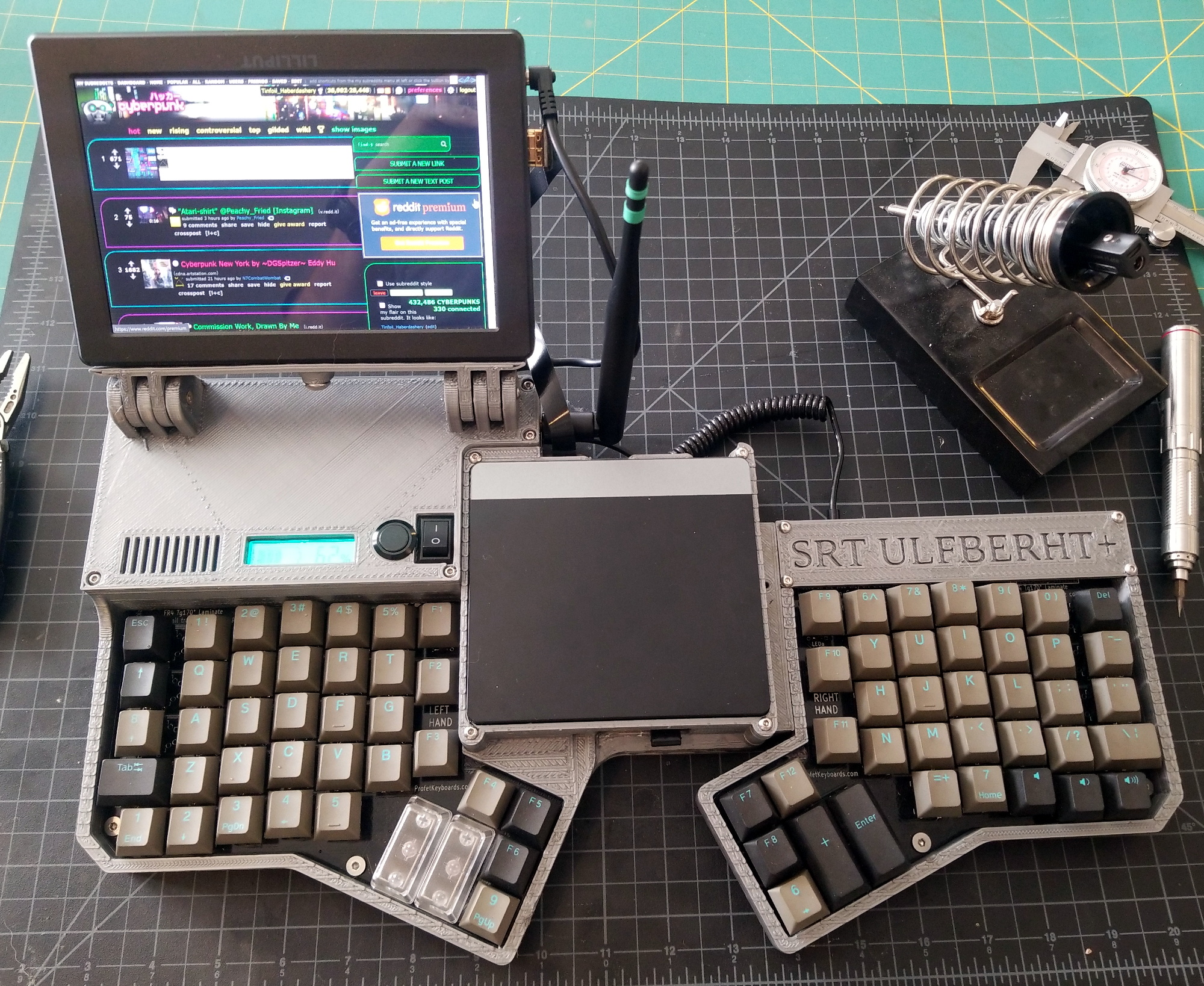
It’s somewhat rare to be able to witness the birth and subsequent evolution of a technology, at least on a short enough time scale to appreciate it, but right now we’re lucky enough to see it happening within the burgeoning community of cyberdeck builders. We’ve seen an absolute explosion of cyberdeck projects in the last year or so, but this latest entry from [Tinfoil_Haberdashery] truly pushes the state of the art forward. Short of actually transmitting your consciousness into the Matrix, we’re not sure how much closer you could get to William Gibson’s original vision.

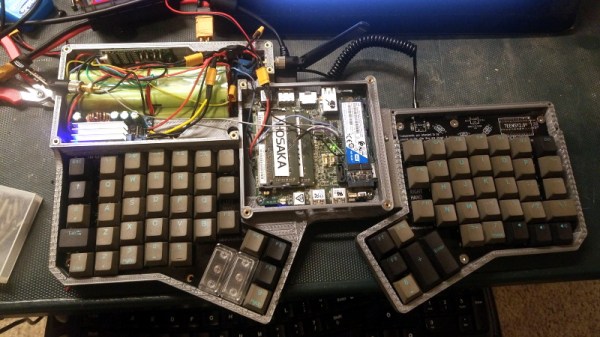
The design is based around a split ergonomic keyboard, with an Intel NUC in the center and a 1920×1200 IPS panel on a tilting mount off to one side. Since the display started its life as a DSLR monitor it doesn’t have a touch panel, but those who’ve yet to master a mouse-free workflow will be happy to know there’s a touch pad built into the lid of the NUC. Thanks to a clever dovetail joint, the deck also separates in half if you want to put some more space between your hands, or just to make the whole thing slightly less intimidating while carrying it on your back through the Sprawl.

Power is provided by a custom 18650 battery pack running at 18 V that [Tinfoil_Haberdashery] (naturally) assembled with a homemade spot welder. He’s included both buck and boost converters so the cyberdeck can be powered with a wide array of voltages should he find himself in need of some juice in the field. To maximize battery life he’s also worked in a relay to cut power to the monitor when the NUC is sleeping, and there’s a physical master switch that can completely disconnect everything for long periods of inactivity.

The very first cyberdeck featured on Hackaday was built by [Tinfoil_Haberdashery], and we’re glad to see he’s not resting on his laurels. While that first deck was certainly impressive in its own right, this build takes inspiration from the incredible work we’ve seen from other hardware hackers and raises the bar on what’s possible from this dedicated community.