Smoothieboard Gets An Ambitious Update For V2

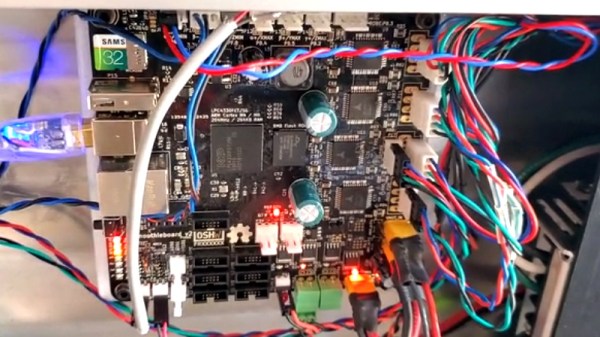
If you’ve been reading Hackaday for awhile, there’s an excellent chance you’ve seen a project or two powered by the Smoothieboard. The open source controller took Kickstarter by storm in 2013, promising to be the last word in CNC thanks to its powerful 32-bit ARM processor. Since then we’ve seen it put to use in not only the obvious applications like 3D printers and laser cutters, but also for robotic arms and pick-and-place machines. If it moves, there’s a good chance you can control it with the Smoothieboard.

But after six years on the market, the team behind this motion control powerhouse has decided it’s time to freshen things up. The Kickstarter for the Smoothieboard v2 has recently gone live and, perhaps unsurprisingly, already blown past its funding goal. Rather than simply delivering an upgraded Smoothieboard, the team has also put together a couple “spin-offs” targeting different use cases. If Smoothie v1 was King of CNC boards, then v2 is aiming to be the Royal Family.
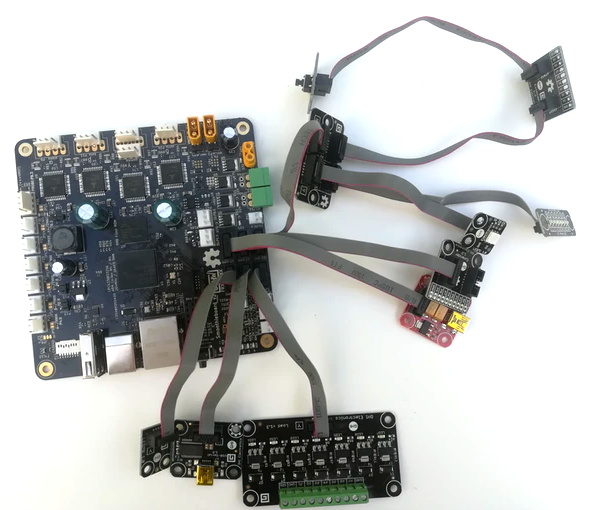
Smoothieboard v2-Prime with breakouts

The direct successor to the original board is called v2-Prime, and it’s everything you’d expect in an update like this. Faster processor, more RAM, more flash, and improved stepper drivers. There’s also available GPIO expansion ports to connect various breakout boards, and even a header for you to plug in a Raspberry Pi. If you’re looking to upgrade your existing Smoothieboard machines to the latest and greatest, the Prime is probably what you’re after.

Then there’s the v2-Mini, designed to be as inexpensive as possible while still delivering on the Smoothieboard experience. The Mini has the same basic hardware specs as the Prime, but uses lower-end stepper drivers and deletes some of the protection features found on the more expensive model. For a basic 3D printer or laser cutter, the Mini and its projected $80 price point will be a very compelling option.

In the other extreme we have the v2-Pro, which is intended to be an experimenter’s dream come true. It features more stepper drivers, expansion ports, and even an integrated FPGA. Realistically, this board probably won’t be nearly as popular as the other two versions, but the fact that they’ve even produced it shows how committed the team is to pushing the envelope of open source motion control.

Our coverage of the original Smoothieboard campaign back in 2013 saw some very strong community response, with comments ranging from excited to dismissive. Six years later, we think the team behind the Smoothieboard has earned a position of respect among hackers, and we’re very excited to see where this next generation of hardware leads.

Continue reading “Smoothieboard Gets An Ambitious Update For V2”
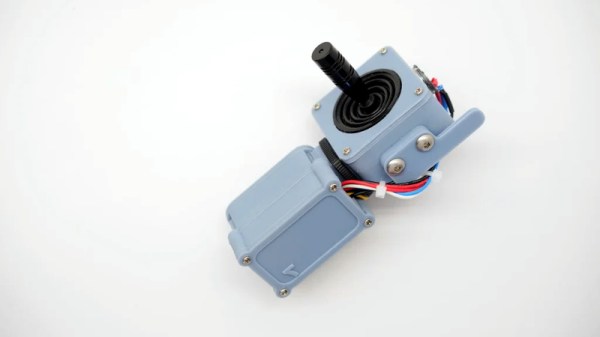
Handheld LoRa Joystick For Long-Range Bots

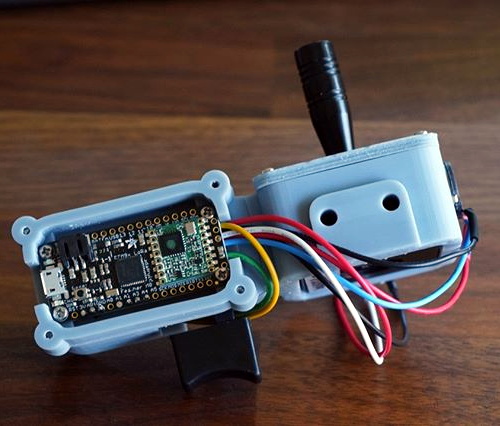
Wanting a simple tool to aid in the development of LoRa controlled robotic projects, [Jay Doscher] put together this very slick one-handed controller based on the 900 MHz Adafruit Feather M0. With a single trigger and a miniature analog joystick it’s a fairly simple input device, but should be just enough to test basic functionality of whatever moving gadget you might find yourself working on.

Wiring for this project is about as simple as you’d expect, with the trigger and joystick hanging off the Feather’s digital ports. The CircuitPython code is also very straightforward, though [Jay] says in the future he might expand on this a bit to support LoRaWAN. The controller was designed as a barebones diagnostic tool, but the hardware and software in its current form offers an excellent opportunity to layer additional functionality on a known good base.

Everything is held inside a very well designed 3D printed enclosure which [Jay] ran off on his ELEGOO Mars, one of the new breed of low-cost resin 3D printers. The machine might be pretty cheap, but the results speak for themselves. While resin printing certainly has its downsides, it’s hard not to be impressed by the finish quality of this enclosure.

While LoRa is generally used for transmitting small bits of information over long distances, such as from remote sensors, this isn’t the first time we’ve seen it used for direct control of a moving object. If you’re not up to speed on LoRa, check out this excellent talk from [Reinier van der Lee] that goes over the basics of the technology and how he used it to build a community sensor network.

Digital Oscilloscope Does Its Best Analog Impression

Do you ever find yourself yearning for the days before digital storage oscilloscopes (DSOs)? Where even the basic scopes commanded four figures, and came in a bench-dominating form factor? No, of course you don’t. The DSO is a wonder of modern technology: for a couple hundred bucks you can have capabilities that previously would have been outside the reach of hobbyists, all in a package that’s small enough to fit on even the most cramped workbenches.

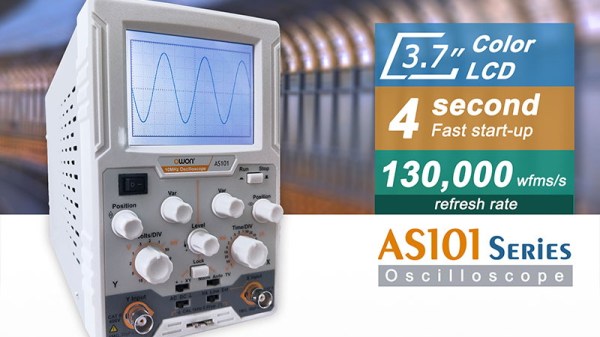
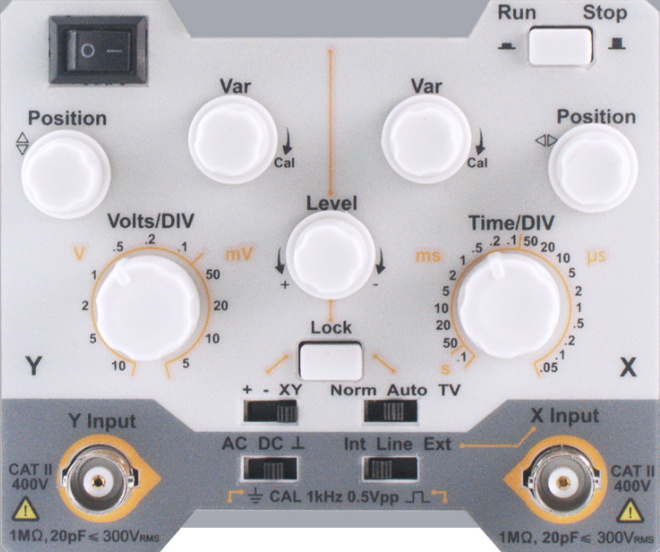
Which is why the good folks of the EEVblog forums are so confused about the OWON AS101, a modern digital oscilloscope that’s designed to look and operate like the analog CRT monsters of old. Despite the 3.7 inch LCD, users are treated to the classic analog scope look, and the switches and knobs on the front should trigger a wave of nostalgia for hackers of a certain age.

But this isn’t just some “retro” look-alike, OWON is committed to delivering on that analog experience by taking away all those modern digital features we’ve become so dependant on. This single-channel scope can’t save data to USB, doesn’t have any sort of protocol decoding capabilities, and forget about automatic…well, anything. It’s even limited to 20 MHz, just like the old-school CRT scopes that you pick up for a song at any swap meet. All for the low, low, price of $150 USD from the usual importers.

In the EEVblog thread, the best idea anyone can come up with is that the OWON AS101 is designed for educational markets in developing countries, where outdated equipment is so common that there may actually be a need for faux-analog oscilloscopes to match what’s already in use. These new-manufactured “analog” trainers can be used to get students ready for a professional life of using antiquated technology. It’s hard to believe, but sometimes we can forget how fortunate many of us are to have easy access to cheap tools and equipment.

Even still, when you can get a pocket-sized 10 MHz DSO for around $50, it’s difficult to imagine how this analog-digital hybrid could possibly attract any takers at 3x times the price. If any of our readers would care to shed some light on this unusual piece of gear, we’d love to hear it.

Continue reading “Digital Oscilloscope Does Its Best Analog Impression”

Detecting Cars With An ESP8266 Magnetometer

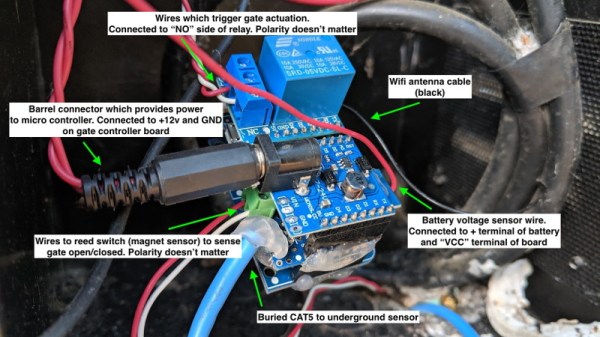
Having a motorized gate on your driveway is great, but only if there’s an easy way to trigger it. [Andrew] says the gate at his parent’s place could only be controlled by manually pushing a button on the panel or with a dinky remote that didn’t have nearly the range they wanted. So he decided to build his own magnetometer allowing the gate to automatically open when a car was trying to leave.

Naturally, there are commercial offerings that would solve this problem. But with a sticker price of more than $150 USD, [Andrew] was more than happy to spend a bit of time tinkering to get the job done for less than 1/10th the cost with an ESP8266 and a QMC5883X series magneto-resistive sensor. Of course, this is one of those projects that seems simple enough in your head, but ends up taking a bit of finesse to pull off in the real-world.

For one, [Andrew] had to figure out how to prevent false positives. Pretty much any object brought close enough to the sensor, including his hand, would cause it to react. He ended up coming up with a way to use a rolling average to prevent the gate from firing off just because a squirrel ran past. The built-in safeties are designed to ensure that the gate only opens when an actual car is sitting in the appropriate spot for long enough.

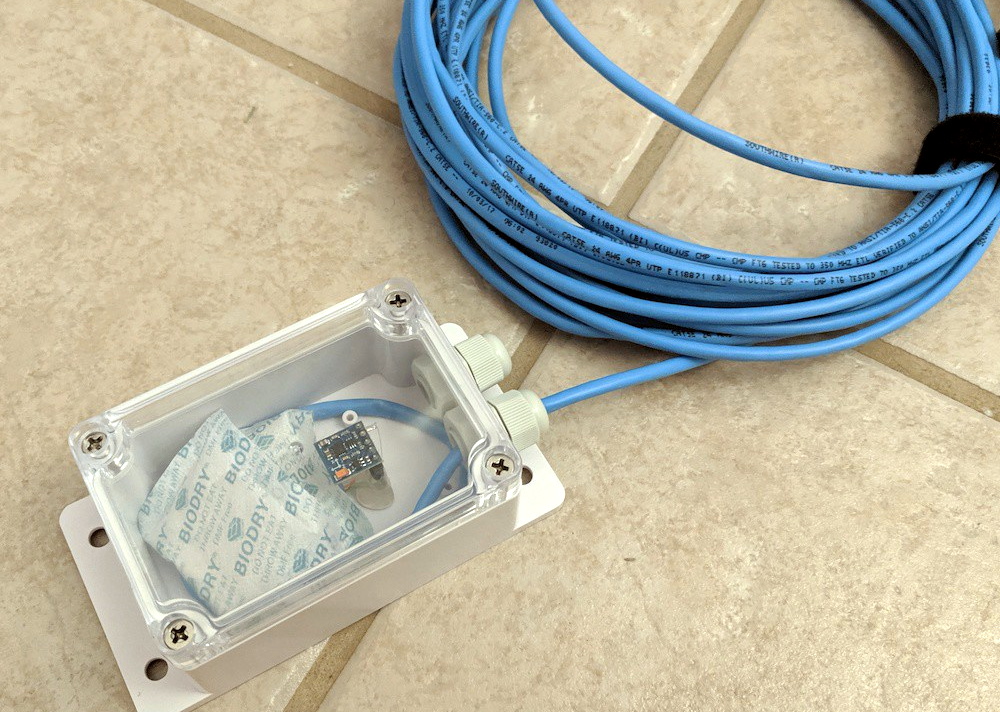
Speaking of, we love how [Andrew] deployed the QMC5883X sensor for this project. The small sensor board and a few moisture-absorbing packets were placed in a Sonoff IP66 waterproof enclosure, and buried under the rocks of the driveway. A standard CAT5 cable is used to tether it to the ESP8266, relay, and assorted other goodies that now live in the gate’s control box. In the future he says the cable will likely have to go into a conduit, but for now the system is working more or less how he expected.

If your estate isn’t quite palatial enough to have a motorized gate out front, we’ve seen plenty of projects that add some much-needed intelligence to the humble garage door opener which might be more your speed.

Putting 3D Printed Speaker Drivers To The Test

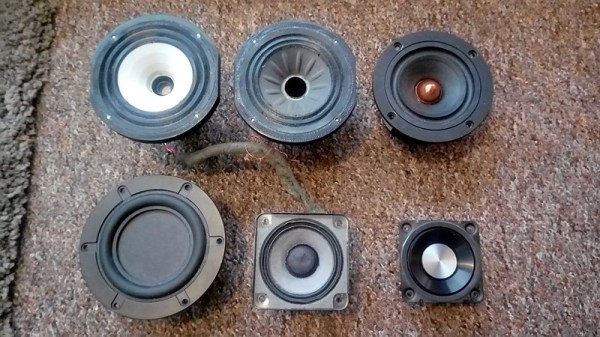
Over the years, we’ve seen numerous projects that attempted to 3D print speaker enclosures that deliver not only a bit of custom flair, but hopefully halfway decent sound. Though as you’d probably expect, the drivers themselves are always standard run-of-the mill hardware mounted into the plastic enclosure. But given the research being conducted by [Paul Ellis], that might not be a safe assumption for much longer.

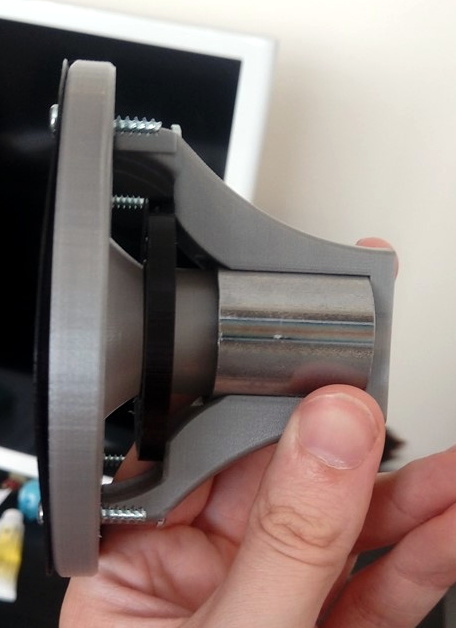
His quest to develop a full-range 3D speaker has taken him through several design revisions over the last two years, with each one being put through testing procedure that compared its frequency response to “real” speakers from manufacturers like Dayton and Bose. The project is very much ongoing, but a recently completed iteration of the driver design managed to exceed 80 dB at 1 W. In terms of audio quality, [Paul] reports they can hold their own against commercially available drivers. You can hear for yourself in the video after the break.

Ultimately, he hopes to be able to sell his 3D printed speakers in kit form to anyone who’s looking for the last word in bespoke audio hardware. The idea being that the drivers and enclosure will be completely modular, allowing the user to swap out individual components for ones printed (or not) in different materials so they can tune the in-person sound to their exact specifications. To facilitate this rapid reconfiguring of the drivers, the designs use some neat tricks like having the magnets be removable rather than glued in so they could be swapped out non-destructively.

This isn’t the first fully 3D printed speaker driver we’ve ever seen, Formlabs showed one off that was made on their SLA printer back in 2015, and we actually saw a rudimentary take on the same idea earlier this year. But the work that [Paul] has done here is certainly the most thorough, and dare we say practical, take we’ve ever seen on the concept.

Continue reading “Putting 3D Printed Speaker Drivers To The Test”

Reading The Water Meter In A Literal Sense With An ESP8266

In our info-obsessed culture, hackers are increasingly interested in ways to quantify the world around them. One popular project is to collect data about their home energy or water consumption to try and identify any trends or potential inefficiencies. For safety and potentially legal reasons, this usually has to be done in a minimally invasive way that doesn’t compromise the metering done by the utility provider. As you might expect, that often leads to some creative methods of data collection.

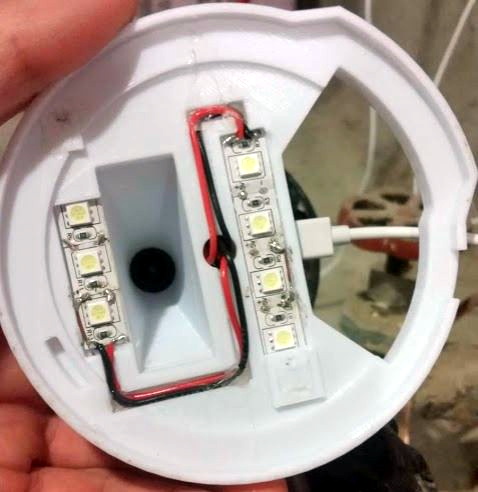
The latest solution comes courtesy of [Keilin Bickar], who’s using the ESP8266 and a serial TTL camera module to read the characters from the LCD of his water meter. With a 3D printed enclosure that doubles as a light source for the camera, the finished device perches on top of the water meter and sends the current reading to HomeAssistant via MQTT without any permanent wiring or mounting.

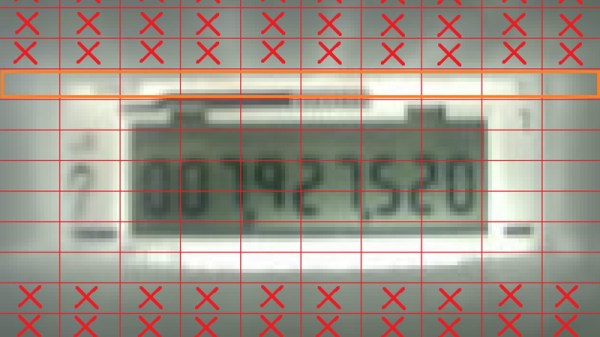
Of course, the ESP8266 is not a platform we generally see performing optical character recognition. Some clever programming was required to get the Wemos D1 Mini Lite to reliably read the numbers from the meter without having to push the task to a more computationally powerful device such as a Raspberry Pi. The process starts with a 160×120 JPEG image provided by a VC0706 camera module, which is then processed with the JPEGDecoder library. The top and bottom of the image are discarded, and the center band is isolated into blocks that correspond with the position of each digit on the display.

Within each block, the code checks an array of predetermined points to see if the corresponding pixel is black or not. In theory this allows detecting all the digits between 0 and 9, though [Keilin] says there were still the occasional false readings due to inherent instabilities in the camera and mounting. But with a few iterations to the code and the aid of a Python testing program that allowed him to validate the impact of changes to the algorithm, he was able to greatly improve the detection accuracy. He says it also helps that the nature of the data allows for some basic sanity checks;  for example the number only ever goes up, and only by a relatively small amount each time.

This method might not allow the per-second sampling required to pull off the impressive (if slightly creepy) water usage data mining we saw recently, but as long as you’re not after very high resolution data this is an elegant and creative way to pull useful data from your existing utility meter.

Building A GPS With Bug Eyes And Ancient Wisdom

The Global Positioning System (GPS) is so ingrained into our modern life that it’s easy to forget the system was created for, and is still operated by, the United States military. While there are competing technologies, such as GLONASS and Galileo, they are still operated by the governments of their respective countries. So what do you do if you want to know your position on the globe without relying on any government-operated infrastructure?

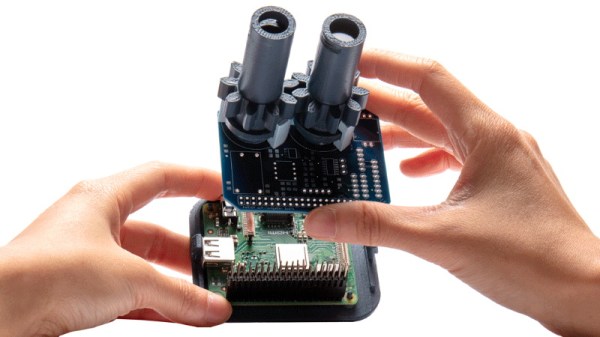
According to the team behind [Aweigh], all you have to do is take a cue from ancient mariners and insects and look up. Using two light polarization sensors, a compass, and a bit of math, their device can calculate your latitude and longitude by looking at the daytime sky. With their custom Raspberry Pi shield and open source Python 3 software, the team envisions a future where fully-independent global positioning can be tacked onto all sorts of projects.

The concept relies on the Rayleigh model, which is essentially a polarization map of the sky. As light from the sun is scattered in the Earth’s atmosphere, it creates bands of polarization which can be identified from the ground. Essentially it’s the same principle that makes the sky appear blue when viewed with human eyes, but if you have two light sensors looking at the proper wavelengths, you can use the effect to figure out where the sun is; which the team says is precisely how some insects navigate. Once the position of the sun is known, [Aweigh] operates like a modernized, automatic, sextant.

Naturally, this is not an ideal solution in all possible situations. In an urban environment, a clear view of the sky isn’t always possible, and of course the system won’t work at all once the sun goes down. In theory you could switch over to navigating by stars at night, but then you run into the same problems in urban areas. Still, it’s a fascinating project and one that we’re eager to see develop further.

Incidentally, we’ve seen automated sextants before, if you’re looking for a similar solution that still retains that Horatio Hornblower vibe.