Modified Microwave Cures Resin Parts With Style

Once you make the leap to resin-based 3D printing, you’ll quickly find that putting parts out in the sun to cure isn’t always a viable solution. The best way to get consistent results is with a dedicated curing chamber that not only rotates the parts so they’re evenly exposed to the light, but allows you to dial in a specific curing time. A beeper that goes off when the part is done would be handy as well. Wait, this is starting to sound kind of familiar…

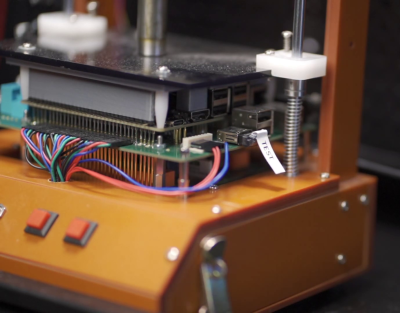
As you might expect, [Stynus] isn’t the first person to notice the similarities between an ideal UV curing machine and the lowly microwave oven. But his conversion is certainly one of the slickest we’ve ever seen. The final product doesn’t look like a hacked microwave so much as a purpose-built curing machine, thanks in large part to the fact that all of the original controls are still functional.

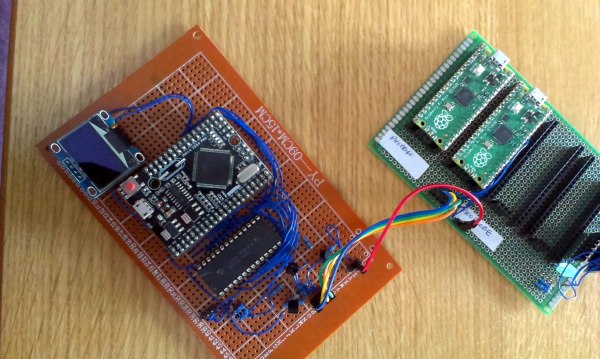
The big break there came when [Stynus] noticed that the control panel was powered by a one-time programmable PIC16C65B microcontroller. Swapping that out for the pin-compatible PIC16F877A opened up the possibility of writing custom firmware to interface with all the microwave’s original hardware, he just needed to reverse engineer how it was all wired up. It took some time to figure out how the limited pins on the microcontroller ran the LED display and read the buttons and switches at the same time, but we’d say the final result is more than worth the work.

With full control over the microwave’s hardware, all [Stynus] had to do was strip out all the scary high voltage bits (which were no longer functional to begin with) and install an array of UV LEDs. Now he can just toss a part on the plate, spin the dial to the desired curing time, and press a button. In the video below, you can see he’s even repurposed some of the buttons on the control panel to let him do things like set a new default “cook” time to EEPROM.

Compared to the more traditional fused deposition modeling (FDM) 3D printers, resin printing requires a lot of additional post-processing and equipment. You don’t necessarily have to gut your microwave just to cure your prints, but you’d be wise to fully consider your workflow will look like before pulling the trigger on that shiny new printer.

Continue reading “Modified Microwave Cures Resin Parts With Style”

RCA Plug Plays Sixteen-Minute Chiptune Piece, All By Itself

Frequenters of arcades back in the golden age of video games will likely recall the mix of sounds coming from a properly full arcade, the kind where you stacked your quarters on a machine to stake your claim on being next in line to play. They were raucous places, filled with the simple but compelling sounds that accompanied the phosphor and silicon magic unfolding all around.

The days of such simple soundtracks may be gone, but they’re certainly not forgotten, with this chiptunes generator built into an RCA plug being both an homage to the genre and a wonderful example of optimization and miniaturization. It’s the work of [girst] and it came to life as an attempt to implement [Rob Miles]’ Bitshift Variations in C Minor algorithmically generated chiptunes composition in hardware. For the first attempt, [girst] chose an ATtiny4 as the microcontroller, put it and the SMD components needed for a low-pass filter on a flex PCB, and wrapped the whole thing around a button cell battery. Stuffed into the shell of an RCA plug, the generator detects when it has been inserted into an audio input jack and starts the 16-minute piece. [girst] built a second version, too, using the Padauk PSM150c “Three-Cent Microcontroller” chip.

This is quite an achievement in chiptunes minimization. We’ve seen chiptunes in 32 bytes, Altoids tin chiptunes, and an EP on a postage-stamp-sized PCB, but this one might beat them all on size alone.

Continue reading “RCA Plug Plays Sixteen-Minute Chiptune Piece, All By Itself”

Lego Wheels And Tracks Benchmarked For Your Pleasure

For many people, Lego is their first entry into the world of engineering. With the Technic line of building blocks complete with all manner of gears and shafts and wheels, there’s a ton of fun to be had while learning about the basic principles of mechanical things. The [Brick Experiment Channel] takes Lego quite seriously in this context, and has collected data concerning the performance of a variety of Lego wheels and tracks.

The testing setup is simple. A small vehicle is fitted with a particular set of Lego wheels or tracks. Then, it’s placed on an inclined wooden board. The angle of inclination is then increased until the vehicle neither climbs the board nor slips down it. This angle can then be used to calculate the coefficient of friction of the given tyre or track set. [Brick Experiment Channel] filmed this testing and collected data on 33 different wheel and track combinations, publishing it in the description of the Youtube video.

Interestingly, the date of release of the various parts is recorded with the data. This is interesting as one would expect older rubber parts to lose grip with age, however, the release date of the parts obviously does not correspond with the manufacturing date, so the utility of this is somewhat unclear. There’s also some surprising results, with what appear to be soft, flat and smooth rubber wheels performing somewhat worse than those with curved profiles that you’d expect to have less contact patch. Regardless, it’s the best data we’ve ever seen in this field and we think it’s great that it was collected and shared with the broader Lego community. We look forward to seeing more of this in future, as it’s obviously something of great use to builders. We can imagine it would have proved handy when [Brick Experiment Channel] built their obstacle climbing rover. Video after the break.

Continue reading “Lego Wheels And Tracks Benchmarked For Your Pleasure”

AVR Bare Metal With Lisp

There are two kinds of programmers: those who don’t use Lisp, and those who need new parenthesis keycaps every six months. Lisp is one of those languages you either really love or really hate. If you love it, you may have checked out ulisp, which runs on Arduino boards of the AVR and ARM variety, as well as ESP chips, RISC-V, and others. A recent update allows the language to insert assembler into AVR programs.

We probably don’t need to convince anyone reading Hackaday why adding assembler is a good thing. It seems to integrate well with the environment, too, so you can write assembler macros in Lisp, which opens up many possibilities.

Continue reading “AVR Bare Metal With Lisp”

Prioritising Mechanical Multiplexer

When automating almost any moderately complex mechanical task, the actuators and drive electronics can get expensive quickly. Rather than using an actuator for every motion, mechanical multiplexing might be an option. [James Bruton] has considered using it in some of his many robotics projects, so he built a prioritizing mechanical multiplexer to demonstrate the concept.

The basic idea is to have a single actuator and dynamically switch between different outputs. For his demonstration, [James] used a motor mounted on a moving platform actuated by a lead screw that can engage a number of different output gears. Each output turns a dial, and the goal is to match the position of the dial to the position of a potentiometer. The “prioritizing” part comes in where a number of outputs need to be adjusted, and the system must choose which to do first. This quickly turns into a task scheduling problem, since there are a number of factors that can be used to determine the priority. See the video after the break to see different algorithms in action.

Instead of moving the actuator, all the outputs can connect to a single main shaft via clutches as required. Possible use cases for mechanical multiplexers include dispensing machines and production line automation. Apparently, the Armatron robotic arm sold by Radioshack in the ’80s used a similar system, controlling all its functions with a single motor.

[James] knows or two about robotics, having built many of them over the last few years. Just take a look at OpenDog and his Start Wars robots. Continue reading “Prioritising Mechanical Multiplexer”

Robotic Gripper From A Squishy Ball

Soft robotic grippers have some interesting use cases, but the industrial options are not cheap. [James Bruton] was fascinated by the $4000 “bean bag” gripper from Empire Robotics, so he decided to build his own.

The gripper is just a flexible rubber membrane filled with small beads. When it is pushed over a object and the air is sucked out, it holds all the beads together, molded to the shape of the object. For his version [James] used a soft rubber ball filled with BBs. To create a vacuum, he connected a large 200cc syringe to the ball via a hose, and actuated it with a high torque servo.

It worked well for small, light objects but failed on heavier, smooth objects with no edges to grip onto. This could possibly be improved if the size and weight of the beads/BBs are reduced.

For some more soft robotics, check out this soft 3D printed hand, and the flexible electrically driven actuators. Continue reading “Robotic Gripper From A Squishy Ball”

Synth Gains Plug And Play Analog MUX

High school computer engineering teacher [Andy Birch] kept losing track of I/O pins on his home-built synth, so he made a custom plug and play addressable MUX system to solve the problem. [Andy]’s synth is based on the Teensy microcontroller, and he was already using CMOS analog 8:1 multiplexer chips (CD4051) to give him more I/O pins. But I/O pin expansion means that now there are more I/O pins to forget. Did I hook up that pitch potentiometer on U3 pin 13 or was it U10 pin 2?

He proceeds to design an addressing system for each I/O card using three bits (expandable to four) supporting eight cards, with a maximum of 16 possible in the future. Since each card may not use all eight signals, each card can tell the Teensy how many signals it has. [Andy] does his address decoding on each card using OR and XOR gates. We would have considered using a single 74HC85 four-bit magnitude comparator instead. That would require only one chip instead of two, but would deprive his students of the opportunity to learn gate level address decoding.

When seeing the term “I/O card”, you may be fooled like we were into thinking this was using PCBs and some kind of motherboard. [Andy]’s I/O cards are actually solderless breadboards mounted on the back of the synth control panel. We really like his bus technique — he removes the power strip sections from several breadboards and repurposes them as address and data buses. Check out the thorough documentation that [Andy] has prepared, and let us know if you have ever designed your own plug and play method for a project in the comments below.

[Ed Note: We love us some muxes!]

I/O Cards — Note the use of Power Strip Bars as Data / Address Buses