Modern Network Adapter For Retro Computers

Universal Serial Bus, or USB, is so ingrained in modern computing that it’s hard to imagine a time without it. That time did exist, though, and it was a wild west of connector types, standards, and interfacing methods. One of the more interesting interfaces of the time was the SIO system found in 8-bit Atari computers which ended up sharing a lot of the features of modern USB, and its adaptability is displayed in this modern project which brings WiFi, Bluetooth, USB, and SD card slots to any old Atari with an SIO port.

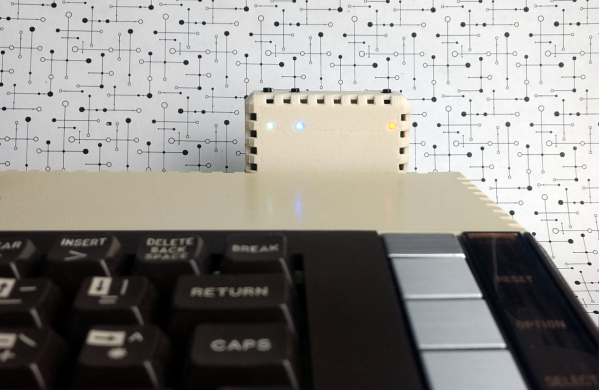
The project is called FujiNet and it uses the lightweight protocol of SIO to add a number of modern features to the 8-bit machine. It’s based on an ESP32, and the chip performs the functions of a network adapter by bridging WiFi and Bluetooth to the Atari. It does this by simulating drives that would have potentially been used on the Atari in its time, such as a floppy disk drive, an RS232 interface, or a modem, and translating them to the modern wireless communication protocols. It even has the ability to emulate a printer by taking the output of the print job from the Atari and converting it to PDF within the device itself.

Not only does this bring a lot of functionality to the Atari, which you may be able to use to view sites like retro.hackaday.com, but the FujiNet is housed in a period-appropriate 3D-printed case that matches the look and feel of the original Atari. If you need a more generic solution for your retrocomputing networking adventures that isn’t limited to SIO, we recommend grabbing a Raspberry Pi to handle that.

Thanks to [Gavin] for the tip!
Retro Computer Trainer Gets A Raspberry Pi Refit

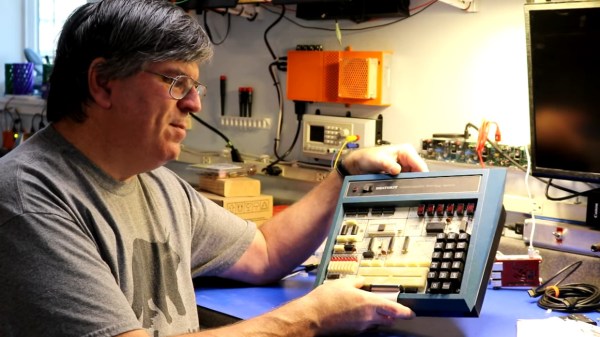
We know what you’re thinking: this is yet another one of those “Gut the retro gear for its cool old case and then fill it up with IoT junk” projects. Well, rest assured that extending and enhancing this 1970s computer trainer is very much an exercise in respecting the original design, and while there’s a Pi inside,  it doesn’t come close to spoiling the retro goodness.

Like many of a similar vintage as [Scott M. Baker], the Heathkit catalog was perhaps only leafed through marginally less than the annual Radio Shack catalog. One particularly desirable Heathkit item was the ET-3400 microcomputer learning system, which was basically a 6800-based computer surrounded by a breadboarding area for experimentation. [Scott] got a hold of one of these, but without the optional expansion accessory that would allow it to do interesting things such as running BASIC or even supporting a serial port. So [Scott] decided to roll his own expansion board.

The expansion card that [Scott] designed is not strictly a faithful reproduction, at least in terms of the original BOM. He turned to more modern — and more readily available — components, but still managed to provide the serial port, cassette interface, and RAM/ROM expansion of the original unit. The Raspberry Pi is an optional add-on, which just allows him to connect wirelessly if he wants. The card fits into a 3D-printed case that sits below the ET-3400 and maintains the original trainer’s look and feel. The longish video below shows the build and gives a tour of the ET-3400, both before and after the mods.

It looks as though trainers like these and other artifacts from the early days of the PC revolution are getting quite collectible. Makes us wish we hadn’t thrown some things out.

Continue reading “Retro Computer Trainer Gets A Raspberry Pi Refit”

An Up-To-Date Datasette For Commodore TED Series

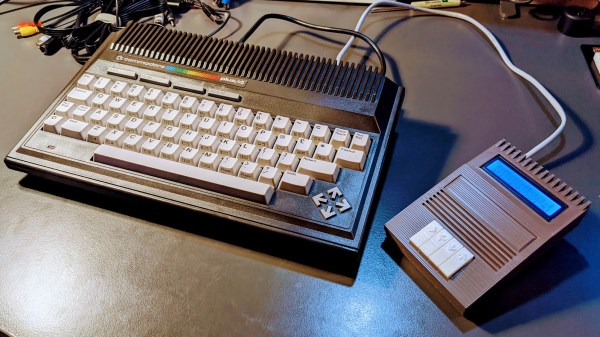
Retro computer enthusiast [Steven Combs] documents his adventure building the TEDuino, a modern replacement for the Commodore Datasette which uses an SD card instead of audio tape. He based the design on [Peter Edwards]’s Tapuino project, which was featured by Hackaday back in 2014. [Steven] took the aesthetic design to a new level, and also modified it to work with his Plus/4 and other TED series Commodores.  We are amazed that he was able to design this enclosure in SketchUp, and impressed with the results from his Creality Ender 3. He went to great lengths to match the color and style of the Plus/4, and pulled it off quite well. [Steven] also applied some interesting design features in this enclosure. The PCB modules are snap-fit, the buttons are made as a single piece – not unlike a living hinge. The 3D-printed strain relief for the cable is a nice finishing touch, and we cannot disagree with [Steven]’s sage advice – “Gorilla anything is just cool”.

This is only part 1 of the project. Stay tuned for future improvements, tweaks and embellishments.

Continue reading “An Up-To-Date Datasette For Commodore TED Series”

Access An 8-bit Atari Through Twitter

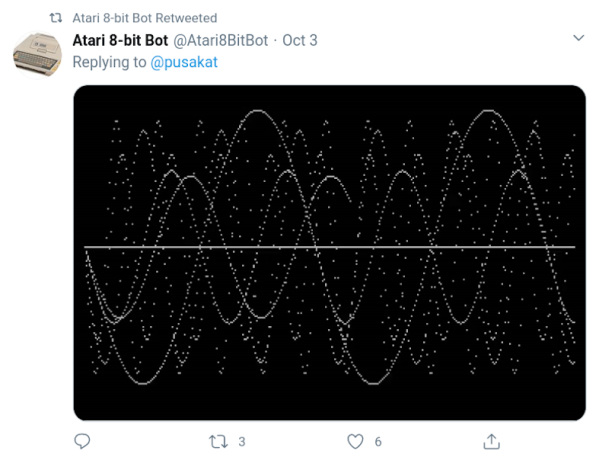
Building a retro computer, or even restoring one, is a great way to understand a lot of the fundamentals of computing. That can take a long time and a lot of energy, though. Luckily, there is a Twitter bot out there that can let you experience an old 8-bit Atari without even needing to spin up an emulator. Just tweet your program to the bot, and it outputs the result.

The bot was built by [Kay Savetz] and accepts programs in five programming languages: Atari BASIC, Turbo-Basic XL, Atari Logo, Atari PILOT, and Atari Assembler/Editor, which was a low-level assembly-type language available on these machines. The bot itself runs on a Raspberry Pi with the Atari 800 emulator, rather than original hardware, presumably because it’s much simpler to get a working network connection on a Pi than on a computer from the 80s. The Pi runs a python script that polls Twitter every two minutes and then hands the code off to the emulator.

[Kay]’s work isn’t limited to just Ataris, though. There’s also an Apple II BASIC bot for all the Apple fans out there that responds to programs written in AppleSoft BASIC. While building your own retro system or emulating one on other hardware is a great exercise, it’s also great that there are tools like these that allow manipulation of retro computers without having to do any of the dirty work ourselves.

Retrotechtacular: The $5,000 40 Pound HP Classroom Computer

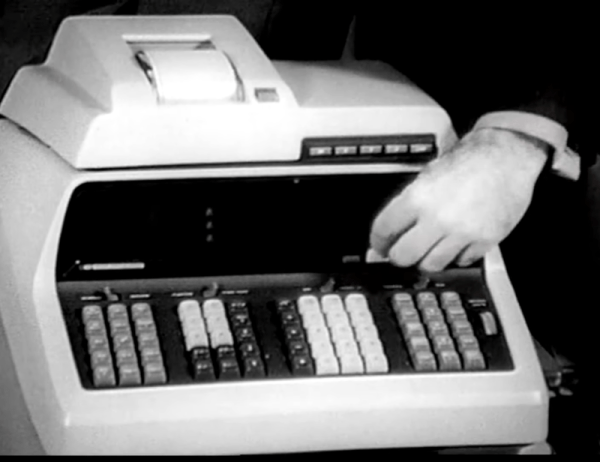
See if you can talk your local school district into buying a computer that costs about $5,000 and weighs 40 pounds. That was HP’s proposition to schools back in 1968 so really it is more like $35,000 today. The calculator had a CRT display for the RPN stack that you could mirror on a big screen. You could also get a printer or plotter add-on. Pretty hot stuff for the ’60s.

The 1970 videos promoting the HP 9100, posted by the [Computer History Archive Project], shows something we’d think of as a clunky calculator, although by the standards of the day it was a pretty good one with trig functions and a crude programming capability.

Continue reading “Retrotechtacular: The $5,000 40 Pound HP Classroom Computer”

Adding WiFi To The Acorn Electron

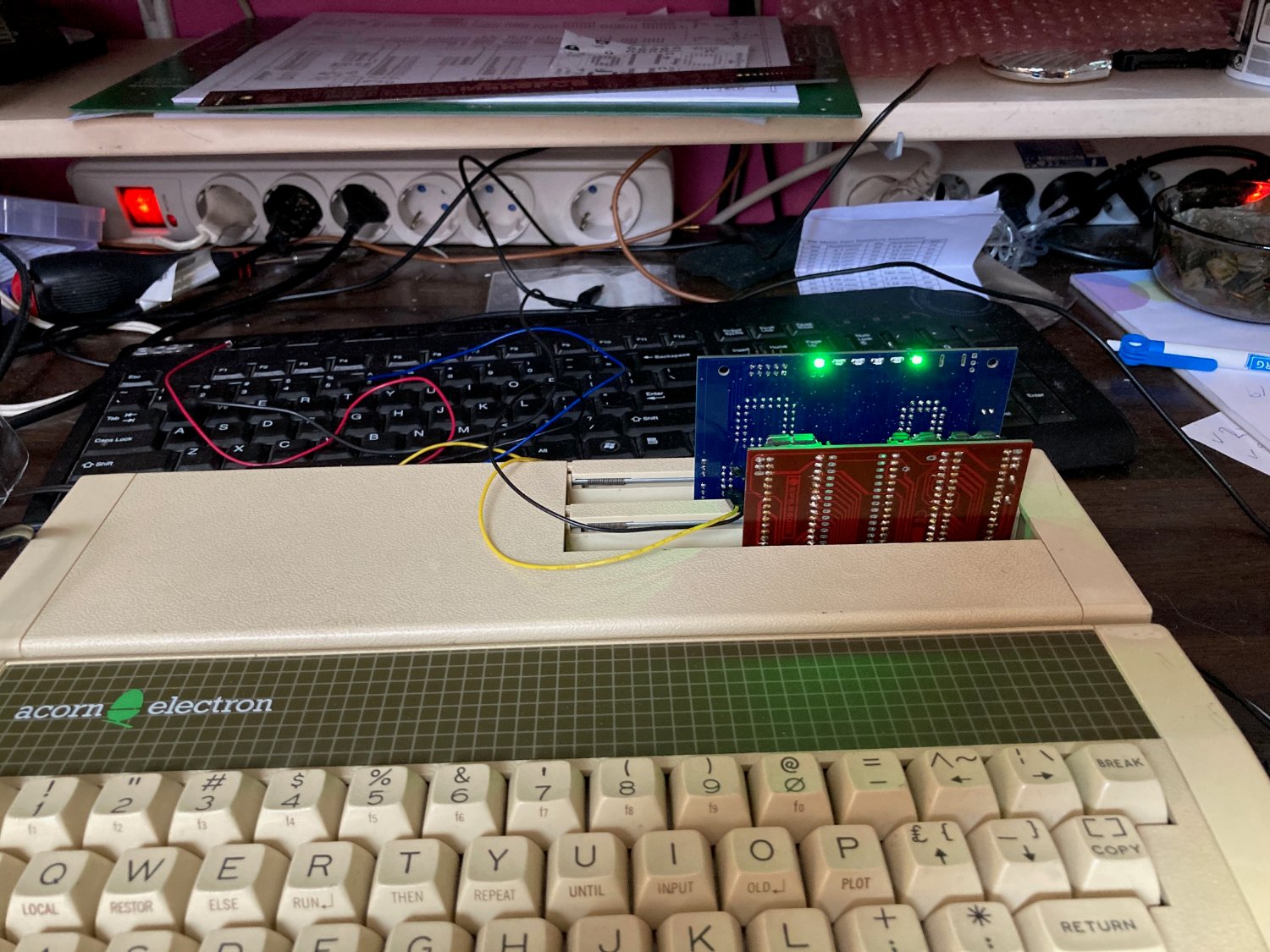
In the continuing quest by countless hobbyists to allow every 1980s 8-bit home computer to experience the joys of an online experience that doesn’t involve a 9600 baud modem, [Roland Leurs] has created a cartridge-based module for the Acorn Electron that adds WiFi, which he showed off at the virtual ABug conference in September 2020.

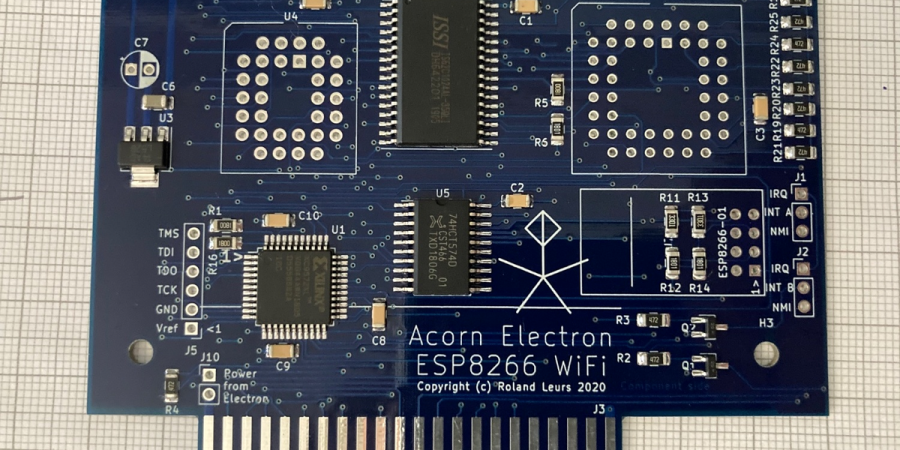
The Acorn Electron is a Synertek 6502-based computer that was released in the UK in August of 1983. It’s a budget version of the well-known BBC Micro educational/home computer, with 32 kB of RAM and featuring BBC BASIC v2 in its ROM. [Roland]’s ElkWiFi card slots into an available cartridge slot, after which the onboard ESP8266 (ESP-1 module) can be enabled and used as a WiFi modem.

Acorn Electron with Plus 1 expansion, ElkWiFi and additional expansion card inserted.

The board features the Exar ST16C2552CJ dual UART chip, one channel of which connects to the ESP-1 module, with the other channel used as an uncommitted UART header. The control logic is implemented in VHDL and flashed to the onboard Xilinx CPLD, and a 128 kB RAM module is used as WiFi data buffer.

Although a definite niche product, reading through the forum thread makes one really appreciate the technical complexity and joy once things are beginning to work reliably. It also shows one of the few cases where an ESP-1 module is used for its original purpose: as an easy way to add WiFi functionality with full WiFi and TCP stack, without burdening the main CPU.

(Thanks, BaldPower)

Teleconferencing Like It’s 1988: Connecting Vintage Hardware To Zoom

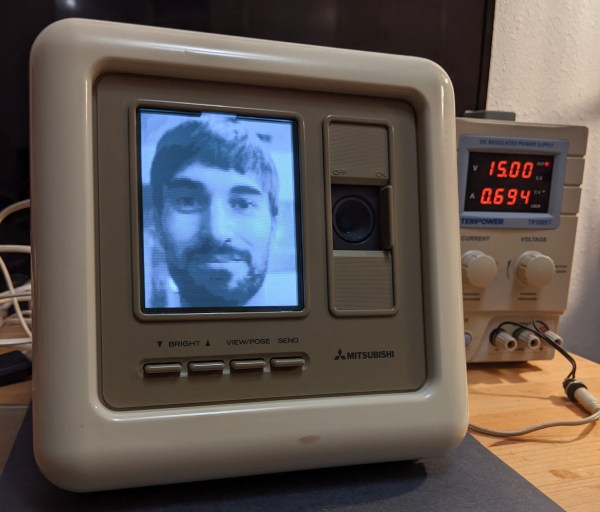
Hang up your car phone and toss that fax machine in the garbage. Even back in the late 80s it was possible to do away with these primitive technologies in favor of video conferencing, even though this technology didn’t catch on en masse until recently. In fact, Mitsubishi released a piece of video conferencing equipment called the VisiTel that can be put to use today, provided you can do a bit of work to get it to play along nicely with modern technology.

[Alex] was lucky enough to have one of these on hand, as soon as it was powered up he was able to get to work deciphering the messaging protocol of the device. To do this he showed the camera certain pictures with known properties and measured the output waveforms coming from the device, which were AM modulated over an RJ9 connection which he had changed to a 3.5 mm headphone jack.

It communicates in a series of pictures instead of sending an actual video signal, so [Alex] had a lot of work to do to properly encode and decode the stream. He goes into incredible detail on his project page about this process and is worth a read for anyone interested in signal processing. Ultimately, [Alex] was able to patch this classic piece of technology into a Zoom call and the picture quality is excellent when viewed through the lens of $399 80s technology.

We have been seeing a lot of other hacks around video conferencing in the past six months as well, such as physical mute buttons and a mirror that improves eye contact through the webcam.