Breathing New Life Into Old School ThinkPad Keyboards

The ThinkPad is generally considered the unofficial laptop of hackerdom, so it’s no surprise that we see plenty of projects focused on repairing and modifying these reliable workhorses. But while we usually see folks working on relatively modern incarnations of this iconic line of computers, this project by [Frank Adams] and [Brian Chan] shows that the hacker’s love affair with the ThinkPad stretches back farther than many might realize.

As explained on the project’s Hackaday.io page, the duo have produced an open hardware board that will allow you to take the keyboard and trackpoint from a late ’90s ThinkPad 380ED and use it as a standard USB input device on a modern computer. According to [Frank], the keyboards on these machines are notable for having full-size keys rather than the “chicklet” boards that are so common today.

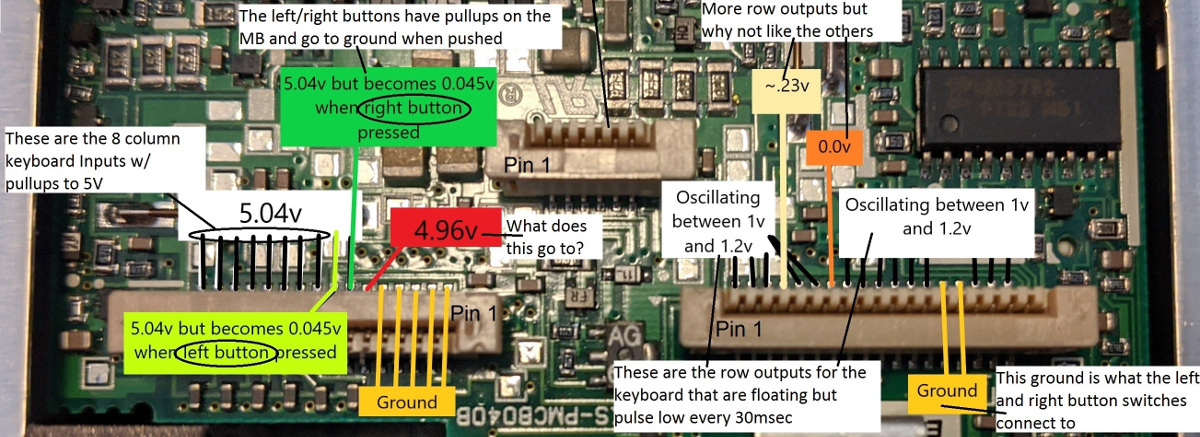
Now you may be wondering why this is significant. After all, we’ve seen plenty of projects that hook up an old keyboard to a USB-equipped microcontroller to get them speaking the lingua franca. Well, the trick here is that the trackpoint on these older ThinkPads actually required additional circuitry on the motherboard to function. The keyboard features three separate FPC connections for the matrix, the trackpoint buttons, and the analog strain gauges in the trackpoint itself.
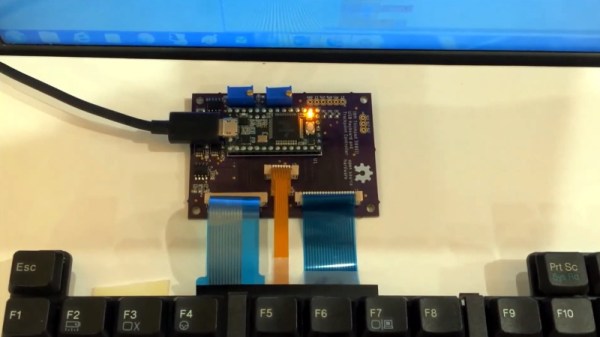
After a considerable amount of reverse engineering, [Frank] and [Brian] have developed a board that uses the Teensy 3.2 to turn this plethora of pins into something useful. In the video after the break, you can see the new composite USB device working perfectly on a modern Windows computer.

It will probably come as little surprise to find that [Frank] is no stranger to hacking ThinkPad keyboards. In 2018 we covered a similar adapter he built for the far more modern T61, which was an absolute cakewalk by comparison.

Continue reading “Breathing New Life Into Old School ThinkPad Keyboards”

This Frequency Generator Knows How To Get Down

What kind of clever things could you do with a signal that had a period of 2 hours? Or 20? Any ideas? No seriously, tell us. Because [Joseph Eoff] has come up with a way to produce incredibly low frequency signals that stretch out for hours, and we’d love to figure out what we can do with it.

To be fair, it’s not like [Joseph] has any ideas either. He thought it would be an interesting project, and figures now that he has the technology, maybe some application will come to him. They say that if you’ve got a hammer everything looks like a nail, so maybe the next project he sends our way will be a sinusoidal fish feeder.

[Joseph] says doing the software side of things with Pure Data wasn’t a problem, but getting it out of the computer proved to be tricky. It turns out that your average computer sound card isn’t equipped to handle frequencies down into the millihertz range (big surprise), so they need to be coaxed out with some extra hardware. Using a simple circuit not unlike an AM demodulator, he’s able to extract the low-frequency signal from a 16 kHz carrier.

So if you ever find yourself in need of a handful of hertz, now you’ve got the tool to generate them. At least it’s more practical than how they used to generate low frequency signals back in the 1900s.

A DIY Electronics Lab You Can Show Off With Pride

It’s hardly a secret that getting into a serious electronics habit can be detrimental to your bank account. A professional grade lab is simply unobtainable for many a tinkerer, and even mid-range hardware can set you back considerably. Which is why many folks just starting out will attempt to salvage or build as much of their equipment as possible. It might not always be pretty, but it’ll get the job done.

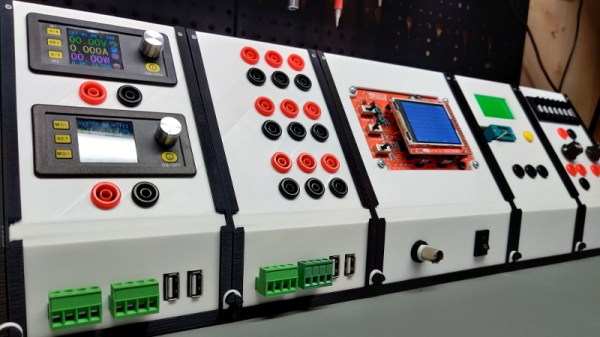
But this project by [Chrismettal] could end up completely reinventing the home electronic workspace. Using 3D printed frames, low-cost components, and a sprinkling of custom PCBs, this modular electronics workbench has all the bells and whistles an aspiring hardware hacker could need. As an added bonus, it looks like something that came off the International Space Station.

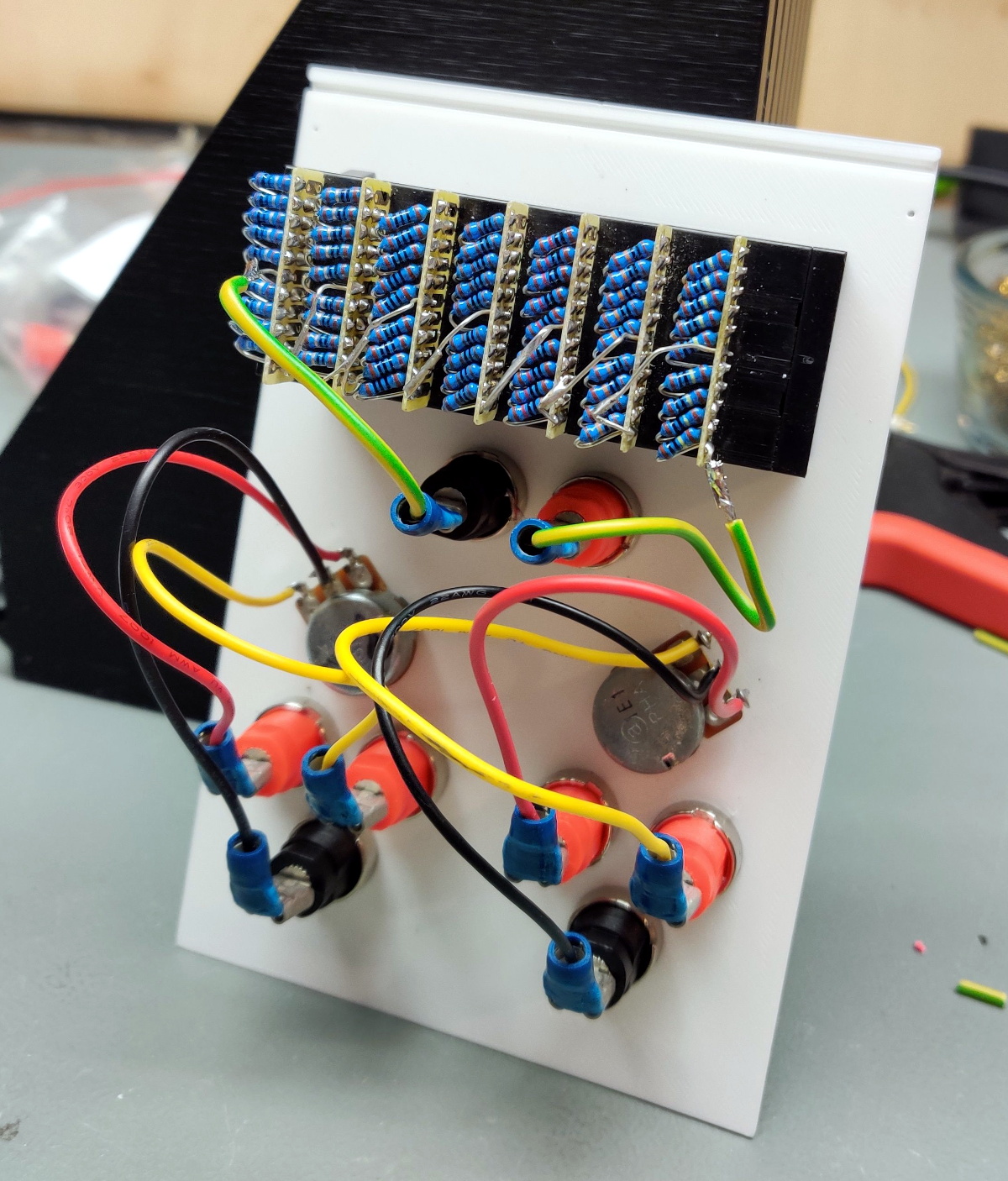
Inside the resistor substitution module.

This is one of those projects that simply can’t be done justice in a few paragraphs. If you’ve ever wanted to put together a dedicated electronics workbench but were put off by the cost of individual components, read though the fantastic documentation [Chrismettal] has prepared for the EleLab_v2. Is it all top-of-the-line hardware? No, of course not. But it’s more than suitable for the kind of work people in this community usually find themselves involved in on a weekend.

So what’s included? Naturally [Chrismettal] has created a power supply module, in both variable and fixed flavors. But there’s also a module for a resistor substitution, a component tester, and even a digital storage oscilloscope. You can mix and match the modules suit your needs, and if you want to create entirely new ones, the FreeCAD sources are available to get you started.

We’ve seen low-cost power supply modules before, and naturally we’re no strangers to cheap DSO kits. But this project wraps those devices and gadgets up into a form factor that anyone would be happy to have on their bench. We’re exceptionally interested in seeing new modules developed for the EleLab_v2, and doubt this is the last time you’ll see this impressive project grace these pages.

[Thanks to BrunoC for the tip.]

Milling A Custom 6-Pin DIN Connector

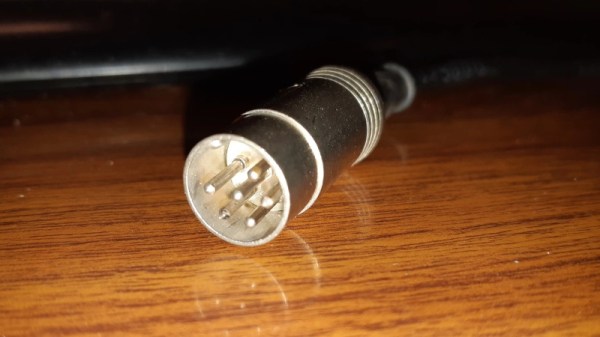
When [Charles Ouweland] found himself in need of a DIN connector that had a somewhat unusual pin arrangement, he figured he could fashion his own in less time than it would take to have a replacement shipped to him. In the end it sounds as though it took a lot longer than expected, but given the worldwide situation, we don’t doubt this bespoke connector was still put to work before its eBay counterpart would have arrived.

More importantly, the connector [Charles] produced looks fantastic. If we weren’t told otherwise, we’d have assumed the finished product was commercially produced. Although to be fair, he did have a little help there. The housing and pins themselves were pulled from a sacrificial connector; his primary contribution was the insulating block that holds the pins in their proper position.

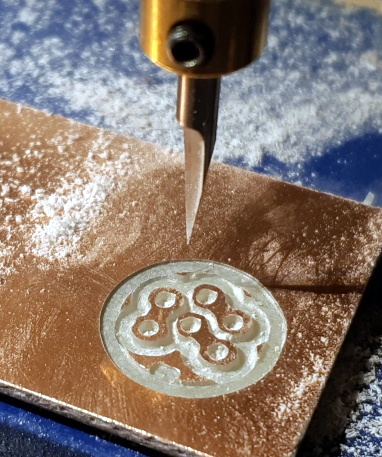
So how did he make it? He had considered using a piece of scrap material and just putting the holes in it with a drill press, but he was worried getting the aliment right. Instead, he decided to call his cheap CNC router into service. By routing his design out of copper clad PCB, he was even able to tie the appropriate pins together right in the connector.

Admittedly, we don’t see a lot of hardware that still uses DIN connectors these days. But this tip is certainly worth filing away just in case. You never know when you might find an old piece of hardware that just needs a little TLC to get up and running again. Who knows, you might even find a dumpster full of them.

Joy-Con Mod Gives Nintendo Switch Touchpad Control

While Valve’s Steam Controller ultimately ended up being a commercial flop, most users agreed its use of touch-sensitive pads in place of traditional analog joysticks or digital directional buttons was at least a concept worth exploring. Those same touchpad aficionados will likely be very interested in this modification by [Matteo Pisani], which replaces the analog joystick on a Nintendo Switch Joy-Con with a capacitive touch sensor.

As [Matteo] explains in his detailed write-up, the initial inspiration for this project was to create a permanent solution to joystick fatigue and drifting issues. He reasoned that if he removed the physical joystick completely, there would be no way for it to fail in the future. We’re not sure how many people would have taken the concept this far, but you can’t argue with the logic.

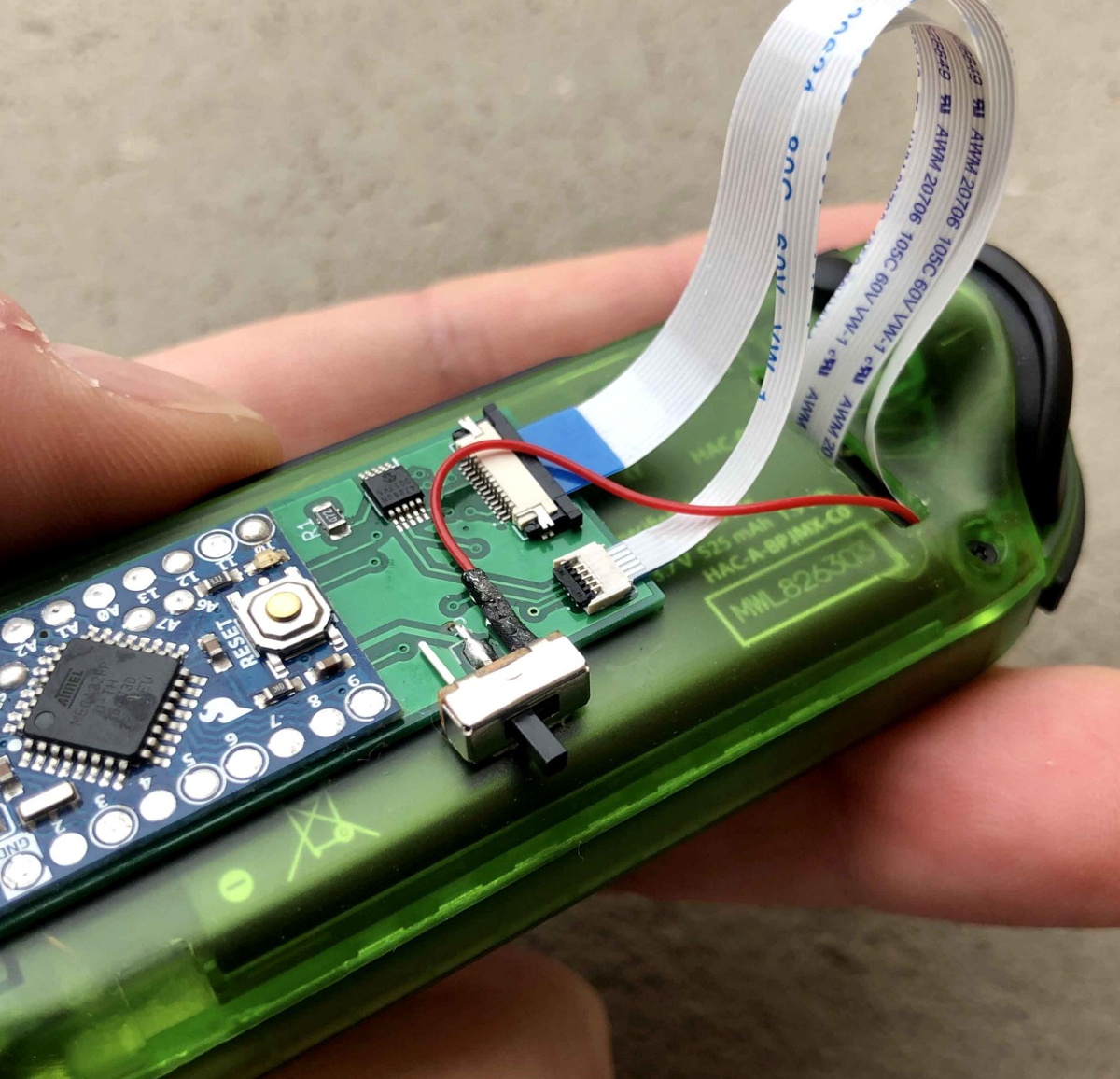
The original joystick is a fairly straightforward device, comprised of two analog potentiometers and a digital button. It’s connected to the Joy-Con’s main PCB with a 0.5 mm pitch flexible cable, so the first step for [Matteo] was to spin up a breakout for the cable in KiCad to make the development process a bit easier.

The board design eventually evolved to hold an Arduino Pro Mini, a digital potentiometer, and a connector for the circular touchpad. The Arduino communicates with both devices over I2C, and translates the high resolution digital output of the touch controller into an analog signal within the expected ranges of the original joystick. [Matteo] says he still has to implement the stick’s digital push button, but thanks to an impressive 63 levels of pressure sensitivity on the pad, that shouldn’t be a problem.

Now that he knows the concept works, the next step for [Matteo] is to clean it up a bit. He’s already working on a much smaller PCB that should be able to fit inside the Joy-Con, and we’re very interested in seeing the final product.

We’ve seen several interesting Joy-Con hacks since the Switch hit the market, including a somewhat less intense joystick swap. Between the Joy-Con and the legendary Wii Remote, Nintendo certainly seems to have a knack for creating input devices that catch the imagination of gamers and tinkerers alike.

Continue reading “Joy-Con Mod Gives Nintendo Switch Touchpad Control”

Open Agriculture Initiative Shuttered Amid Scandal

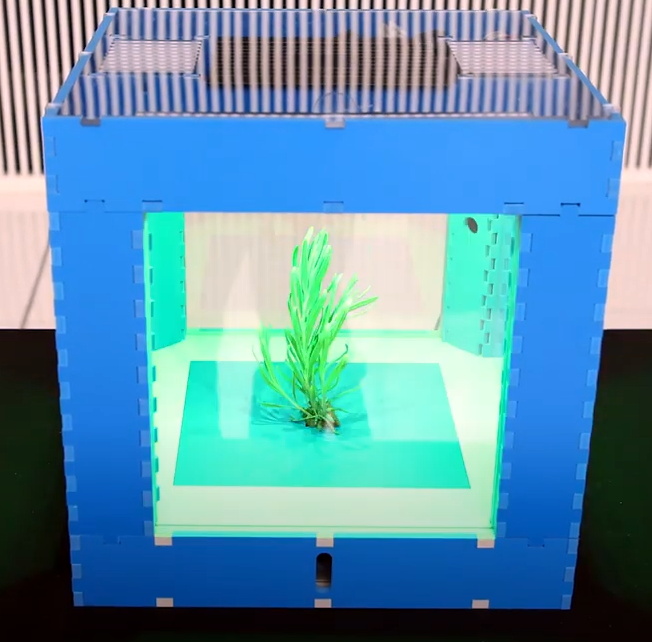
The MIT Media Lab’s Open Agriculture Initiative (OpenAg) promised to revolutionize urban farming with their Food Computers: essentially miniature automated gardens that could be installed in racks to maximize growing space. Each unit would be provided with a “Recipe” that allowed it to maintain the ideal environmental conditions for the species it contained, which meant that even the novice gardener to produce a bumper crop no whether they lived in the Arctic Circle or the Sahara.

With such lofty goals, success certainly wasn’t assured. But we still didn’t expect to hear that the program had to be permanently closed after a string of startling accusations came to light. From engaging in scientific dishonesty to setting off a minor ecological disaster, the story just gets worse and worse. Who could have imagined that one day we’d have to report on an open source project having direct ties to Jeffrey Epstein?

Food Computer v3.0

According to reports, MIT Media Lab Director Joichi Ito and OpenAg principal researcher Caleb Harper attempted to secure $1.5 million in funding for the program during a 2017 meeting with the disgraced financier. Epstein apparently wasn’t impressed by what he saw, and no money ever changed hands. Given the information we now have about the project, this might actually be the least surprising part of the story.

It has since come to light that the Food Computers never worked consistently, and indeed never made it past the prototype stage. This despite the fact that Harper claimed that functional units had already been deployed to refugee camps during presentation to potential investors. A scientist working with the project has even come forward with claims that staff were instructed to place plants brought from local garden centers into the prototype Food Computers prior to tours of the lab so visitors would think they had been grown in the devices.

A former researcher working on the OpenAg program, Babak Babakinejad, also went public with his concerns over the environmental impact of dumping waste water from the Food Computers. The lab had a permit to pump nitrogen-infused water into an underground disposal well, but according to Babakinejad, internal testing showed the nitrogen levels in the water would occasionally top 20 times the stated limit. After his concerns were ignored by Harper and other MIT staff, he eventually took his concerns directly to the Massachusetts Department of Environmental Protection which led to an investigation and ultimately a fine of $25K.

We first covered the Open Agriculture Initiative back in 2016, and readers expressed doubts about the concept even then. While we certainly don’t relish making an update like this about a project we’ve featured, it’s an important reminder that honesty and integrity can’t take a backseat to technical achievement.

Masten Moon Rocket Has Landing Pad, Will Travel

Because of the architecture used for the Apollo missions, extended stays on the surface of the Moon weren’t possible. The spartan Lunar Module simply wasn’t large enough to support excursions of more than a few days in length, and even that would be pushing the edge of the envelope. But then the Apollo program was never intended to be anything more than a proof of concept, to demonstrate that humans could make a controlled landing on the Moon and return to Earth safely. It was always assumed that more detailed explorations would happen on later missions with more advanced equipment and spacecraft.

Now NASA hopes that’s finally going to happen in the 2020s as part of its Artemis program. These missions won’t just be sightseeing trips, the agency says they’re returning with the goal of building a sustainable infrastructure on and around our nearest celestial neighbor. With a space station in lunar orbit and a permanent outpost on the surface, personnel could be regularly shuttled between the Earth and Moon similar to how crew rotations are currently handled on the International Space Station.

Artemis lander concept

Naturally, there are quite a few technical challenges that need to be addressed before that can happen. A major one is finding ways to safely and accurately deliver multiple payloads to the lunar surface. Building a Moon outpost will be a lot harder if all of its principle modules land several kilometers away from each other, so NASA is partnering with commercial companies to develop crew and cargo vehicles that are capable of high precision landings.

But bringing them down accurately is only half the problem. The Apollo Lunar Module is by far the largest and heaviest object that humanity has ever landed on another celestial body, but it’s absolutely dwarfed by some of the vehicles and components that NASA is considering for the Artemis program. There’s a very real concern that the powerful rocket engines required to gracefully lower these massive craft to the lunar surface might kick up a dangerous cloud of high-velocity dust and debris. In extreme cases, the lander could even find itself touching down at the bottom of a freshly dug crater.

Of course, the logical solution is to build hardened landing pads around the Artemis Base Camp that can support these heavyweight vehicles. But that leads to something of a “Chicken and Egg” problem: how do you build a suitable landing pad if you can’t transport large amounts of material to the surface in the first place? There are a few different approaches being considered to solve this problem, but certainly one of the most interesting among them is the idea proposed by Masten Space Systems. Their experimental technique would allow a rocket engine to literally build its own landing pad by spraying molten aluminum as it approaches the lunar surface.

Continue reading “Masten Moon Rocket Has Landing Pad, Will Travel”