ESP8266 Home Monitor Is Stylishly Simplistic

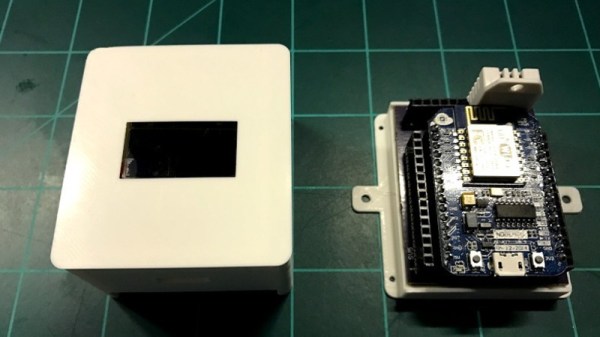
It’s often said that “Less is More”, and we think that the chic ESP8266 environmental monitor posted by Thingiverse user [bkpsu] definitely fits the bill. Dubbed “Kube”, the device is a 3D printed white cube with an OLED display in the center, which [bkpsu] says was designed specifically for the approval of his wife. Weirdly, she didn’t like the look of bare PCBs on the wall.

Multiple Kubes allow for whole-house monitoring.

Inside, things are a little more complex. The Kube uses the NodeMCU development board, and a custom breakout that [bkpsu] designed to interface with the display and sensors. For temperature and humidity monitoring, the Kube is using the ever-popular DHT22, and [bkpsu] mentions that he has future plans for things like motion sensors and direct control of RGB LED strips. All the data collected by the Kube is piped into openHAB via MQTT.

On the very detailed Thingiverse page, [bkpsu] gives background information on his design goals for the project, tips for printing out a high-quality case, a parts list with Amazon links, and pinout information for getting it all wired up. The PCB is even available on OSH Park for those who want a Kube of their own.

Even with all the stick home monitoring and automation products on the market today, many hackers simply can’t bring themselves to buying a turn-key commercial product. But we think with the results hackers have been getting rolling their own solutions, they just might be on to something.
FatPiBoy: Respin Game Boy With A Pop-Out Controller

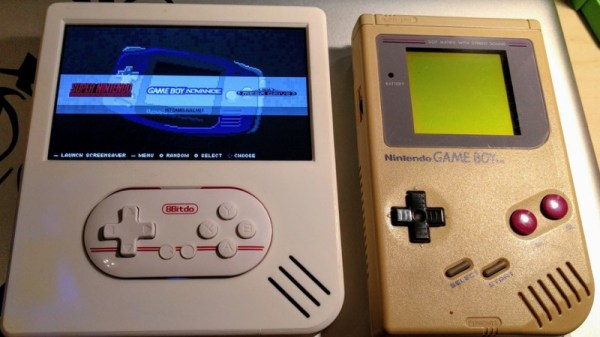
Have you ever found yourself wishing you had a clone of the Game Boy, except it was actually twice as wide, and instead of holding it in your hands you pop a tiny separate controller out of the middle and play it that way? No? Well, neither have we. But that didn’t stop [Christian Reinbacher] from designing and building exactly that, and by the looks of the finished product, we have to say he might be onto something.

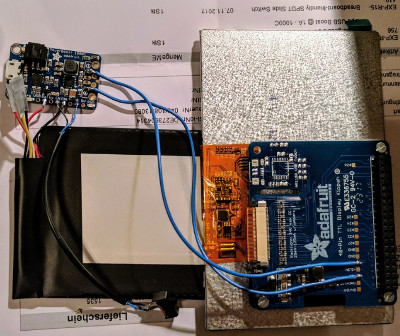
To be fair, the charmingly-named FatPiBoy is not really meant to be played like the GameBoy of yesteryear. It’s more like a game console with built in display; you prop the console up on something, and then remove the controller from the system and play that way.

The controller itself is a commercial product, the 8bitdo Zero, but [Christian] based the rest of the system on parts intended for the Adafruit PiGRRL. For the battery, [Christian] used a 4,500 mAh pack that was originally from his Nexus 7 tablet; a tip to keep in mind next time you’re looking for a big and cheap lithium-ion battery.

[Christian] notes that the case design isn’t perfect. There’s currently no external access to the Pi’s USB ports, and the recess for the 8bitdo Zero could be a few millimeters deeper. Still, we think he did an excellent job finishing the case and giving it a professional look; the case and controller look like nearly a perfect match.

This isn’t the first time we’ve seen a Raspberry Pi put on a GameBoy costume, but the FatPiBoy does bring something new to the table with its removable controller. Of course, if you think the controller [Christian] selected for this build is a bit too small, you can always substitute your own

Homemade Test Jig Is Cheaper Than Outsourcing

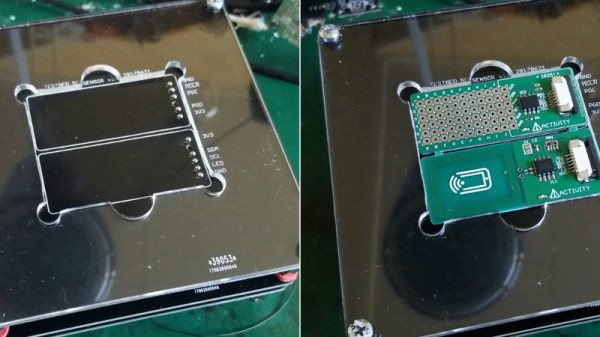
In the past, [Sjaak] has had his testing and programming jigs made for him in Shenzhen, but realized they weren’t that great of a value. They weren’t terribly expensive in the grand scheme of things, but they didn’t include any wiring, so he was still spending his own time and money. His quest to develop his own in-house jigs not only netted him a considerable cost savings in the end, but also produced a nicely detailed post on his site for anyone else who may be heading down the same path. That’s a win-win in our book.

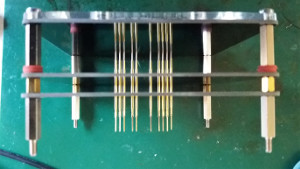
The idea behind a jig is pretty simple: essentially it’s just a mount that holds the PCB, and a set of pins which contact the appropriate points on the board. The jig can then provide power, programming, status LEDs for testing, etc. Basically anything that you can’t or don’t want to include on the final board, but will help in testing or programming them.

To start, [Sjaak] begins with a blank PCB in Eagle and imports his target board. With the two lined up, he can then mark where he wants the pins to go on the jig, and add labels to the silkscreen to make things a little easier during diagnostics. The target board is then removed, the file converted to Gerber, and it’s sent off for manufacturing. With a few more tweaks, the file is then exported to DXF and laser cut out of acrylic. When the PCBs come back, it’s just a matter of sandwiching it all together with some standoffs and adding the pins.

[Sjaak] mentions that he was inspired by an old post on how SparkFun was internally handling their test jigs, though we think with a dash of automation he could make things even easier for himself.

Tips For Basic Machining On A Drill Press

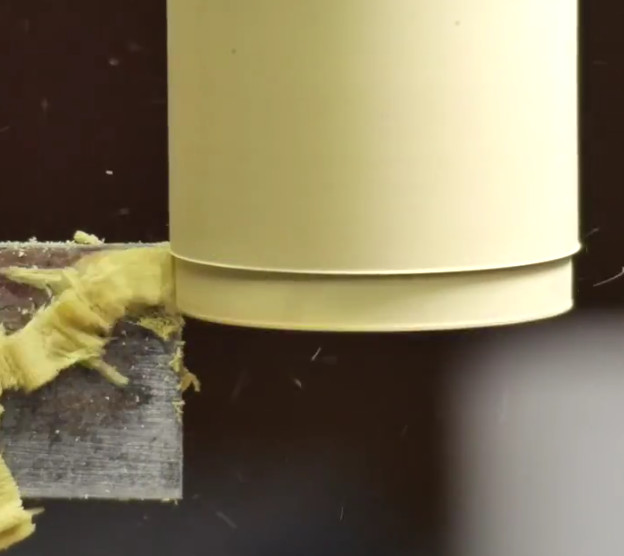
It’s safe to say most Hackaday readers would love to have a mill at home, or a nice lathe, but such equipment isn’t always practical for the hobbyist. The expense and amount of room they take up is a hard sell unless you’re building things on them regularly, so we’re often forced to improvise. In his latest video, [Eric Strebel] gives some practical advice on using a standard drill press to perform tasks you would normally need a mill or lathe for; and while his tips probably won’t come as a surprise to the old-hands out there, they might just help some of the newer players get the most out of what they have access to.

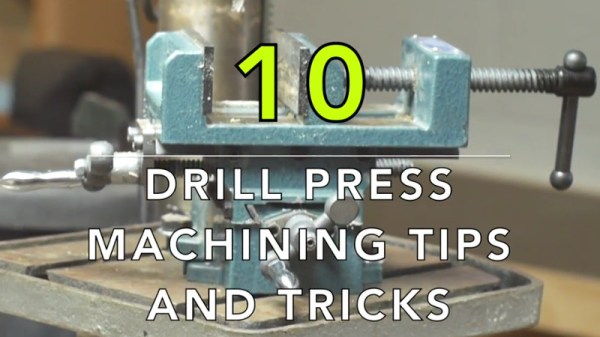
[Eric] explains the concept of the cross slide vice, which is the piece of equipment that makes machining on a drill press possible. Essentially it’s a standard vice, but with screws that allow you to move the clamped piece in the X and Y dimensions under the drill which can already move in the Z dimension. For those counting along at home, that puts us up to the full three dimensions; in other words, you can not only make cuts of varying depths, but move the cut along the surface of the work piece in any direction.

You can even turn down a (small) piece of round stock by placing it in the chuck of the drill press, and putting a good chisel in the cross slide vice. The chisel can then be moved up against the spinning piece to make your cuts. We don’t suggest doing anything too heavy, but if you need to turn down something soft like a piece of plastic or wood to a certain diameter, it can do in a pinch.

[Eric Strebel] is quickly becoming a favorite around these parts. His well-produced videos show viewers the practical side of product design and in-house manufacturing. We recently covered his video on doing small-scale production, and there’s plenty more invaluable info to be had browsing back through his older videos.

The quest to do machining without actually having a machine shop is certainly not new to Hackaday. There have been many different approaches to solving the issue, but picking up a decent drill press and cross slide is a first step down the rabbit hole for most people.

Continue reading “Tips For Basic Machining On A Drill Press”

Cheap Flamethrower Is Predictably Worrying

We’d never criticize somebody for coming up with a creative way to save a few bucks. In truth, pickings would be pretty slim around here if we deleted every project or hack where cost savings was a prime motivator. That being said, there’s still some things you should probably spend a few extra dollars on. You know, the essential things in life that you need to know will be safe and reliable, like your car and…your flamethrower.

While we don’t have any information about what kind of car [Steve Hernandez] is driving, but over on Hackaday.io, he’s posted some info about his 3D printed wrist-mounted flamethrower. The final result does look pretty impressive, but given the subject matter and the lack of any safety gear, we would firmly plant it in the “Don’t try this at home” category.

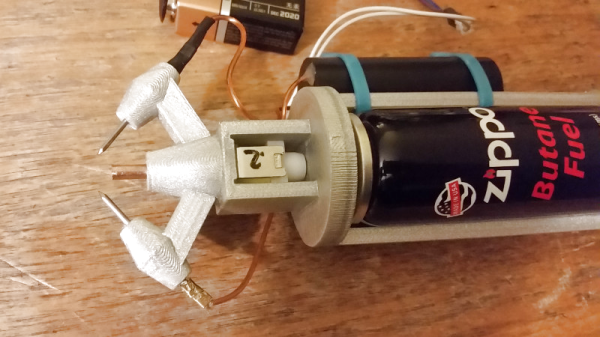
At the heart of this flamethrower is a solenoid valve recovered from a Glade air freshener. Rather than spraying out the smell of lilacs, this valve has found a new purpose in life by squirting out butane from a pressurized can. The butane is then ignited by a spark gap made up two nails connected to a 300 kV boost coil.

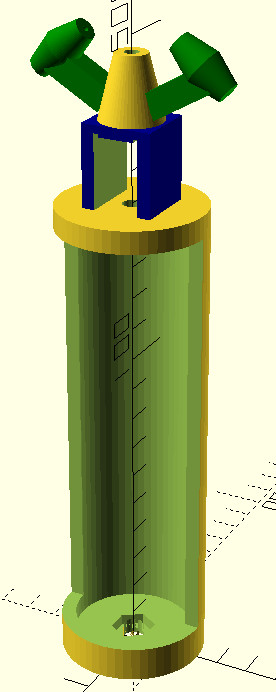
[Steve] designed the frame of this creation in OpenSCAD, and printed it out in a single piece. It holds the butane can and solenoid in position, as well as keeping the nails in the proper orientation for the spark gap to function. Admittedly the head of his printed flamethrower does look very cool, but if there was ever a situation where you should be suspect of the heat tolerance of 3D printed plastic, a flamethrower is probably it.

What’s noticeably lacking of course is any method to keep the flame from potentially traveling back up through the valve and into the butane can. The high-speed flow coming out of the nozzle is probably enough to keep that from happening, but we still wouldn’t feel comfortable strapping his device to our wrist as-is.

You may be surprised to find that wrist-mounted flamethrowers are a relatively popular project here at Hackaday. We’ve covered quite a few over the years, but still aren’t convinced this is something we personally need to add to our collection of gear.

Visual 3D Print Finishing Guide

With 3D printers now dropping to record low prices, more and more people are getting on the additive manufacturing bandwagon. As a long time believer in consumer-level desktop 3D printing, this is a very exciting time for me; the creativity coming out of places like Thingiverse or the 3D printing communities on Reddit is absolutely incredible. But the realist in me knows that despite what slick promotional material from the manufacturers may lead you to believe, these aren’t Star Trek-level replicators. What comes out of these machines is often riddled with imperfections (from small to soul crushing), and can require considerable cleanup work before they start to look like finished pieces.

If all you hope to get out of your 3D printer are some decent toy boats and some low-poly Pokemon, then have no fear. Even the most finicky of cheap printers can pump those out all day. But if you’re looking to build display pieces, cosplay props, or even prototypes that are worth showing to investors, you’ve got some work cut out for you.

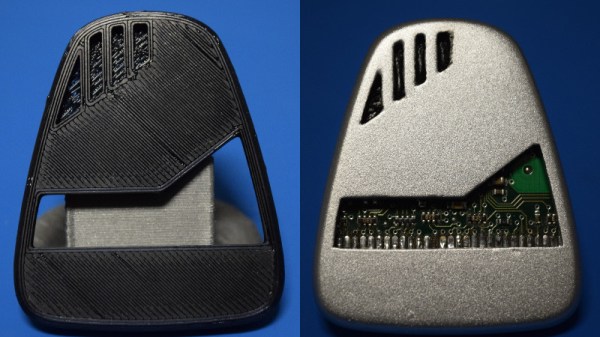
With time, patience, and a few commercial products, you can accomplish the ultimate goal: turning a 3D printed object into something that doesn’t look like it was 3D printed. For the purposes of this demonstration I’ll be creating a replica of the mobile emitter used by the “Emergency Medical Hologram” in Star Trek: Voyager. I can neither confirm nor deny I selected this example due to the fact that I’m currently re-watching Voyager on Netflix. Let’s make it look good.

Continue reading “Visual 3D Print Finishing Guide”

Homebrew SNES Mini Aims For Historical Accuracy

While “normies” are out fighting in the aisles of Walmart to snap up one of the official “Classic Mini” consoles that Nintendo lets slip out onto the market every once and awhile, hackers have been perfecting their own miniature versions of these classic gaming systems. The “Classic Mini” line is admittedly a very cool way to capitalize on nostalgic masses who have now found themselves at the age where they have disposable income, but the value proposition is kind of weak. Rather than being stuck with the handful of generation-limited games that Nintendo packed into the official products, these homebrew consoles can play thousands of ROMs from systems that stretch across multiple generations and manufacturers.

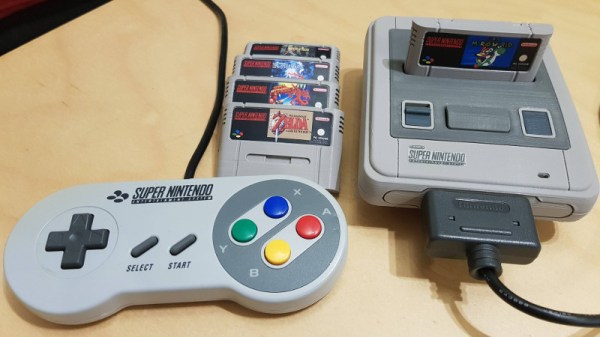
But for those old enough to remember playing on one of these systems when they first came out, these modern reincarnations always lack a certain something. It never feels quite right. That vaguely uncomfortable feeling is exactly what [ElBartoME] is aiming to eliminate with his very slick miniature SNES build. His 3D printed case doesn’t just nail the aesthetics of the original (PAL) console, but the system also uses real SNES controllers in addition to NFC “cartridges” to load different ROMs.

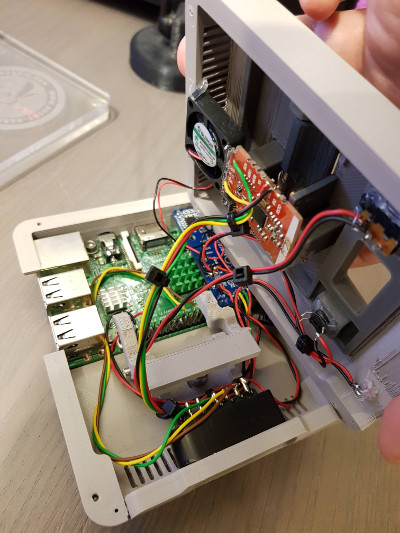
The project’s page on Thingiverse has all the wiring diagrams and kernel configuration info to get the internal Raspberry Pi 3 to read an original SNES controller via the GPIO pins. He also gives a full rundown on the hardware and software required to get the NFC-enabled cartridges working with EmulationStation to launch the appropriate game when inserted. Though he does admit this is quite a bit trickier than the controller setup.

[ElBartoME] has put a video up on YouTube that shows him inserting his mock cartridges and navigating the menus with an original SNES controller. If it wasn’t for the fact that the console is the size of a smartphone and the on-screen display is generations beyond what the SNES could pull off, you’d think he was playing on the real thing.

We’ve seen some incredibly impressive emulation boxes based on the Raspberry Pi, and builds which tried to embrace original hardware components, but this particular project may represent the best of both worlds.

Continue reading “Homebrew SNES Mini Aims For Historical Accuracy”