Cycling Cadence Display With ESP32

Terry Pratchett once said “Wisdom comes from experience. Experience is often a result of lack of wisdom.” This is as true with technical skills as it is with the rest of life, and you won’t truly understand a specific topic unless you’ve struggled with it a bit. [publidave] wanted a simple wireless display for a bluetooth cycling cadence sensor, and soon found himself deep down the rabbit hole of Micropython and Bluetooth Low Energy on the ESP32.

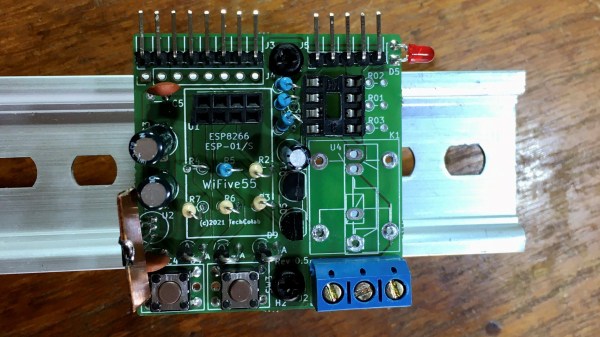
[publidave] had converted his bicycle for indoor training during lockdown and winter, and realized he can’t use the guided training app and view his cadence simultaneously, so he needed a dedicated cadence display. Since [publidave] was comfortable with Python, he decided to give Micropython on the ESP32 ago. Bluetooth Low Energy can be rather confusing if you haven’t implemented it before, especially if good examples are hard to come by. In short, the ESP32 needs to find the sensor, connect to it, select the right service, and listen for the notifications containing the data. The data is then converted to RPM and displayed on a small OLED display. [publidave] does an excellent job of describing what exactly he did, highlighting the problems he encountered, and how he solved them.

In the end, he had a functional display, a good idea of what he would do differently next time, and a lot of additional knowledge and understanding. In our book that’s a successful project.

Since so much of the health related devices work with Bluetooth Low Energy, it could be handy to know the technology and how to interface with it. It would allow you to do things like unbrick a $2000 exercise bike,

3D-Printed Macro Pad Ditches The PCB With Slick Wiring Guides

Reddit user [duzitbetter] showed off their design for a 3D-printed programmable macro keyboard that offers a different take on what can be thought of as a sort of 3D-printed PCB. The design is called the Bloko 9 and uses the Raspberry Pi PICO and some Cherry MX-style switches, which are popular in DIY keyboards.

The enclosure and keycaps are all 3D printed, and what’s interesting is the way that the enclosure both holds the components in place as well as providing a kind of wire guide for all the electrical connections. The result is such that bare copper wire can be routed and soldered between leads in a layout that closely resembles the way a PCB would be routed. The pictures say it all, so take a look.

Bloko 9 is available as a paid model, and while going PCB-free thanks to 3D printing is a technique others have played with, it is very well demonstrated here and shows there is still plenty of room to innovate on the concept. DIY keyboard and macro pad design is also fertile ground for hackers; we have even seen that it’s possible to 3D print one right down to the switches themselves.

Wireless, Low Power E-Ink Weather Gadget

Not that long ago, making a low-power and wireless weather display complete with an e-ink screen would have required a lot of work and almost certainly would have been larger than the device [Dmitry] created.

(1) Weather alert indicator, (2) Current temperature, (3) Humidity and wind, (4) 24-hour temperature graph, (5) 24-hour precipitation probably graph

His low power e-ink weather gadget takes advantage of one of the niftier developer boards out there to create a useful and slim device that does exactly what he needs and not a lick more. It’s fast to look up weather online, but not as fast as glancing at a display in a convenient location.

The board [Dmitry] selected is a LilyGO TTGO T5s, an ESP32-based board that integrates an e-ink display, which requires no power unless being updated. It has been loaded with just enough smarts to fetch weather information using the OpenWeather API, and update the display accordingly.

Powering up the WiFi to fetch an easily-parsed JSON file and update the display only once per hour means that a battery can provide months of runtime. As a bonus, the LilyGO board even includes the ability to charge the battery, making things awfully convenient.

The bill of materials is here and code for the device, including setup directions, is on the project’s GitHub repository. And if your tastes happen to run more towards the artistic than utilitarian, we have just the weather display for you.

Rube Goldberg’s Least Complicated Invention Was His Cartooning Career

The name Rube Goldberg has long been synonymous with any overly-built contraption played for laughs that solves a simple problem through complicated means. But it might surprise you to learn that the man himself was not an engineer or inventor by trade — at least, not for long. Rube’s father was adamant that he become an engineer and so he got himself an engineering degree and a job with the city. Rube lasted six months engineering San Francisco’s sewer systems before quitting to pursue his true passion: cartooning.

Rube’s most famous cartoons — the contraptions that quickly became his legacy — were a tongue-in-cheek critique meant to satirize the tendency of technology to complicate our lives in its quest to simplify them. Interestingly, a few other countries have their own version of Rube Goldberg. In the UK it’s Heath Robinson, and in Denmark it’s Robert Storm Petersen, aka Storm P.

Rube Goldberg was a living legend who loved to poke fun at everything happening in the world around him. He became a household name early in his cartooning career, and was soon famous enough to endorse everything from cough drops to cigarettes. By 1931, Rube’s name was in the Merriam-Webster dictionary, his legacy forever cemented as the inventor of complicated machinery designed to perform simple tasks. As one historian put it, Rube’s influence on culture is hard to overstate.

Continue reading “Rube Goldberg’s Least Complicated Invention Was His Cartooning Career”

New Contest: Data Loggin’

What are we gonna’ do with all this data? Let’s make it something fun! That’s the point of the just-launched Data Loggin’ contest. Do something clever to automatically log a data set and display it in an interesting way. Three winners will each receive a $100 Tindie gift certificate for showing off an awesome project.

One year of baby sleep patterns encoded by @Lagomorpho in a knitted blanket.

Data logging is often an afterthought when working on a project, but the way you collect and store data can have a big effect on the end project. Just ask Tesla who are looking at a multi-thousand-dollar repair process for failing eMMC from too much logging. Oops. Should you log to an SD card? Internet? Stone tablets? (Yes please, we actually really want to see that for this contest.) Make sure to share those details so your project can be a template for others to learn from in the future.

Next, consider Schrodinger’s dataset: if the data is never used does it actually exist? Grab some attention with how you use this data. That automatic donut slicer you built can be used to slice up a tasty pie-chart of the minutes you spent on the elliptical this week. Your energy consumption can be plotted if you connect that OpenCV meter reader up to your favorite cloud service to visualize the data or a NodeRED dashboard if you’d rather keep things local. You could also make some of that data permanent, like this blanket that encoded baby’s sleep patterns in the colors.

You probably already have something harvesting data. Here’s the excuse you need to do something silly (or serious) with that data. Tells us about it by publishing a project page on Hackaday.io and don’t forget to use that “Submit Project To” menu to add it to the Data Loggin’ contest.

Fixing The Only Thing That’s Slow About Grand Theft Auto V

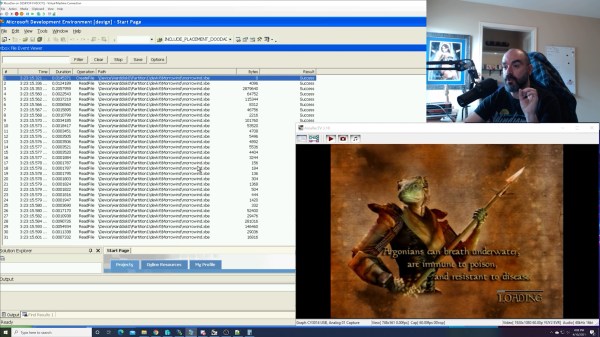
The driving, crime, and general mayhem game Grand Theft Auto V is something of a phenomenon that has lasted for the last seven or more years. Whether following the in-game missions, driving around like a hooligan for fun or performing crazy stunts, the depth of detail in its landscapes and the continual improvements to gameplay that have arrived over the years have assured it a massive following across multiple platforms. The game is not without its problems though, one of which is an unreasonably long loading time for its online version. This annoyed [T0st] to the extent that it was worth the effort of looking under the hood to find out where the problem lay.

It was evident that for PC users the effect varied depending on the hardware present. Furthermore AMD processors seemed worse-hit than Intel ones, and indeed they found an entire core maxed out by a couple of processes during the wait. Some diagnostics and disassembly led the trail to some string processing code which was identified as a JSON parser. This was not simply parsing the JSON but also performing a check for token uniqueness in an extremely inefficient manner, causing the whole process to be extremely slow. Sone nifty patching in a DLL containing a much more efficient function with a cache for unique values saved the day, and delivered an impressive 70% speed-up. It’s to be hoped that the game’s developers will take note, and a future GTA V update will deliver a fix.

Driving a car from a third-person viewpoint in a game like GTA V is a hoot. In real life though, not so much.

Thanks [Thanatos Erberus] for the tip.

An Homage To Daft Punk In Fan-Made Helmets Through The Years.

It’s with sadness that we note the end to an end. The French dance music duo Daft Punk have split up, announced in a video that’s has already clocked 22 million views.The band have inspired hardware geeks across the world not just with their music but the way they present themselves. A perennial project has been to replicate in some way their iconic robot helmets.

Ben Heck's 2009 take on the helmet
Harrison Krix’s 2009 take on Guy-Manuel de Homem-Christo’s helmet.

The artists themselves have been reticent about the exact technology that powers their headgear, but while this is a source of endless mystery and speculation to the music press it’s safe to assume from our perspective that their designers have the same parts at their disposal as we have. Microcontrollers, EL wire, and LEDs are universal, so the challenge lies in artistic expression with the helmet design rather than in making the effects themselves. We’ve reached into the archives for a bit of Daft Punk helmet nostalgia, so stick on Harder Better Faster and lets take a look at them, er, one more time.

Continue reading “An Homage To Daft Punk In Fan-Made Helmets Through The Years.”