Let’s Prototype! This Filament End Needs 80 Decibels

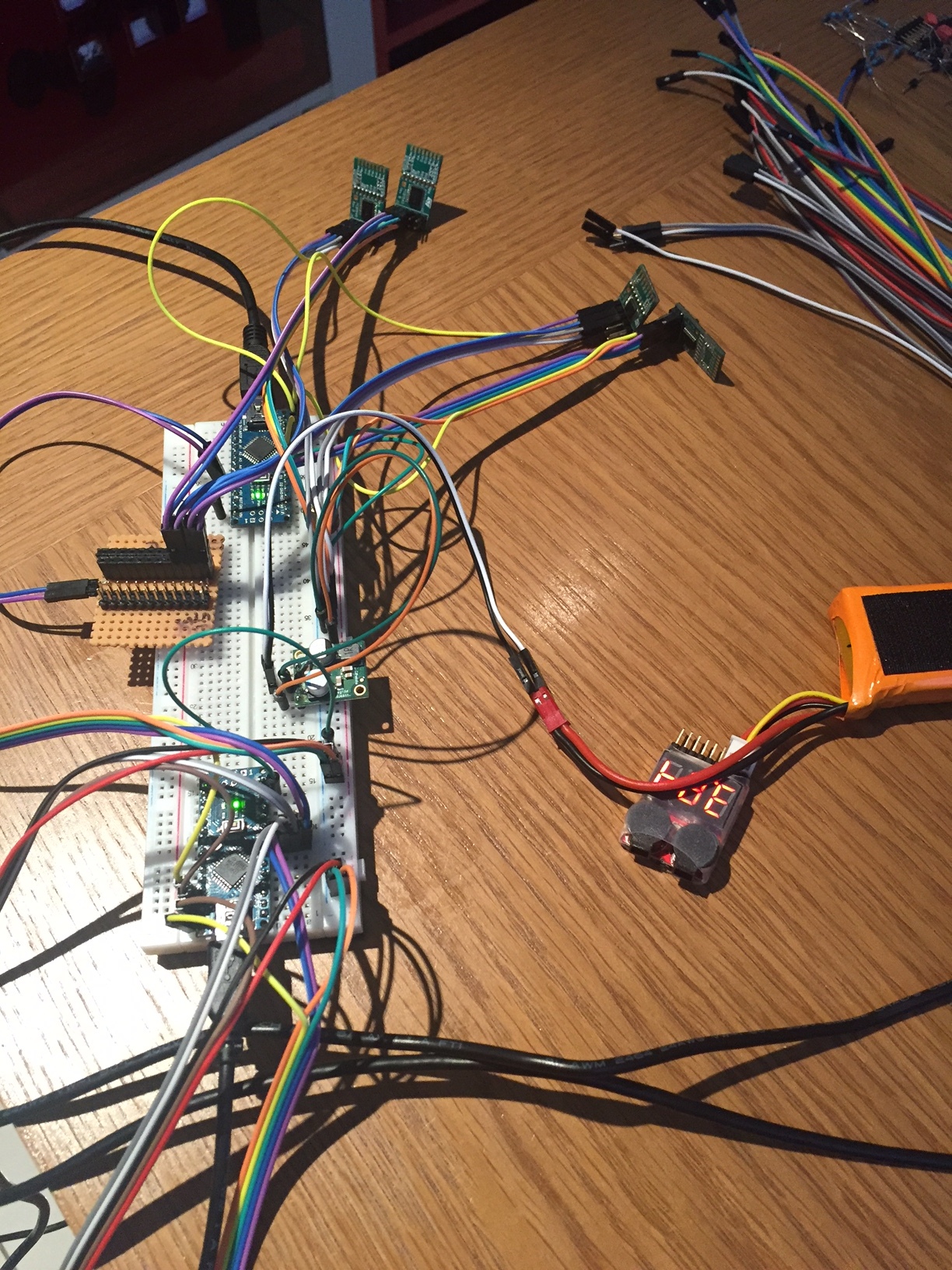
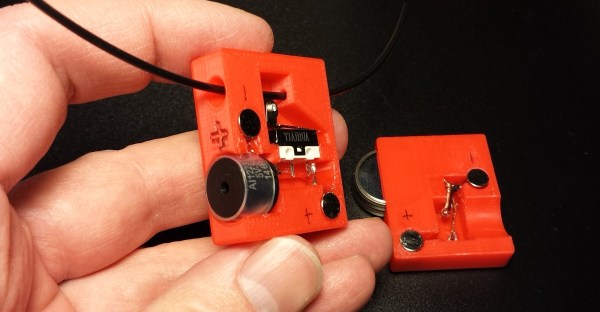
Reaching the end of a spool of filament when 3D printing is inevitable. The result ranges from minor annoyance to ruined print. Recently, I needed to print a number of large jobs that used just over half a spool of plastic each. Unwilling to start every print with a fresh spool (and shelve a 60% used one afterward), I had a problem to solve. What my 3D printer needed was filament monitor, or at least that’s what I thought.

After reviewing some projects and aftermarket options, I ended up making my own. Like most prototypes, it wasn’t an instant success, but that’s fine. One of the goals of prototyping is not only to validate that the problems you’re solving are the same ones you think exist, but also to force other problems and issues you may not have considered to the surface. Failure is only a waste if nothing is learned, and the faster and cheaper that learning happens, the better.

Sensible design steps also help minimize waste, so I started by looking at what kind of solutions already existed.

Continue reading “Let’s Prototype! This Filament End Needs 80 Decibels”

Woodworking Basics For The Hardware Hacker

Hackaday is primarily a place for electronics hackers, but that’s not to say that we don’t see a fair number of projects where woodworking plays a key role. Magic mirror builds come to mind, as do restorations of antique radios, arcade machines built into coffee tables, and small cases for all manner of electronic and mechanical gadgets. In some of these projects, the woodworking really shines and makes the finished project pop. In others — well, let’s just say that some woodwork looks good from far, but is far from good.

Continue reading “Woodworking Basics For The Hardware Hacker”

Multiextrusion 3D Printing And OpenSCAD

In a recent posting called Liar’s 3D Printing, I showed you how you can print with multiple filament colors even if your printer only has one extruder and hot end. It isn’t easy, though, and a lot of models you’ll find on sites like Thingiverse are way too complicated to give good results. An object with 800 layers, each with two colors is going to take a lot of filament changes and only the most patient among us will tolerate that.

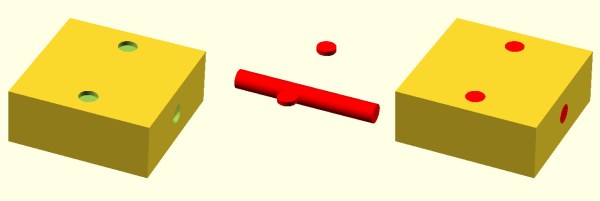
What that means is you are likely to want to make your own models. The question is, how? The answer is, of course, lots of different ways. I’m going to cover how I did the two models I showed last time using OpenSCAD (seen below). The software is actually really well suited for this hack, making it easy for me to create a framework of several models to represent the different colors.

About OpenSCAD

I’m not going to say much about OpenSCAD. It is less a CAD package and more a programming language that lets you create shapes. We’ve covered it before although it changes from time to time so you might be better off reading the official manual.

The general idea, though, is you use modules to create primitives. You can rotate them and translate them (that is, move them). You can also join them (union) and take the difference of them (difference). That last is especially important. For example, look at the callsign plate above. Forget the text for now. See the two holes? Here’s the OpenSCAD that creates that shape:

 difference() {
 cube([basew,basel,basez]);
 // cut holes
 translate([4,basel/2,0]) cylinder(r=2,h=basez+2);
 translate([basew-4,basel/2,0]) cylinder(r=2,h= basez+2);
 }

The cube “call” creates the base. The cylinders are the holes and the difference “call” is what makes them holes instead of solid cylinders (the first thing is the solid and everything after is taken away). One key point: instead of numbers, the whole thing uses (mostly) variables. That means if you change the size of something, everything will adjust accordingly if you wrote the script well. Let’s look at applying these techniques for multiple colors.

Continue reading “Multiextrusion 3D Printing And OpenSCAD”

Encoders Spin Us Right Round

Rotary encoders are great devices. Monitoring just a few pins you can easily and quickly read in rotation and direction of a user input (as well as many other applications). But as with anything, there are caveats. I recently had the chance to dive into some of the benefits and drawbacks of rotary encoders and how to work with them.

I often work with students on different levels of electronic projects. One student project needed a rotary encoder. These come in mechanical and optical variants. In a way, they are very simple devices. In another way, they have some complex nuances. The target board was an ST Nucleo. This particular board has a small ARM processor and can use mbed environment for development and programming. The board itself can take Arduino daughter boards and have additional pins for ST morpho boards (whatever those are).

The mbed system is the ARM’s answer to Arduino. A web-based IDE lets you write C++ code with tons of support libraries. The board looks like a USB drive, so you download the program to this ersatz drive, and the board is programmed. I posted an intro to mbed awhile back with a similar board, so if you want a refresher on that, you might like to read that first.

Reading the Encoder

The encoder we had was on a little PCB that you get when you buy one of those Chinese Arduino 37 sensor kits. (By the way, if you are looking for documentation on those kinds of boards, look here.; in particular, this was a KY-040 module.) The board has power and ground pins, along with three pins. One of the pins is a switch closure to ground when you depress the shaft of the encoder. The other two encode the direction and speed of the shaft rotation. There are three pull-up resistors, one for each output.

I expected to explain how the device worked, and then assist in writing some code with a good example of having to debounce, use pin change interrupts, and obviously throw in some other arcane lore. Turns out that was wholly unnecessary. Well… sort of.

Continue reading “Encoders Spin Us Right Round”

Creating A PCB In Everything: Creating A Custom Part In Fritzing

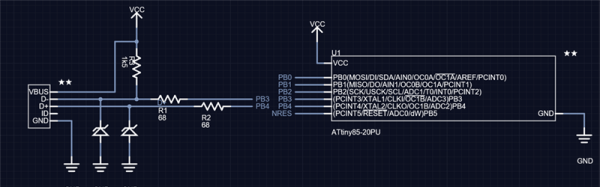
This is the continuation of a series of posts where I create a schematic and PCB in various EDA tools. Already, we’ve looked at Eagle CAD, KiCad, and took a walk down memory lane with one of the first PCB design tools for the IBM PC with Protel Autotrax. One of the more controversial of these tutorials was my post on Fritzing. Fritzing is a terrible tool that you should not use, but before I get to that, I need to back up and explain what this series of posts is all about.

The introduction to this series of posts laid it out pretty bare. For each post in this series, I will take a reference schematic for a small, USB-enabled ATtiny85 development board. I recreate the schematic, recreate the board, and build a new symbol and footprint in each piece of software. That last part — making a new symbol and footprint — is a point of contention for Fritzing users. You cannot create a completely new part in Fritzing. That’s a quote straight from the devs. For a PCB design tool, it’s a baffling decision, and I don’t know if I can call Fritzing a PCB design tool now.

Continue reading “Creating A PCB In Everything: Creating A Custom Part In Fritzing”

Reflow Soldering At Another Level

We’re used to reflow soldering of our PCBs at the hacker level, for quite a few years people have been reflowing with toaster ovens, skillets, and similar pieces of domestic equipment and equipping them with temperature controllers and timers. We take one or two boards, screen print a layer of solder paste on the pads by using a stencil, and place our surface-mount components with a pair of tweezers before putting them in the oven. It’s a process that requires  care and attention, but it’s fairly straightforward once mastered and we can create small runs of high quality boards.

But what about the same process at a professional level, what do you do when your board isn’t a matchbox-sized panel from OSH Park with less than 50 or so parts but a densely-packed multilayer board  about the size of a small tablet computer and with many hundreds of parts? In theory the same process of screen print and pick and place applies, but in practice to achieve a succesful result a lot more care and planning has to go into the process.

This is being written the morning after a marathon session encompassing all of the working day and half of the night. I was hand-stuffing a row of large high-density boards with components ranging from 0402 passives to large QFPs and everything else in between. I can’t describe the board in question because it is a commercially sensitive prototype for the industrial customer of the friend I was putting in the day’s work for, but it’s worth going through the minutiae of successfully assembling a small batch of prototypes at this level. Apologies then, any pictures will be rather generic.

Continue reading “Reflow Soldering At Another Level”

How To Nail A Technical Presentation

Whether you’re an engineer, a maker, a hacker or a baker, at some point you’ll want to share your work with other people. Perhaps it’s a meeting at work to discuss process improvements, or a talk at a conference discussing some research you’ve done into hacking a new embedded platform. Or maybe you’ve developed a brand new cooking profile for rye breads that cuts energy usage in half. Whatever it is, there are techniques you can use to help you communicate effectively to a room full of people, and have fun doing it. Unlike some, I actually enjoy getting up in front of a crowd to present my work, so I’ve written this article to share with you some tips that can help you make a technical presentation that everyone will love — including you!

Editor’s Note: We planned the art for this article before the passing of Carrie Fisher. Leia certainly knew how to give a compelling technical presentation. We publish this in memory of a great actress.

Continue reading “How To Nail A Technical Presentation”