When we were in school, every description of how transistors work was pretty dry and had a lot of math involved. We suppose you might have had a great instructor who was able to explain things more intuitively, but that was luck of the draw and statistically unlikely. These days, there are so many great videos on the Internet that explain things that even if you know the subject matter, it is fun to watch and see some of the great animations. For example [Sabin] has this beautifully animated explanation of how MOSFETs work that you can see below.
It uses the same basic graphics and style as his earlier video on bipolar transistors (second video, below) which is a great one to watch, too. In all fairness to your electronics teacher, the kind of graphics in these videos would have cost a fortune to do back in the 20th century — just watch some of the videos we talk about in some of our historical posts.
If that sounds a bit esoteric, it will become much clearer in the context of [Antonio]’s earlier work in making a DIY rotary encoder out of a ring of magnetic spheres. He found that such a ring in front of two Hall effect sensors was low in cost, high in precision, and thanks to 3D printing it also had a lot of potential for customizing. But hampering easy design changes was the need for the spheres to fit snugly around whatever shape was chosen for the hardware, which meant constraints on the encoder diameter.
In this case, [Antonio] wished to create an encoder that could be attached to a bicycle wheel but needed to know what outer diameter would best fit a ring of magnetic balls perfectly, given that the balls were each 5 mm. OpenSCAD did the trick, yielding a design that fit the bike wheel and spokes while perfectly nestling 38 magnetic balls around the outside edge with a minimum of wasted space.
We’re living in the world of connected devices. It has never been easier to roll your own and implement the functionality you actually want, rather than live with the lowest common denominator that the manufacture chose.
In a previous article I walked though a small python script to talk to a BLE light and used it to cycle through some colors. Now I want to delve deeper into the world of Internet Connected BLE devices and how to set up a simple Internet-Of-Things light. With this example in hand the sky’s the limit on what you can build and what it will be able to do.
Join me after the break as I demonstrate how to use NodeJS to bridge the digital world with the physical world.
Today’s hacker finds themself in a very interesting moment in time. The availability of powerful microcontrollers and standardized sensor modules is such that assembling the hardware for something like an Internet-connected environmental monitor is about as complex as building with LEGO. Hardware has become elementary in many cases, leaving software as the weak link. It’s easy to build the sensor node to collect the data, but how do you display it in a useful and appealing way?
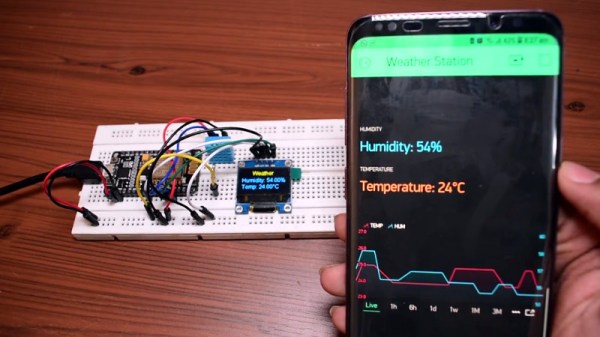
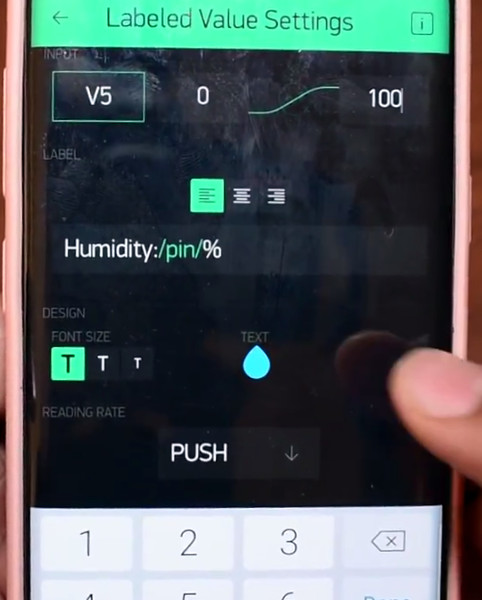
This simple indoor temperature and humidity sensor put together by [Shyam Ravi] shows one possible solution to the problem using Blynk. In the video after the break, he first walks you through wiring the demonstration hardware, and then moves on to creating the Blynk interface. While it might not be the ideal solution for all applications, it does show you how quickly you can go from a handful of components on the bench to displaying useful data.
In addition to the NodeMCU board, [Shyam] adds a DHT11 sensor and SSD1306 OLED display. He’s provided a wiring diagram in the repository along with the Arduino code for the ESP8266, but the hardware side of this demonstration really isn’t that important. You could omit the OLED or switch over to something like a BME280 sensor if you wanted to. The real trick is in the software.
For readers who haven’t played with it before, Blynk is a service that allows you to create GUIs to interact with microcontrollers from anywhere in the world. The code provided by [Shyam] reads the humidity and temperature data from the DHT11 sensor, and “writes” it to the Blynk service. From within the application, you can then visualize that data in a number of ways using the simple drag-and-drop interface.
We’ve seen Blynk and ESP8266 used to control everything from mood lighting to clearance-rack robotic toys. It’s a powerful combination, and something to keep in mind next time you need to knock something together in short order.
Despite becoming common over the last few years USB-C remains a bit of a mystery. Try asking someone with a new blade-thin laptop what ports it has and the response will often include an awkward pause followed by “USB-C?”. That is unless you hear “USB 3” or maybe USB 3.1. Perhaps even “a charging port”. So what is that new oval hole in the side of your laptop called? And what can it really do? [jason] at Reclaimer Labs put together a must-read series of blog posts in 2016 and 2017 plumbing the depths of the USB 3.1 rabbit hole with a focus on Power Delivery. Oh, and he made a slick Easy Bake Oven with it too.
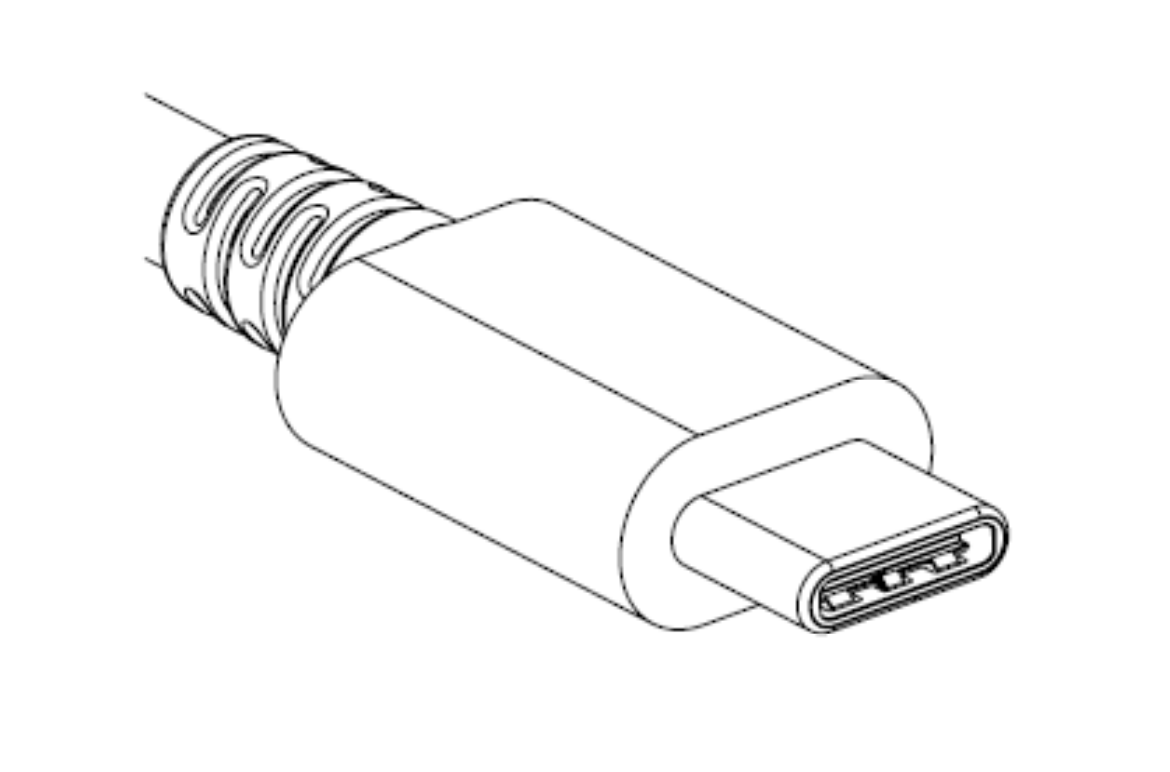
A single USB Type-C connector
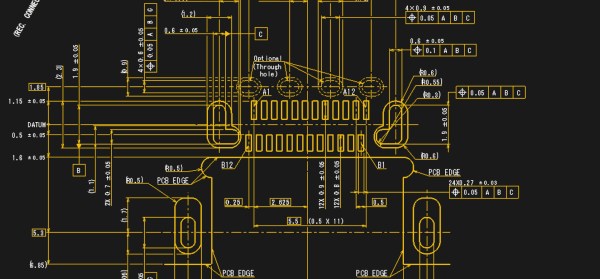
When talking about USB-C, it’s important to start at the beginning. What do the words “USB-C” entail? Unsurprisingly, the answer is complicated. “USB Type-C” refers only to the physical connector and detail about how it is used, including some of the 24 pins it contains. Then there are the other terms. “USB 3.1” is the overall standard that encompasses the Type-C connector and new high-speed data busses (“USB SuperSpeed” and “SuperSpeedPlus”). In addition there is “USB Power Delivery” which describes power modes and even more pin assignments. We’re summarizing here, so go read the first post for more detail.
The second post devotes a formidable 1,200 words to providing an overview of the electrical specifications, configuration communication, and connector types for USB 3.1.
Marketing at its finest
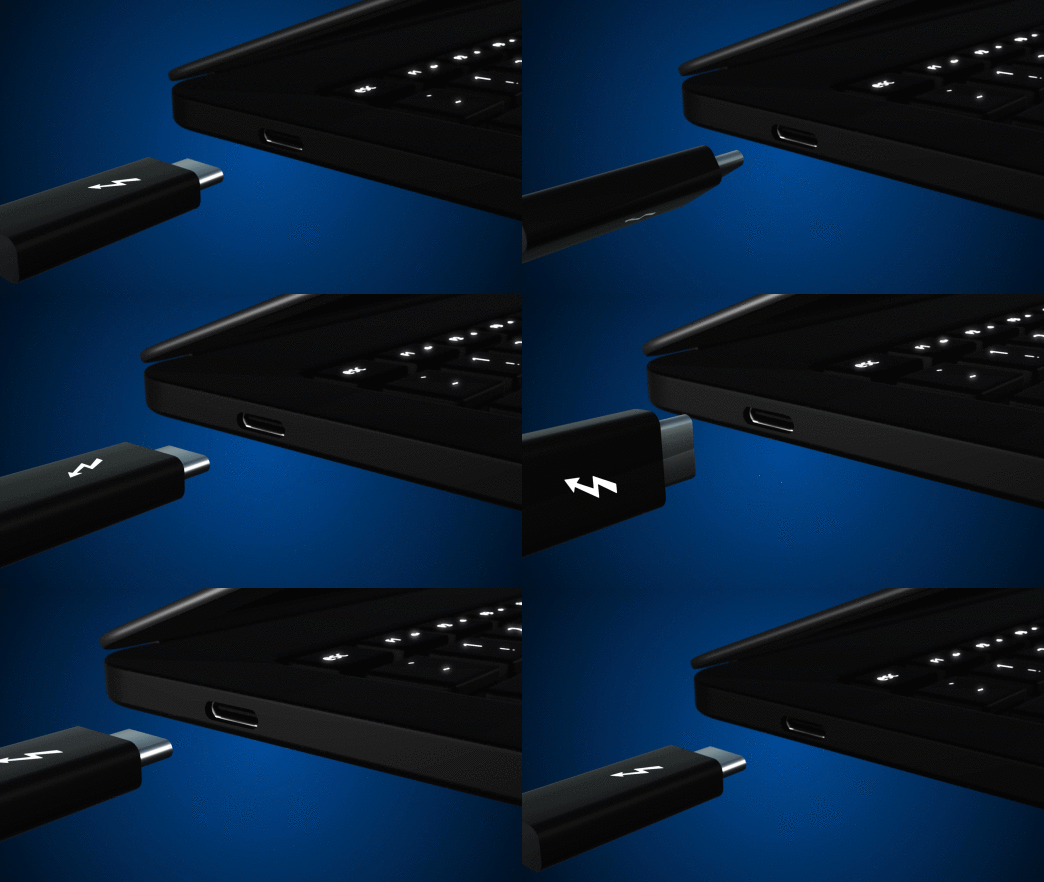
The third post is devoted to USB Power Delivery. Power Delivery encompasses not only the new higher power modes supported (up to 100W!), but the ways to use the extra 10 or 13 pins available on the Type-C connector. This is both the boon and bane of USB-C, allowing apparently identical ports to carry common signals like HDMI or DisplayPort, act as analog audio outputs, and provide more exotic interfaces like PCIe 3.0 (in the form of Thunderbolt 3, which is a yet another thing this connector can be used for).
It should be clear at this point that the topics touched by “USB Type-C” are exceptionally complex. Save yourself the trouble of a 90MB specification zipfile and take a pass through [jason]’s posts to understand what’s happening. For even more detail about Power Delivery, he walks through sample transactions in a separate post.
I was always a sucker for art classes in my early days. There was something special about getting personal instruction while having those raw materials in your hands at the same time. Maybe it was the patient voice of the teacher or the taste of the crayons that finally got to my head. Either way, I started thinking: “I want to do this; I want to teach this stuff.”
Last year at Hackaday Superconference I got my chance. Hardware workshops with real hardware were so rare; I just had to bring one to the table! What follows is my tale of joys and woes bringing together a crew to take their first few steps into the world of cable-driven animatronics. If you’re thinking about getting your feet wet with teaching your own hardware workshop, read on. I’ve packed this story with as much of my own learnings as I could to set you on a path to success.
The good news is that Supercon returns every year. I you want to take part in some epic workshops like this one, grab a ticket for this year’s conference now. If you want to host a hardware workshop, the Call for Proposals is still open! Okay, let’s dive in.
I’ve always considered barcodes to be one of those invisible innovations that profoundly changed the world. What we might recognize as modern barcodes were originally designed as a labor-saving device in the rail and retail industries, but were quickly adopted by factories for automation, hospitals to help prevent medication errors, and a wide variety of other industries to track the movements of goods.
The technology is accessible, since all you really need is a printer to make barcodes. If you’re already printing packaging for a product, it only costs you ink, or perhaps a small sticker. Barcodes are so ubiquitous that we’ve ceased noticing them; as an experiment I took a moment to count all of them on my (cluttered) desk – I found 43 and probably didn’t find them all.
Despite that, I’ve only used them in exactly one project: a consultant and friend of mine asked me to build a reference database out of his fairly extensive library. I had a tablet with a camera in 2011, and used it to scan the ISBN barcodes to a list. That list was used to get the information needed to automatically enter the reference to a simple database, all I had to do was quickly verify that it was correct.
While this saved me a lot of time, I learned that using tablet or smartphone cameras to scan barcodes was actually very cumbersome when you have a lot of them to process. And so I looked into what it takes to hack together a robust barcode system without breaking the bank.