The Ease Of Wireless Charging, Without The Wait

Historically, there have been a few cases of useful wireless power transmission over great distances, like a team at MIT that was able to light up a 60 W bulb at several meters, and of course Nikola Tesla had grand dreams of drawing energy from the atmosphere. But for most of us wireless power is limited to small, short-range devices like cellphone chargers. While it’s not a lot of work to plug in a phone when it needs a charge, even this small task can be automated.

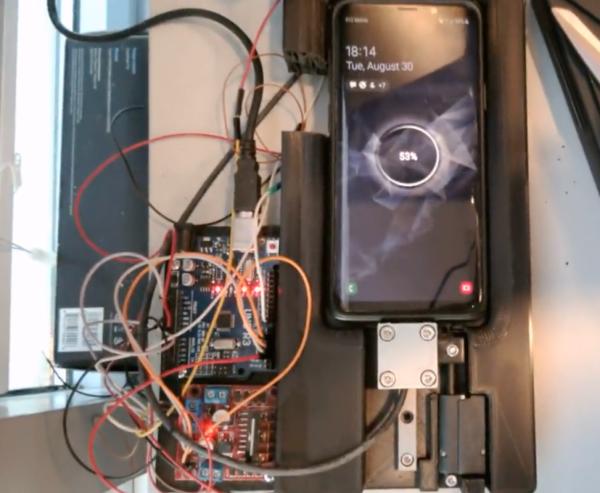
This build begins with a 3D printed cradle for the smartphone to sit in. When the device detects that the phone has been placed in the cradle, it uses a linear actuator to drive a custom-built charging cable into the phone’s USB port. Similarly, when the phone is lifted from the cradle the cable is automatically removed. It appears that there is some play in the phone’s position that lets the charger be plugged in smoothly, and the project’s creator [Larpushka] points out that the linear actuator is not particularly strong so we don’t imagine the risk of damage is very high.

While wireless charging still may have the edge when it comes to keeping debris out of the port, we still really enjoy a project like this that seems to be done for its own sake. There are some improvements that [Larpushka] plans to make, but for now we’re delighted by this build. For anyone looking to add true wireless charging to any phone that doesn’t have it, though, it’s not too difficult to accomplish either.

Powering A Cellphone With Gasoline

Batteries are a really useful way to store energy, but their energy density in regards to both weight and volume is disappointing. In these regards, they really can’t compete with fossil fuels. Thus, [bryan.lowder] decided to see if he could charge a phone with fossil fuels as safely and inoffensively as possible.

Obviously, with many national grids relying on fossil fuels for a large part of their generation, most of us are already charging our phones with fossil fuels to some degree. However, the aim here was to do so more directly, without incurring transmission losses from the long runs through the power grid. Continue reading “Powering A Cellphone With Gasoline”

Adding A Battery To Extend Speaker Life

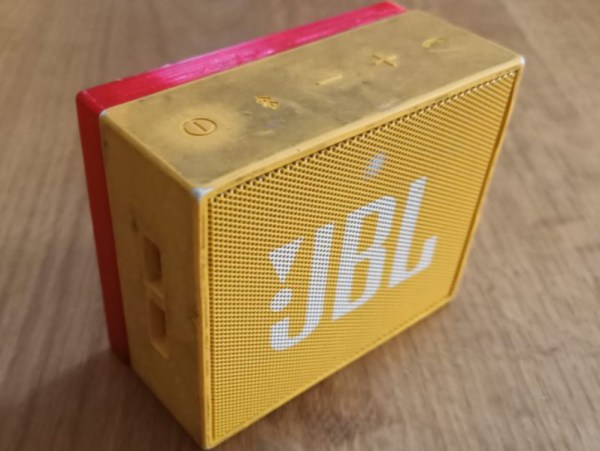
Perhaps the weakest point in modern electronics when it comes to user servicability is the lifecycle of the batteries included from the manufacturer. Without easily replaceable batteries, many consumer goods end up in the landfill when they’re otherwise working perfectly. If you’d like to get more out of your devices than the manufacturer intends, you might have to go to great lengths like [Théo] did with his JBL speaker.

This was a Bluetooth device produced by JBL nearly a decade ago, and while the original device boasted several hours of battery life, after so many years of service, it was lucky to get a half hour before the battery died. To replace it, [Théo] removed the original battery and extended the case to be able to hold a larger cell phone battery. He also decided to use the original battery management circuit from the speaker with the new battery after verifying the voltage and chemistry were close enough to the original.

Since the phone battery is a proprietary Samsung device, [Théo] also decided to build a version that uses standard 18650 cells instead, although he prefers the slimmer design with the phone battery for his use case.  Straightforward as this build may be, it does go a long way to demonstrate the principle that if you can’t fix your devices, you don’t really own them.

Turning The Back Of Your Phone Into A Touchpad

Smartphones use big touchscreens on the front as a useful tactile interface. However, our hands naturally wrap around the back of the phone, too. This area is underutilized as an interface, but the designers of BackTrack found a way to change that.

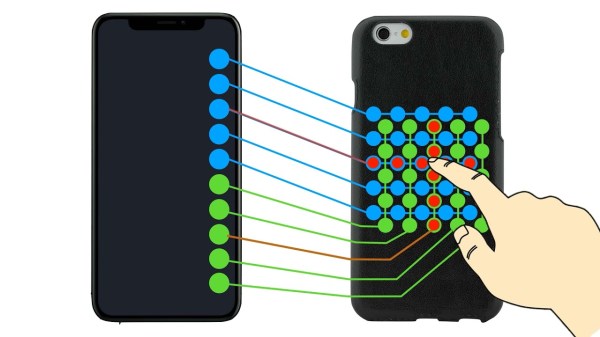
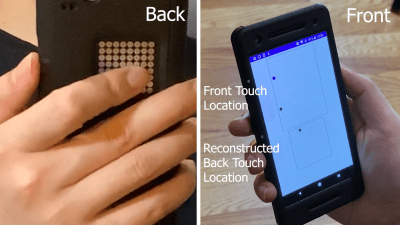
Touches on the 2D rear matrix are translated into a pair of touches on the linear line of pads on the front screen. This can then be reconstructed into the touch location on the rear touchpad.

The idea is simple. The project video notes that  conductive tape can be placed on a multitouch touchscreen, allowing touches to be read at a remote location. Taking this concept further, BackTrack works by creating a 2D matrix on the back of the phone, and connecting this matrix to a series of pads in a row on the front touchscreen. Then, touches on the back touchpad can be read by the existing touchscreen on the front screen. Continue reading “Turning The Back Of Your Phone Into A Touchpad”

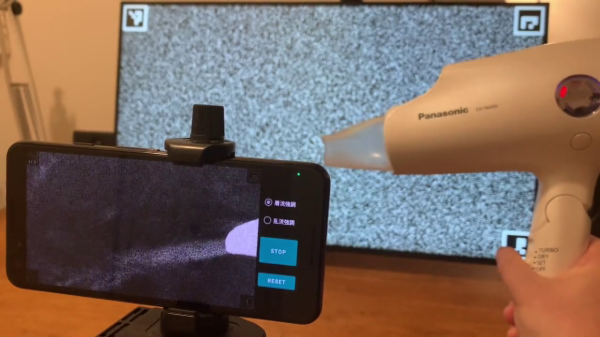
On the left side, there's a smartphone. On the right side, there's a hairdryer turned on. On the smartphone screen, you can see the working end of the hairdryer shown, as well as a jet of air coming out of that end. In the background, there's an LCD screen showing a noise pattern.

Observe Airflow Using Smartphone And Background-Oriented Schlieren

Multiple people have recently shared this exciting demonstration (nitter) with us – visualizing airflow using a smartphone, called ‘background-oriented schlieren’. On a hot summer day, you might see waves in the air – caused by air changing density as it warms up, and therefore refracting the light differently. Schlieren photography is an general set of techniques for visualizing fluid flow, but of course, it can also be applied to airflow. In this case, using some clever optical recognition tricks, this schlieren method lets you visualize flow of air using only your Android smartphone’s high resolution camera and a known-pattern printed background! Continue reading “Observe Airflow Using Smartphone And Background-Oriented Schlieren”

The Case For Designer Landline Phones

Long before the idea of hot dog-shaped iPhone cases, Otter Boxen, or even those swappable Nokia face plates, people were just as likely to express themselves with their landline phones. Growing up at my house in the 80s, the Slimline on the kitchen wall was hidden inside a magneto wall set from the early 1900s, the front of which swung out to reveal the modern equipment behind it. Back in my bedroom, I had the coolest phone ever, a see-through Unisonic with candy-colored guts. Down in the basement was my favorite extension, tactility-wise: a candy apple-red wall unit with dimly-lit circular push buttons that were springy and spongy and oh-so fun to dial.

Popular culture shows us that people were dreaming of cool telephone enclosures before they were even a thing. Obviously, TV secret agent Maxwell Smart’s shoe phone wasn’t plausible for the technology of that era, but it also wasn’t really feasible for aesthetic reasons. For decades, phone subscribers had to use whatever equipment Ma Bell had to offer, and you couldn’t just buy the things outright at the mall — you had to lease the hardware from her, and pay for the service.

Continue reading “The Case For Designer Landline Phones”

A Home Payphone

We can’t condone what [Bertrand] did as a kid to make him a fan of payphones, but we get his desire to have one of his own in his home. Even if you don’t want one yourself, he’s got some good shots of the insides of a real phone that came from a casino in Vegas.

As you might expect, these phones were built like tanks. They obviously took a lot of abuse. We had to wonder how much each one cost to produce back in the day. Cleaning up an old phone and getting it to work doesn’t seem like a big effort, but there’s one thing we didn’t think about. Turns out there is a backplate that holds the 50-pound phone up and you need special studs that screw into the phone to hold it up while you put screws through both pieces.

He did connect the phone successfully to a regular phone jack, but his goal was to let his 5-year-old use the phone so he decided to actually wire it to a phone line simulator that just provides a connection between two phones.

New York City recently ripped out its last payphones. They were replaced with multipurpose kiosks, but there are still privately-owned payphones in the city. Of course, you can always use an old payphone as a platform for a different project.