Guitar Pickguard Adds MIDI Capabilities

For a standard that has been in use since the 1980s, MIDI is still one of the most dominant forces on the musical scene even today. It’s fast, flexible, and offers a standard recognized industry-wide over many different types of electronic instruments. Even things which aren’t instruments can be turned into musical devices like the infamous banana keyboard via the magic of MIDI, and it also allows augmentation of standard instruments with other capabilities like this guitar with a MIDI interface built into the pick guard.

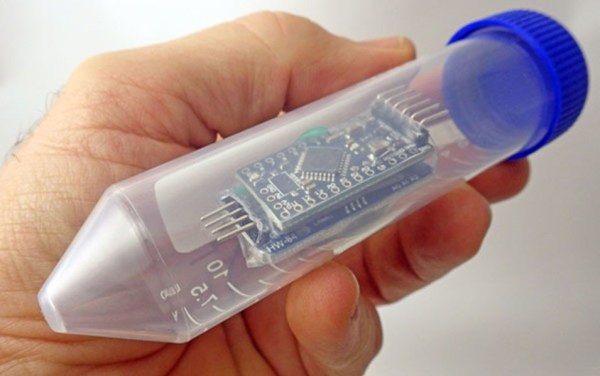
[Ezra] is the creator of this unique musical instrument which adds quite a few capabilities to his guitar. The setup is fairly straightforward: twelve wires run to the pick guard which are set up as capacitive sensors and correspond with a note on the chromatic scale. Instead of using touchpads, using wires allows him to bend away the “notes” that he doesn’t need for any particular piece of music. The wires are tied back to an Adafruit Feather 32u4 microcontroller behind the neck of the guitar which also has a few selectors for changing the way that the device creates tones. He can set the interface to emit single notes or continuously play notes, change the style, can change their octave, and plenty of other features as well.

One of the goals of this project was to increase a guitar player’s versatility when doing live performances, and we would have to agree that this gives a musician a much wider range of abilities without otherwise needing a lot of complex or expensive equipment on stage. We’ve seen a few other MIDI-based builds focused on live performances lately, too, like this one which allows a band to stay in sync with each other.

Continue reading “Guitar Pickguard Adds MIDI Capabilities”

Solder Paste Dispenser Without Giant Compressor

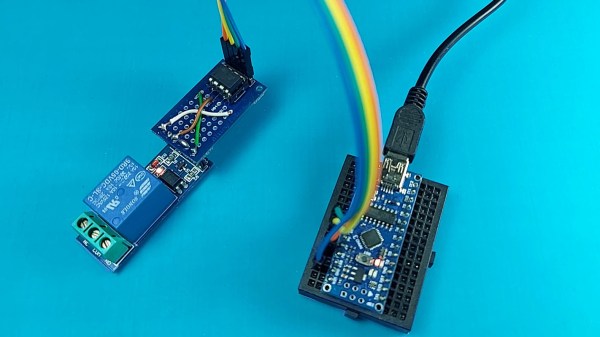
We have certainly all had our moments with solder paste. Some of us hate it; it’s sticky and gooey, and it gets everywhere. That is, unless you have a solder paste dispenser. The trouble with these is that they typically require the use of an air compressor, which can be cumbersome to haul around in certain situations. If you need a solder paste dispenser that fits conveniently where air compressors won’t, take a look at this small one from [Nuri Engineer] called the solderocket.

This design foregoes the traditional compressor in favor of pressurized carbon dioxide canisters. These are common enough and used for things like rapidly inflating bicycle tires, but for this more delicate procedure the pressurized gas needs to be handled more daintily. A rotary knob is attached to the canister to regulate pressure, and a second knob attached to a microcontroller adjusts the amount of time the air pressure is applied to the solder paste. With this small compact setup, any type of paste can be delivered to a PCB without needing to use messy stencils or needing larger hardware like a compressor.

This could be just the tool that you need if you regularly work with surface-mount components. Of course there are other methods of dispensing solder paste that don’t require any compressed gas of any kind, but as long as something is around that gets the job done, we can’t really argue with either method.

Run UNIX On Microcontrollers With PDP-11 Emulator

C and C++ are powerful tools, but not everyone has the patience (or enough semicolons) to use them all the time. For a lot of us, the preference is for something a little higher level than C. While Python is arguably more straightforward, sometimes the best choice is to work within a full-fledged operating system, even if it’s on a microcontroller. For that [Chloe Lunn] decided to port Unix to several popular microcontrollers.

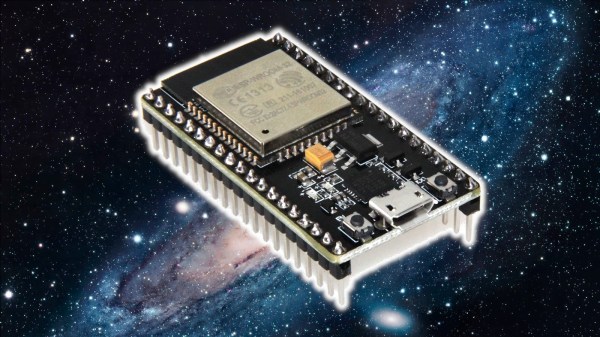
This is an implementation of the PDP-11 minicomputer running a Unix-based operating system as  an emulator. The PDP-11 was a popular minicomputer platform from the ’70s until the early 90s, which influenced a lot of computer and operating system designs in its time. [Chloe]’s emulator runs on the SAMD51, SAMD21, Teensy 4.1, and any Arduino Mega and is also easily portable to any other microcontrollers. Right now it is able to boot and run Unix but is currently missing support for some interfaces and other hardware.

[Chloe] reports that performance on some of the less-capable microcontrollers is not great, but that it does run perfectly on the Teensy and the SAMD51. This isn’t the first time that someone has felt the need to port Unix to something small; we featured a build before which uses the same PDP-11 implementation on a 32-bit STM32 microcontroller.

Three-Dimensional Design Yields Compact Seven-Segment Hex Displays

Computers, from the simplest to the most complex, aren’t very useful if they can’t provide feedback to a user. Whether that interface takes the form of a monitor, a speaker, or a simple LED, there’s almost always some kind of output. One of the most ubiquitous is the ever-present seven-segment display. They’re small, they’re easy to use, and, perhaps most important, they’re cheap.

While the displays themselves are relatively compact, they often require some sort of driver circuitry — something that translates a digit into voltage at the correct pins. These drivers can take up valuable space, especially on a breadboard, and can sometimes make using seven-segment displays cumbersome. Thankfully, [John Lonergan] has a great solution: driver boards that sit completely beneath the displays. His dual seven-segment hex display project was born out of necessity — he needed it for the breadboard CPU SPAM-1, which was getting a bit too bulky. Each module is two seven-segment displays atop a small PCB. Beneath the displays lives an 8-bit PIC microcontroller, which acts as a driver for both of the displays.

It’s so easy to restrict ourselves to thinking in two dimensions when working on electronic design — even designing multilayer PCBs often feels like working on several, distinct two-dimensional areas rather than one three-dimensional one. The concept of stacking components to save space, while fairly straightforward to implement, is a great example of the kind of problem-solving we love to see here at Hackaday. Of course, if you like the idea of 3D circuit design, you have to check out some of these incredible circuit sculptures we’ve featured in the past.

Continue reading “Three-Dimensional Design Yields Compact Seven-Segment Hex Displays”

This Old Mouse: Building A USB Adapter For A Vintage Depraz Mouse

When [John Floren] obtained a vintage Depraz mouse, he started out being content to just have such a great piece of history in his possession. But if you’re like him, you know it’s not enough to just have something. What would it be like to use it?

To find out, [John] embarked on a mission to build a USB adapter for his not so new peripheral.
Originally used in very early terminals with a Unix GUI, the Depraz mouse utilizes an unusual male DE9 connector rather than the more familiar female DB9 used in RS232 serial mice. Further deviating from the norm, he found that the quadrature encoders were connected directly to the DE9 connector.

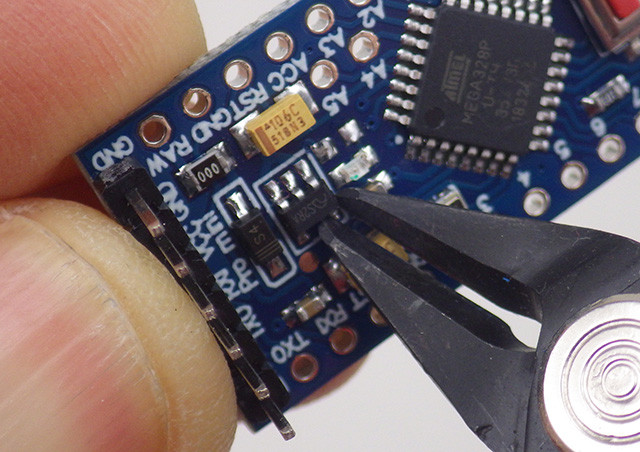
Armed with an Arduino Pro Mini Micro and some buggy sample code, he got to work. The aforementioned buggy code was scrapped and a fresh sketch for the Arduino Pro Mini Micro gave the Depraz mouse the USB interface it lacked. [John] also found that he wasn’t the first hardware hacker to have modified the mouse for their use. Be sure to read to the end the article to find out about the vintage surprise lurking in the mouse shell itself! A demonstration of the mouse in action can be seen in the video below the break.

Looking for a fun mouse hack? Perhaps you’d like to use your more modern USB mouse on a retro computer, or try your hand at recreating an early Apple mouse for use in modern computers.

Continue reading “This Old Mouse: Building A USB Adapter For A Vintage Depraz Mouse”

The Newlib Embedded C Standard Library And How To Use It

When writing code for a new hardware platform, the last thing you want to do is bother with the minutiae of I/O routines, string handling and other similarly tedious details that have nothing to do with the actual project. On bigger systems, this is where the C standard library would traditionally come into play.

For small embedded platforms like microcontrollers, resources are often tight enough that a full-blown stdlib won’t fit, which is why Newlib exists: to bring the portability benefits of a standard library to microcontrollers.

Whether you use C, C++ or MicroPython to program an MCU, Newlib is likely there under the hood. Yet how exactly does it integrate with the hardware, and how are system calls (syscalls) for e.g. file and input/output handling implemented? Continue reading “The Newlib Embedded C Standard Library And How To Use It”

Teardown: VTech Smart Start

Regular readers may be aware that I have a certain affinity for vintage VTech educational toys, especially ones that attempted to visually or even functionally tie in with contemporary computer design. In the late 1980s, when it became obvious the personal computer was here to stay, these devices were seen as an affordable way to give kids and even young teens hands-on time with something that at least somewhat resembled the far more expensive machines their parents were using.

Much Smarter: VTech PreComputer 1000

A perfect example is the PreComputer 1000, released in 1988. Featuring a full QWERTY keyboard and the ability to run BASIC programs, it truly blurred the line between toy and computer. In fact from a technical standpoint it wasn’t far removed from early desktop computers, as it was powered by the same Zilog Z80 CPU found in the TRS-80 Model I.

By comparison, the Smart Start has more in common with a desktop electronic calculator. Even though it was released just two years prior to the PreComputer 1000, you can tell at a glance that it’s a far more simplistic device. That’s due at least in part to the fact that it was aimed at a younger audience, but surely the rapid advancement of computer technology at the time also played a part. Somewhat ironically, VTech did still at least attempt to make the Smart Start look like a desktop computer, complete with the faux disk drive on the front panel.

Of course, looks can be deceiving. While the Smart Start looks decidedly juvenile on the outside, that doesn’t mean there aren’t a few surprising technical discoveries lurking under its beige plastic exterior. There’s only one way to find out.

Continue reading “Teardown: VTech Smart Start”