Ubuntu Update Hack Chat

Join us on Wednesday, July 22 at noon Pacific for the Ubuntu Update Hack Chat with Rhys Davies and Alan Pope!

Everyone has their favorite brands, covering everything from the clothes they wear to the cars they drive. We see brand loyalty informing all sorts of acquisition decisions, not only in regular consumer life but in technology, too. Brand decisions sort people into broad categories like Mac versus PC, or iPhone versus Android, and can result in spirited discussions of the relative merits of one choice over the others. It’s generally well-intentioned, even if it gets a bit personal sometimes.

Perhaps no choice is more personal in hacker circles than which Linux distribution to use. There are tons to choose from, each with their various features and particular pros and cons. Ubuntu has become a very popular choice for Linux aficionados, attracting more than a third of the market. Canonical is the company behind the Debian-based distro, providing editions that run on the desktop, on servers, and on a variety of IoT devices, as well as support and services for large-scale users.

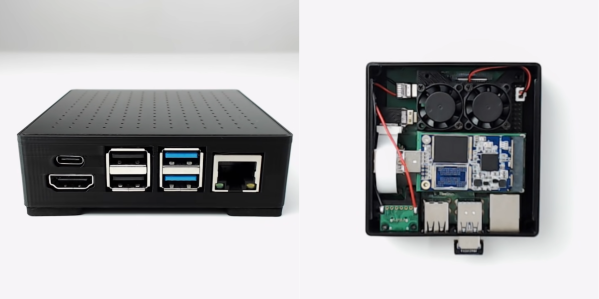
To fill us in on what’s new in the world of Ubuntu, Canonical product manager Rhys Davies and developer advocate Alan Pope will stop by the Hack Chat this week. They’ll be ready to answer all your questions about the interesting stuff that’s going on with Ubuntu, including the recently announced Ubuntu Appliances, easy to install, low maintenance images for Raspberry Pis and PCs that are built for security and simplicity. We’ll also talk about snaps, desktops, and whatever else crops up.

join-hack-chatOur Hack Chats are live community events in the Hackaday.io Hack Chat group messaging. This week we’ll be sitting down on Wednesday, July 22 at 12:00 PM Pacific time. If time zones have you down, we have a handy time zone converter.

Click that speech bubble to the right, and you’ll be taken directly to the Hack Chat group on Hackaday.io. You don’t have to wait until Wednesday; join whenever you want and you can see what the community is talking about. Continue reading “Ubuntu Update Hack Chat”

Possible Spyware On Samsung Phones

[Editor’s note: There’s an ongoing back-and-forth about this “spyware” right now. We haven’t personally looked into it on any phones, and decoded Wireshark caps of what the cleaner software sends home seem to be lacking — it could be innocuous. We’re leaving our original text as-run below, but you might want to take this with a grain of salt until further evidence comes out. Or keep us all up to date in the comments. But be wary of jumping to quick conclusions.]

Samsung may have the highest-end options for hardware if you want an Android smartphone, but that hasn’t stopped them from making some questionable decisions on the software they sometimes load on it. Often these phones come with “default” apps that can’t be removed through ordinary means, or can’t even be disabled, and the latest discovery related to pre-loaded software on Samsung phones seems to be of a pretty major security vulnerability.

This software in question is a “storage cleaner” in the “Device Care” section of the phone, which is supposed to handle file optimization and deletion. This particular application is made by a Chinese company called Qihoo 360 and can’t be removed from the phone without using ADB or having root. The company is known for exceptionally bad practices concerning virus scanning, and the software has been accused of sending all information about files on the phone to servers in China, which could then turn all of the data it has over to the Chinese government. This was all discovered through the use of packet capture and osint, which are discussed in the post.

These revelations came about recently on Reddit from [kchaxcer] who made the original claims. It seems to be fairly legitimate at this point as well, and another user named [GeorgePB] was able to provide a temporary solution/workaround in the comments on the original post. It’s an interesting problem that probably shouldn’t exist on any phone, let alone a flagship phone competing with various iPhones, but it does highlight some security concerns we should all have with our daily use devices when we can’t control the software on the hardware that we supposedly own. There are some alternatives though if you are interested in open-source phones.

Thanks to [kickaxe] for the tip!

Photo from Pang Kakit [CC BY-SA 3.0 DE (https://creativecommons.org/licenses/by-sa/3.0/de/deed.en)]

Laptop Like It’s 1979 With A 16-Core Z80 On An FPGA

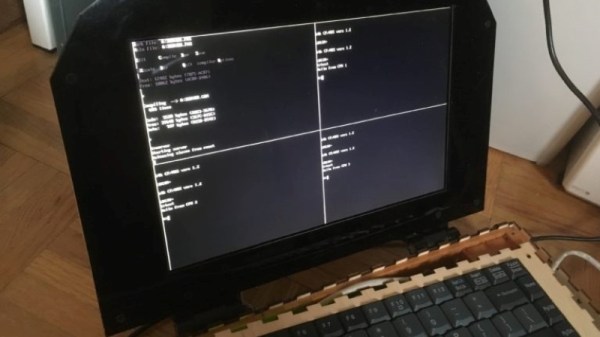
When life hands you a ridiculously expensive and massively powerful FPGA dev board, your first reaction may not be to build a 16-core Z80 laptop with it. If it’s not, perhaps you should examine your priorities, because that’s what [Chris Fenton] did, with the result being the wonderfully impractical “ZedRipper.”

Our first impression is that we’ve got to start hanging around a better class of lab, because [Chris] came by this $6000 FPGA board as the result of a lab cleanout; the best we ever scored was a few old Cat-5 cables and some power strips. The Stratix FPGA formed the heart of the design, surrounded by a few breakout boards for the 10.1″ VGA display and the keyboard, which was salvaged from an old PS/2. The 16 Z80 cores running in the FPGA are connected by a ring-topology network, which [Chris] dubs the “Z-Ring”. One of the Z80 cores, the server core, runs CP/M 2.2 and a file server called CP/NET, while the other fifteen machines are clients that run CP/NOS. A simple window manager shows 80 x 25 character terminal sessions for the server and any three of the clients at once, and the whole thing, including a LiPo battery pack, fits into a laser-cut plywood case. It’s retro, it’s modern, it’s overkill, and we absolutely love it.

Reading over [Chris]’s build log puts us in the mood to break out our 2019 Superconference badge and try spinning up a Z80 of our own. If you decide to hack the FPGA-est of conference badges, you might want to check out what [Sprite_TM] has to say about it. After all, he designed it. And you’ll certainly want to look at some of the awesome badge hacks we saw at Supercon.

Thanks to [yNos] for the tip.

Raspberry Pi NAS Makes Itself At Home In Donor PC

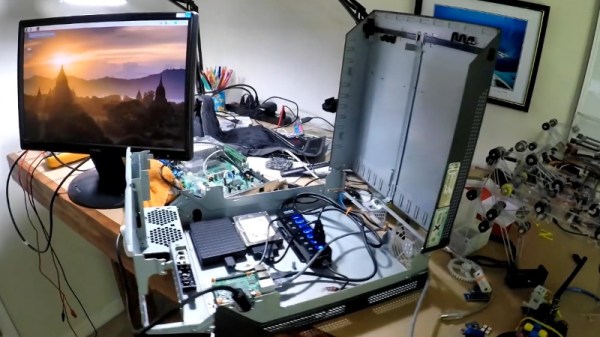
It’s safe to say that most of us have at least one Raspberry Pi hanging from a USB cable someplace, silently hammering away at some unglamorous task that you’d rather not do on a “real” computer. With as cheap as they are, it’s not like there’s a big concern about where it sets up shop. But if you’re like [Jeremy S. Cook] and want your $35 Linux computer to be a permanent member of the family, then his tips on turning an old PC into a gloriously overkill Pi NAS may be of interest.

The main component [Jeremy] salvages from the old Lenovo desktop PC is, obviously, the case itself. Stripped of its original components, the case gives him plenty of room to mount the Pi as well as a couple of hard drives and a powered USB hub. To prevent the bottom of the Raspberry Pi from shorting out against the metal computer case, he designed and 3D printed a mount for it. Everything else is held down with hook and loop fastener, making it quick and easy to move things around and make adjustments.

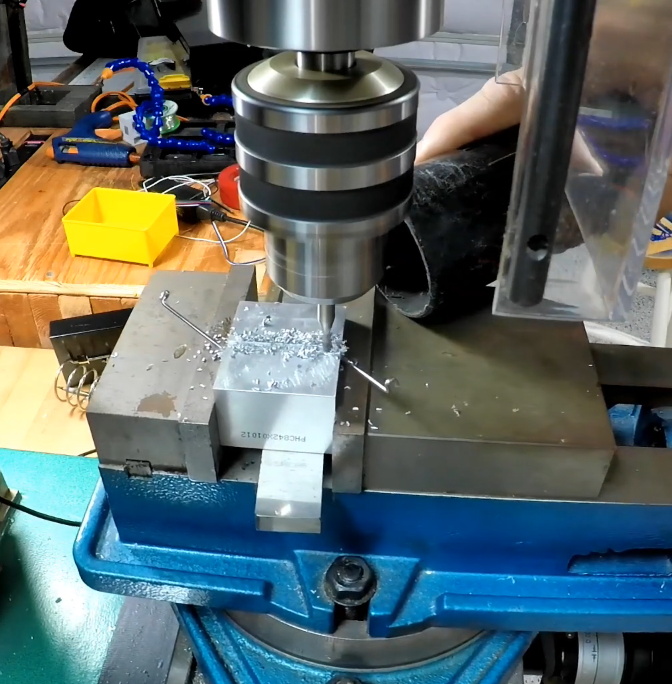
While it might not be strictly necessary, [Jeremy] also took the time to salvage the computer’s old heatsink. Being far too large to fit on the Pi as-is, he ran a line down the back of it with his mill and snapped it in half. He uses a bit of thermal tape to hold the bisected heatsink onto the Pi’s SoC, with a couple pieces of electrical tape to make sure it doesn’t short out on anything.

Raspberry Pi NAS builds are exceptionally popular, and we’ve seen more than we can count over the years. You can build one out of parts from IKEA, and if you don’t mind plastic, you can always 3D print the whole thing. If you really want to go minimal, you can even hang some files on the network with little more than a Pi Zero stuck into a USB port.

Continue reading “Raspberry Pi NAS Makes Itself At Home In Donor PC”

Custom Lego Server Case Looks As Though It Came Straight From A Data Center

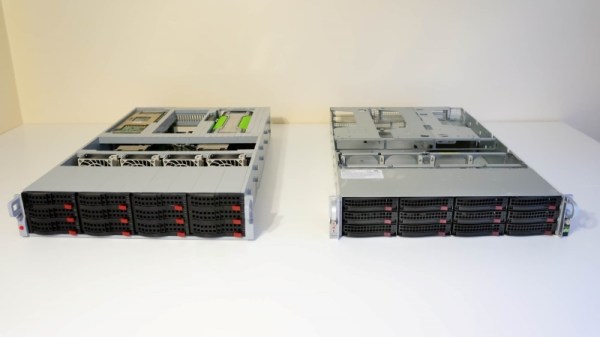
The picture above appears to show two unremarkable 2U rack servers, of the kind that are probably hosting the page you’re reading right now. Nothing special there – until you look carefully and realize that the rack server case on the left is made entirely from Lego. And what’s more, the server even works.

When it comes to building Lego computers, [Mike Schropp] is the guy to call. We’ve previously featured his Lego gaming computer, a striking case wrapped around what was a quite capable machine by 2016 standards, as well as an earlier case that reminds us a little of a NeXT. His reputation for Lego-clad computers led server maker Silicon Mechanics to commission a case for a trade show, and [Mike] jumped at the challenge.

Making a home-grade machine is one thing, but supporting all the heavy drives, power supplies, and fans needed to make the machine work is something else. He used a combination of traditional Lego pieces along with a fair sampling of parts from the Lego Technics line to pull off the build, which looks nearly perfect. Sadly, the Lego unit sizes make the case slightly taller than 2U, but that’s a small quibble when everything else matches so well, even the colors. And the fact that the server works, obviously important for a trade show demo, is pretty amazing too. The power supplies are even hot-swappable!

Congratulations to [Mike] on yet another outstanding Lego creation.

What Happened With Supermicro?

Back in October 2018, a bombshell rocked the tech industry when Bloomberg reported that some motherboards made by Supermicro had malicious components on them that were used to spy or interfere with the operation of the board, and that these motherboards were found on servers used by Amazon and Apple. We covered the event, looking at how it could work if it were true. Now seven months have passed, and it’s time to look at how things shook out.

Continue reading “What Happened With Supermicro?”

Blowing The Dust Off Of An IBM AS/400 Server

If you’ve never seen an IBM AS/400 machine, don’t feel bad. Most people haven’t. Introduced in 1988 as a mid-range server line, it used a unique object-based operating system and was geared specifically towards business and enterprise customers. Unless you’re a particularly big fan of COBOL you probably won’t have much use for one today, but that doesn’t mean they aren’t worth playing around with if the opportunity presents itself.

So when a local IT company went belly up and was selling their old hardware, including a late 90’s era IBM AS/400e Series, [Rik te Winkel] jumped at the chance to take this unique piece of computing history home. He knew it was something of a risk, as maintenance and repair tasks for these machines were intended to be done by IBM certified technicians rather than the DIYer, leaving little in the way of documentation or even replacement parts. But in the end it worked out, and best of all, he documented the successful process of dragging this 90’s behemoth into the blinding light of the twenty-first century for all the world to see.

After getting the machine home and sitting through its thirty minute boot process, [Rik] was relieved to see the code 01 B N pop on the server’s display. This meant the system passed all the internal checks and was ready to go, he just had to figure out how to talk to the thing. Built to be a pure server, the machine didn’t offer any video output so he’d have to log into it over the network.

[Rik] noted that there was no new DHCP entry in his router for the server, but of course that was hardly surprising as the machine would have certainly had a static IP when it was in use. So he shut the server down, plugged it directly into his laptop’s Ethernet port, and watched the output of Wireshark as it went through its arduous boot sequence. Eventually he started to pick up packets coming from the IP address 10.10.10.9, and he had his target.

There are a few clients out there that allow you to remotely log into an AS/400, so he downloaded one and pointed it to the server’s IP. He was surprised to see the operating system was apparently in Dutch, but at least he was in. He tried a few common usernames and passwords, helped along by the fact that this OS from a somewhat more innocent era will actually tell you if you have the username right or wrong, and eventually managed to hack the Gibson with the classic admin/admin combo.

So he was in, but now what? [Rik] decided that he couldn’t truly call this machine bested until he could pull up the Hackaday Retro Edition, so he started work on writing a program to let him pull down the page directly on the AS/400 in IBM’s proprietary Report Program Generator (RPG) programming language. You know, as one does. He didn’t quite feel up to writing a whole HTML parser, but he got as far as generating a HTTP GET request, downloading the page’s source, and opening it up as a local file. That’s good enough for us.

Our very own [Al Williams] documented his adventures poking around an Internet-connected AS/400 machine, which might serve as a helpful primer if you ever find one of these delightfully oddball computers kicking around the local recycling center.