What Will We Do With The Turbine Blades?

As the global climate emergency continues to loom over human civilization, feverish work is underway around the world to find technical and political solutions to the problem. Much has been gained in recent years, but as global emissions continue to increase, there remains much left to do to stave off the most catastrophic effects of climate change.

Renewable energy has led the charge, allowing humanity to continue to enjoy the wonders of electricity with a reduced environmental impact. The future looks promising, with renewable sources becoming cheaper than traditional fossil fuel energy plants in many cases, both in the US and abroad. At the same time, the rise of renewable technologies has brought new and varied challenges to the fore, which must be dealt with in kind. Take wind energy, for instance. Continue reading “What Will We Do With The Turbine Blades?”

Willem Kolff’s Artificial Organs

In my youth I worked for a paid ambulance service, and while we all lived for the emergency calls, the routine transports were the calls that paid the bills. Compared with the glamor and excitement of a lights-and-siren run to a car wreck or heart attack, transports were dull as dirt. And dullest of all were the daily runs from nursing homes to the dialysis center, where rows of comfy chairs sat, each before a refrigerator-sized machine designed to filter the blood of a patient in renal failure, giving them another few days of life.

Sadly, most of those patients were doomed; many were in need of a kidney transplant for which there was no suitable donor, while some were simply not candidates for transplantation. Dialysis was literally all that stood between them and a slow, painful death, and I could see that at least some of them were cheered by the sight of the waiting dialysis machine. The principles of how the kidneys work have been known since at least the 1800s, but it would take until 1945 for the efforts of a Dutch doctor, using used car parts and sausage casings, to make the predecessor of those machines: the first artificial kidney.

Continue reading “Willem Kolff’s Artificial Organs”

Europeans Now Have The Right To Repair – And That Means The Rest Of Us Probably Will Too

As anyone who has been faced with a recently-manufactured household appliance that has broken will know, sometimes they can be surprisingly difficult to fix. In many cases it is not in the interests of manufacturers keen to sell more products to make a device that lasts significantly longer than its warranty period, to design it with dismantling or repairability in mind, or to make spare parts available to extend its life. As hardware hackers we do our best with home-made replacement components, hot glue, and cable ties, but all too often another appliance that should have plenty of life in it heads for the dump.

Czech waste management workers dismantle scrap washing machines. Tormale [CC BY-SA 3.0].
If we are at a loss to fix a domestic appliance then the general public are doubly so, and the resulting mountain of electrical waste is enough of a problem that the European Union is introducing new rules governing their repairability. The new law mandates that certain classes of household appliances and other devices for sale within the EU’s jurisdiction must have a guaranteed period of replacement part availability and that they must be designed such that they can be worked upon with standard tools. These special classes include washing machines, dishwashers, refrigerators, televisions, and more.

Let’s dig into the ramifications of this decision which will likely affect markets beyond the EU and hopefully lead to a supply of available parts useful for repair and beyond.

Continue reading “Europeans Now Have The Right To Repair – And That Means The Rest Of Us Probably Will Too”

The Long History Of Fast Reactors And The Promise Of A Closed Fuel Cycle

The discovery of nuclear fission in the 1930s brought with it first the threat of nuclear annihilation by nuclear weapons in the 1940s, followed by the promise of clean, plentiful power in the 1950s courtesy of nuclear power plants. These would replace other types of thermal plants with one that would produce no exhaust gases, no fly ash and require only occasional refueling using uranium and other fissile fuels that can be found practically everywhere.

The equipment with which nuclear fission was experimentally proven in 1938.

As nuclear reactors popped up ever faster during the 1950s and 1960s, the worry about running out of uranium fuel became ever more present, which led to increased R&D in so-called fast reactors, which in the fast-breeder reactor (FBR) configuration can use uranium fuel significantly more efficiently by using fast neutrons to change (‘breed’) 238U into 239Pu, which can then be mixed with uranium fuel to create (MOX) fuel for slow-neutron reactors, allowing not 1% but up to 60% of the energy in uranium to be used in a once-through cycle.

The boom in uranium supplies discovered during the 1970s mostly put a stop to these R&D efforts, with some nations like France still going through its Rapsodie, Phénix and SuperPhénix designs until recently finally canceling the Generation IV ASTRID demonstrator design after years of trying to get the project off the ground.

This is not the end of fast reactors, however. In this article we’ll look at how these marvels of engineering work and the various fast reactor types in use and under development by nations like Russia, China and India.

Continue reading “The Long History Of Fast Reactors And The Promise Of A Closed Fuel Cycle”

Ask Hackaday: What’s The Perfect Hacker Smart Watch?

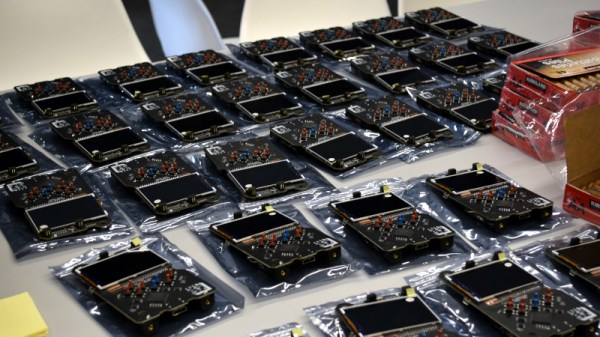
Since Dick Tracy all the way back in ’46, smart watches have captured the public imagination. After several false starts, the technology has gone through a renaissance in the last 10 years or so. For the average consumer, there’s been a proliferation of hardware in the marketplace, with scores of different models to choose from. For the hackers, however, pickings are a little more slim. So what is the best smart watch for the tinkerers among us? Continue reading “Ask Hackaday: What’s The Perfect Hacker Smart Watch?”

Better Battery Management Through Chemistry

The lead-acid rechargeable battery is a not-quite-modern marvel. Super reliable and easy to use, charging it is just a matter of applying a fixed voltage to it and waiting a while; eventually the battery is charged and stays topped off, and that’s it. Their ease is countered by their size, weight, energy density, and toxic materials.

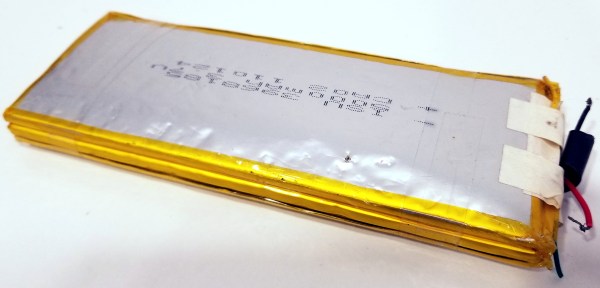
The lithium battery is the new hotness, but their high energy density means a pretty small package that can get very angry and dangerous when mishandled. Academics have been searching for safer batteries, better charge management systems, and longer lasting battery formulations that can be recharged thousands of times, and a recent publication is generating a lot of excitement about it.

Consider the requirements for a battery cell in an electric car:

  • High energy density (Lots of power stored in a small size)
  • Quick charge ability
  • High discharge ability
  • MANY recharge cycles
  • Low self-discharge
  • Safe

Lithium ion batteries are the best option we have right now, but there are a variety of Li-ion chemistries, and depending on the expected use and balancing and charging, different chemistries can be optimized for different performance characteristics. There’s no perfect battery yet, and conflicting requirements mean that the battery market will likely always have some options.

Continue reading “Better Battery Management Through Chemistry”

DSP Spreadsheet: FIR Filtering

There’s an old saying: Tell me and I forget, teach me and I may remember, involve me and I learn. I’m guilty of this in a big way — I was never much on classroom learning. But if I build something or write some code, I’m more likely to understand how it works and why.

Circuit simulation and software workbooks like Matlab and Jupyter are great for being able to build things without a lot of overhead. But these all have some learning curve and often use clever tricks, abstractions, or library calls to obscure what’s really happening. Sometimes it is easier to build something in a spreadsheet. In fact, I often do little circuit design spreadsheets or even digital design because it forces me to create a mathematical model which, in turn, helps me understand what’s really going on.

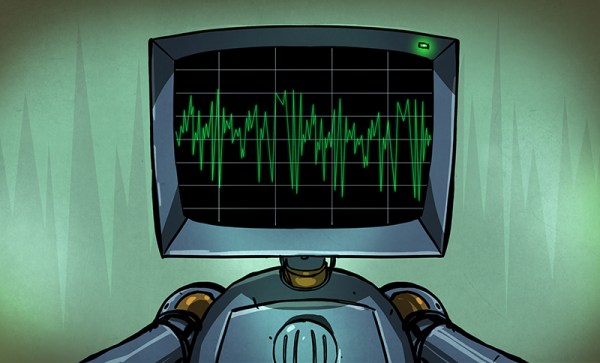
In this article I’m going to use Google Sheets — although you could do the same tricks in just about any spreadsheet — to generate some data and apply a finite impulse response (FIR) filter to it. Of course, if you had a spreadsheet of data from an instrument, this same technique would work, too.

Continue reading “DSP Spreadsheet: FIR Filtering”