Building A Serial Bus To Save An Old Hard Drive

Universal Serial Bus has been the de facto standard for sending information to and from computer peripherals for almost two decades, but despite the word “universal” in the name this wasn’t always the case. Plenty of competing standards, including USB, existed in the computing world in the decades before it came to dominance, and if you’re trying to recover data from a computer without USB you might have to get creative with how it’s done.

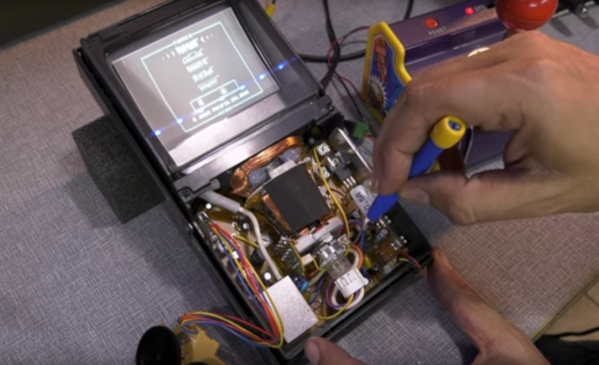
[Ben] recently came across a 80486 with this problem, so he had to get creative to recover the contents of the drive. He calls it the “lunchbox” computer due to its form factor, and while it doesn’t have USB it does have a tried-and-trusted serial port to communicate with other computers. [Ben] wrote up a piece of software for both the receiving computer and the sending computer in order to copy the drive sectors one by one across a serial link to a standalone computer running Windows XP, and was able to recover the contents of the drive that way instead.

All of the code [Ben] wrote is available on his GitHub page for anyone looking to boot up a 30-year-old computer again. While it might sound uncommon, computers of this vintage are still around running things like CNC machines or old mainframes.

Reverse-Engineering Forgotten Konami Arcade Hardware

When fully-3D video games started arriving in the early 90s, some companies were more prepared for the change than others. Indeed, it would take nearly a decade of experimentation before 3D virtual spaces felt natural. Even then, Konami seems to have shot themselves in the foot at the beginning of this era with their first foray into 3D arcade games. [Mog] shows us the ins-and-outs of these platforms while trying to bring them back to life via MAME.

These arcade machines were among the first available with fully-3D environments, but compared to offerings from other companies are curiously underpowered, even for the time. They include only a single digital signal processor which is tasked with calculating all of the scene geometry while competing machines would use multiple DSP chips to do the same job. As a result the resolution and frame rate are very low. Nonetheless, [Mog] set out to get it working in MAME.

To accomplish this task, [Mog] turned to a set of development tools provided to developers for Konami in the early 90s which would emulate the system on the PCs of the time. It surprisingly still worked on Windows 10 with minor tweaking, and with some other tools provided over the decades of others working on MAME these old Konami machines have some new life with this emulator support.

Not everything works perfectly, but [Mog] reports that most of the bugs and other issues were recently worked out or are being actively worked on by other experts in the field. If you remember these games from the arcade era of the 80s and early 90s, it might be time to grab an old CRT and fire this one up again.

Continue reading “Reverse-Engineering Forgotten Konami Arcade Hardware”

Metal Detector Gets Help From Smartphone

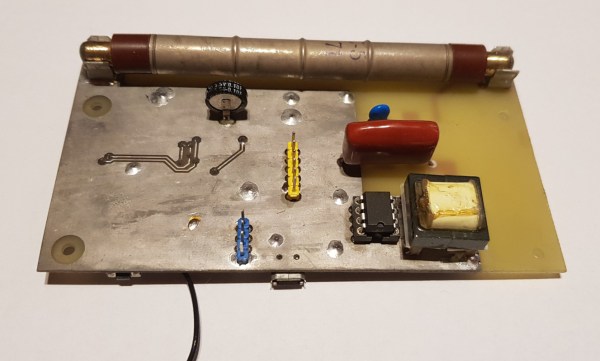
[mircemk] is quite a wizard when it comes to using coils of wires in projects, especially when their application is within easy-to-build metal detectors. There are all kinds of ways to send signals through coiled wire to detect metal objects in the ground, and today [mircemk] is demonstrating a new method he is experimenting with which uses a smartphone to detect the frequency changes generated by the metal detector.

Like other metal detectors, this one uses two coils of wire with an oscillator circuit and some transistors. The unique part of this build, though, is how the detector alerts the user to a piece of metal. Normally there would be an audible alert as the frequencies of the circuit change when in the presence of metal, but this one uses a smartphone to analyze the frequency information instead. The circuit is fed directly into the headphone jack on the smartphone and can be calibrated and used from within an Android app.

Not only can this build detect metal, but it can discriminate between different types of metal. [mircemk] notes that since this was just for experimentation, it needs to be calibrated often and isn’t as sensitive as others he’s built in the past. Of course this build also presumes that your phone still has a headphone jack, but we won’t dig up that can of worms for this feature. Instead, we’ll point out that [mircemk] has shown off other builds that don’t require any external hardware to uncover buried treasure.

Continue reading “Metal Detector Gets Help From Smartphone”

Pocket Computer Reminds Us Of PDAs

Before smartphones exploded on the scene in the late 00s, there was still a reasonable demand for pocket-sized computers that could do relatively simple computing tasks. Palm Pilots and other PDAs (Personal Digital Assistants) were all the rage in the ’90s and early ’00s, although for cutting-edge tech from that era plenty of these devices had astronomical price tags. This Arduino-based PDA hearkens back to that era, albeit with a much more accessible parts list.

The build is based around an Arudino Nano with an OLED screen and has the five necessary functions for a PDA: calculator, stopwatch, games, phonebook, and a calendar. With all of these components on such a small microcontroller, memory quickly became an issue when using the default libraries. [Danko] uses his own custom libraries in order to make the best use of memory which are all available on the project’s GitHub page. The build also includes a custom PCB to keep the entire pocket computer pocket-sized.

There are some other features packed into this tiny build as well, like the breakout game that can be played with a potentiometer. It’s an impressive build that makes as much use of the microcontroller’s capabilities as is possible, and if you enjoy projects where a microcontroller is used as if it is a PC take a look at this Arduino build with its own command-line interface.

Continue reading “Pocket Computer Reminds Us Of PDAs”

Teensy Spectrum Analyzer Has 170 Channels

While high-fidelity audio has come a long way in the past several decades, a lot of modern stereo equipment is still missing out on some of the old analog meters that were common on amplifiers and receivers of the 60s through the 80s. Things like VU meters don’t tend to be common anymore, but it is possible to build them back in to your sound system with the help of some microcontrollers. [Mark] shows us exactly how to reclaim some of the old-school functionality with this twin audio visualizer display.

Not only does this build include two displays, but the microcontroller is keeping up with 170 channels in real-time in order to drive the display. What’s more impressive is that it’s being done all on a Teensy 4.1. To help manage all of the data and keep the speed as fast as possible it uses external RAM soldered to the board, and a second Teensy audio board is used to do the real time FFT analysis. Most of the channels are sent to the display hosting the spectrum analyzer but two are reserved for left and right stereo VU meters on the second display.

The project from [Mark] is originally based on this software from [DIYLAB] so everything is open-source. While it was originally built for a specific piece of hardware, [Mark] has it set up with a line in and line out plus a microphone input so it can be used for virtually any audio hardware now. For another take on the classic VU meter, take a look at this design based on an Arudino instead.

Continue reading “Teensy Spectrum Analyzer Has 170 Channels”

Helium Recovery System Saves Costs

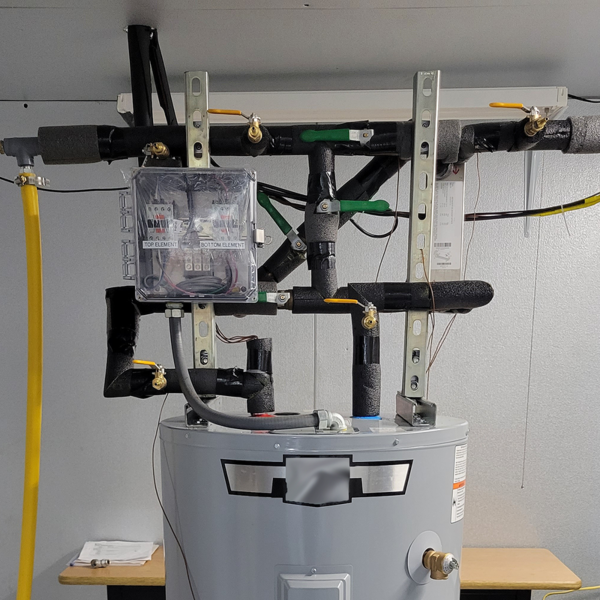
Helium is the most common element in the universe besides hydrogen, but despite this universal abundance it is surprisingly difficult to come across on Earth. Part of the problem is that it is non-renewable, so unless it is specifically captured during mining its low density means that it simply escapes the atmosphere. For that reason [Meow] maintains a helium recovery system for a lab which is detailed in this build.

The purpose of the system is to supply a refrigerant to other projects in the lab. Liquid helium is around 4 Kelvin and is useful across a wide variety of lab tests, but it is extremely expensive to come across. [Meow]’s recovery system is given gaseous helium recovered from these tests, and the equipment turns it back into extremely cold liquid helium in a closed-cycle process. The post outlines the system as a whole plus goes over some troubleshooting that they recently had to do, and shows off a lot of the specialized tools needed as well.

Low-weight gasses like these can be particularly difficult to deal with as well because their small atomic size means they can escape fittings, plumbing, and equipment quite easily compared to other gasses. As a result, this equipment is very specialized and worth a look. For a less lab-based helium project, though, head on over to this helium-filled guitar instead.

Porting DOOM To A Forgotten Apple OS

Apple hasn’t always had refined user experiences in their operating systems. In the distant past of the ’90s they were still kind of clunky computers that were far from the polished, high-end consumer machines of the modern era. That wasn’t all that Apple offered back then, though. They had a long-forgotten alternative operating system that was called A/UX designed for government applications, and [Keriad] is here to show us this relic operating system and port DOOM to it.

A/UX was designed in the pre-PowerPC days when Macintosh computers ran on Motorola 68000 chips. Luckily, [Keriad] has a Mac Quadra 800 with just such a chip that is still fully-functional. DOOM was developed with the NeXTSTEP operating system which can run on old Macs thanks to another tool called MacX which allows X11 applications to run on Mac. A version of gcc for A/UX was found as well and with the source code in hand they were eventually able to compile a binary. There were several hiccups along the way (including the lack of sound) but eventually DOOM was running on this forgotten operating system.

The main problem with the build in the end, besides the lack of sound, is that the game only runs at 2 – 3 frames per second. [Keriad] speculates that this is due to all of the compatibility layers needed to compile and run the game at all, but it’s still impressive. As far as we know, [Keriad] is the first person to port DOOM to this OS, although if you’re looking for something more straightforward we would recommend this purpose-built Linux distribution whose sole task is to get you slaying demons as quickly as possible.