Modular Robotics: When You Want More Robots In Your Robot

While robots have been making our lives easier and our assembly lines more efficient for over half a century now, we haven’t quite cracked a Jetsons-like general purpose robot yet. Sure, Boston Dynamics and MIT have some humanoid robots that are fun to kick and knock over, but they’re far from building a world-ending Terminator automaton.

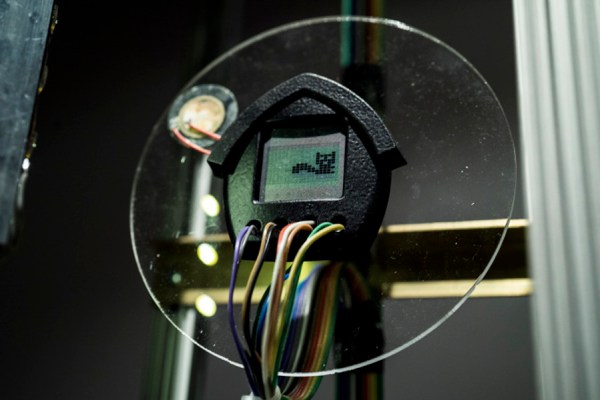
But not every robot needs to be human-shaped in order to be general purpose. Some of the more interesting designs being researched are modular robots. It’s an approach to robotics which uses smaller units that can combine into assemblies that accomplish a given task.

We’ve been immersing ourselves in topics like this one because right now the Robotics Module Challenge is the current focus of the Hackaday Prize. We’re looking for any modular designs that make it easier to build robots — motor drivers, sensor arrays, limb designs — your imagination is the limit. But self contained robot modules that themselves make up larger robots is a fascinating field that definitely fits in with this challenge. Join me for a look at where modular robots are now, and where we’d like to see them going.

Continue reading “Modular Robotics: When You Want More Robots In Your Robot”

Open-source Circuit Simulation

For simple circuits, it’s easy enough to grab a breadboard and start putting it together. Breadboards make it easy to check your circuit for mistakes before soldering together a finished product. But if you have a more complicated circuit, or if you need to do response modeling or other math on your design before you start building, you’ll need circuit simulation software.

While it’s easy to get a trial version of something like OrCAD PSpice, this software doesn’t have all of the features available unless you’re willing to pony up some cash. Luckily, there’s a fully featured free and open source circuit simulation software called Qucs (Quite Universal Circuit Simulator), released under the GPL, that offers a decent alternative to other paid circuit simulators. Qucs runs its own software separate from SPICE since SPICE isn’t licensed for reuse.

Qucs has most of the components that you’ll need for professional-level circuit simulation as well as many different transistor models. For more details, the Qucs Wikipedia page lists all of the features available, as does the project’s FAQ page. If you’re new to the world of circuit simulation, we went over the basics of using SPICE in a recent Hack Chat.

Thanks to [Clovis] for the tip!

Unlocking Drones With Go

Looking for a first project in a relatively new language that’ll stretch your abilities? [Ron] was, so he hacked a commercially available drone and opened up a lot of its functionality, while writing the client software in Go.

The drone is a DJI Tello, which has some impressive hardware like a 14-core Intel processor and excellent video processing abilities. There’s also a vibrant community and a lot of support, making it the ideal platform for a project like this. It communicates to a base station via WiFi, and using some tools like the Wireshark [Rob] was able to decipher a lot of the communications and create a whole new driver for the drone. While the drone can be controlled in the traditional way, users can also write programs to control the drone as well.

The project is both an impressive feat in reverse engineering an inexpensive drone, and a fun example of programming in the Go language. Because of the fun and excitement of drones, they have become a popular platform on which to hack, from increasing their range to becoming a platform for developing AI.

GuerillaClock Could Save This City Thousands

They say necessity is the mother of invention. But if the thing you need has already been invented but is extremely expensive, another mother of invention might be budget overruns. That was the case when [klinstifen]’s local government decided to put in countdown clocks at bus stops, at a whopping $25,000 per clock. Thinking that was a little extreme, he decided to build his own with a much smaller price tag.

The project uses a Raspberry Pi Zero W as its core, and a 16×32 RGB LED matrix for a display. Some of the work is done already, since the bus system has an API that is readily available for use. The Pi receives the information about bus schedules through this API and, based on its location, is able to determine the next bus arrival time and display it on the LED matrix. With the custom 3D printed enclosure and all of the other material, the cost of each clock is only $100, more than two orders of magnitude less expensive.

Hopefully the local government takes a hint from [klinstifen] and decides to use a more sane solution. In the meantime, you might be able to build your own mass transit clock that you can use inside your own house, rather than at the train station, if you’re someone who has a hard time getting to the bus stop on time.

Continue reading “GuerillaClock Could Save This City Thousands”

Play Chess Against A Ghost

While chess had long been a domain where humans were superior to computers, the balance has shifted quite substantially in the computers’ favor. But the one thing that humans still have control over is the pieces themselves. That is, until now. A group has built a robot that both uses a challenging chess engine, and can move its own pieces.

The robot, from creators [Tim], [Alex S], and [Alex A], is able to manipulate pieces on a game board using a robotic arm under the table with an electromagnet. It is controlled with a Raspberry Pi, which also runs an instance of the Stockfish chess engine to play the game of chess itself. One of the obvious hurdles was how to keep the robot from crashing pieces into one another, which was solved by using small pieces on a large board, and always moving the pieces on the edges of the squares.

This is a pretty interesting project, especially considering it was built using a shoestring budget. And, if you aren’t familiar with Stockfish, it is one of the most powerful chess engines and also happens to be free and open-source. We’ve seen it used in some other chess boards before, although those couldn’t move their own pieces.

Continue reading “Play Chess Against A Ghost”

Build Your Own Supercomputer With ESP32s

If the computer you have isn’t particularly fast, there’s a well-documented way to get more out of it. You just need more of the same computer, and you can run your tasks on them all at the same time. Building computer clusters is an effective way of decreasing the time it takes for computers to solve certain problems, even if the computers themselves aren’t top-of-the-line hardware. Of course, with cheap enough hardware, people will build clusters out of just about anything, including the ESP32.

For this project, [Wei Lin] admits that this isn’t really a serious attempt at building speedy hardware, but rather an interesting exercise in creating a cluster as a sort of learning experience. ESP32 boards can be found for around $10 so building an experimental cluster with these is even more feasible than using the Raspberry Pi. [Wei Lin] goes into a great amount of detail on his GitHub page about all of his goals with the project, most of which involve exploring the functionality of the new cluster and its underpinnings.

While this might seem like little more than a thought experiment, it does have the advantage of being a great solution for problems that involve gathering data from points that are physically very far from one another. If you’ve ever been interested in parallel computing or computing clusters, this is a great project to check out. If you have more Raspberry Pis on hand than ESP32s and still want to build a cluster, check out this project that used a mere 750 of them for one.


The Ultimate IPhone Upgrade

While Apple products have their upsides, the major downside with them is their closed environment. Most of the products are difficult to upgrade, to say the least, and this is especially true with the iPhone. While some Android devices still have removable storage and replaceable batteries, this has never been an option for any of Apple’s phones. But that doesn’t mean that upgrading the memory inside the phone is completely impossible.

[Scotty] from [Strange Parts] is no stranger to the iPhone, and had heard that there are some shops that can remove the storage chip in the iPhone and replace it with a larger one so he set out on a journey to try this himself. The first step was to program the new chip, since they must have software on them before they’re put in the phone. The chip programmer ironically doesn’t have support for Mac, so [Scotty] had to go to the store to buy a Windows computer first before he could get the chip programmer working right.

After that hurdle, [Scotty] found a bunch of old logic boards from iPhones to perfect his desoldering and resoldering skills. Since this isn’t through-hole technology a lot of practice was needed to desolder the chip from the logic board without damaging any of the other components, then re-ball the solder on the logic board, and then re-soldering the new larger storage chip to the logic board. After some hiccups and a lot of time practicing, [Scotty] finally had an iPhone that he upgraded from 16 GB to 128 GB.

[Scotty] knows his way around the iPhone and has some other videos about other modifications he’s made to his personal phone. His videos are very informative, in-depth, and professionally done so they’re worth a watch even if you don’t plan on trying this upgrade yourself. Not all upgrades to Apple products are difficult and expensive, though. There is one that costs only a dollar.

We sat down with him after his talk at the Hackaday Superconference last November, and we have to say that he made us think more than twice about tackling the tiny computer that lies hidden inside a cell phone. Check out his talk if you haven’t yet.

Continue reading “The Ultimate IPhone Upgrade”