Reverse Engineering Liberates Dash Cam Video

If you’ve purchased a piece of consumer electronics in the last few years, there’s an excellent chance that you were forced to use some proprietary application (likely on a mobile device) to unlock its full functionality. It’s a depressing reality of modern technology, and unless you’re willing to roll your own hardware, it can be difficult to avoid. But [krishnan793] decided to take another route, and reverse engineered his DDPAI dash camera so he could get a live video stream from it without using the companion smartphone application.

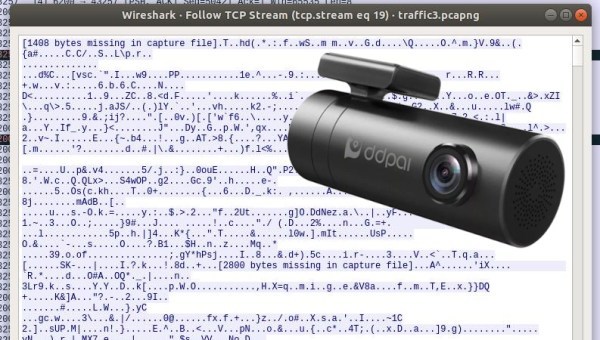
Like many modern gadgets, the DDPAI camera creates its own WiFi access point that you need to connect to for configuration. By putting his computer’s wireless card into Monitor mode and running Wireshark, [krishnan793] was able to see that the smartphone was communicating with the camera using some type of REST API. After watching the clear-text exchanges for awhile, he not only discovered a few default usernames and passwords, but the commands necessary to configure the camera and start the video stream.
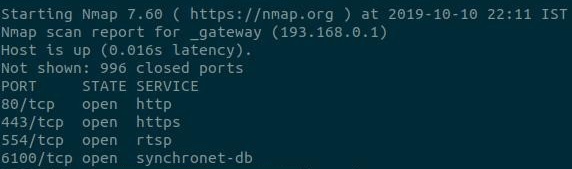
After hitting it with the proper REST messages, an nmap scan confirmed that several new services had started up on the device. Unfortunately, he didn’t get any video when he pointed VLC to the likely port numbers. At this point [krishnan793] checked the datasheet for the camera’s Hi3516E SoC and saw that it supported H.264 encoding. By manually specifying that as the video codec when invoking VLC, it was able to play a video stream from port 6200. A little later, he discovered that port 6100 was serving up the live audio.

Technically that’s all he wanted to do in the first place, as he was looking to feed the video into OpenCV for other projects. But while he was in the area, [krishnan793] also decided to find the download URL for the camera’s firmware, and ran it through binwalk to see what he could find out. Not surprisingly the security turned out to be fairly lax through the entire device, so he was able to glean some information that could be useful for future projects.

Of course, if you’d rather go with the first option and build your own custom dash camera so you don’t have to jump through so many hoops just to get a usable video stream, we’ve got some good news for you.

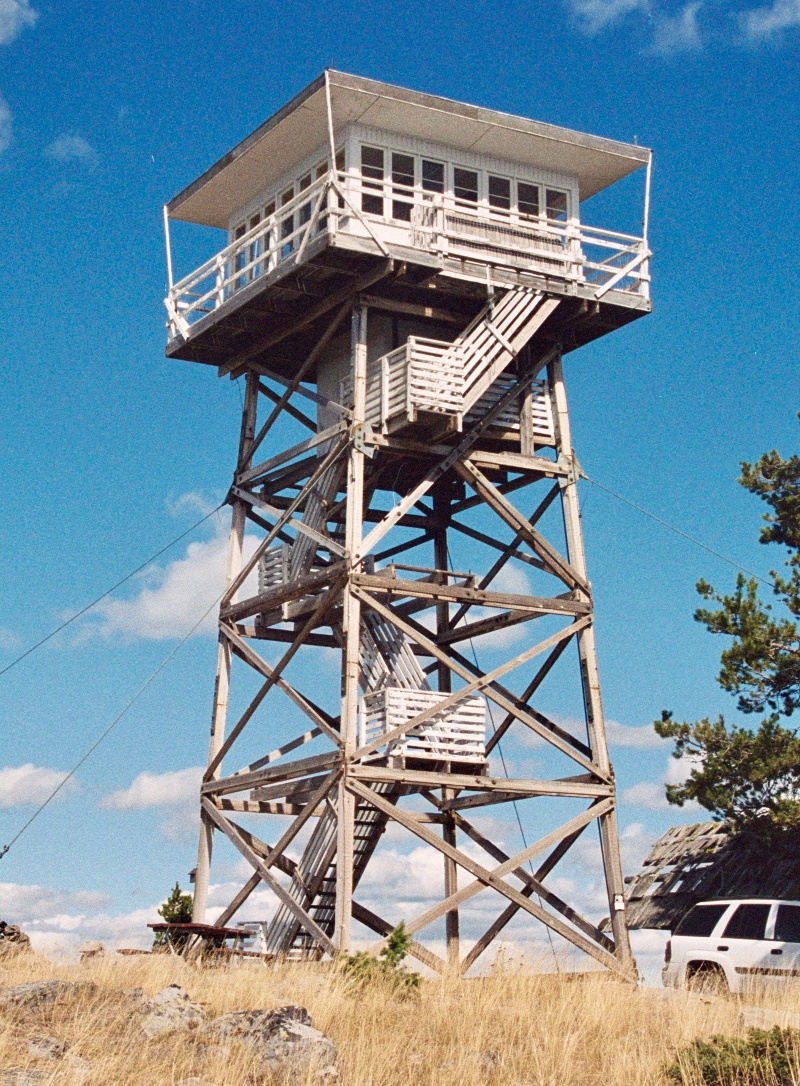
The Final Days Of The Fire Lookouts

For more than a century, the United States Forest Service has employed men and women to monitor vast swaths of wilderness from isolated lookout towers. Armed with little more than a pair of binoculars and a map, these lookouts served as an early warning system for combating wildfires. Eventually the towers would be equipped with radios, and later still a cellular or satellite connection to the Internet, but beyond that the job of fire lookout has changed little since the 1900s.

Like the lighthouse keepers of old, there’s a certain romance surrounding the fire lookouts. Sitting alone in their tower, the majority of their time is spent looking at a horizon they’ve memorized over years or even decades, carefully watching for the slightest whiff of smoke. The isolation has been a prison for some, and a paradise for others. Author Jack Kerouac spent the summer of 1956 in a lookout tower on Desolation Peak in Washington state, an experience which he wrote about in several works including Desolation Angels.

But slowly, in a change completely imperceptible to the public, the era of the fire lookouts has been drawing to a close. As technology improves, the idea of perching a human on top of a tall tower for months on end seems increasingly archaic. Many are staunchly opposed to the idea of automation replacing human workers, but in the case of the fire lookouts, it’s difficult to argue against it. Computer vision offers an unwavering eye that can detect even the smallest column of smoke amongst acres of woodland, while drones equipped with GPS can pinpoint its location and make on-site assessments without risk to human life.

At one point, the United States Forest Service operated more than 5,000 permanent fire lookout towers, but today that number has dwindled into the hundreds. As this niche job fades even farther into obscurity, let’s take a look at the fire lookout’s most famous tool, and the modern technology poised to replace it.

Continue reading “The Final Days Of The Fire Lookouts”

Repurposing A Toy Computer From The 1990s

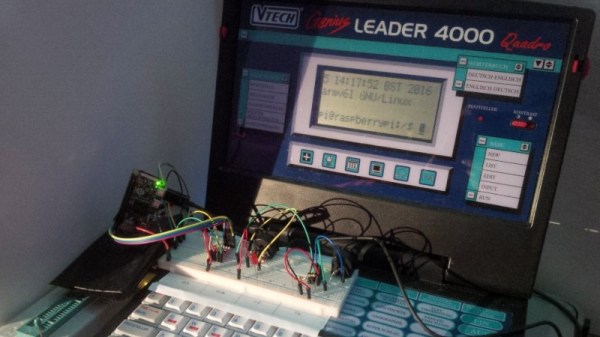
Our more youthful readers are fairly likely to have owned some incarnation of a VTech educational computer. From the mid-1980s and right up to the present day, VTech has been producing vaguely laptop shaped gadgets aimed at teaching everything from basic reading skills all the way up to world history. Hallmarks of these devices include a miserable monochrome LCD, and unpleasant membrane keyboard, and as [HotKey] found, occasionally a proper Z80 processor.

It started, as such things often do, with eBay. [HotKey] found that the second hand market is flooded with these decades-old educational gadgets, often selling for just a few bucks. As it turns out, children of the smartphone and tablet era don’t seem terribly interested in a “laptop” from 1991. At any rate, he ordered about a dozen different models and started tearing into them to see what made them tick.

He found that the VTech machines of around 20+ years old were using the Z80 processor, and what’s more, they shared a fairly standardized external cartridge interface for adding additional software or saving data. Upon attempting to dump some data from the cartridge port, [HotKey] discovered that it was actually connected to the computer’s main bus. He realized that with a custom designed cartridge, it should be able to take over the system and have it run his own code.

After more than a year of tinkering and talking to other hackers in the Z80 scene, [HotKey] has made some impressive headway. He’s not only created a custom cartridge that lets him load new code and connect to external devices, but he’s also added support for a few VTech machines to z88dk so that others can start writing their own C code for these machines. So far he’s created some very promising proof of concept programs such as a MIDI controller and serial terminal, but ultimately he hopes to create a DOS or CP/M like operating system that will elevate these vintage machines from simple toys to legitimate multi-purpose computers.

We’ve seen VTech hardware hacked in the past, but it’s generally been focused on the company’s more recent hardware such as the Linux-powered InnoTab. It will be interesting to see if these educational toys can fulfill some hacker’s dreams of having a cheap and portable box for Z80 tinkering.

Prusa Unveils New Mini 3D Printer, Shakes Up The Competition

For the last couple of years, consumer desktop 3D printer choices in the under $1,000 USD range have fallen into two broad categories: everything bellow $500 USD, and the latest Prusa i3. There are plenty of respectable printers made by companies such as Monoprice and Creality to choose from on that lower end of the scale. It wasn’t a luxury everyone could justify, but if you had the budget to swing the $749 for Prusa’s i3 kit, the choice became obvious.

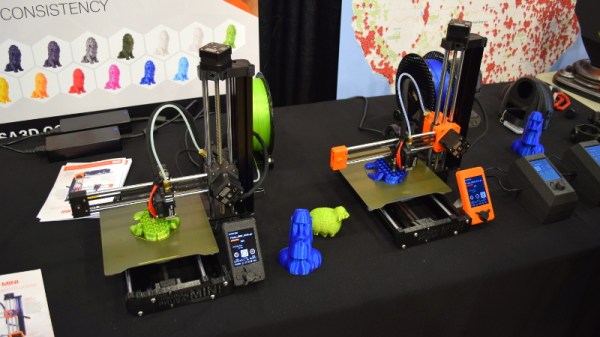
Of course, that was before the Prusa Mini. Available as a kit for just $349, it’s far and away the cheapest printer that Prusa Research has ever offered. But this isn’t just some rebranded hardware, and it doesn’t compromise on the ideals that have made the company’s flagship machine the de facto open source FDM printer. For less than half the cost of the i3 MK3S, you’re not only getting most of the larger printer’s best features and Prusa’s renowned customer support, but even capabilities that presumably won’t make it to the i3 line until the MK4 is released.

Josef Průša was on hand to officially unveil his latest printer at the 2019 East Coast Reprap Festival, where I got the chance to get up close and personal with the diminutive machine. While it might be awhile before we can do a full review on the Mini, it’s safe to say that this small printer is going to have a big impact on the entry-level market.

Continue reading “Prusa Unveils New Mini 3D Printer, Shakes Up The Competition”

Spinning ESP32 Display Puts The Customer First

Most of the projects we feature on Hackaday are built for personal use; designed to meet the needs of the person creating them. If it works for somebody else, then all the better. But occasionally we may find ourselves designing hardware for a paying customer, and as this video from [Proto G] shows, that sometimes means taking the long way around.

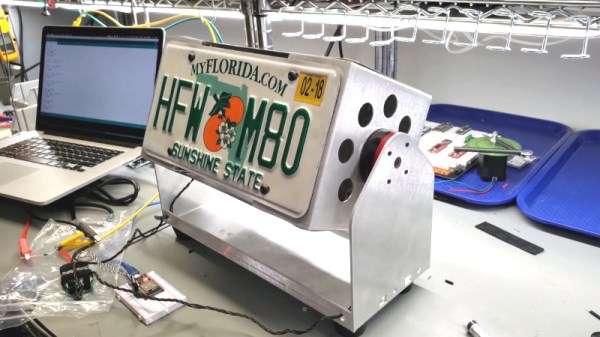
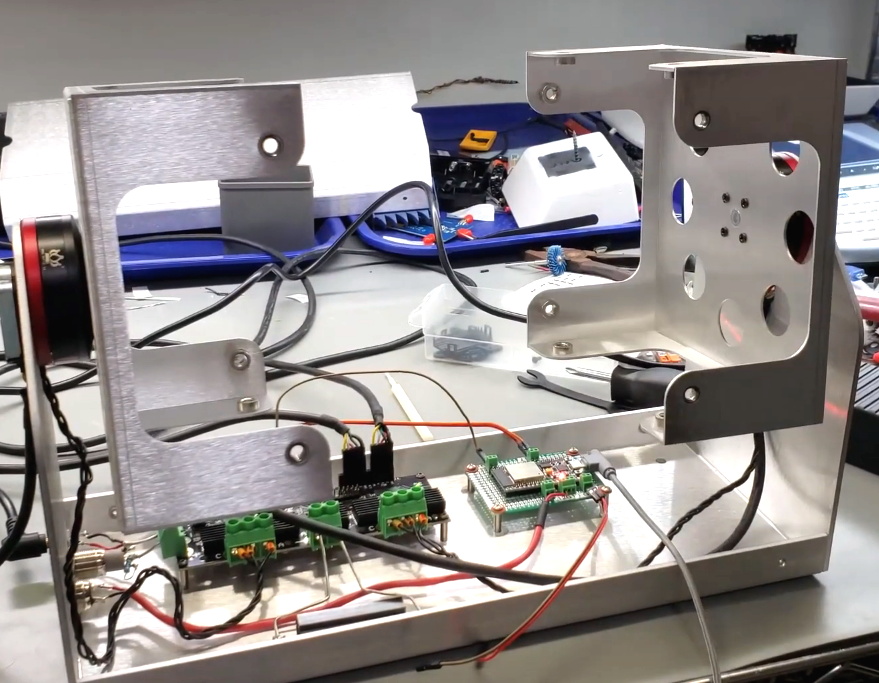
The initial task he was given seemed simple enough: build a display that could spin four license plates around, and make it so the speed could be adjusted. So [Proto G] knocked a frame out of some sheet metal, and used an ESP32 to drive two RC-style electronic speed controllers (ESCs) connected to a couple of “pancake” brushless gimbal motors. Since there was no need to accurately position the license plates, it was just a matter of writing some code that would spin the motors in an aesthetically pleasing way.

Unfortunately, the customer then altered the deal. Now they wanted a stand that could stop on each license plate and linger for a bit before moving to the next one. Unfortunately, that meant the ESCs weren’t up to the task. They got dumped in favor of an ODrive motor controller, and encoders were added to the shafts so the ESP32 could keep track of the display’s position. [Proto G] says he still had to work out some kinks, such as how to keep the two motors synchronized and reduce backlash when the spinner stopped on a particular plate, but in the end we think the results look fantastic. Now if only we had some license plates we needed rotisseried…

If [Proto G] knew he needed precise positioning control from the start, he would have approached the project differently and saved himself a lot of time. But such is life when you’re working on contract.

Continue reading “Spinning ESP32 Display Puts The Customer First”

Teardown: Quirky Egg Minder

Many of the biggest stars are hesitant to do sequels, believing that the magic captured the first time around is hard to reproduce in subsequent productions. As I’m known (at least around the former closet that now serves as my home office) as the “Meryl Streep of Teardowns”, I try to follow her example when it comes to repeat performances. But if they could get her to come back for another Mamma Mia film, I suppose I can take a look at a second Quirky product.

An elderly egg calls to inquire about euthanasia services.

This time around we’ll be looking at the Quirky Egg Minder, a smart device advertised as being able to tell you when your eggs are getting old. Apparently, this is a problem some people have. A problem that of course is best solved via the Internet of Things, because who wouldn’t pay $80 USD for a battery-powered WiFi device that lives in their refrigerator and communicates vital egg statistics to an online service?

As it turns out, the answer to that question is “most people”. The Egg Minder, like most of its Quirky peers, quickly became a seemingly permanent fixture of retailer’s clearance shelves. This particular unit, which I was able to pick up new from Amazon, only cost me $9.99. This is still more than I would have paid under normal circumstances, but such sacrifices are part and parcel with making sure the readers of Hackaday get their regular dose of unusual gadgetry.

You may recall that our last Quirky device, the “Refuel” propane tank monitor, ended up being a fantastically engineered and built piece of hardware. The actual utility of the product was far from certain, but nobody could deny that the money had been spent in all the right places.

What will the internals of the Egg Minder reveal? Will it have the same level of glorious over-engineering that took us by surprise with the Refuel? Will that zest for form over function ultimately become the legacy of these Quirky devices, or was it just a fluke? Let’s crack this egg and find out.

Continue reading “Teardown: Quirky Egg Minder”

A Bootable Greeting For The Xenomorph In Your Life

When he needed a gift for his Alien superfan friend, [Stephen Brennan] decided the best way to put his unique set of skills to use would be to create a bootable Linux operating system that captures the sights and sounds of the Nostromo’s retro-futuristic computer systems. We could all use a friend like that.

Even if would never occur to you gift somebody a bootable flash drive, there’s a wealth of information in this blog post about Linux customization which could be useful for all sorts of projects. From creating a bootsplash image to automatically starting up a minimalistic windowing environment so a single graphical application takes center stage.

Whether you’re looking to tweak your desktop machine or build a Raspberry Pi kiosk, the commands and tips that [Stephen] shows off are sure to be interesting for anyone who’s not quite satisfied with how their Linux distribution of choice looks “out of the box”.

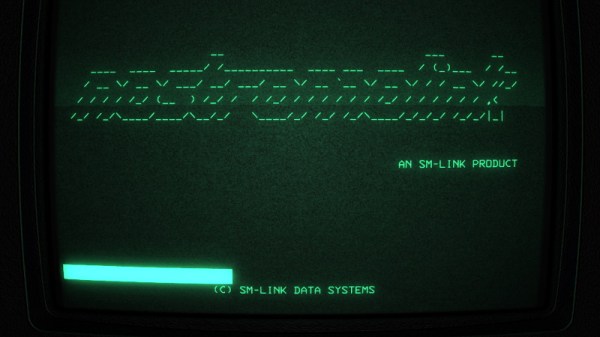
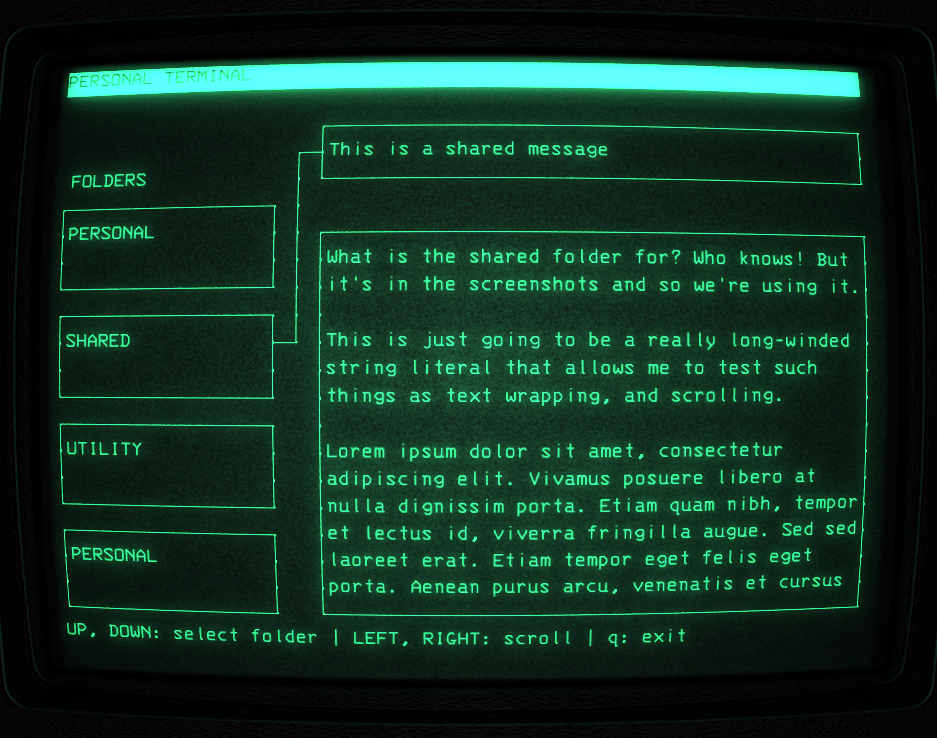
But there’s more to this project than a custom wallpaper and some retro fonts. [Stephen] actually took the time to create a facsimile of the “Personal Terminal” computer interface shown in the recent Alien: Isolation game in C using ncurses. The resulting program, aptly named “alien-console”, is released under the BSD license and is flexible enough that you could either use it as a base to build your own cyberpunk UI, or just load it up with custom text files and use it on your cyberdeck as-is.

Finally, to really sell the Alien feel, [Stephen] went through and ripped various audio clips from the film and wove them into the OS so it would make the movie-appropriate boops and beeps. He even included a track of the Nostromo’s ambient engine noise for proper immersion. But perhaps our favorite trick is the use of the sleep command to artificially slow down the terminal and give everything a bit more “weight”. After all, flying a pretend starship should feel like serious business.