Sleeper PlayStation Hides A Raspberry Pi 4

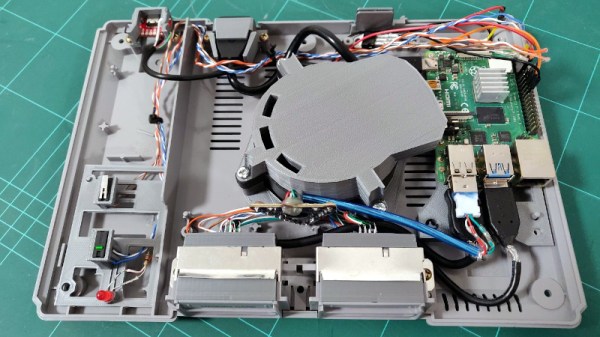
[Andreas Wilcox] wanted to get his brother a birthday gift that reflected their shared love for the early days of 3D gaming, but just handing him a second-hand original PlayStation lacked a certain style. So he decided to gut the classic system and replace its dated internals with a shiny new Raspberry Pi 4. But rather than taking the easy way out, he put in the time and effort to integrate the new hardware so seamlessly that the nearly 25 year old console still looks stock from the outside.
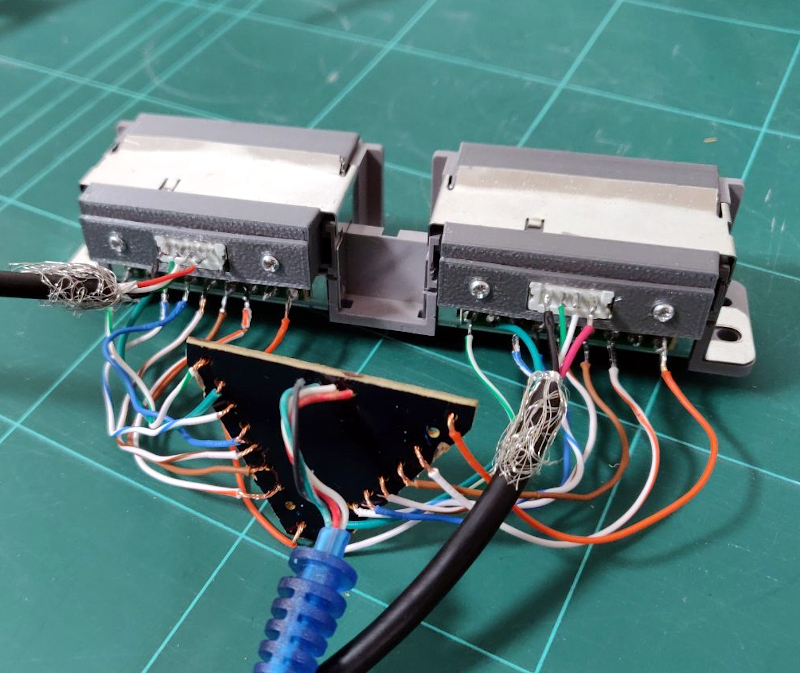
The fact that the front ports are functional and work with the original controllers really helps sell the stock look. [Andreas] found a USB to PlayStation controller adapter, liberated the PCB, and soldered it to the back of the system’s ports. Even the memory card slots got in on the action, thanks to female USB connectors installed where the original connector went. It was a tight fit, but the final result was well worth it.

We also love the GPIO-controlled cooling fan complete with a duct designed to blow across the notoriously toasty Pi, and check out that carefully designed holder for the power and reset buttons. This entire project is really a fantastic example of how 3D printed parts can give your projects a far cleaner and more professional look than the hacker’s old standby of hot glue; though of course it demands a considerable time investment.

This isn’t the first time we’ve seen a Raspberry Pi shoehorned into a classic video game console, but it’s absolutely one of the cleanest examples we’ve ever seen. Though if we lump Raspberry Pi portables into the running, the competition is considerably fiercer.

Code The Classics Is Coming

We feel sorry for youth of today. If you spend a few hours playing a modern video game and decide you want to write your own, there’s a big job ahead of you. Games now are as much performances as programs, with cinematic 3D renderings, polyphonic sound and music tracks, and detailed storylines. That wasn’t true 40 years ago, when you could play Pong and then think about writing your own version. The Raspberry Pi people must agree as they are taking preorders for a book called “Code the Classics.” In it, they interview designers of several classic arcade games and then show Python versions of the games you can run — and hack — yourself. You can see their video about the title, below.

The code is from Raspberry Pi founder [Eben Upton] and as you might expect the games aren’t necessarily faithful reproductions but inspired by the old arcade standards.

Continue reading “Code The Classics Is Coming”

Swapping The ROMs In Mini Arcade Cabinets

You’ve probably seen a few of these miniature arcade games online or in big box retailers: for $20 USD or so you get scaled-down version of a classic arcade cabinet, perfect for a desk toy or to throw up on a shelf as part of your gaming collection. Like any good Hackaday reader, you were probably curious about what makes them tick. Thanks to [wrongbaud], we don’t have to wonder anymore.

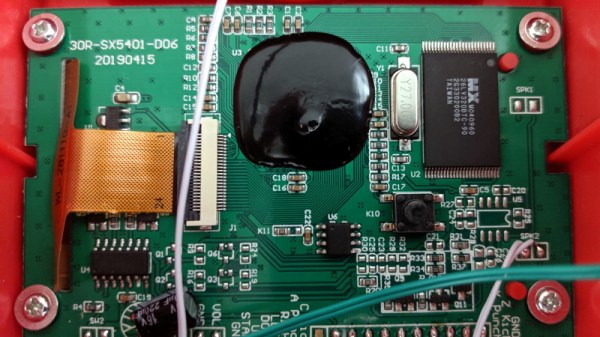
Over the course of several blog posts, [wrongbaud] walks readers through the hardware and software used in a few of these miniature games. For example, the Rampage cabinet is using a so-called “NES on a Chip” along with a SPI flash chip to hold the ROM, while Mortal Kombat is using a Genesis emulation solution and parallel flash. It wouldn’t be interesting if they didn’t throw you a few curves now and again, right?

But these are more than simple teardowns. Once [wrongbaud] gives an overview of the hardware, the next step is reading the respective flash storage and trying to make sense of the dumped data. These sort of games generally reuse the hardware among a number of titles, so by isolating where the game ROM is and replacing it, they can be made to play other games without hardware modification. Here, this capability is demonstrated by replacing the ROM data for Rampage with Yoshi’s Cookie. Naturally it’s one of those things that’s easier said than done, but it’s an interesting proof of concept.

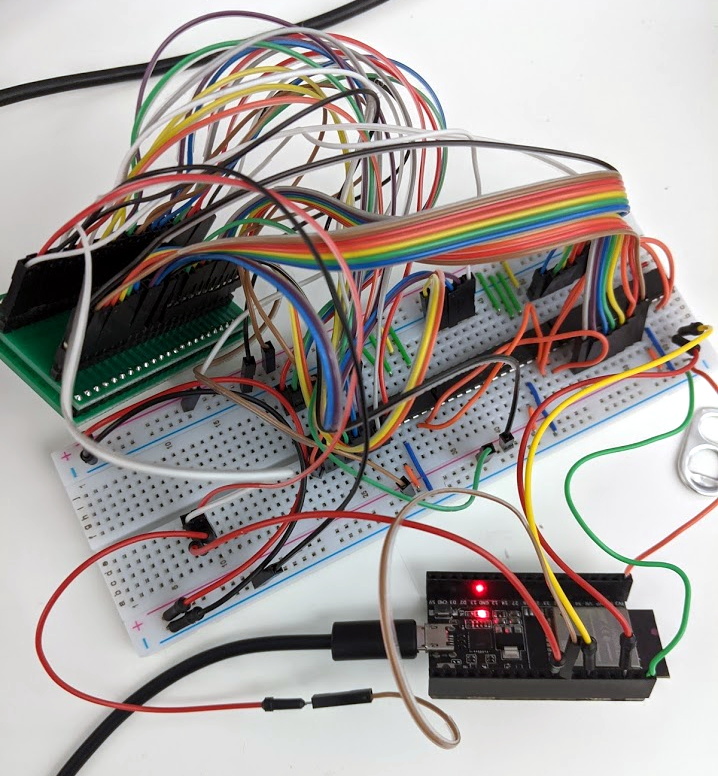
The Mortal Kombat cabinet is a newer addition to the collection, so [wrongbaud] hasn’t progressed quite as far with that one. The parallel flash chip has been dumped with the help of an ESP32 and a MCP23017 I/O expander, and some Genesis ROM headers are identifiable in the data, but there’s still some sifting to be done before the firmware structure can be fully understood.

Even if you’re not in the market for a diminutive arcade experience, the information that [wrongbaud] has collected here is really phenomenal. From understanding protocols such as I2C and SPI to navigating firmware dumps with a hex editor, these posts are an invaluable resource for anyone looking to get started with reverse engineering.

An Epic Quest To Build The Perfect Retro Handheld

It’s a good time to be a fan of classic video games. Most of us carry around a smartphone that’s more than capable of emulating pretty much everything from the 32-bit era on down, and if you want something a little more official, the big players like Sony and Nintendo have started putting out “retro” versions of their consoles. But even still, [Mangy_Dog] wasn’t satisfied. To get the portable emulation system of his dreams, he realized he’d have to design and build it himself.

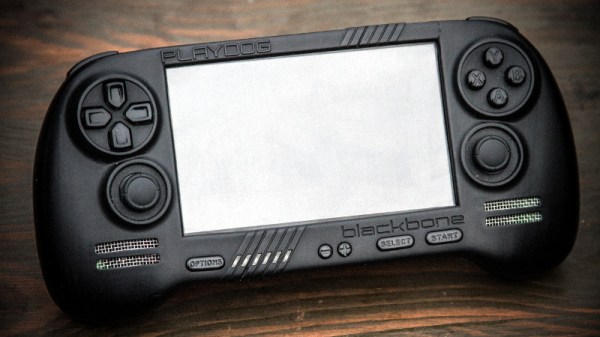
The resulting system, which he calls the “Playdog Blackbone”, is without a doubt one of the most impressive DIY builds we’ve ever seen. While there are still some issues that he’s planning on addressing in a later version of the hardware, it wouldn’t be an exaggeration to say that there’s commercially available game systems that didn’t have half as much thought put into them as the Blackbone.

Which is, incidentally, how this whole thing got started. The original plan was to buy one of those cheap emulation handhelds, which invariably seem to come in the form of a PSP clone, and fit it with a Raspberry Pi. But [Mangy_Dog] quickly realized that not only were they too small to get everything he wanted inside, but they also felt terrible in the hand. Since he wanted the final product to be comfortable to play, his first step was to design the case and get feedback on it from other retro game enthusiasts.

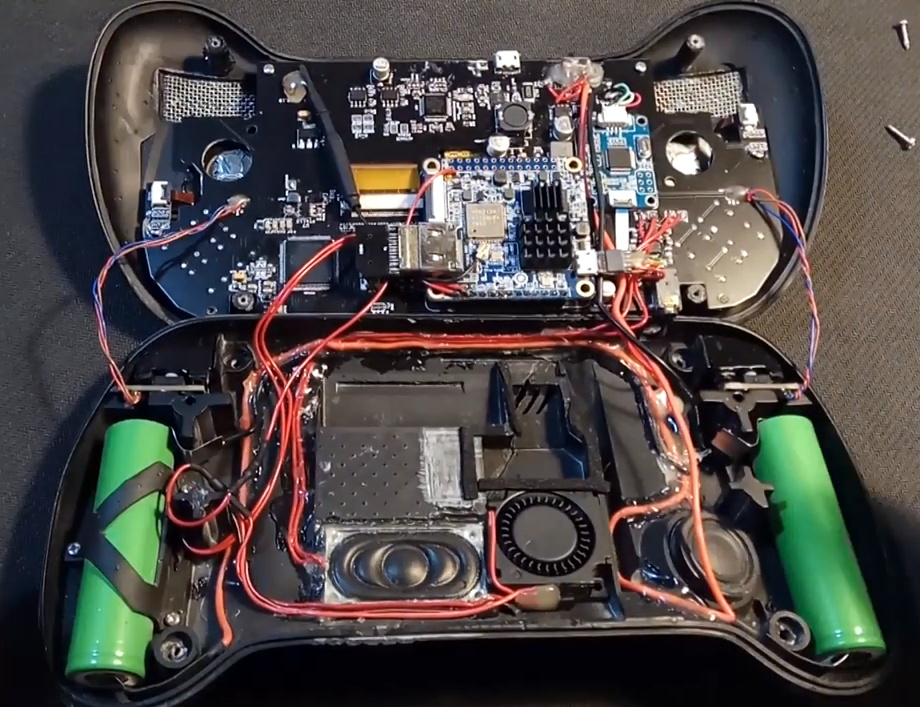
After a few iterations, he arrived at the design we see today. Once he printed the case out on his SLA printer, he could move on with fitting all of his electronics inside. This takes the form of a custom PCB “motherboard” which an Orange Pi Zero Plus2 (sorry Raspberry fans) connects to. There’s actually a surprising amount of room inside the case, enough for niceties like dual speakers and a fan complete with ducting to keep the board cool.

Unsurprisingly, [Mangy_Dog] says a lot of people have been asking him if they can buy their own version of the Blackbone, and have suggested he do a crowdfunding campaign to kick off mass production. While he’s looking at the possibility of resin or injection molding the case so he can produce a few more copies, on the whole, his attention has moved on to new projects. Which frankly, we can’t wait to see.

If you’re interested in slightly more modern games, we’ve seen a number of handhelds based on “trimmed” Nintendo Wii’s which you might be interested in. While they might not have the sleek external lines of the Blackbone, the work that goes into the electronics is nothing short of inspirational.

Continue reading “An Epic Quest To Build The Perfect Retro Handheld”

Barcaderator Is Coin-Op Arcade Up Top And Kegerator Down Below

It’s a common sight in our community for a life-expired arcade cabinet to be repurposed as a MAME cabinet with an up-to-date screen and other internals. Many of us have had some fun pursuing high scores in a hackerspace somewhere, and even if they don’t have the screen burn and annoying need for cash of the originals they still deliver plenty of fun.

But if there’s one pleasure an adult can pursue that a kid in a 1980s arcade couldn’t, it’s a cool glass of beer. [Marcus Young] has brought together the two with his Barcaderator, a custom MAME cabinet with a beer tap on the side and a fridge for a keg in its base.

The MAME internals include a Lattepanda Alpha and an LED controller for those illuminated buttons. Where this build shines is in its custom cabinet, which instead of being an all-in-one unit takes the form of a base and top half that are detatchable. It appears to take its inspiration and build techniques from the world of flight cases. You can see the detail where the two halves come together in this image. The result should be of great interest to anyone who has struggled with moving an unwieldy traditional arcade cabinet.

This is we think the first beer/arcade combo to grace these pages. But we’ve had more than one arcade cabinet, and definitely quite a few kegs along the way.

Feel The Virtual Road With Force Feedback

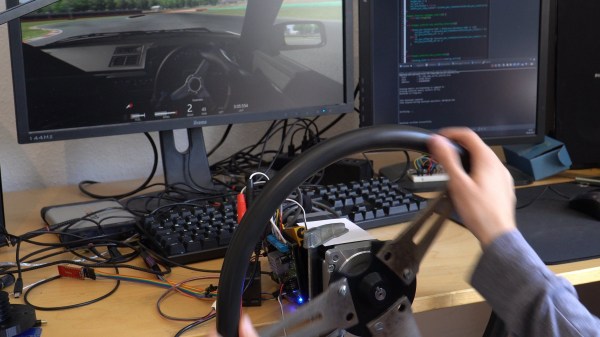
When you’re driving your virtual supercar around the Italian countryside the last thing you want is an inauthentic steering wheel feel, that’s where Open FFBoard comes in. Racing game enthusiasts will go to impossible and sometimes incredibly expensive lengths to build extravagant simulators. [Yannick] feels many of these products are just a little too pricey without much need.

Right now his board is still in a process of iteration, though it can integrate with Assetto Corsa already. You can see in the demo video after the break that it responds quite realistically to the video game state, however problems keep cropping up in search of solutions. Motor drivers burn out and power resistors are added: that energy has to go somewhere. Next up will be switching to the increasingly popular Trinamic drivers. Either way we can’t wait to see the next revision and to get another amazing simulator build sent in to us, maybe centered around the Open FFBoard.

Continue reading “Feel The Virtual Road With Force Feedback”

Adding Sensors To Improve Your Curling Game? Turns Out It’s Really Hard

Sometimes, a project turns out to be harder than expected at every turn and the plug gets pulled. That was the case with [Chris Fenton]’s efforts to gain insight into his curling game by adding sensors to monitor the movement of curling stones as well as the broom action. Luckily, [Chris] documented his efforts and provided us all with an opportunity to learn. After all, failure is (or should be) an excellent source of learning.

The first piece of hardware was intended to log curling stone motion and use it as a way to measure the performance of the sweepers. [Chris] wanted to stick a simple sensor brick made from a Teensy 3.0 and IMU to a stone and log all the motion-related data. The concept is straightforward, but in practice it wasn’t nearly as simple. The gyro, which measures angular velocity, did a good job of keeping track of the stone’s spin but the accelerometer was a different story. An accelerometer measures how much something is speeding up or slowing down, but it simply wasn’t able to properly sense the gentle and gradual changes in speed that the stone underwent as the ice ahead of it was swept or not swept. In theory a good idea, but in practice it ended up being the wrong tool for the job.

The other approach [Chris] attempted was to make a curling broom with a handle that lit up differently based on how hard one was sweeping. It wasn’t hard to put an LED strip on a broom and light it up based on a load sensor reading, but what ended up sinking this project was the need to do it in a way that didn’t interfere with the broom’s primary function and purpose. Even a mediocre curler applies extremely high forces to a broom when sweeping in a curling game, so not only do the electronics need to be extremely rugged, but the broom’s shaft needs to be able to withstand considerable force. The ideal shaft would be a clear and hollow plastic holding an LED strip with an attachment for the load sensor, but no plastic was up to the task. [Chris] made an aluminum-reinforced shaft, but even that only barely worked.

We’re glad [Chris] shared his findings, and he said the project deserves a more detailed report. We’re looking forward to that, because failure is a great teacher, and we’ve celebrated its learning potential time and again.