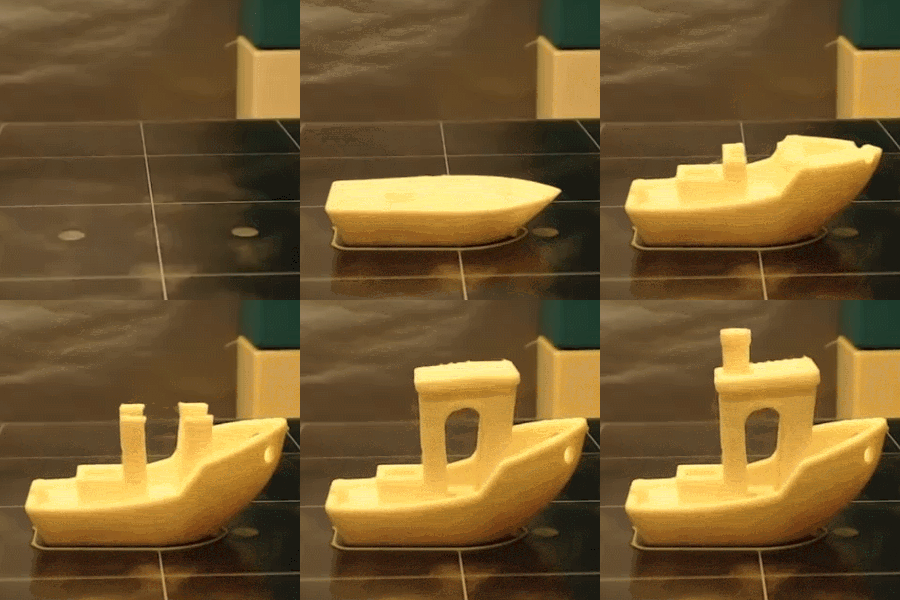
[Andrew Sink] made a brief video demonstrating how he imported an STL of the well-known 3D Benchy tugboat model, and instead of sending it to a 3D printer used the Brick Mode feature to make a physical copy out of LEGO bricks in an eye-aching kaleidoscope of colors.
For those of you who haven’t used Tinkercad lately, Brick Mode allows you to represent a model as LEGO bricks at various scales. You model something as usual (or import a model) and by pushing a single button, render it in LEGO as accurately as can be done with standard bricks.
In addition, [Andrew] shows how the “Layers” feature can be used as a makeshift assembly guide for the model, albeit with a couple of quirks that he explains in the video embedded below.
One of [Bithead]’s passions is making Star Wars droids, and in the process of building the outer shell for one of them he decided to use hot wire foam cutting and make his own tools. Having the necessary parts on hand and having seen some YouTube videos demonstrating the technique, [Bithead] dove right in. Things didn’t go exactly to plan but happily he decided to share what did and didn’t work, and in the end the results were serviceable.
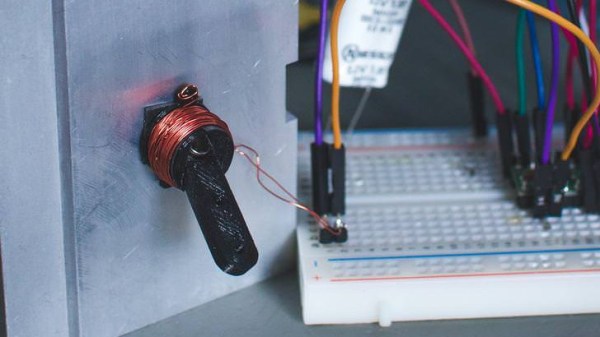
[Bithead] built two hot wire cutters with nichrome wire. The first was small, but the second was larger and incorporated some design refinements. He also got an important safety reminder when he first powered on with his power supply turned up too high; the wire instantly turned red and snapped with an audible bang. He belatedly realized he was foolishly wearing neither gloves nor eye protection.
When it came to use his self-made tools, one of the biggest discoveries was that not all foam is equal in the eyes of a hot wire cutter. This is one of those things that’s common knowledge to experienced people, but isn’t necessarily obvious to a newcomer. A hot wire cutter that made clean and effortless cuts in styrofoam did no such thing with the foam he was using to cast his droid’s outer shell. Still, he powered through it and got serviceable results. [Bithead]’s blog post may not have anything new to people who have worked with foam and hot wire cutters before, but if you’re new to such things you can use it to learn from his experiences. And speaking of improving experiences, [Bithead] most recently snazzed up the presentation of his R2-D2 build by getting tricky with how he hides his remote control.
We like that the Weedinator Project is thinking big for this year’s Hackaday Prize! This ambitious project by [TegwynTwmffat] is building on a previous effort, which was a tractor mounted weeding machine (shown above). It mercilessly shredded any weeds; the way it did this was by tilling everything that existed between orderly rows of growing leeks. The system worked, but it really wasn’t accurate enough. We suspect it had a nasty habit of mercilessly shredding the occasional leek. The new version takes a different approach.
The new Weedinator will be an autonomous robotic rover using a combination of GPS and colored markers for navigation. With an interesting looking adjustable suspension system to help with fine positioning, the Weedinator will use various attachments to help with plant care. Individual weeds will be identified optically and sent to the big greenhouse in the sky via precise flame from a small butane torch. It’s an ambitious project, but [TegwynTwmffat] is building off experience gained from the previous incarnation and we’re excited to see where it goes.
Internals of 3D printed “print and fold” robot. [Image source: MIT CSAIL]Robot design traditionally separates the body geometry from the mechanics of the gait, but they both have a profound effect upon one another. What if you could play with both at once, and crank out useful prototypes cheaply using just about any old 3D printer? That’s where Interactive Robogami comes in. It’s a tool from MIT’s Computer Science and Artificial Intelligence Laboratory (CSAIL) that aims to let people design, simulate, and then build simple robots with a “3D print, then fold” approach. The idea behind the system is partly to take advantage of the rapid prototyping afforded by 3D printers, but mainly it’s to change how the design work is done.
To make a robot, the body geometry and limb design are all done and simulated in the Robogami tool, where different combinations can have a wild effect on locomotion. Once a design is chosen, the end result is a 3D printable flat pack which is then assembled into the final form with a power supply, Arduino, and servo motors.
A white paper is available online and a demonstration video is embedded below. It’s debatable whether these devices on their own qualify as “robots” since they have no sensors, but as a tool to quickly prototype robot body geometries and gaits it’s an excitingly clever idea.
CPAP (Continuous Positive Airway Pressure) machines can be life-changing for people with sleep apnea. [Scott Clandinin] benefits from his CPAP machine and devised a way to improve his quality of life even further with a non-destructive modification to monitor his machine’s humidifier.
With a CPAP machine, all air the wearer breathes is air that has gone through the machine. [Scott]’s CPAP machine has a small water reservoir which is heated to humidify the air before it goes to the wearer. However, depending on conditions the water reservoir may run dry during use, leading to the user waking up dried out and uncomfortable.
To solve this in a non-invasive way that required no modifications to the machine itself, [Scott] created a two-part device. The first part is a platform upon which the CPAP machine rests. A load cell interfaced to an HX711 Load Cell Amplifier allows an Arduino Nano to measure the mass of the CPAP machine plus the integrated water reservoir. By taking regular measurements, the Arduino can detect when the reservoir is about to run dry and sound an alarm. Getting one’s sleep interrupted by an alarm isn’t a pleasant way to wake up, but it’s much more pleasant than waking up dried out and uncomfortable from breathing hot, dry air for a while.
The second part of the device is a simple button interfaced to a hanger for the mask itself. While the mask is hung up, the system is idle. When the mask is removed from the hook, the system takes measurements and goes to work. This makes activation hassle-free, not to mention also avoids spurious alarms while the user removes and fills the water reservoir.
Non-invasive modifications to medical or other health-related devices is common, and a perfect example of nondestructive interfacing is the Eyedriveomatic which won the 2015 Hackaday Prize. Also, the HX711 Load Cell Amplifier has an Arduino library that was used in this bathroom scale refurb project.
When it comes to bringing an idea to life it’s best to have both a sense of purpose, and an eagerness to apply whatever is on hand in order to get results. YouTube’s favorite Ukrainians [KREOSAN] are chock full of both in their journey to create this incredible DIY e-bike using an angle grinder with a friction interface to the rear wheel, and a horrifying battery pack made of cells salvaged from what the subtitles describe as “defective smartphone charging cases”.
Battery pack made from cells salvaged out of defective equipment. Sometimes, you use what you have on hand.
What’s great to see is the methodical approach taken to creating the bike. [KREOSAN] began with an experiment consisting of putting a shaft on the angle grinder and seeing whether a friction interface between that shaft and the tire could be used to move the rear wheel effectively. After tweaking the size of the shaft, a metal clamp was fashioned to attach the grinder to the bike. The first test run simply involved a long extension cord. From there, they go on to solve small problems encountered along the way and end up with a simple clutch system and speed control.
The end result appears to work very well, but the best part is the pure joy (and sometimes concern) evident in the face of the test driver as he reaches high speeds on a homemade bike with a camera taped to his chest. Video is embedded below.
A team of students in Antwerp, Belgium are responsible for Project Aslan, which is exploring the feasibility of using 3D printed robotic arms for assisting with and translating sign language. The idea came from the fact that sign language translators are few and far between, and it’s a task that robots may be able to help with. In addition to translation, robots may be able to assist with teaching sign language as well.
The project set out to use 3D printing and other technology to explore whether low-cost robotic signing could be of any use. So far the team has an arm that can convert text into finger spelling and counting. It’s an interesting use for a robotic arm; signing is an application for which range of motion is important, but there is no real need to carry or move any payloads whatsoever.
Closeup of hand actuators and design. Click to enlarge.
A single articulated hand is a good proof of concept, and these early results show some promise and potential but there is still a long ways to go. Sign language involves more than just hands. It is performed using both hands, arms and shoulders, and incorporates motions and facial expressions. Also, the majority of sign language is not finger spelling (reserved primarily for proper names or specific nouns) but a robot hand that is able to finger spell is an important first step to everything else.
Future directions for the project include adding a second arm, adding expressiveness, and exploring the use of cameras for the teaching of new signs. The ability to teach different signs is important, because any project that aims to act as a translator or facilitator needs the ability to learn and update. There is a lot of diversity in sign languages across the world. For people unfamiliar with signing, it may come as a surprise that — for example — not only is American Sign Language (ASL) related to French sign language, but both are entirely different from British Sign Language (BSL). A video of the project is embedded below.